Blogging is a popular medium to share ideas, opinions, and experiences with people across the globe. Whether you are a hobby blogger or a professional, the design of your blog is crucial in making it engaging and attractive to your readers. And this is where Wix blog template come in handy.

They help you create a blog that stands out and attracts your target audience. With numerous blogging platforms available, choosing the right template can be daunting. However, our focus today is on the Wix blog template. Let’s start:

What’s a Wix blog template?

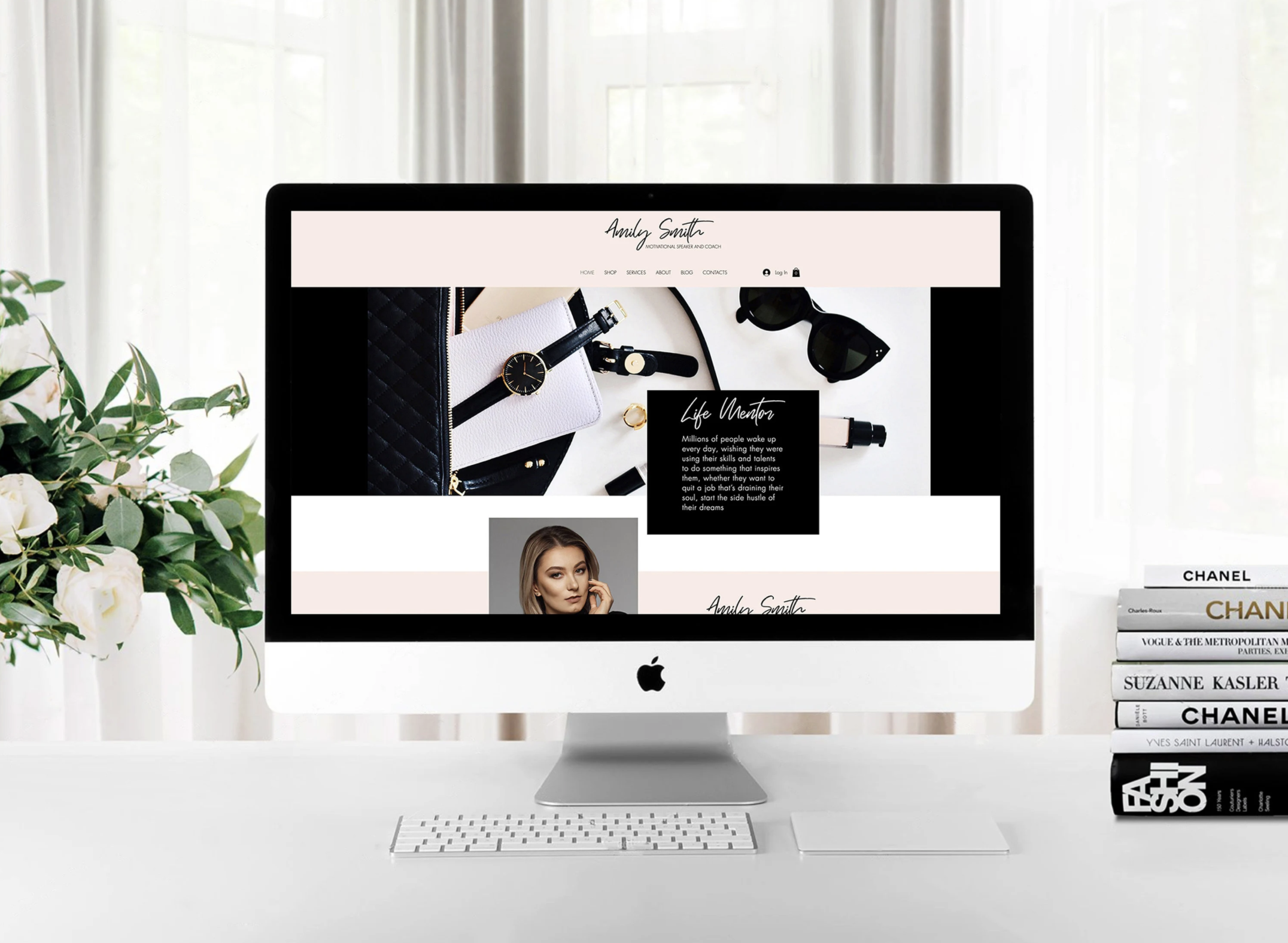
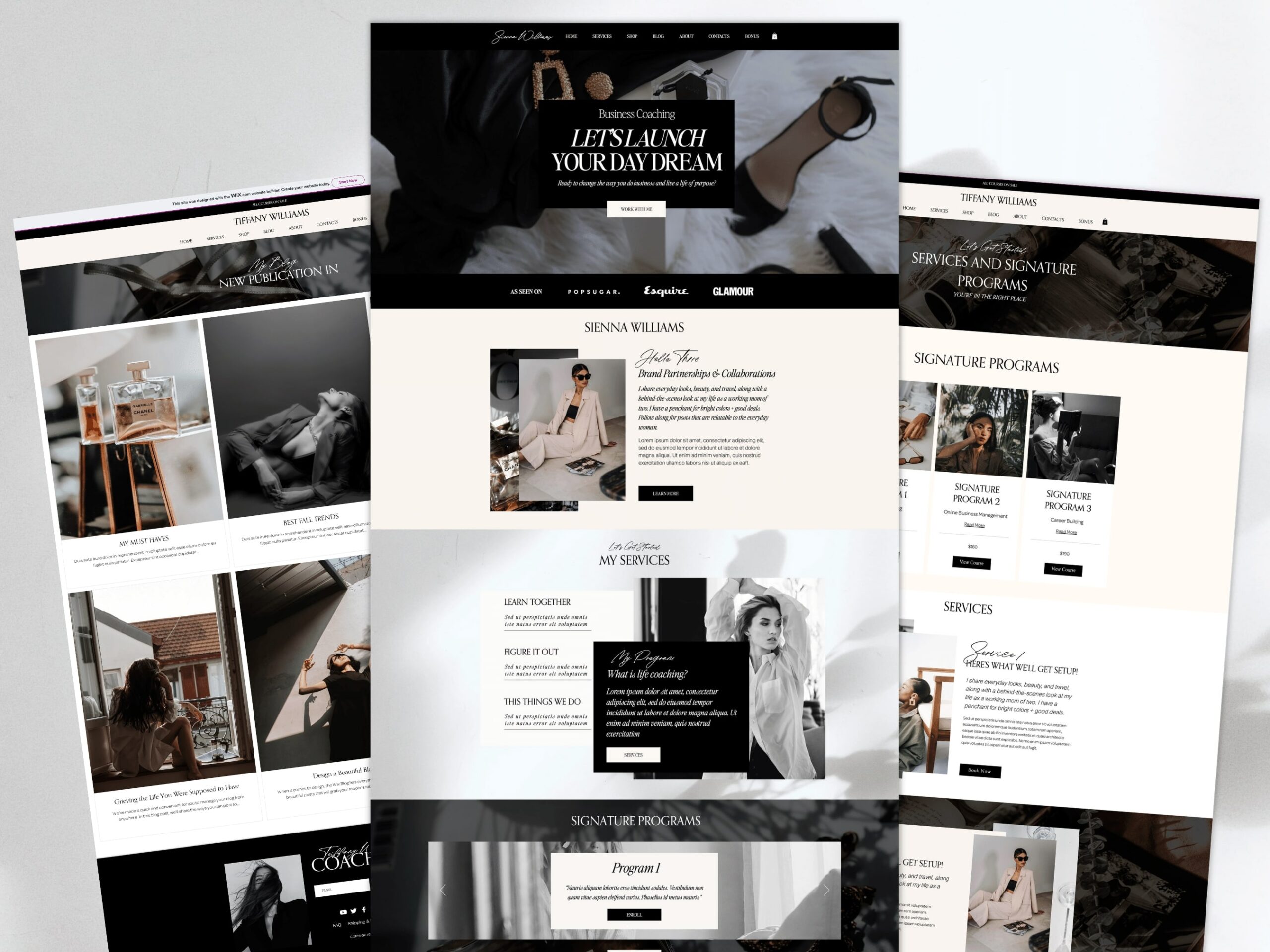
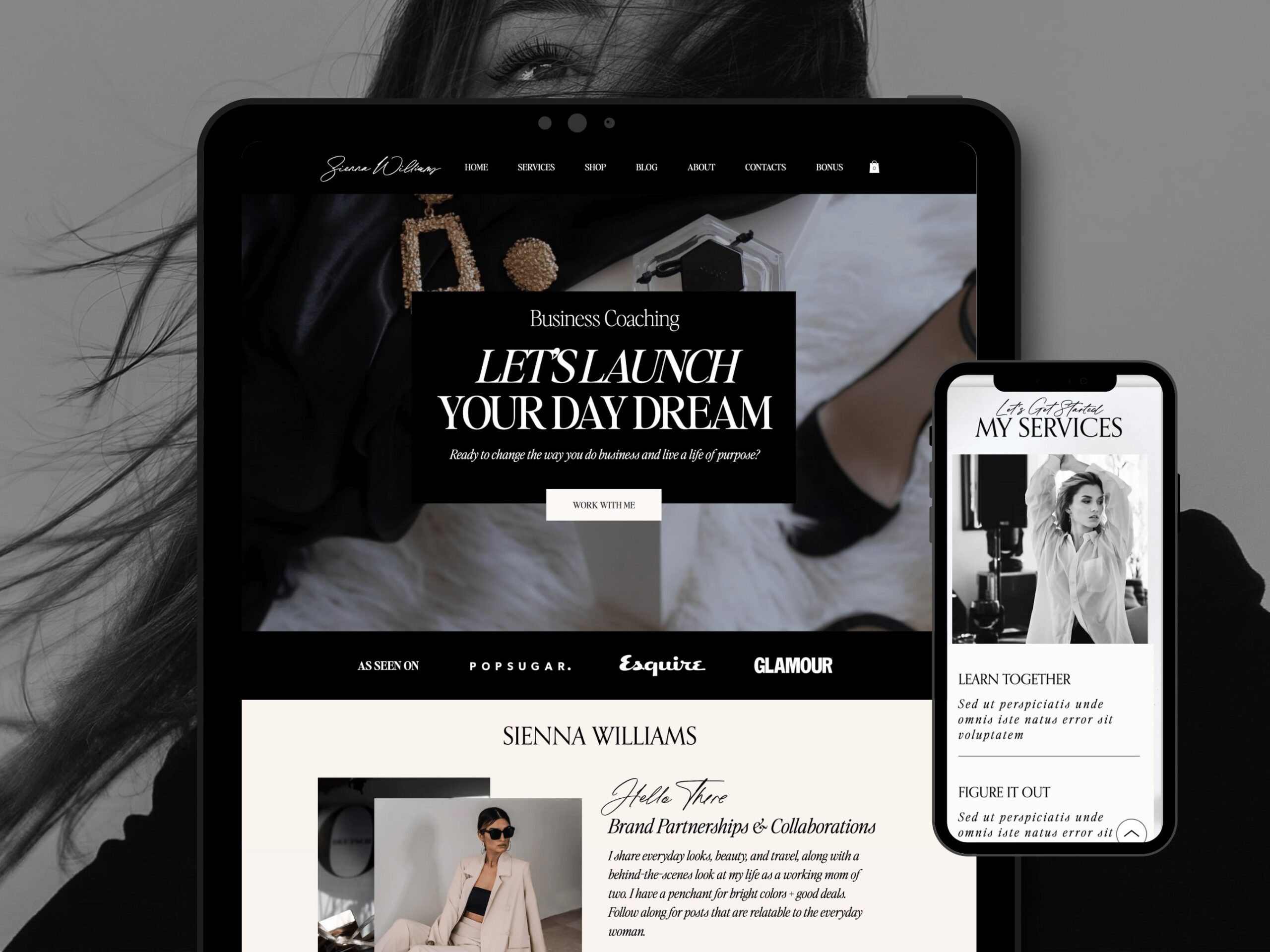
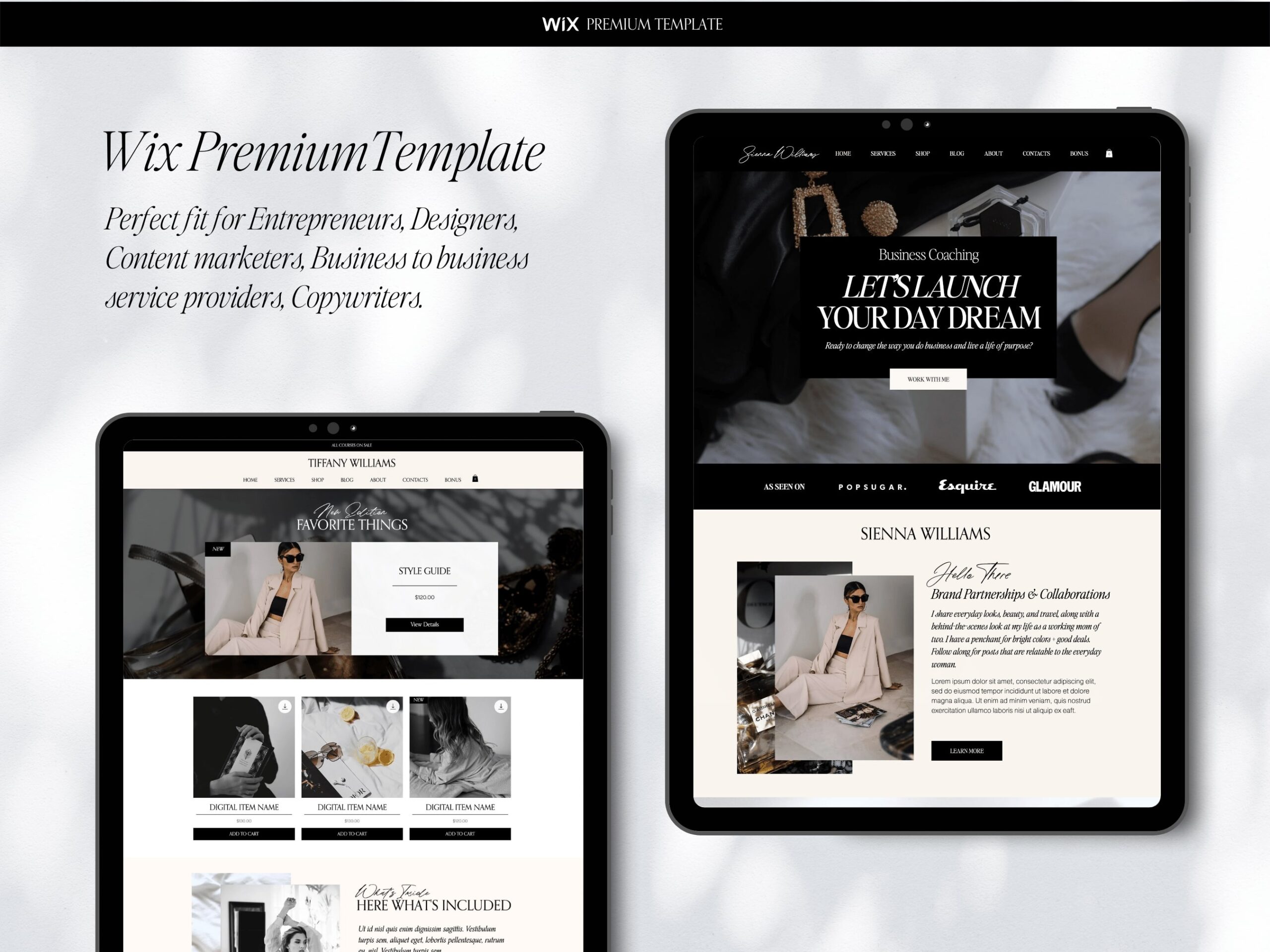
Wix is a popular website builder that offers a range of templates for creating websites, including blogs. Wix blog templates are pre-designed templates that are optimized for blogging. They come with a range of features and customization options, including layout options, font styles, color schemes, and more.

wix blog template, wix themes, wix templates, best wix templates, wix premium templates, wix vs squarespace

On this platform, there’s a range of blog templates you can leverage including fashion blog, lifestyle blog, and writer, among others. Not to mention, Wix blog templates are fully customizable, allowing you to modify your website’s design to suit your preferences.

They also come with a range of features and widgets, including social media links, contact forms, and more. Overall, Wix blog templates are a great option for bloggers who want a user-friendly and easy-to-use platform for creating their websites.

How much do you pay to use platform?

Wix offers a range of pricing plans for creating a blog on their platform. The cost of a Wix blog depends on the plan you choose and the features you need. Here is an overview of the pricing plans for creating a blog on Wix:

VIP

  • 24.5 monthly
  • Priority support
  • 35GB storage 

Unlimited

  • $12.5 monthly
  • Ideal for freelancers and entrepreneurs
  • 10GB storage

Combo

  • $8.5 monthly
  • For personal applications
  • 3GB storage

Connect Domain

  • $4.5 monthly
  • Most basic plan
  • 500mb storage
wix blog template, wix themes, wix templates, best wix templates, wix premium templates, wix vs squarespace

Why you need Wix Blog Templates for Your Blog

  • There are several reasons why you might need Wix blog templates for your blog:
  • Professional design: Wix blog templates offer a range of professionally designed layouts and styles, which can help you create a blog that looks polished and visually appealing. This can help you attract and retain readers who are more likely to engage with your content.
  • Time-saving: It can save you time and effort when it comes to designing and customizing your blog. Instead of starting from scratch, you can choose a pre-designed template and modify it to fit your needs. This can be especially helpful if you don’t have any design or coding experience.
  • User-friendly: Its templates are designed to be user-friendly, with a drag-and-drop editor that makes it easy to customize your blog’s design and layout. This means you can create a blog that looks great without any technical skills.
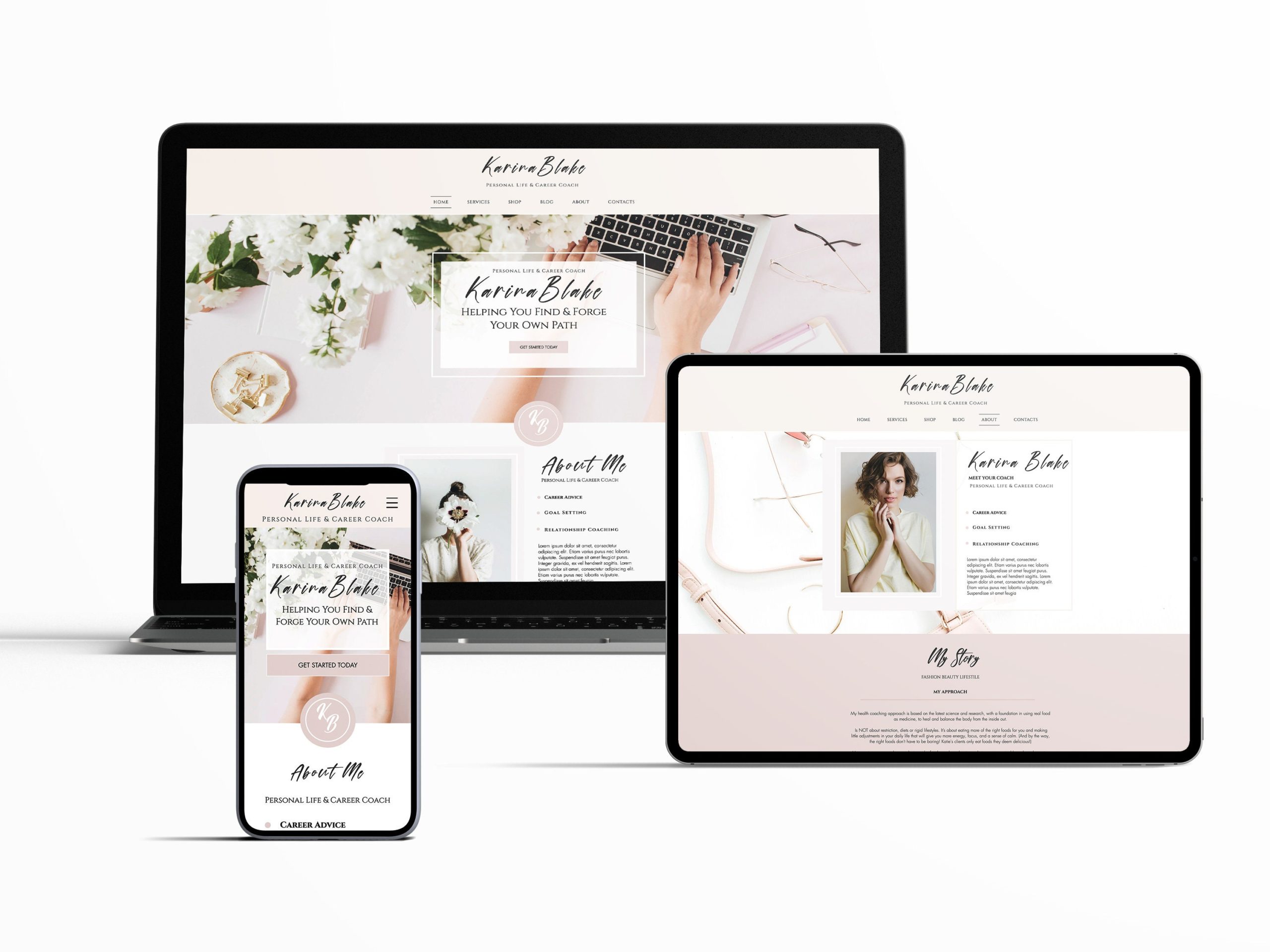
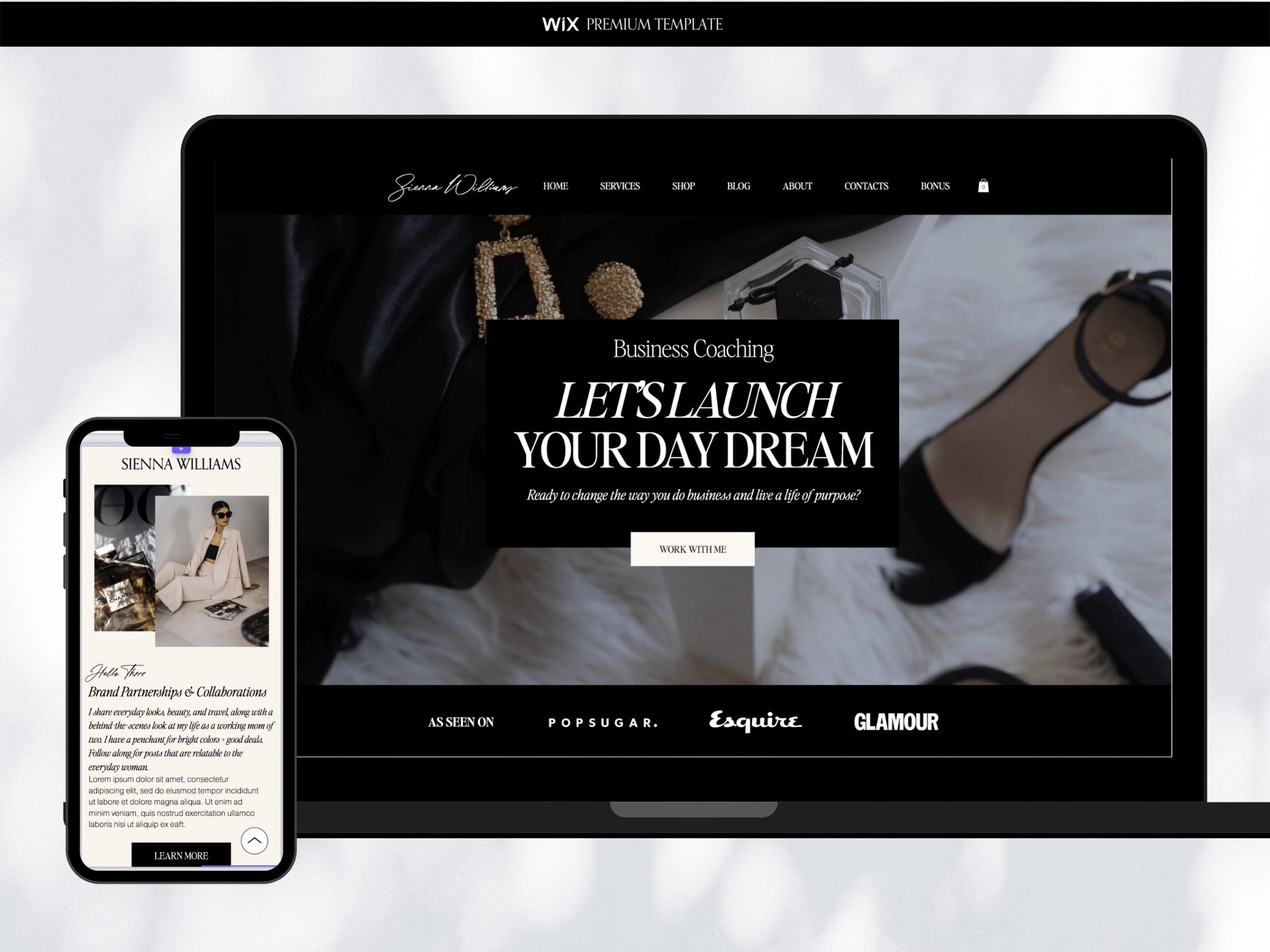
  • Mobile-responsive: They are optimized for mobile devices, which is important because more and more people are using their phones and tablets to browse the internet. With a mobile-responsive template, your blog will look great on any device, which can help you attract and retain readers.
  • SEO-friendly: They are designed with SEO in mind, which means they include features like meta tags, alt tags, and automatic sitemaps. This can help improve your blog’s visibility in search engines, which can help you attract more readers.
  • Affordable: Wix blog templates are affordable, with a range of pricing plans that can fit any budget. This means you can create a professional-looking blog without breaking the bank.
wix blog template, wix themes, wix templates, best wix templates, wix premium templates, wix vs squarespace

Final Take

Overall, Wix blog templates can help you create a professional-looking blog that is visually appealing, user-friendly, and optimized for search engines and mobile devices. Whether you are a beginner or an experienced blogger, this platform offers a range of templates that can help you achieve your blogging goals.

[woof]

Many people consider setting up their sites as a complete project. However, there is no such thing as finishing of the website. Each site requires constant update to move up the search and become attractable to visitors. Wix websites are not the exclusion.

If you want to attract a constant flow of customers, the update must happen on the regular basis.

This is what Wix templates are well known for.  As one of the oldest site builders Wix templates evolved into a platform that offers plenty of space for update and customization. When we talk about the update usually it means to lead a blog or put some news pages.

But this is just a basic minimum of what one must accomplish.  What typical new site really needs is versatile development from it start position.

wix templates ,Presentybox, wix blog templates, wix themes, wix premium, templates, best wix templates, ShowitWix website templates, wix landing page templates

There are two main goals ahead of each new site starter. Increase number of visitors and convert them into customers. Both of these trends directly depend on how you are going customize your website. 

To increase number of visitors you will need a proper customization for SEO purposes. Modern Wix templates allow for each type of customization that would lift your template in Google and other search engines.

Apart from customization for SEO purposes your Wix website template should be appealing to its customers.  As we can see customization is possible for any of the Wix templates. Should the person go for premium wix template if it would need to be customized anyway. Let’s look at both customizations in detail.

SEO customization of Wix templates.

While every site owner knows its customization content, it is way harder to make it fit for search engine optimization. When you optimize your Wix template for search engines you have to make sure that it corresponds to search engine metrics. Metrics that is used to put your template in a search.  Apart from using right keywords in a text it is also important to fill out all meta tags.

Such things as meta title and meta description are available on Wix today to be filled properly.

Pictures should be properly filled with alt tags. Another key issue is a website interlinking. What it means is that your Wix template pages should refer to each other under certain keywords. Thus, search engine understands that you put an accent on these specific words.

From the first site it looks like you really do not need one of Wix premium Templates to make a great customization specifically for search engines. This is absolutely not true.  Wix premium templates have already preinstalled emphasize and text blocks that are best fit for customizing.

wix templates ,Presentybox, wix blog templates, wix themes, wix premium, templates, best wix templates, ShowitWix website templates, wix landing page templates

While it is you as a site owner putting the content, the Wix premium templates lay out provides you forms and sections where your content would be best seen and analyzed by search engines.

At the same time Wix premium templates give you proper understanding where you can put your meta title and descriptions along with alt tags.  Even the pictures on Wix premium templates are better optimized specifically for search engines. So do the texts for interlinking.

Wix forms and texts.

Wix premium templates lay out consists of forms with sample texts where links and references are already presetup.

Using these templates, you will know exactly how much text you need to put and how many links to which pages you need to provide. At the end of the days Wix premium templates are better optimized for search engines, no matter what goal you are trying to use them for.

Wix templates content customization.

Each new template owner has several important tasks that should be accomplished at the same time. First of all, Wix template should be customized for search engine optimization to increase number of visitors.

Second it should have an appealing design and lay out to turn visitors into customers. Both goals look similar from the first view. However, they have completely different criteria to work perfect. Search engine customization requires certain procedures with specific wording and links.

Those wording and links sometimes hardly correspond to your content. Even if the central idea is similar. For example, if you sell the kitchen sponges your SEO required wording may be devoted to sponges.

At the same time your content to attract customers may relate to kitchen issues descriptions against which sponges may help. In this very case as in many other cases you have a goal discrepancy while adding customization content.  That is where your Wix premium templates could bail you out. Having sample texts and descriptions spread over the website you will definitely know how many keys needed to injected in this or that part of a text.

Wix templates features and module customization.

The situation is similar to the text and pictures customization. Adding functions and modules have never been easier with modern Wix user interface. It literally can be done by anybody with basic knowledge. However, it is still a big issue with injecting module and feature in a right place and how make them work with each other.  Wix premium templates were created by professional designers who made up their templates based on demands of number of users. It is the inquires of multiple users that made designers to configure the Wix templates the way they are.

wix templates ,Presentybox, wix blog templates, wix themes, wix premium, templates, best wix templates, ShowitWix website templates, wix landing page templates

Conclusion.

As we can see from the above there is a number of issues Wix premium templates can help with.

Another thing of utmost importance is your options when you get one of Wix premium templates. Getting such a template all you to concentrate solely on your content rather than paying attention to the details of design and layout. Every Wix owner would need learn Wix user interface to be able to deal with updates. But where you want to have your start point.

If you start from the scratch and spend hours and days mastering the Wix design you will still be way beyond the person who bought the Wix premium template. Not only because he would have a presetup project but because studying of the Wix management would be easier for him as well.

When you have a premium template, you already know what is best. You do not have to create anything from the spot but add a layer of your singularity to make it different from the other.

So Wix premium templates not only boost your site performance and provide with best options for modules and features injections but make you master the Wix user interface at much faster pace.

[woof]

Today choosing a right template for business seems not a big deal. Passed those times when one would need to hire a web designer create a website. There are so many templates in the market that it is hard to even make a right choice. Abundance of site builders makes it possible to create a fully functional website in no time by yourself.  That would not cost you anything.

Let’s look at Wix templates. Anybody can create a website using Wix tools.  At the same time there are Wix premium templates on the market. These templates were created by designers to stand out. Wix was one of the pioneers among site builders.

Overtime Wix developed great functionality that allowed to implement whole bunch of features that were previously unavailable.  They were actually available through hard coding only. Constant updates made Wix user interface be easy to understand.  

wix templates, Presentybox, wix themes, wix blog templates, wix premium templates, best wix templates, wix landing page templates, Wix website templates, Wix templates for sale, Showit

Another option is to get a one of free template that are available. Lots of Wix free templates have great functionality and astonishing design. Would it be worth it to by one of Wix premium templates when you have such an alternative. Let’s compare pros and cons to find out whether you need a premium or free Wix template.

What are the differences between Free and Premium Wix template?

 Most of the people would think that the main difference between DIY or free Wix template with its premium counterpart is the design. This is just a partial truth.  Yes, design place a crucial role but there is much more.

It is layout, functionality and customization along within optimized performance for SEO. All these options are making difference between Wix premium templates and other websites. But do you really need all this options?

What do you need your website for?

Before setting up a template it is important to understand what you need your website for. There are several major goals that people follow when they set up the website.  One goal is to provide contact information to your offline audience. Usually this is done by businesses who have a fancy offline location to facilitate the search for the customers. For example, a convenient store or a hardware repair point.

 In this case the actual design of the website would not matter, as visitor are looking for contact information rather than the design and functionality.

wix templates, Presentybox, wix themes, wix blog templates, wix premium templates, best wix templates, wix landing page templates, Wix website templates, Wix templates for sale, Showit

At the same time if the website is used for selling items where demand is presetup there is no need for design either. Let’s say website is selling smartphones, or cameras. Visitors who are coming to its website already know what they want to buy. In this very case, the design and layout would not play a big role.

It is completely different scenario if you are planning to attract customers through your website. Then the design and layout would play a crucial role. Here is when you may need to purchase one of Wix premium templates. To ensure that stunning design and convenient layout would add up to convert your visitor into a customer.

Do I need Wix premium template if my site is just business card?

The choice between Free and Premium Wix templates does not lay in the scope of functionality. The most functional websites do not require heavy accent on the design. On the contrary. The lower functionality of the site is the bigger part is attributed to the design to make the website stand out from the others.

 When there are no functions the only thing visitor can judge is the design and layout or texts.  Another major discrepancy in understanding of the business site needs is the size of the website. Many people think that if their website is not big there is no need in getting Wix premium template. This is a huge mistake.

The design is especially important for small websites where you need to make an instant impression with a concise information given on a front page.

wix templates, wix portfolio templates, wix blog templates, wix themes, wix premium templates , wix landing page templates, wix templates for sale

Having a small site, you have limited tools to attract visitors’ attention and convince him to convert into customer. That is where design will play a major role.

Another trap future site owners are falling with is customization issues. Many people think that they are going to make amendments to their template anyway. In this case why do they need to spend extra cash on Wix premium templates? It is much easier to buy a free one or design it yourself for future customization. This is not true as premium templates are specifically created to allow for wide range of customization options.   A premium template is usually done to satisfy the need of wide range of customers.

A free template is usually designed in the way to satisfy the basic needs of its users. Thus, it has far more rigid structure and weigh less options for deep customization. The same thing happens with DIY designs. Although Wix has a friendly user interface it is still complex. To be able to create a reputable customizable template you need to spend more time and money than a freelancer who is doing it on a constant level.

Final Thoughts.

There are different pros and cons while picking an option of Wix premium template vs creating your own.

What we did not factor is your time and energy that need to be invested in case you decide to set up the template on your own.   Premium templates would always be superior to the DIY or free templates on the market. Especially it relates to service industries.

wix templates, Presentybox, wix blog templates, wix themes, wix premium templates, best wix templates, Wix website templates, wix landing page templates, Showit, Wix templates for sale

A visitor who accesses the website of the beauty salon or a restaurant gets first impression about the place based on the design.   The same relates to other service providers. Even in the place where design is not that important, a premium template gives you upper hand advantage in customizing your website.

Another question is if you do not know what type of template you need. In this case you may start with a free template and develop it over time. Working on site more and more you will get better feelings of what kind of template you would really want. Once you are sure what template you need, you can start search for a premium template that corresponds the mot to your wishes.

[woof]

This story is about Wix landing page templates can be a great alternative to multipage websites.

While more and more business people decide to have their own website, the demand on website builders rises. More players are coming to the market. Apart from big old players as Wix, Squarespace and Shopify there are many new players. These new comers base their market entry strategy on the following:

Do all businesses need a versatile website with lots of content?

May be some entities just need a presence on the internet to provide information?

What if there is not much information to post about a business as there is simply nothing to say?

Everybody who started a website used t to create multipage websites to make a solid impression on the potential customer.

wix templates, Presentybox, wix themes, wix blog templates, wix premium templates, best wix templates, wix landing page templates, Wix website templates, Wix templates for sale, Showit

That happened till recently.  Today many new site building platforms concentrate on single page website templates. Templates that are easy to set up for a small business. Some new site builders such as Wix templates and Squarespace templates even have an option to provide content along with template set up.

Such options became super convenient for different type small businesses from artisans to different service providers. As a response to this trend Wix and Squarespace started to offer single landing page template for those who really needs limited on line presence.

But each small business still has a question of what type of website one really need. Let’s take Wix landing page templates as an example and walk-through steps to make a right choice.

Step 1. Figure out which type of site you need?

The size and type of the website do not usually correspond to the size of the business but to its core profile.  

For example, a web designer would need a big multipage website to demonstrate his portfolio online.

At the same time some big oil corporation can have a single page website with obscure design with almost no contact information. Wix landing page templates can provide wide range of functional options even on a single page.

wix templates, Presentybox, wix themes, wix blog templates, wix premium templates, best wix templates, wix landing page templates, Wix website templates, Wix templates for sale, Showit

To be able to understand what type of website do you need it is important to answer following type of questions:

What type of website your competitors have?

What information would you like to disclose on your website?

Would you online template have just a contact information of some extra stuff as well?

Is your business customer based or business accounts based?

The long story short you need to get a clear understanding of functions your website template. Would it be just a contact point or sales center of your goods and services.

Once you get a clear picture you can proceed to the next step.

Step 2. The Size of the website template?

As we mentioned above the type of the website primarily depends on a business niche you are planning to enter.

Create multipage website is easier and harder at the same time.  It does no limit your content but you need to work long and harder to make it look complete for the customer. At the same time, you can omit lots of important stuff simply but not putting on the landing page.

 This is why a concise and core info about your goods or services could play a crucial role in detaining and converting a potential clientele.

wix templates, Presentybox, wix themes, wix blog templates, wix premium templates, best wix templates, wix landing page templates, Wix website templates, Wix templates for sale, Showit

At the same time if you decide to go for a landing page you have to bring it all in on single place.

A place where you would try to inject everything your customer may potentially need. That is where site builder can help. Wix landing page templates or other templates from other reputable site builders are there to facilitate your work.

However, no website builder can help you to build everything for you. Do not forget that at the end of the days it is important to have your website a certain level of singularity. It can be a unique design or set up.

But there should be something that would make your website stand out from others. Something that would make your customer take the final choice. Here is what we are going to talk about in the next step.

Design of Wix landing page templates? Text vs Pictures.

As we mentioned above designing a multipage website is a long road and requires time and effort to finally create a versatile product. At the same time landing page templates do not allow for such an opportunity. Thus, each part of the landing page has utmost importance in terms of convincing customer about your business.

The main dilemma many businesses face is how to deliver the message. The message that is a central idea of the website should answer one question. Why should they choose me over my competitor.

Many site owners used to put lots of detailed texts vs pictures. This strategy work initially but then bigger and more detailed texts did not bring more customers.

Only then people start to understand that a visitor does not want to get deep into the website and find out what is written. What a typical visitor does is getting a first impression of the website.

wix templates, Presentybox, wix themes, wix blog templates, wix premium templates, best wix templates, wix landing page templates, Wix website templates, Wix templates for sale, Showit

Most of the site visitors make a decision about the website and its business in first fifteen seconds of visit. In this fifteen second site owner has to convince the visitor to choose him over competitors.

Thus, the importance of pictures and layout is hard to overestimate. To ensure the quality your website especially if it is a landing page the best bet is to get a professional designer.  Buying one of Wix premium landing page templates can also be an option.

Final Thoughts.

Whether you choose a single page template of decide to build a multipage website the first impression is what matters the most.  The first several seconds is a time that your template has to grab an attention of your customer.

This is why it is important the initial design and layout would be appealing to the visitor. 

There is no universal formula for landing page template   set up.

Depending on the industry designs of the landing page templates and their functions vary. At the same time there are several fundamental graphic technics that are applied in every premium template to make a head turner.  

In order to ensure good quality of your website template the best bet is to buy a website template from a professional designer. For example, Wix landing page templates have lots of different designs depending on industry you are working in.

Those designs usually have presetup number of pictures that are going there by default. Those pictures reflect the central idea of your business industry.

At the same time, they are not complete templates and have space for customization. To get individual flavor you can amend pictures and texts on these websites. It is literally no limits for customization.

 Thus, many Wix and other builders landing page templates take a premium template, customize the text and change some of the pictures. This is done to ensure that website has a premium design but still is a custom one. Over the time you will get feeling of what you want to change and what to leave.

[woof]

In the modern world there is number of nice website builders.  Most of them allow for quick and effective solution to set up a business online. But the question is not only what website builder to choose, but what template to pick within certain website builder. Wix offers number of premium Wix templates that can be used as an online solution.

I get lots of questions from customers who are asking which website builder they need to choose. At the same time, I often encounter a question when person likes some template but want it on another website builder.


wix templates, Presentybox, wix blog templates, wix themes, wix premium templates, best wix templates, Wix website templates, wix landing page templates, Showit, Wix templates for sale

For example, one person loved one of my premium Wix templates but wanted to be done on Squarespace. The thing is that person used to work on Squarespace templates and feels hard to make a change.

If this happened not long ago, I would completely agree with him. Even a year from now toolset and management of different website builders. However, today most of the reputable site builders have similar toolset to manage the template. Every major site builder tries to facilitate the work of its customers

What it means for customer is that he can customize the template almost in the same way in any solid website builder.

Then the main question is not which site builder to choose but what type of template to get.

Let’s take Wix premium templates as an example.

Regardless of your industry and functionality of your website you can find the right website template in almost all well know site builders. From my personal point of view most customers would like to go for Wix templates. This happens not only because the site builder provides the most versatile functionality and easy operations.

The main reason is that Wix templates has the biggest variety of different websites. It allows Wix to satisfy the demand of almost any customer, no matter what industry it came from.


wix templates, Presentybox, wix blog templates, wix themes, wix premium templates, best wix templates, Wix website templates, wix landing page templates, Showit, Wix templates for sale

Regarding the customers’ needs we can distinguish several different groups.

These groups are usually small businesses who need a quick fix to get online. The main industries of those small businesses that account fort 80% of the market are beauty salons, photographers, artists, e-commerce and other custom service providers. All of them need premium templates with an accent on different type of features.

Wix templates for beauty masters.

This audience is one the big if not the biggest group of Wix customers. Beauty masters usually have several aspects that needs to be addressed on the website. This feature is the beautiful and appealing design with great testimonials and easy navigation.

wix templates, Presentybox, wix blog templates, wix themes, wix premium templates, best wix templates, wix landing page templates,Showit Wix website templates, Wix templates for sale, wix template

 Overall astonishing look of the template gives its potential audience a feeling of beauty that can be transformed to the customer, should he visit the beauty master. This straightforward technique seems to be an open book but still has major effect on the customers. 

The design of the website in its turn consists of fonts pictures and layout. Combination of picture and fonts cultivate feeling of appeal and trigger the desire get the same result by visiting the master.

Premium Templates for photographers.

Another big group of Wix premium template users are photographers. Each photographer is aiming to show his singularity through his work examples places on his website. 

Customers are picking photographers judging by his previous works. The Wix pictures on the site is the perfect place where one can find previous work samples.


wix templates, Presentybox, wix blog templates, wix themes, wix premium templates, best wix templates, Wix website templates, wix landing page templates, Showit, Wix templates for sale

Photographer website does not need lots of extra options or serious functionality. What it needs is a superior look in the same way as one for beauty masters but a little more.

Thus, photographer usually pick the websites that have the best pictures and layout combination with little need of additional features.

Wix templates for e-commerce.

Small business sellers would like to use Wix as it has integrated e-commerce feature. Wix introduced this option not long ago while his competitors like Squarespace and Shopify were specially created for on-line commerce.

 How it is this possible?

It is all because Wix found a way to set up e-commerce websites with beautiful design-oriented customization options. That allowed small sellers to create a beautifully set up e-commerce websites to compete better with their huge competitors.

Today Wix allows for sale of number of products that are easily manageable through user interface. It makes modern Wix no worse than other more rigid side builders primarily focused on e-commerce.

Premium templates for artists.

If you are a set up well known individual or just a starting artist there is a Wix template for you out there.  Wix was initially created to help people express themselves in an on-line field. With most of the artist being totally focused on their career there was a little opportunity left to create their online presence that would ideally describe their personality.

Wix provided a solution to this problem. Rather than going manually with professional site building company, an artist can now pick the template that most closely resembles his individuality.

Wix premium templates for service providers.

Whiter you are lawyer, doctor or plumber there is one of Wix premium templates that can ideally fit your background.  Initially developed for artist Wix templates started to incorporate more and more options to fit wider categories of industries. Now it is possible to set up a scheduling online reservation module and payment processing.


wix templates, Presentybox, wix blog templates, wix themes, wix premium templates, best wix templates, Wix website templates, wix landing page templates, Showit, Wix templates for sale

 These options help service providers to become more independent third parties and create hassle free workflow. A workflow where Wix templates provides not only information but also a custom functionality.

SEO options for Wix template users.

Another major breakthrough for Wix users is its deeper SEO opportunities. Not long ago Wix templates were useful only as business cards. It was like that due to no options to optimize templates for SEO. What happened is that search engines did not see Wix templates at all, no matter how good they looked or how deeply there were customized.

Well. Not anymore. Nowadays Wix provide options to make your premium template fully customizable for SEO purposes. You can add tags and descriptions that would be recognized and analyzed by search engines. As a result, you can start advertising your websites and move it up the search queue in the same way as you were doing it with manually written website before.


Conclusion.

As you can see Wix templates truly earned their place under the sun of Website builders through enhancing their SEO, expanding their features and enhancing their management toolset.

Other website builders such as Squarespace or WordPress and catching up. Today there are number of website builders that have great opportunities for business development.

At the end of the days the only difference left is the design of the template rather than what site builder it was created with. It is the design, lay out and look that will stay different all the time, while all the rest would be unified to get the best customer experience.

[woof]

Every day thousands of people around the world start their new website on Wix. Each newcomer makes an effort to choose the right design out of numerous Wix templates.

It requires a lot hard work to set up a right design and put attractive content. Most people spend lots of energy in customizing their wix templates. Some even buy premium wix templates and hire the professional to customize the content.

Once customization is done and site looking good many users just stop and start expecting the visits.  Sometimes such situation really happens. For example, if there is a huge demand for the product with relatively low supply.

  There are also cases when the site owner just brings his business online. He or she already has solid offline audience.  That audience would find info about his website from word of mouth or from the site owner. However, the above cases are exceptions. Most of the times newly established sites remain abandoned unless advertised properly.

No matter how good website looks, it is next to impossible to make it popular with search optimization.


wix templates, Presentybox, wix blog templates, wix themes, wix premium templates, best wix templates, wix landing page templates,Showit Wix website templates, Wix templates for sale, wix template

What are the options for Wix template users.


Goal setting.

First of all, it is important to clearly understand your final goal. Imagine where you can see yourself 10 years from now. How you want your Wix template contribute to your goal. Do you want your site to be a part of your business. If yes, then what part. Should Wix template stand out and be a locomotive through which you can achieve your goals.

It is a bit hard to make such an analysis but it is better be safe than sorry. Spend some energy and get the clear path to your goal. Envision the website to have a clear role in this path.  Gather all that information to see how much effort you need to put to your new online premium Wix template.

Working on the website after its set up is as important as setting it up. According to stats only 1% of websites registered survive over one year period. Right strategy would help you to address the advertising efforts property to get the maximum.

Explore the options.

After setting up a goal you would need to map out a plan of how much you will invest to your website.

Based on your ultimate goal you can have a clear picture what you need the site for.  As a complimentary aspect to your business or as major business driver.

If your business is generating revenue mainly offline then you can have a slow-moving strategy.

What that means is that you do not need to start intense advertising right away and invest a lot in media sources. If you have a successful offline business, your Wix template would become popular overtime anyway.

wix templates, Presentybox, wix blog templates, wix themes, wix premium templates, best wix templates, wix landing page templates,Showit Wix website templates, Wix templates for sale, wix template

Another thing if you plan to make your website one of major income driving sources.

In this case you would need to keep working on advertising the website on a completely different scale.   Heave timing and investment effort is needed to push the website up among competitors. It does happen over time when you may think that all your work and money were worthless.

Wix templates are perfect for both case scenarios. Whether you build a business card website or online shop there are number of options to choose a right wix website.

Map out your budget on advertising to stand among other Wix templates.

There is a number of proverbs and stories about people completed something alone. However, it does not work with Wix templates and website advertising.  Buying a premium Wix template would always give you upper hand over those who decided to design his website on his own.

The same is with advertising. You would need to accommodate certain budget that you are ready to spend over time to become visible to your customers.

The amount you need depends on the advertising strategy you will pick up. Whether you need a quick but costly turnaround or you want to build a solid business over time. The ideal option is to invest in both ads and Search Optimization.


Wix templates advertising.

AdWords.

As we mentioned above there are two major options for website advertising. One is AdWords placing where you pay per click on your ad. It gives a quick turnover but consumes all your budget.

Search Optimization.

The second option is Search Optimization strategy. This strategy accounts for long term recognition of your website.

With this strategy you would need to have number of solid sources refer to your website template to raise it authority score and be on top page of the search.

This is a hard task and does not happen the next day. It requires time and money.

But finally, it has a good pay off.

Which path to choose is up to you but the ideal option is to invest in both strategies at the same time.

Adwords, being a direct advertising on a first page would give you visitors boost. But will they convert into customers?

On the other hand, Search optimization makes your site visible on a constant basis without paying for each visit. Apart from relatively low-cost advertising the trust of customers from SEO is far higher comparing to the ones that were brought through AdWords.


Social Media for Wix templates.

Social media is another modern way of making your Wix template more popular. It is kind of a similar to SEO where you need to post your content a lot on high authority sources to make it visible over time. Depending on your product need to know which area it is best to accelerate first. For example, if you doing all kind of designs your best bet is to advertise your Wix template on Pinterest.

If you provide certain kind of services where the result can be displayed in full glory, go for Instagram.

Want to demonstrate to the process of certain activity with details, your choice is Facebook.

wix templates ,Presentybox, wix blog templates, wix themes, wix premium, templates, best wix templates, ShowitWix website templates, wix landing page templates

There are also other social media services and some of are better fit to different type of businesses. To understand where to go the best way is to study the competitor’s strategy.

Choosing the right contractor.

At certain point of Advertising your Wix template you would need to hire an advertising specialist. The one who would help you to move forward with your Wix template and work with your advertising.

AdWords you can put directly without anybody’s help. In Search Optimization you would definitely need a group of people who would work on advertising and promoting your website through high authority resources.

My advice would be to find multiple contractors who will do certain kind of tasks, rather than single one who is responsible for everything. The thing is that you can never know whether person whom you are paying really spending money on advertising or just put it in his pocket.

The effect of SEO is delayed and you can see first results as long as six months. That basically eliminates any chance of controlling our contractor. For this reason, the best bet would be to find contractors who would do certain referral tasks rather than hire a specialist on a monthly basis.

[woof]

Why we are here?

Save you time and money. How to choose a site builder for your future website?

May be not much money but time definitely.

Our main goal:

 Get your the result the shortest way.

We are here to increase your site conversion rate

and get you maximum sales.


wix templates ,Presentybox, wix blog templates, wix themes, wix premium, templates, best wix templates, ShowitWix website templates, wix landing page templates

Cheers. I am Irina and co. a daughter of journalist and photographer and

A gold medalist designer turned into brand maker.

We work.

You earn money.

How can you be sure that any template you pick

would appeal to your audience the same way.

There are so many designs out there.

How many are adored by everybody?

SUCCESS ANSWER:

 1% TO MAKE IT, 99% KNOW WHAT TO MAKE. 

Our main effort is to cultivate the designs

that appeal to audience regardless of taste.  

Rest assured that any template you pick

would create a response in your customers minds.

Let’s say you like driving your car.

You were driving all your life and think that

 you are a good driver if not the best.

How many people drive car in your area.

Most of them think that they are best at driving.

But there is only one best driver in

your area, city or even country.

Our goal is to make sure that template

you pick is really that one out of many.

Is it possible to make a right choice?

Any designer you pick claims to be the best.

And they are right.

NO BAD OR GOOD DESIGNS out there.

When you choose car, dress or hotel you have a clear

metrics of what you need.

But in design it is challenging as you do not know

 what your customers may like.

Our main elevator pitch is to KNOW HOW.

Create what people like most.

No magic. Websites designing gives us chance

to figure out patterns that are in highest demand.

HOW WE ACHIEVED THE RESULTS.

By constantly improving templates.

 till a maximum response from our audience.

Throughout our lifetime experience

we were customizing websites to get a head turner.

NO reason to believe?

Every designer has 100% positive feedback on his website.

Right you are.

wix premium templates, wix templates premium, presentybox, wix templates, wix themes
Young beautiful woman in black dress, straw hat with retro photo camera stay near white wall with rail sunlight shadows. Aesthetic fashion lifestyle background

CHECK INDEPENDENT REVIEWS

Since 2021 we were selling on biggest market – etsy.com.

Out of more than 450 sales I have 65 positive reviews.

Our sale to review ratio is

 highest among the peers.

The shop URL is etsy.com/shop/presentibox.

All reviews were left by the independent customers.

If you love something you can’t really do it bad.

I do what I love to help you do what you love.

In the constant process of enjoying your business it is

Only single time you work on your design and brand.

Why not always have upper hand.

Let any failure drown in the light of your branding.

NO rush. The good template is a matter of your choice.

I will make sure there are only good ones around.

Pick the right website builder.

Templates that sales
for businesses that grow!

    Your website is extension of your business!   It is a content provider to your audience.   Design of a website is your business Branding.   What is a sale formula?   Creating a Brand that has a right content?    Deliver it your customer!  

Push your business!

3 steps formula:

 Sell what people need.                  Use the right sale channel.      Reach your audience.

Already have a right stuff to sell? You are a halfway through!

Congrats!

Lest move on.

Capture you customer!

Why nice-looking site is so important?

Let’s do the experiment.

Open three new templates and look at them for 10-15 seconds.

Now Get off from the computer and

 look outside the window for 30 seconds.

Now come back and look at these sites again?

Did your taste change?

The constant general impression

 is formed in first 10-20 seconds.

It means you have 15 seconds max,

to impress a client to stay and come back.

LOOK AT 3 PICTURES BELOW

With so many new platforms out there,

    The main question remains the same:   Why your client should choose you among your peers?   Because you are different!   But how to show your difference?   Through your website template.   It is the web template that makes a single person website’s look better than multimillion dollar companies.   There are examples of successful millionaires who made it with the power of their website.  

What site platform is a key to make great site?

Website design is like a construction,

no good house without right building materials.

We create a site builder checklist to get the materials tested.

Here is our site constructor checklist:

  Speedy servers and uptime.Intuitive content managementDesign capabilities. Additional features. SEO compliance. Template Prodigy.

These are major Site platforms that passed the above check list:

Showit, Wix, Squarespace, WordPress, Shopify.

Now let’s make final choice based on your business profile!

Site Platforms that would contribute most to

Artist, Designer, Photographer, Coach, Wellness, Beauty, Service providers, Self-Bio Page.  On-line sellers with wide range of inventoryLawyers, Doctors, Constructors, Marketing agents, Bloggers, Journalists, Information providers, Seller with specific inventory.
Showit, WixSquarespace, Shopify, WordPress.Showit, Wix, WordPress, Squarespace.

I want to sell. What I platform should I choose?

Here is the Design vs E-commerce functionality trade off.


wix templates ,Presentybox, wix blog templates, wix themes, wix premium, templates, best wix templates, ShowitWix website templates, wix landing page templates

E-commerce trade off.

  Shopify – Pure selling platform. Low space for design variation. Site is setup as number of sections to add items and jump start selling.  Lots of plugins to enhance the design and functionality. Easy to scale selling.   Squarespace – Selling platform. Can design your own site. Has number of integrated features.  Less design freedom than Wix and Showit.   WordPress – Versatile platform with selling option. Relatively rigid design freedom using “Elementor pro”.  Most numerous plugins available.     Wix – Versatile platform with selling option. Significant design freedom with mostly presetup features for automatic site setup and layout creation.   Showit – Design platform. Selling option is integrated through third party plugin like Shopify, Paddle, WooCommerce etc. Highest level of design freedom. Limited sale scaling options.

Today almost any design can be done on any template. But what if you want to make some design changes. The more rigid site platform is the less its template is prone to customization.

Design trade off.

  Shopify being Pure seller’s platform is the hardest to make any design changes.   Rigid design options are available in Squarespace and WordPress.   Wix can be considered as compromise giving you freedom to design and sell.   Showit, being the best design system, requires all done manually including item sale pages. It becomes exponentially hard to sell more than 20-30 items due to manual tuning up.

Do you have any advice?

Yes. It is all about what you sell.

  Large item inventory. Presetup demand. – Pick Shopify.   Small to large inventory. Design change options – Use Squarespace.   Small to large Inventory. Many features for complex site – Try WordPress.   Small to medium inventory. Deep site customization – Go for Wix.   Small custom inventory. Stunning look that triggers demand – Take Showit.

What do I choose if the Same template is on different platforms?

Long story short.

Want to start selling right away. – Pick Shopify or Squarespace to jump start selling   Plan to sell but need a website first? Pick Wix if you want a website and may need selling.   Want to sell and impress? Consider Showit if you sell limited crafted custom items.   Want a versatile website with full control and options? Choose WordPress with numerous plugins for anything. *   *The above comparison is relative and is good for this year. All platforms are in constant development mode and situation may and will change with time.  

At the end of the days your final choice is the template that you like the most.

Just to let you know.

Eye capturing designs are only for Creatives?  Of course, NO!

Designer or Blogger, Athlete or Beauty Master, Artist or Lawyer, Photograph or Coach, Engaging design is important for any kind of websites.

  Website design becomes even more important when you are not selling.   Remember sales formula: merchandise, sales channel and delivery.   Here we are taking selling stuff out which leaves us with sales channel alone. That is where design fully kicks in.  

Make your website look unique as the services you provide.

Why client should choose you among number

of your peers?

The answer is – Be Different from the others.

If customer does not choose you,

 it means he went to your competitor.

Stop!  We’ll help you to avoid that!

The branding concept of the website should cultivate feel a joy

since the first and most important impression.

Easy to say but how to make final choice.

Choose Showit or Wix for maximum design power.

Remember it is only how it look now.

But its future customization potential,

so, your site look and what is important will look different.

Wix and Showit provide utmost customization freedom.

Which one exactly?

It is all about money and work.

Wix gives you nice design with easy number of features addition.

I want masterpiece!

Get Showit. Ultimate design looking with highest customization level.

But be ready to do everything manually through the code.

What if I want deep customization with lots of functions and features.

WordPress alternative.


wix templates ,Presentybox, wix blog templates, wix themes, wix premium, templates, best wix templates, ShowitWix website templates, wix landing page templates
Consider WordPress if you want a website where you can easily install lots of different features.   Contrary to other site builders the WordPress is not a separate hosting and domain platform. It is a free of charge template that is setup on a regular hosting.   WP is closest to classical html website. which you can edit both code and through user interface.   Being the most widespread alternative for years, it has numerous plugins to add features of any kind.    

What about Weebly, Format, Canva, Google and other site constructors?

There are many site constructors coming up every day.

Any newcomer would need at least 5-10 years

 to reach the level of its current competitors.

To guarantee perfect service we use mature prone

 to errors and our checklist compliant system site builders.

SEO.

 Got the Website. What next? The site will not sell itself.

Once you setup your website, the SEO kicks on

That is what you will need to do since now and then.

First results are in usually in 6-month period.

Do not believe those who make fake promises.

You should consider SEO before you chose a website.

Your domain or URL may already be a part of SEO, sounding exactly like most search keywords in your area.

Great template is a winning bet?

Make it visible to your customers and then you do not have to kill yourself for the content to be superior of the others.

You can name hardly any big corporation who provides better product than its smaller competitors.

But how they proliferate.

BECAUSE CORPS. USE THEIR BRAND AND MARKETING POTENTIAL.

80% OF THE SUPPLIERS IN ANY GIVEN AREA PROVIDE THE SAME LEVEL OF PRODUCT.

WHAT THE DIFFER IS THEIR BRANDING AND SELLING POWER.

Creatin a great SEO is like moving your shop into a good location.

SEO is multi-level process of working on your website.

Think where you want to be in 10 years from now.

SEO services vs Do it yourself?

To answer the question, we need to compare SEO to the Sport.

You can train alone you can take a trainer and move faster.

[woof]

The best Wix templates will always help enhance your website and push its growth to the next level. If you’re serious about creating a great and powerful website for your business, then Wix can be a great platform. It doesn’t require any programming experience, and you will find these templates to work exceptionally well for you.

These Wix templates are very efficient when optimizing a specific look for your website while implementing a professional style. On top of that, great visuals and a proper website structure will always entice users, and you can get that from Wix’s templates too.

What type of templates can you use?

If you want to start using the Wix platform, the best Wix templates are ideal. The advantage of Wix templates is that they are ready-made, quick to install and you can customize them. So even if they don’t 100% fit your vision or ideas, they can still be a great option and certainly something you want to consider as much as possible. It’s one of the ideal solutions for website owners that need a stunning, unique visual style for their online business.

best Wix templates, wix premium templates, wix blog templates, wix portfolio templates, wix landing page templates, presentybox

When you browse Wix templates, you will see options for almost any category. There are templates for photographers, real estate, corporate landing pages, businesses and services, online stores, art, portfolio, or even agencies. Regardless of what kind of business you have or what you want to showcase on your website, these Wix templates are a stunning pick, and they will give you the outcome and results you may wish.

In addition, the quality of Wix templates is always excellent since they are all ready-made for the platform. That means no errors, immediate compatibility, and long-term support. You rarely get to have any of this with other media, hence why Wix is one of the best and most consistent options you can find nowadays. Not only that, but all templates are visually imposing and grand for SEO too.

Can you switch between the best Wix templates?

Yes, it’s possible to switch between templates if you want quickly. That’s great since it offers you all the options needed to show your ideas cleverly and enticingly. Ultimately, having a great Wix template will set your business apart. Not only that, but you can avoid overspending on custom website design.

Wix templates are great for businesses that want to expand, reach new customers, and better connect with their audience. It’s never easy to achieve that, but with templates, it becomes much easier to provide the benefits and style you want for your customers. After all, the template design is what people see right from the start, so it makes sense to go for an exceptional, astonishing, and impressive design.

As soon as you use the best Wix templates, you will see a significant shift in how people connect with your website. A versatile yet niched-down website will consistently deliver much better value than expected. Rest assured that as soon as you start using great templates, you’ll have the upper hand against your competitors and the value you can offer your customers.

best Wix templates, wix premium templates, wix blog templates, wix portfolio templates, wix landing page templates, presentybox

Targeting your customers

You might want to use some of the best Wix templates is convenience and quality. Yet they can also help you with better customer targeting. Many companies don’t realize that investing too much time and effort into your website pays off. Yet targeting customers is just as important. And with these Wix templates, it becomes much easier to do that. The targeting process is highly efficient and customizable, and it helps optimize the experience while offering exceptional returns and outstanding value.

That’s why you can use unique Wix templates made for your niche. It just becomes a chore in most cases to use general designs. You’ll find a lot more versatility and ease of use while still immersing yourself in the experience.

In the end, you always have the flexibility to change everything and ensure that it’s all good to go and it fits your needs. Plus, Wix templates are always great to modify, so you’re not dealing with any feature locking.

How does it fare against Squarespace?

The advantage of Squarespace is that it tends to deliver a more business-like focus. Their templates offer the idea of creating a business, so they are less personal. On the upside, the best Wix templates give a lot more versatility, and you’re still getting an exceptional experience and quality. Here you don’t have a point-like system for templates; instead, it’s all drag and drop.

Wix helps more here since the Squarespace customization can be very restrictive. It can still be perfect for businesses, but Wix allows more customization and optimization features. Yet you can quickly go with both and have an incredible result. As soon as you do that, you’ll find the process much more consistent and convenient. You want to use templates because they are great, deliver excellent results, and you don’t need any programming knowledge.

What about ShowIt?

When you get the best Wix templates, you may want to consider alternatives. It never hurts to have an alternate solution, and ShowIt can be an interesting one. The advantage of ShowIt is that you can have a personal, branding-focused website that delivers an exceptional return on investment. The quality of ShowIt is incredible; however, if you want a business website, that might not be the ideal platform. It’s still great, but it does take a significant amount of effort and time to bring everything to fruition. That’s the advantage of using Wix templates; it allows you to get things done while still offering you a tremendous return and quality for the money.

While Wix is not perfect, ShowIt still has some ways to go until you get the ROI and quality you expect. Many people appreciate platforms such as Wix because they help you improve your business and push it to new heights. That’s why you want to use Wix instead of other options because you’re still getting the return and quality you need while enjoying an exceptional result every time you do it.

ShowIt can be a great tool, it’s suitable for conversion and quality, but it still has some ways to go until you can obtain the type of results you expect. That’s why the best Wix templates are still very appealing to many users. You receive a fantastic ROI, you know exactly how much you have to pay, and it still offers you a great return no matter the situation. Not everything can fit your needs, so adapting and finding the right one that gives you great features and improved benefits can be an exceptional idea.

Should you go with the best Wix templates or Canva?

Canva’s main appeal is that it gives you a DIY approach when it comes to design. You have a lot of control and great templates you can use over and over. It’s undoubtedly a great idea to use Canva because it always gives you the power and value you expect.

However, it doesn’t have the depth and quality you can expect from a platform like Wix. Sure, Wix is not perfect, no website builder is, yet it’s very close to that. Why is it so? It’s versatile and dependable, plus you can optimize and customize all kinds of systems.

Canva’s main appeal is that it has a Pro program, but you have to pay a monthly subscription fee. For many people, that subscription is an exceptional tool and will help convey superb quality all the time. It’s never easy to achieve the things you have in mind, and you will have a fantastic time bringing those things to fruition. It’s an excellent opportunity to rely on Canva, but remember that finding great templates can take a while.

best Wix templates, wix premium templates, wix blog templates, wix portfolio templates, wix landing page templates, presentybox

Some templates are similar to those you can find on Wix, but that’s normal. Yet you can still find great variety here. Wix can be a better option if you are looking for diversity, style, and exceptional quality. Will it give the right ROI? It depends on what you are looking for, yet for the most part, we think that the best Wix templates will fit your needs just right!

Can you switch between multiple Wix templates?

For branding reasons, it’s a great idea to avoid changing your templates often. If you do that, it can affect your branding efforts since you show a lack of consistency. If you switch between templates often, it can push people away, and that’s the last thing you want to have.

It’s never easy to try and find a great template, but that’s where you want to do some trial and error. The idea here is to narrow down what templates can be great, test them on the site and see what fits. If you try to change stuff often, it can only lead to all kinds of issues. Doing that will only make things better for your website, and that’s why you have to address it as much as possible.

It’s a great idea to try and use templates for Wix, but remember that you want to do any testing before you go live with the site. If you switch things often, it will only be to the discredit of your website.

Is it possible to modify the best Wix templates?

Wix templates make it easy to customize everything and can help optimize your process to make it more cohesive. They can also enhance your website with seamless yet tasteful features. You always have direct access to different modifications and optimizations if you choose. However, most of these need you to add your images, create your menus, and other similar things.

You don’t need to work a lot on the best Wix templates, and that’s their purpose. And the truth is they do it brilliantly because you can avoid any challenges or problems, and in turn, you’ll have a much better result and experience. One of the core advantages of Wix templates is they always provide a great return on investment, and you can fully optimize them to your liking.

Can you use Wix templates for e-commerce?

When you start using Wix templates, you can easily find many categories. The benefit is that not only will you have access to stunning, visually impressive templates, but they also allow you the means to include your creativity and style. Adding that can help more than you expect while offering a unique array of features every time.

These templates offer you exceptional attention to detail, and you’ll mainly find them to integrate all the ideas you want very quickly. That’s where the value of Wix templates shines, the uniqueness of their quality and visuals, and the impressive style they bring to the table for an e-commerce seller. As a business expert, you want to set yourself aside.

E-commerce Wix templates can help push the limits while implementing a clearer perspective. It’s one of the top advantages you can get as a business professional while surpassing competitors. It’s never easy to execute an excellent and professional template system. Done correctly, it can offer you an exceptional result and outstanding value. We highly recommend using the best Wix templates if you want to set yourself aside as a professional e-commerce website.

Conclusion

Using the best Wix templates is one of the top methods you can use to set yourself aside as a business. It never hurts to push the boundaries and include new, creative, and engaging features. We highly recommend using templates if you lack any programming experience yet still want a powerful, impressive, and immersive website.

Once you start using great Wix templates, that’s a great way to push the limits, and it can help improve your process at a professional level. We believe that the faster you start growing your business and integrating Wix templates, the easier it will be. Give the best Wix templates a try and see how much they can help your business!

[woof]

Introduction:


When building a website, having a visually appealing design is crucial. Your website’s appearance can leave a lasting impression on visitors and be a gateway to showcase your products or services. With Wix templates, you can access a vast array of themes that are not only customizable but also completely free.

It’s like shaking the Wix tree and being showered with a digital deluge of templates, each professionally crafted and tailored to fulfil your website aspirations.

These Wix templates offer a world of possibilities, allowing you to create a unique online presence without any coding knowledge. The best part is that they are completely customizable, meaning you can mould them according to your preferences and make them your own.

With such a wide selection available, choosing the right template to perfectly nurture your online vision and help you stand out from the crowd is important.

This guide will journey through the captivating tapestry of Wix website templates. We will explore various categories and unravel the threads of creativity to help you find the perfect fit for your website.

Whether you’re searching for Wix portfolio templates to showcase your creative work or Wix blog templates to share your thoughts and ideas with the world, we’ve got you covered.

So, get ready to dive into the world of Wix templates, where possibilities abound.

It’s time to dress to impress and discover the template that will take your website to new heights.

Let’s get started!

What Are Wix Templates?

When it comes to website design, Wix templates play a crucial role. They are pre-designed layouts that provide a foundation for creating stunning websites without extensive coding knowledge. These templates are like building blocks that enable users to quickly and easily design their websites by customizing the existing elements.

Wix offers a diverse range of templates catering to various industries and purposes.

Let’s explore some of the types of templates available:

  • Business Templates: Ideal for entrepreneurs and small businesses, these templates offer a professional and polished look.
  • Portfolio Templates: Designed for artists, photographers, and creative professionals, portfolio templates provide a visually appealing platform to display their work.
  • Blog Templates: For individuals or businesses focusing on content creation, Wix blog templates offer a user-friendly interface to share articles, stories, or news.
  • E-commerce Templates: Wix e-commerce templates can simplify the process if you want to sell products online.

Now that we understand the different types of Wix templates let’s delve into the benefits they offer:

  • Time Efficiency: With pre-designed templates, you can save significant time than building a website from scratch. The templates already have the structure and layout, allowing you to focus on customizing the content and design elements to suit your brand.
  • Design Flexibility: Although Wix templates provide a solid foundation, they are highly customizable. You can modify colors, fonts, images, and other visual elements to align with your brand identity.
  • Cost-Effective Solution: Wix templates can be cost-effective for individuals and small businesses. You can achieve a professional-looking website instead of hiring a professional designer or developer.
  • Mobile-Optimized Designs: A responsive website is crucial in today’s mobile-centric world. Wix templates are designed to be mobile-friendly, ensuring your site looks great and functions smoothly on different devices.

Factors to Evaluate Before Choosing a Wix Template

When creating a website on Wix, selecting the right template is a crucial step in the process. Your chosen template will be the foundation for your website’s design and functionality. A few important factors must be evaluated before settling on a Wix template to ensure that you make an informed decision. Let’s dive into these factors and help you find the perfect template for your website.

1.    Niche Relevance

Niche relevance is an essential aspect to consider when choosing a Wix template. Your website’s niche determines its focus and target audience, and aligning your template with your niche is crucial for creating a cohesive and effective online presence. A niche-relevant template enhances the user experience and helps convey the right message to your visitors.

To select a niche-relevant template, consider the following tips:

  • Identify your website’s niche: Clearly define the purpose and scope of your website. Is it a portfolio, blog, e-commerce site, or something else? Understanding your niche will guide you in finding a suitable template.
  • Browse related templates: Explore Wix’s templates specifically designed for your niche. This way, you can find options tailored to your industry, making customization easier.
  • Consider layout and structure: Pay attention to the layout and structure of the template. It should be intuitive and logical, allowing your content to flow naturally and providing easy navigation for your visitors.
  • Incorporate relevant keywords: When searching for templates or customizing your website, remember to incorporate relevant keywords related to your niche. This can help boost your website’s SEO (search engine optimization) and improve its visibility to your target audience.

2.    Design Customization

The ability to customize the design of your website is another important factor to consider. While templates provide a great starting point, the importance of customization options cannot be overstated. Customizing the design adds a personal touch and makes your website unique. It also enables you to align the visual elements with your brand identity.

Wix offers a range of design customization features, including:

  • Drag-and-drop editor: Wix’s intuitive drag-and-drop editor makes modifying elements within your chosen template easy. You can move, resize, and reposition various components to achieve the desired layout.
  • Color schemes and fonts: Customize the color scheme and fonts to match your brand identity. Choose colors that evoke emotions and fonts that align with your website’s tone and purpose.
  • Images and media: Replace the stock images in the template with your visuals to create a personalized look. Incorporating relevant and high-quality images can significantly enhance the overall appeal of your website.
  • Widgets and apps: Wix offers a wide selection of widgets and apps you can integrate into your website. These additional features can enhance functionality, such as adding social media feeds, contact forms, or live chat options.

3.    Responsiveness and Mobile-Friendliness

A responsive design allows your site to adapt and adjust its layout based on the screen size, providing a seamless browsing experience for your visitors.

When choosing a Wix template, you’ll want to ensure it is mobile-friendly.

Thankfully, Wix offers a wide range of templates designed to be responsive right out of the box. However, double-checking and testing the template before finalizing your decision is always good.

You can use Wix’s built-in preview feature to check if a Wix template is mobile-friendly. Simply open the template in the Wix Editor and click on the mobile icon at the top of the screen. This will allow you to see how the template looks on different mobile devices.

Pay attention to how the elements rearrange and adjust to fit smaller screens. If the template maintains its visual appeal and usability on mobile, you can be confident that it is mobile-friendly.

Remember, search engines like Google prioritize mobile-friendly websites in their search results, making it easier for users to find your site.

4.    SEO-Friendly Features

Search engine optimization (SEO) drives organic traffic to your website. Choosing one that incorporates SEO-friendly elements is important when selecting a Wix template. These elements help search engines understand your website’s content and improve its visibility in search results.

One of the essential features to look for in a Wix template is the ability to customize meta tags. Meta tags include the page title, description, and keywords, which provide information about your website’s content to search engines.

With Wix, you can easily edit these meta tags for each page, optimizing them with relevant keywords to improve your SEO.

Another SEO-friendly feature to consider is the availability of alt text for images. Alt text is a brief description displayed when an image cannot be loaded. Including relevant keywords in your image alt text helps search engines understand the context of your images and improves their discoverability.

5.    User Experience and Navigation

When it comes to website performance, user experience is paramount. A well-designed website attracts visitors, keeps them engaged, and encourages them to explore further. This is where intuitive navigation comes into play.

When selecting a Wix template, consider how it handles navigation.

Look for templates that offer clear and organized menus, making it easy for visitors to navigate your site and find the necessary information. Smooth transitions between pages, a logical content hierarchy, and prominently placed call-to-action buttons can significantly enhance the user experience.

Exploring 5 Best Wix Portfolio Templates in 2023

A visually appealing portfolio is essential for showcasing your work and attracting potential clients. With Wix, you can easily create a stunning portfolio website highlighting your talent and expertise. Let’s take a look at five of the best Wix portfolio templates available in 2023:

1.    Christina Vanessa Graphic Designer

This template is perfect for graphic designers looking to display their creativity. It features a sleek and modern design focusing on visual elements, allowing your work to take centre stage.

wix templates, wix portfolio templates, wix blog templates, wix themes, wix premium templates , wix landing page templates, wix templates for sale

Features:

  • Easy to use
  • Clean, sleek and modern design
  • Easy to customize

Theme link: https://www.christinavanessa.com/

2.    Sophie Brittain UX

This template is designed for UX professionals and offers a clean and intuitive layout. It enables you to present your user experience projects as engaging and user-friendly.

wix templates, wix portfolio templates, wix blog templates, wix themes, wix premium templates , wix landing page templates, wix templates for sale

Features:

  • Specially made for UX professionals
  • Clean, simple, minimalistic design
  • Drag and drop theme builder

Theme link: https://www.sophiebritt.com/

3.    Steve Wolf Designs

This template is for you if you’re a designer with a bold and edgy style. It combines vibrant colors, unique typography, and eye-catching visuals to showcase your design portfolio in a captivating way.

wix templates, wix portfolio templates, wix blog templates, wix themes, wix premium templates , wix landing page templates, wix templates for sale

Features:

  • Bold and edgy theme style
  • Unique and stylish colors, typography and visuals
  • Best Wix template for portfolios

Theme link: https://www.stevewolf.co/

4.    Wendy Ju, Graphic Designer

This template exudes elegance and sophistication, making it ideal for showcasing high-end design work. Its minimalistic design makes your projects shine, while the intuitive navigation ensures a seamless browsing experience.

wix templates, wix portfolio templates, wix blog templates, wix themes, wix premium templates , wix landing page templates, wix templates for sale

Features:

  • High-end design template
  • Minimalist design for your project
  • Easy to use and customize

Theme link: https://www.wenxinwendyju.com/

5.    Dennis Krawec, Multidisciplinary Designer

This template offers versatility and flexibility for those who work across various design disciplines. It provides distinct sections for different design categories, allowing you to showcase your diverse skill set.

Features:

  • Bold and Eye-Catching Design
  • Unconventional Layout
  • Mood Board Inspiration
  • Cohesive Personal Branding

Theme link: https://www.krawec.org/

Exploring 5 Best Wix Blog Templates in 2023

Now let’s talk about some best Wix blog templates for bloggers that can be game-changers. These templates offer visually appealing designs, user-friendly layouts, and a range of features to enhance your blogging experience.

Check out our five top-picked Wix blog templates in 2023, each with unique style and purpose.

1.    M&B Remodeling

Ideal for interior designers or home improvement enthusiasts, this template combines elegance with functionality. It provides a platform to showcase your projects, share tips and tricks, and engage with your audience through an interactive blog.

wix templates, wix portfolio templates, wix blog templates, wix themes, wix premium templates , wix landing page templates, wix templates for sale
  • Features:

    Interactive Blog post templates
  • Expert tips and tricks
  • Comment sections
  • Social media integration

Theme Link: M&B Remodeling

2.    Allan Johnson

 The Allan Johnson template is a great choice if you’re a passionate writer or journalist looking for a modern and clean design. Its minimalist layout allows your content to take centre stage while maintaining a professional and polished appearance.

wix templates, wix portfolio templates, wix blog templates, wix themes, wix premium templates , wix landing page templates, wix templates for sale

Features:

  • Clean and Minimalist Design
  • Responsive Design
  • Author Bio Section
  • Multiple Blog Layouts

Theme Link: Allan Johnson

3.    Personal Blog

This versatile template caters to bloggers from all walks of life. Whether you’re a travel enthusiast, foodie, or fashionista, the Personal Blog template offers various customization options to match your unique style and create an engaging online presence.

wix templates, wix portfolio templates, wix blog templates, wix themes, wix premium templates , wix landing page templates, wix templates for sale

Features:

  • Versatile Design Options
  • Featured Image Sliders
  • Categories and Tags
  • Newsletter Subscription.

Theme Link: Personal Blog

4.    Tech Company

The Tech Company template offers a sleek and contemporary design for tech-savvy individuals or businesses in the technology industry. It includes sections for showcasing products, featuring the latest tech news, and sharing insightful articles on relevant topics.

wix templates, wix portfolio templates, wix blog templates, wix themes, wix premium templates , wix landing page templates, wix templates for sale, presentybox

Features:

  • Product Showcase
  • News and Updates Section
  • Video Integration
  • Contact and Inquiry Forms

Theme Link: Tech blog

5.    Personal Life Coach

If you’re a life coach or mentor, this template provides an excellent platform for connecting with your clients and offering valuable guidance. Its user-friendly layout lets you share inspirational stories, provide coaching tips, and create a supportive online community.

Features:

  • Testimonials and Success Stories
  • Appointment Scheduling
  • Resources and Tools
  • Community Forum

Theme Link: Coaching Blog

Best Practices for Choosing Wix Templates

When selecting the perfect Wix template for your website, following some best practices is essential to help you make an informed decision.

Here are four key steps to guide you in finding the ideal Wix templates, whether you’re looking for Wix portfolio templates or blog templates.

Research and gather inspiration from similar websites

Start by exploring websites that share similarities with your desired online presence. Take note of the design elements, layout structures, and color schemes that catch your eye.

Seek feedback and opinions from others

Don’t hesitate to contact friends, colleagues, or industry experts for their insights and opinions. Their fresh perspective can offer valuable insights and help you make an objective decision.

Ask for feedback on the templates you’re considering, and consider their suggestions in light of your specific needs and goals.

Test and preview templates before making a final decision

Take advantage of Wix’s p­review feature to get a feel for how different templates will look and function with your content.

This step lets you see the template’s layout, responsiveness, and overall user experience. Testing multiple options ensures you select a template that aligns seamlessly with your brand and delivers an intuitive browsing experience for your visitors.

Consider future scalability and adaptability:

While choosing a template that suits your current needs is important, it’s equally crucial to consider its scalability and adaptability as your website grows.

Ensure the template you choose can accommodate additional pages, features, and content in the future without compromising its visual appeal or user-friendliness. This way, you can avoid the hassle of switching templates later on.

These steps will ensure that your website stands out with a visually appealing design and offers an exceptional user experience.

Conclusion

In conclusion, we have explored the world of Wix templates, specifically focusing on Wix portfolio and blog templates. These templates provide a fantastic opportunity to create visually stunning and highly functional websites without extensive coding knowledge.

This article discussed five exemplary Wix blog templates and highlighted their key features. From the elegant and interactive M&B Remodeling template to the clean and minimalist design of Allan Johnson, each template offers a unique style to cater to different needs and preferences.

Selecting the right Wix template can significantly impact your website’s success. The ability to customize layouts, showcase content, and engage with your audience sets the foundation for a compelling online presence.

Remember, a well-chosen design can elevate your brand, establish credibility, and attract more visitors to your website.

So, don’t wait any longer!

Discover the power of Wix templates, unleash your creativity, and embark on a digital journey that truly represents who you are and what you have to offer.

Happy templating!

[woof]
best wix templates, wix templates, wix themes, wix premium templates, wix portfolio templates, presentybox

As a photographer, do I need a site? How many times have you asked yourself again and again? I am sure many times. And you are here means you get the answer is yes. Congratulations to you for being in a social world. Will one of the best Wix templates be your tool to reach the hearts of your customers.

Let me expand on the advantages of your decision. A study shows that photographers who have their site or photos on any portfolio site earn more than offline photographers. The most logical reason behind it is that they can sell globally except for selling in one store, city, or country.

If you have a site, it means that you’re socially present. Clients can trust you quickly based on your previous work, clients’ testimonials, reviews on your site, etc. Moreover, the “about” page on a site helps them to know you more, except for a photographer.

Now, do you have to hire any programmer for this? Well, not. Many site builders have 100s of free templates for users like you. I am reviewing a few photography templates from the WIX website builder in today’s article. 

I chose Wix as it has more than 800 free templates, and photography is categorized at the top. It’s the easiest builder among its competitors, so users like you can use it effectively. Let’s dive in.

How We Choose the Best WIX Templates For Photographers? 

I chose the mentioned templates based on ease of use, customization, and mobile support. In terms of branding, are these templates allowing you to change font, layout, etc? Does the domain showcase your name? Do these templates have social links to your profile? 

Nevertheless, are your images secure? Does the website give any signal if someone right-clicks to download your image? Can you upload data in bulk or in different sizes and many more? So I selected all templates which satisfied all the mentioned checklists.

Top 4 Best Templates For Photography:

Photography is a career having a large variety under its umbrella. It starts with portraits and ends with commercial photography. For different categories, I have selected each template which is as follows:

  1. J.ALLISA – Best For Commercial & Advertising Photography
  2. John Michael – Best For Portrait Photography
  3. Ella Stonehill- Best For Events Photographers
  4. Matthew Wagner- Best For Wildlife Photography

Comparison Table Between Templates:

FeaturesJ.ALLISAJohn MichaelMatthew WagnerElla Stonehill
Easy Drag-n-Drop  ✅  ✅  ✅  ✅
Customizing Features  Satisfactory  Extra OrdinarySatisfactory  Extra Ordinary
No Coding   ✅  ✅  ✅  ✅
Mobile Friendly  ✅  ✅  ✅  ✅
Best ForCommercial & Advertising PhotographyPortrait PhotographyWildlife PhotographyEvents Photographers

1. J.ALLISA – Best For Commercial & Advertising Photography

According to a known site, your Wix template website must contain large images with simple and sleek backgrounds if you want to be a successful photographer. Your sample work must be categorized neatly so your client finds it quickly.

The template I chose for you is designed by “J.ALLISA.” Its homepage is neat and straightforward, although you can drag and drop features according to your need. The main pages for commercial photographers like you include portfolio, about, client album, and contact.

best wix templates, wix templates, wix themes, wix premium templates, wix portfolio templates, presentybox

What I like the most is its Portfolio page. It categorizes each category of food commercial, although you can edit it according to your need. Make sure to customize it so nobody can find its template— use 100% of your creativity.

What We Like About The Template

  • Well-designed function.
  • Easy to use.
  • Optimized for mobile.
  • Clear call to action.

What We Dislike About The Template

  • Need to optimize for search and social web.

2. John Michael – Best For Portrait Photography

The category from which photography starts. In the late 90s when people love to click their photos and make an album to save memories. I am sure you all have that black and white album in your house as a token of love for your grandparents.

To remember that era, this template is designed in black and white colors. On its home page, here’s a large frame for your masterpiece. This site offers six pages: portfolio, services, about, clients album, and contact.

You can also preview this site on a mobile. Its portfolio page has four frames of four different age groups, making it easy to categorize it for yourself. At the footer, there’s social linking to your social profiles so your client can contact you quickly.

best wix templates, wix templates, wix themes, wix premium templates, wix portfolio templates, presentybox

What We Like About The Template

  • Have a specific page for previous work, which helps you quickly gain the client’s trust.
  • The home page had a big frame for your breath-stopping photograph.

What We Dislike About The Template

  • It didn’t have any box or page for clients’ testimonials. You had to add it yourself.

3. Ella Stonehill- Best For Events Photographers

A wedding is the most divine relationship on earth. Every couple wants to make this event memorable and mesmerizing for them. Hence they didn’t hesitate to spend hundreds of dollars on it, so I selected a template for wedding photographers.

The template I selected has a beautiful large frame with italicized font to make it visually romantic. As you scroll down on the homepage, the designer makes it dazzling. From ring exchange to the wedding day, a photographer can customize every minor thing.

This template is all-in-one for you. It’s the only template with a testimonial and contact frames on the homepage. You have to make minor changes, and your site is ready. This template lets you create your site within a few dedicated hours.

best wix templates, wix templates, wix themes, wix premium templates, wix portfolio templates, presentybox

To make the site more specific, an Offering page is also available so your clients pick up a package that suits them.

best wix templates, wix templates, wix themes, wix premium templates, wix portfolio templates, presentybox

What We Like About Wix Templates:

  • Beautifully designed for all of your photos.
  • Have every page a photographer needs.
  • Optimized for mobile for customer ease.
  • Ai quotes that reflect your passion for the niche.
  • No need for Technical Education as Drag-and-drop is available.

What We Dislike About The Template:

  • It could have been optimized for SEO; you must work on it manually.

4. Matthew Wagner- Best For Wildlife Photography

According to the Guinness World Record, about 34,858,623 images were captured of wildlife. My favorite wildlife photographer is the tiger. Seventy-six thousand seven hundred fifty-one images belong to tigers only. This template’s homepage also has a Tiger image as a background.

To make this template your one, you should buy a basic plan so that WIX removes all the ads from your site.

This template has all the features you need to showcase your skill set as a photographer. So use it wisely. 

What We Like About The Template:

  • Easy to use.
  • Optimized for mobile.

What We Dislike About The Template:

  • I only had a few options.
  • The interface needs to be improved.

Conclusion: Final Thoughts!

Are you a part-time photographer? Or do you enjoy your hobby of photography? Then why can’t you make it a source of living? When a beginner photographer finally decides to be a full-time photographer. A question mark pops up, how can I showcase my work in such a saturated industry?

There are many portfolio sites, such as behance.com, but you can’t call these sites yours.so I brought a free and instant solution to your problem. WIX builder is the known site builder having 800+ free templates. 

From these templates, we reviewed the four best templates for each category of photography. Pros and Cons are also mentioned in each review. Be wise and niche specific before choosing a template for your career.

[woof]

Think of your blog theme as your favorite superhero costume picked up from numerous Wix themes. Dig deep into your digital wardrobe and choose a theme that’s as fetching as your favorite outfit, as comfy as your well-worn slippers, and as dazzling to your readers as the perfect accessories. After all, in the world of blogging, you’re the superhero. So dress to impress! In this article, we’ll delve into the top 10 Wix themes that can transform your blog from drab to fab.

Factors to Consider When Selecting among Wix Themes.

Choosing the best Wix templates for your website is like to selecting the appropriate clothing for a special occasion. It is not only important to look beautiful; it is also important to feel well and make the correct impression.

wix themes, wix templates , best wix templates, wix portfolio templates, presentybox

1. Purpose of Your Website

The first consideration is the objective of your website. Are you putting up a blog, an online shop, a portfolio, or a business website? Different sorts of websites need distinct functionalities. An online store, for example, requires a shopping cart and secure payment methods, whilst a portfolio website requires a gallery to exhibit your work. There are several Wix templates built for certain uses, so select one that corresponds with the aims of your website.

2. Website Loading Speed

Website loading speed is an important issue that may effect both user experience and search engine results. A slow-loading website might annoy visitors and cause them to leave, raising the bounce rate of your website. Consider the influence of a theme on the loading speed of your website when selecting one. Avoid themes with bloated code or needless features that might cause your website to slow down.

3. Search Engine Optimization

SEO is like a magnet, pulling in your target audience towards your website. A good theme should act as your compass, guiding search engines smoothly through your site for easy scanning and indexing. It’s about making sure your website doesn’t get lost in the vast expanse of the internet. Look for themes that have SEO characteristics like correct use of header tags, clean code, and quick loading speed.

Top 10 Beautiful Wix Themes

Imagine the Wix Pro Blog theme as a spectacular shape-shifting gadget right out of a sci-fi movie. It’s flexible, potent, and can adapt to pretty much any blogging adventure you embark on.

1. Wix Pro Blog

The Wix themes can transform its vibe to match your unique storytelling style. It’s like the Swiss army knife of blog themes – ready to serve lifestyle gurus, tech wizards, hobby enthusiasts, and everyone in between.  Its minimalist design puts your content front and center, ensuring your readers’ focus remains where it should be – on your words. The Wix Pro Blog theme is not just about looks; it’s packed with features that make managing your blog a breeze.

Features:

  • Customizable layouts
  • SEO tools
  • Social sharing
  • Mobile-optimized design

Pros:

  • Highly customizable
  • Easy to use
  • SEO-friendly
  • Great for a variety of blog types

Cons:

  • May be too basic for those looking for a more unique design
  • Requires some time to learn all the customization options

2. Foodie Blog

For culinary enthusiasts, the Wix Foodie Blog theme is a dream come true. It’s like a digital gourmet kitchen, equipped with everything you need to showcase your culinary creations. Its design is clean and appetizing, with beautiful typography that complements your food photos and recipes perfectly.

wix themes, wix templates , best wix templates, wix portfolio templates, presentybox

The Foodie Blog theme is a feast for the eyes, designed to make your content as irresistible as a well-plated dish.

Features:

  • Recipe-specific layouts
  • Instagram feed integration
  • Dedicated section for cooking videos

Pros:

  • Tailored specifically for food bloggers
  • Instagram integration enhances visual appeal
  • Recipe layout makes content easy to follow

Cons:

  • May not be versatile enough for non-food blogs
  • Limited customization options compared to other themes

3. Travelogue Photo Blog

The Travelogue Photo Blog theme is your digital passport to captivating storytelling. It’s designed for travel bloggers who want to share their adventures through stunning visuals.

This theme works like your personal travel journal, striking just the right balance between your captivating stories and awe-inspiring snapshots. It’s not simply about pinning down locations; it’s about crafting a journey that lets your readers tag along, experiencing the sights, sounds, and soul of every new adventure.

Features:

  • Large photo galleries
  • Map integration
  • Minimalist design

Pros:

  • Great for showcasing high-quality images
  • Map integration adds an interactive element
  • Minimalist design keeps focus on photos

Cons:

  • Limited text space may not suit text-heavy blogs
  • May require high-quality images to make the most of the design

4. Fashion Blog

Strutting its stuff like a supermodel on a Paris catwalk, the Fashion Blog theme is the high heels of the digital world of Wix themes. It’s polished, it’s trendy, and boy, does it know how to flaunt your flair for fashion! It’s got that air of elegance, that oh-so-chic vibe, and is ready to give your style the spotlight it deserves. This theme is the little black dress of blog themes – timeless, stylish, and a perfect fit for showcasing your love for all things haute couture.

wix themes, wix templates , best wix templates, wix portfolio templates, presentybox

It’s designed to highlight your fashion pieces and create a visually appealing showcase for your style.

Features:

  • Lookbook-style layouts
  • Social media integration
  • Shop section for selling products

Pros:

  • Perfect for fashion-focused content
  • Shop section allows for monetization
  • Social media integration enhances engagement

Cons:

  • May not suit blogs outside the fashion niche
  • Requires high-quality images to make the most of the design

5. Personal Blog

The Personal Blog theme is your cozy corner in the digital world. It’s just the ticket for those who want their blog to be a cozy corner of the internet. Like that snug armchair by the window on a rainy day, perfect for sipping hot cocoa and immersing yourself in a captivating book. This one of Wix themes welcomes your readers in, inviting them to kick off their shoes, get comfy, and linger over your words. It’s designed to create a comfortable space where your stories and ideas can shine.

Features:

  • Variety of post formats
  • Customizable colors
  • Simple, user-friendly design

Pros:

  • Versatile and easy to personalize
  • Variety of post formats accommodates different types of content
  • User-friendly design is great for blogging beginners

Cons:

  • Lacks niche-specific features
  • May require customization to stand out from similar blogs

6. Lifestyle Blog

Think of the Lifestyle Blog theme as your personal digital lifestyle magazine – sleek, contemporary, and all set to present your versatile content in style. Whether you’re sharing riveting articles or engaging videos, this theme handles it all with ease. It’s the perfect choice for bloggers who don’t like to limit themselves to just one topic. This theme is like a well-curated lifestyle magazine, offering a visually appealing platform for your diverse content.

Features:

  • Multiple layout options
  • Video integration
  • Section for sponsored posts

Pros:

  • Versatile and visually appealing
  • Video integration allows for diverse content
  • Sponsored post section offers monetization opportunities

Cons:

  • May require more customization to stand out
  • Multiple layout options may be overwhelming for beginners

7. Fitness Blog

The Fitness Blog theme is like a digital gym – energetic, motivational, and perfect for fitness enthusiasts. It’s designed to share workout tips, healthy recipes, and fitness journey stories. This theme is like a personal trainer, offering a structured and engaging platform for your fitness content.

One of the best Wix themes has all the following:

Features:

  • Workout-specific layouts
  • Section for before-and-after stories
  • Integration with online booking for personal training sessions

Pros:

  • Tailored specifically for fitness bloggers
  • Before-and-after section adds an interactive element
  • Online booking integration offers monetization opportunities

Cons:

  • May not be versatile enough for non-fitness blogs
  • Requires regular content updates to keep readers engaged

8. Parenting Blog

The Parenting Blog theme is like a digital playground, offering a friendly and engaging platform for parenting blogs. It’s designed to share parenting tips, family stories, and kid-friendly recipes.

wix themes, wix templates , best wix templates, wix portfolio templates, presentybox

This theme is like a helpful guide, offering a structured and engaging platform for your parenting content.

Features:

  • Family-friendly layouts
  • Section for kid-friendly content
  • Community feature for reader interaction

Pros:

  • Perfect for family-focused content
  • Community feature enhances reader engagement
  • Kid-friendly content section is great for diverse content

Cons:

  • May not suit blogs outside the parenting niche
  • Requires regular content updates to keep readers engaged

9. Tech Blog

The Tech Blog theme is like a digital innovation hub. It’s sleek, modern, and perfect for tech bloggers who want to share the latest tech news, reviews, and tutorials. This theme is like a tech news site, offering a professional and structured platform for your tech content.

Features:

  • Tech-specific layouts
  • Section for product reviews
  • Modern, minimalist design

Pros:

  • Tailored specifically for tech bloggers
  • Review section adds an interactive element
  • Modern design appeals to tech-savvy readers

Cons:

  • May not be versatile enough for non-tech blogs
  • Requires regular content updates to keep up with tech trends

10. Art Blog

The Art Blog theme is like a digital art gallery, offering a visually stunning platform for art bloggers. It’s designed to showcase artwork, share art critiques, and discuss art trends. This theme is like an art exhibit, offering a visually appealing platform for your art content.

Features:

  • Art-specific layouts
  • Portfolio section
  • Minimalist design

Pros:

  • Great for showcasing visual content
  • Portfolio section adds a professional touch
  • Minimalist design keeps focus on artwork

Cons:

  • Limited text space may not suit text-heavy blogs
  • Requires high-quality images to make the most of the design

Final Words:

Using the right Wix theme does wonders for your blog’s aesthetics, performance, and readership. Which one is ideal for you depends on your specific circumstances, the kind of material you want to create, and the tastes of your target audience. Choosing the proper theme may simplify and enhance the enjoyable process of developing your perfect blog. So choose something that interests you and start making a blog that you and your readers will like. Happy blogging!

[woof]

Having our site is a minor deal in today’s era. What matters is via which source it is made. How it looks, the website’s speed, and whether it is SEO optimized. I know it’s a big brain-draining decision to choose the right builder for your site. Here’s why I compiled the article on a known website builder WIX.com.It provides Wix themes as a versatile tool for brand building.

Wix was founded in 2006, and after 17 years of its existence, it has more than 210 million users who choose Wix over other builders. Every builder provides a few basics, but WIX themes has a few features that set it apart from the rest.

Let’s discuss them one by one:

wix themes , wix templates, wix website templates, wix blog templates, wix websites, presentybox

What Is A Theme / Template Builder?

What do you understand by word theme? The most memorable party you attend with a dress code, whether it’s about specific colors or superheroes. Themes are related to the visual appearance of your site. 

Please do not mix it with page builders and templates; there’s a fundamental difference between them. A word theme affects the layout, while templates only work on a single page. Simply put, the theme is done with macro designing, and templates and page builders work under it.

Although the theme is one of many reasons, you must consider any builder. So I compile a whole table for you to choose wisely:

FEATURES      WIXWordPressSQUARESPACE    WEEBLY
No of free Templates800+1000+150+40+
E-commerce toolsAvailableAvailableAvailableAvailable
Drag and drop editorAvailableNONOAvailable
Content management system (CMS)ExcellentExcellentGoodGood
Template customizationEasiestEasyEasyEasy
Low priceNOYESNONO
Free planAvailableAvailableAvailableAvailable
Speed1 sec1 sec1.22 sec1.33 sec

Why Do You Have To Choose WIX Over Other Builders?

Is it necessary to come up with something memorable? Yes, it is. According to statistics website builder market was valued at 1.42 million dollars in 2019 and is increasing gradually. There are 175 new sites every minute, meaning 250,000 sites are built daily.

WIX is one of the site builders many users consider for their sites, and its features attract them. Let’s explore it.

AI Technology For Site Creating:

Nothing is more accessible than giving commands to a robot that exists virtually. As AI revolutionizes the market, so do site builders remain quiet. WIX included AI technology to make their customer’s work as easy as possible. No matter which of Wix themes you use , it should be easily integrated with AI.

AI in the Wix system is relatively easy to use; it’s completely user-friendly. Answer a few questions, and AI will design a site for you.

Resilient Infrastructure:

“This site isn’t reachable” is the most annoying moment in the online world. Almost every giant site faced this problem once. No matter how advanced the cloud-based system they used.

To speed up the place, WIX decided to offer a multi-clouding system in their plans so that site will quickly pop up whenever its domain is written in a search bar, even in traffic spikes.

Research says users, on average, spend only 15 seconds on a single site. Which means you have only 15 seconds to grab their attention. You lose your impression here if your site takes 5 seconds to appear.

Built With SEO In Mind:

What makes a site successful, memorable, and profit-generating? It’s visual. Content and, most importantly, if it’s satisfying Google SOPs.

What if you get a template along with basic SEO optimization? WIX understands your problem, allowing consumers to tailor sites with basic SEO optimization. Moreover, they don’t have to worry about basic SEO; all their burden will be on WIX’s shoulders.

800+ Template Collection:

Canva is the most portable and cheap option for tailoring individual or professional posts. The biggest reason behind its success is hundreds of free designs categorized neatly. It allows all of us to showcase our skills.

Site-making is a big game. Hence WIX themes are represented by more than 800 free templates to satisfy your needs. Moreover, according to your brand, you can edit unwanted or irrelevant graphics.

wix themes , wix templates, wix website templates, wix blog templates, wix websites, presentybox

Easy Drag And Drop Interface:

Drag and drop, what’s unique in it? Almost every site builder provides the same. Here’s a twist for all of you. You all remembered grades A and A-one. Are they the same? No, they aren’t. The same goes for the initiative interface of WIX, which is the easiest one to use and craft a site. Even WordPress can’t beat WIX in this matter.

You will need little guidance or video tutorials to learn WordPress, but in the case of WIX, you can make a whole site without any hustle.

Advanced Designed Features:

Themes are not all about how the page looks. It’s also about every single side post that showcases your site. WIX recently offered a few advanced designing features such as post designing, logo designing, etc. Now you don’t have to choose any other software for minor designing tasks.

Massive Earning With Blog Templates:

Blogs are like the real estate agency of the online world. Many successful brands and names prefer blogs to multiply their earnings except for other options. Anyone can start a successful blog with a single site.

WIX wants to step along in your blogging journey. Here’s why a specific category of blogging appears in the theme menu. That’s not enough. Wix has multiple templates to support your blog niche, whether related to fashion, healthcare, tech, etc.

wix themes , wix templates, wix website templates, wix blog templates, wix websites, presentybox

Why Is WIX Theme Builder Better Than Squarespace Theme Builder?

Whenever I compare two things for obvious reasons, a single item can’t be able to beat another in every aspect. So WIX wins the margins from Square space in some areas. Let’s find out about them:

  • Beginner-friendly interface: as I am repeatedly quoting, not only square space but all the other big builders don’t have the potential to beat the WIX.
  • Instant websites: an Artificial intelligence system will build a whole site for you. You have to answer a few easy questions, like Who are you? And what do you want? And your site will be ready in seconds.
  • High-end security: WIX includes one of those highly secured sites due to advanced technology and a team of experts. Experts regularly check the sensitive parts of the site. Hence Wix will remain safe even in new threats.

These are the few areas where SquareSpace loses. 

Conclusion: Final Thoughts!

Choosing the best site builder is a crucial decision for you. It would help if you analyzed many aspects like ease of use, design and layout, plugins and apps, and most importantly, which is better for blogging.

I used WIX. It was relatively easy to add or remove suitable content. Although its free plan doesn’t provide you with a custom domain name, it’s helpful if you have to analyze its way of working.

In terms of themes, WIX is far better than its competitors. WIX competitors can only be able today to beat the WIX in terms of some options. WIX is only for you if you love to take control with your fingers.

[woof]

This is an era of digitalization where businesses are striving to acquire and maintain a strong online presence by being prominent in the market. With so much digitalization, businesses improve, adapt and show flexibility to match the constantly changing needs. Creating appealing websites is one way to attract customers and build a positive brand image. Wix landing pages template are one of the leaders in this industry.

Although setting up a website may sound easy, making it from scratch is time-consuming. Particularly small business owners who require help and money to hire a professional web developer.

Website builders like Wix can help with that. Wix has a very user-friendly drag-and-drop interface along with a wide selection of customizable templates. It is so easy to use that anyone without technical expertise can create a professional-looking website quickly. Wix’s landing page builder sets it apart from other website builders, enabling businesses to create focused web pages easily.

A variety of easily customizable website layouts are available through the website builder Wix. These templates are designed to be user-friendly. It enables anybody to quickly build a website that appears professional, regardless of technical competence.

There are several areas in which the personalized Wix landing page templates may be categorized. It includes company, online store, photography, music, and more.

The design is customizable where you can change the color blend, layout , and font as per your liking. You may also add or remove pages, change the navigation menu, and alter other elements to create a unique website that stands out.

wix landing page templates, wix templates, wix themes, best wix templates, wix websites, presentybox

[Source: Wix (landing-page-builder)]

Alt text: Wix landing page builder

Benefits of Wix Landing Page

1. Customizable Templates

Suppose you’re worried about not having the technical expertise to build a professional website; worry not. Wix helps you build your website with easily customizable options that are super easy to use.

Making the process simpler, Wix landing page templates are divided into numerous categories. These categories can be customized as per your personal or professional preferences.

To make a website that stands out, you may also add or delete pages, alter the navigation menu, or customize components.

wix landing page templates, wix templates, wix themes, best wix templates, wix websites, presentybox

2. Wix’s Drag-and-Drop Editor

A key feature of Wix that facilitates quick and simple landing page creation is its drag-and-drop editor. Since no coding or design skills are necessary, with Wix, you can create a landing page. The page that l would look professional without having difficulties.

You can add numerous elements to your landing page by simply using the user-friendly drag-and-drop editor.

You can use the pre-built blocks in Wix’s drag-and-drop editor to add social media icons and contact forms. Also, it makes it easy to make conversion-optimized landing pages.

3. Mobile Optimization:

Your landing page will look superb and perform efficiently on mobile devices thanks to Wix’s Landing Page functionality, which incorporates mobile optimization.

Every landing page template Wix offers has been created with maximum responsiveness in mind. The system is so smart that it adapts according to the visitor’s viewing preference. For instance, if a visitor uses a tablet or a smartphone, the structure and content would automatically adjust to meet the size of the screen.

wix landing page templates, wix templates, wix themes, best wix templates, wix websites, presentybox

Also, to enhance the user experience on a smartphone, it comes with some mobile-specific functions including menu customization.

Thanks to Wix’s specific mobile preview option, you can test your landing page on a mobile device before posting it. This enables you to make any necessary adjustments to ensure your landing page appears and functions as well as possible on mobile.

4. Integration With Other Wix Services

To increase your landing page’s functionality and provide a smooth user experience, Wix’s Landing Page feature can also be combined with other Wix services.

You may gather user data and leads with the built-in form builder in Wix’s landing page editor. These forms may be coupled with other Wix services like Wix CRM and Email Marketing for lead nurturing and email marketing campaigns.

However, you may also interact with visitors to your landing page in real-time using the live chat function of “Wix Chat.” Interacting with potential consumers and raising conversion rates may be a formidable tool.

To automate client communications, Wix Chat can also be coupled with other Wix services like Wix Shoutout and Wix Inbox.

What’s more, is Wix analytics. This feature helps gauge the landing page’s effectiveness and also provides knowledge about visitor behavior that helps refine your landing page and increase conversion rates.

In order to automate your sales and marketing procedures, you may link Wix Analytics with other Wix services, like Wix Ascend.

wix landing page templates, wix templates, wix themes, best wix templates, wix websites, presentybox

How to Use Wix Landing Page Builder?

Go into your Wix account to begin using the Wix landing page builder. After login in, click the “Create” button in the top menu bar and select “Landing Page” from the dropdown menu.

The landing page editor will then be shown to you. Here, you have the option to start from scratch or choose from numerous customizable themes.

By using the drag-and-drop editor, you can add text, and images or make changes in your landing page by simply clicking on the element.

Moreover, to reflect the theme of your business you can sync the color blend, fonts and layout of the landing page.

Use Wix’s built-in tools, such as Wix Forms, Wix Chat, and Wix Ascend, to optimize your landing page for conversions. With the use of these tools, you may gather leads, interact with potential clients, and follow up with leads to convert them into clients.

Wix Landing Page Examples

Here are some of the Wix landing page examples:

1. The Game Awards Landing Page:

Wix’s landing page builder was famously used to develop the “The Game Awards” landing page to advertise the yearly video game awards ceremony. The landing page’s objective is to lure in visitors and convince them to purchase tickets or learn more about the event.

The video backdrop highlights past events and provides consumers with an engaging visual experience, one of the landing page’s most striking features. A displayed countdown timer to the event also adds to the urgency and motivates visitors to take action.

The page also includes clear calls to action to buy tickets or learn more about the event. Visitors may easily take advantage of these calls to action because they are prominently displayed across the website in various places.

wix landing page templates, wix templates, wix themes, best wix templates, wix websites, presentybox

Source The Game Awards (https://thegameawards.com/)

Alt text: The game awards landing page

2. Sprout Social Landing Page:

Wix’s landing page builder was also used to develop the “Sprout Social” landing page, which advertises the associated social media management tool. The landing page aims to draw attention to the platform’s advantages and persuade visitors to join up for a free trial or find out more.

The landing page has a simple, contemporary style with a large hero picture that displays the dashboard and features of the platform. The page also has a number of customer endorsements, which by highlighting the positive experiences of past clients, serve to increase confidence and trustworthiness.

Additionally, the messaging on the landing page is clear and unambiguous, emphasizing the platform’s significant capabilities and value proposition. This also includes information on how the platform may help organizations develop, collaborate better, and save time.

3. Sisu Landing Page:

The Wix landing page software also created the landing page for “Sisu.” The landing page has a simple, contemporary style with a large hero picture that displays the dashboard and features of the platform.

Moreover, the page also has a number of client logos, which by displaying the well-known firms that utilize the platform, help develop credibility and confidence.

The content on the landing page emphasizes how the platform may assist organizations in enhancing their performance management procedures and generating better results.

This includes discussing how the platform may give actionable insight, identify important performance factors, and enhance decision-making.

Unsurprisingly, this landing page also features clear calls to action to register for a free trial or discover more about the platform. These calls to action are prominent throughout the page to catch visitors.

4. Story Terrace Landing Page:

  • The landing page “Story Terrace” was made with Wix’s landing page templates to advertise the expert memoir-writing services of Story Terrace. The landing page highlights the advantages of working with Story Terrace while inspiring visitors to begin their memoir-writing journeys.

With a big hero picture of a book and pen that suggests memoir writing, the landing page has a simple and elegant style. The page also has a number of customer endorsements, which by highlighting the positive experiences of previous customers, assist in establishing trust and confidence.

The message on the landing page emphasizes the emotional advantages of memoir writing, such as preserving memories and transmitting personal stories to future generations. This includes promoting how Story Terrace’s expert authors may help bring such stories to life and guarantee their meaningful preservation.

Wix Landing Page Templates:

The number of landing page templates available on Wix might make it difficult to choose just one. Following are some of the top templates available on Wix:

  1. “Lead Generation” template: This template is ideal for companies trying to gather leads. It has a simple layout and a large form that invites users to submit their information.
wix landing page templates, wix templates, wix themes, best wix templates, wix websites, presentybox

[Source: iStock (lead-generation-business-funnel-marketing-process-gm1035905502-277302202)]

Alt text: Wix lead generation

  • The “Coming Soon” template: It’s perfect for companies introducing a new item or service. It has a signup form and a countdown clock to keep users updated on their premiere.
  • “Product Landing Page” template: This template is for companies wishing to advertise a certain product. It includes a large picture of the item, a thorough description, a price, and a call-to-action button that entices website visitors to make a purchase.
  • “Webinar Landing Page” template: This template is ideal for organizations that hold webinars. A clear registration form, a picture or video marketing the webinar, and a list of forthcoming webinars are all included in this template to keep the visitors up to date with the seminars.
wix landing page templates, wix templates, wix themes, best wix templates, wix websites, presentybox

  • “Mobile App Landing Page” template: This template is for companies wishing to advertise a mobile application. It includes a large screenshot of the software, a thorough explanation, and a call-to-action button to entice users to download the app.

Construct a professional-looking, highly functional landing page that increases conversions and supports the expansion of your company by selecting the appropriate template.

3 Tips for Building an Effective Wix Landing Page

It’s essential to create a powerful and effective Wix landing page if you want to turn visitors into regular customers. Here are a few tips for developing landing pages that compel website visitors to act and engage:

  • Define Your Goal: Before beginning the design of your landing page, establish your aim. You should know what your visitors want from you. Is it to make a purchase, register for a newsletter, or fill out a form? Your landing page may be created to accomplish a specific task once you have one in mind.
  • Utilize High-Quality Images: Images of high quality may significantly alter the look of your landing page. Use relevant, engaging, and product-specific photos. You also need to make sure the pictures follow the right aesthetic.
  • Make Your Call-to-Action Visible: Your call-to-action (CTA) must be visible and easily understood. Encourage visitors to take action by using phrases like “sign up now” or “get started today.”
wix landing page templates, wix templates, wix themes, best wix templates, wix websites, presentybox

The Final Say

Now we know, what distinguishes Wix from other website builders is its landing page builder, which enables businesses to create tailored pages to accomplish their objectives.

The customizable templates, drag-and-drop editor, mobile optimization, and connectivity with other Wix services are all advantages of Wix’s landing page builder.

Regardless of technical proficiency, anybody can construct a website that looks professional with Wix’s landing page builder in hours, if not minutes.

Wix also includes built-in tools like Wix Analytics and Wix Chat that assist businesses in tracking the efficacy of their landing pages, allowing them to improve them and boost conversion rates.

Because of its many features and capabilities, Wix is a wonderful platform for small business owners that want to have a strong online presence but need more funds to employ a web developer.

[woof]

Would you want to build a refined and uncomplicated brand online? Wix templates are increasingly gaining acceptance with enterprises because they are user-friendly, adaptable, and can enhance your website.

If you’re a new organization seeking an economical means to begin or a larger enterprise that wants to manage how your material appears on various devices, Wix Website templates can enhance your brand. The greatest advantage is that Wix templates have numerous designs that appear magnificent on every screen.

What Are Wix Website Templates

Wix is a well-known website builder that offers numerous website templates. Website templates are pre-designed layouts that anyone can customize according to their brand’s needs.

wix templates, wix website templates, wix landing page templates, wix blog templates, wix themes, presentybox

Wix templates offer hundreds of options for every type of website, including Wix blog templates, e-commerce, photography, and portfolios. Professional designers create beautifully crafted templates to help you build a site that looks modern and professional.

Can You Use Wix Website Templates For Your Brand?

Wix templates provide an excellent mix of features and personalization. Whether you’re a fledgling business or a well-known brand, you can utilize Wix templates to develop a website that distinguishes you from the clutter.

Thanks to the adaptable design choices, you can set up your website to have a distinctive vibe on every gadget, from PCs to smartphones and everything in between. Moreover, Wix’s user-friendly interface allows you to learn coding to make a sophisticated and expert website.

But the important question is, can you apply Wix templates for your brand? Absolutely. Wix templates are devised to be utilized by companies of every size and sector.

You can conveniently modify the design using a Wix template to embody your brand’s unique style and impression. You can attach custom content and features, such as online trade functionality and social media integration, to customize your website for your brand and audience.

Can You Run A Business Through Wix?

Suppose you want to create a website for your business, sometimes, it can be overwhelming, but Wix templates make it simple.

It doesn’t matter which type of website you want to build; Wix has a wide range of templates that can suit everyone’s specific requirements. Moreover, Wix templates are customized, allowing you to personalize your business website to match your brand’s personality and style.

wix templates, wix website templates, wix landing page templates, wix blog templates, wix themes, presentybox

Where To Find The Best Wix Templates?

Several options are available to select the ideal Wix template that aligns with your brand.

  • Browse Wix Extensive Selection – You can check out Wix’s wide range of pre-designed templates, with hundreds of options. This way, you can easily find a template matching your business and personality.
  • Use Wix’s ADI  – Using ADI will assist you in answering queries regarding your enterprise and design inclinations and then create a personalized website template that suits your requirements ideally.

  • Wix’s Drag-And-Drop Website Builder – Suppose you’re searching for something more distinct. In that case, you can exploit Wix’s drag-and-drop website builder to produce an entirely bespoke design.

Pros Of Wix Website Templates

If you’re searching to establish a robust online presence for your brand, using Wix website templates could be a resolution. Why, you may wonder? Well, let me break it down for you in a simpler way.

❖   Effortless Practice

First and foremost, Wix website compositions are exceedingly effortless to practice, even for those who need more coding or design skills. The user-friendly Wix Editor drag-and-drop interface streamlines customization.

You can smoothly modify the layout, fonts, colors, and images to coincide with your brand’s personality. Plus, there are pre-made design components and widgets conveniently available to aid you in producing a unique look for your website in no time.

❖   Optimize For Both Desktop And Mobile

Wix website templates are optimized for desktop and mobile gadgets, ensuring your website looks fabulous on any screen size. It is vital since more and more users are exploring the web through mobile devices.

Additionally, Wix compositions are search engine-friendly, amplifying your website’s visibility and magnetizing more traffic.

❖   Providing Diverse Plans

Last but not least, Wix provides free and paid plans, so you can choose one that fits your budget. With a free account, you can use the Wix template and some features to develop a website.

However, upgrading to a paid plan is requisite to unlock more perks, such as practicing your domain name or eliminating Wix ads. Nevertheless, even the paid plans arrive at reasonable prices, making Wix a cost-effective resolution for enterprises of all sizes.

wix templates, wix website templates, wix landing page templates, wix blog templates, wix themes, presentybox

Cons Of Wix Website Templates

While Wix website templates are incredibly popular for their ease of use, customization capabilities, and flexibility, there are also a few drawbacks to remember.

Here are a few cons of using Wix website templates:

➢   Limited Design Control

While Wix has many templates, you’ll quickly notice that customizing the design beyond what’s available is challenging. Wix’s drag-and-drop editor is great for simple tasks, but if you want full control over how your website looks and feels, there may be better options than Wix.

➢   Limited SEO Options

SEO is a critical component of any website, and while Wix does offer some basic SEO options, you may need more than that for your business needs. For instance, you cannot customize URLs, and Wix does not offer advanced SEO tools that other platforms, such as WordPress, provide.

➢   Limited E-Commerce Features

Another drawback of Wix is that it could be better for E-commerce sites. While you can sell products, the e-commerce platform is less robust than other options. Additionally, Wix charges transaction fees for every sale, which can add up quickly.

➢   Less Flexibility

Wix templates are undeniably versatile, but additional flexibility may sometimes be necessary. Selecting the right template could be a daunting task if you are not aware of design fundamentals. Additionally, exporting your content could be difficult if you switch from Wix website templates to another platform.

Tips For Using Wix Website Templates To Build Your Brand

Starting a brand from scratch can be challenging, but Wix website templates simplify the process. Using Wix, you can craft a website that corresponds with your brand identity and reinforces your brand’s image in your audience’s minds.

★   Start With A Clear Idea Of Your Brand’s Identity

Before initiating the website construction, it’s essential to comprehend your brand’s identity. This encompasses learning your brand’s mission, values, and exclusive traits. This awareness will steer your website design to your brand’s identity.

★   Choose A Template That Aligns With Your Brand’s Image

Wix presents an extensive collection of templates, making it crucial to discover the one that matches your brand’s character and strikes a chord with your intended audience. It’s worthwhile to dedicate ample time to examine the various alternatives and pick a template that exemplifies your brand’s appearance most fittingly.

wix templates, wix website templates, wix landing page templates, wix blog templates, wix themes, presentybox

★   Customize Your Template To Reflect Your Brand

Once you’ve chosen the template, designing a website that truly reflects your brand’s personality is an easy task. Wix provides countless customization options, including fonts and colors, to a space that perfectly captures your identity.

★   Ensure Your Website Is Mobile-Friendly

Take advantage of the mobile revolution and ensure your website is accessible to everyone with Wix’s responsive templates. Keep up with growing user demand as you make viewing easy, no matter what size screen they use!

★   Optimize Your Website’s SEO

Your brand’s success online depends on its visibility. Ensure you’re optimizing for search engines so customers can find your website easily and boost traffic. Wix provides the right tools to help, like customizing metadata with title tags, meta descriptions, plus relevant keywords – enabling your site to stand out in searches!

★   Ensure Your Website Is Fast And Reliable

Ensure your audience has an unforgettable website experience by trusting Wix for reliable, lightning-fast hosting. Optimizing images and videos, minimizing third-party plugin usage, and implementing a CDN will help reduce load times – ensuring no one misses out on the amazing content you offer!

★   Use High-quality Images And Videos

Having engaging visual content is important for any successful brand’s online strategy. Use eye-catching images and videos that showcase your brand image and effectively convey your message. This includes using original photos and videos as much as possible and maintaining a consistent visual style throughout your website.

★   Keep Your Content Fresh And Relevant

Driving website engagement starts with captivating content. Keep your audience informed by regularly updating and curating accurate, relevant information that speaks to them. Wix blogging helps you create an experience tailored for your readers – from multiple formats such as blog posts, videos & infographics featuring a consistent style throughout!

★   Use Social Media To Promote Your Brand

Social media is a powerful way to reach your target market, spread awareness of your brand and boost website traffic. Integrating social sharing buttons into every page on the site encourages users to share content online easily – providing you even more reach! Engagement through these channels can be extremely beneficial in creating loyal followers who help build up recognition for your business.

★   Continuously Monitor And Improve Your Website

Maintaining your website’s performance is key to a successful online presence. With Wix Analytics, you can monitor and identify what aspects of your site need improvement – from tracking traffic & engagement data to testing different design elements that drive the best results possible. Act now to get ahead!

wix templates, wix website templates, wix landing page templates, wix blog templates, wix themes, presentybox

Are You On A Budget? Learn About The Free Wix Templates You Can Use

With Wix’s free templates, you can create a professional and polished website that showcases your brand’s unique visuals and messaging. You can also add features like e-commerce functionality and social media integration to help boost engagement and sales.

While there may be some limitations to the customization options compared to the paid templates, there is still plenty of room to make your website stand out and showcase your brand’s personality.

Know Your Rights | Copyrights Of Wix Templates

When using Wix Website templates, it’s essential to understand the rights and restrictions that come with them.

All Wix templates are copyrighted works, meaning the designs and graphics are protected by law. It means that you cannot resell or redistribute any templates or parts of templates obtained from Wix.

However, you can use Wix templates for commercial purposes, including building websites for your business. You may need to purchase a premium template or add-ons to access some features of your chosen template.

Once you have customized a Wix Website template for your business, the resulting website design is yours to use and modify. However, the original template design remains copyrighted by Wix and cannot be redistributed or resold.

By understanding the copyrights and restrictions of Wix templates, you can create a visually stunning and legally compliant website. So, review this information carefully before getting started with your Wix website.

Closing Thoughts

Wix website templates are an excellent option for businesses to build their brand online. With a vast range of customization options and easy setup, Wix offers a cost-effective solution for startups and established companies. The templates are flexible and optimized for mobile devices, ensuring that your website’s design looks fantastic on any device.

Furthermore, Wix templates offer businesses more control over their website’s content, leading to more manageable and streamlined management. By utilizing Wix templates, you can take your brand to the next level without incurring significant expenses. So, why wait? Give Wix website templates a chance and take the first step towards creating a powerful online presence for your business.

[woof]

Creating a responsive web with Wix themes is tricky; however, with the right tricks and techniques, a much more difficult task can seem easier.

Therefore, no need to worry since this article will enlighten you about all the tips and tricks to formulate a responsive website that is step up on one of the Wix themes.

Whenever selecting a forum for your business, you must keep in mind a lot of factors.

While considering creating a Wix Website, one must ask himself questions to evaluate his goals better. Questions such as;

How early do you want to hit the online forum? Who can and will handle your website?

How long can you wait until your efforts pay off?

Picking The Right Theme For Your Business

When starting a business like this, you must find the right template and theme to work on.

Wix has a variety of templates to match your taste. Some people pick out the blank templates and work their way out.

Wix Themes, wix templates, best wix templates, wix blog templates, presentybox, wix premium templates

Wix Themes options.

Some popular Wix themes that are prevalently used among users are as follows:

●     Personal Blog

In this theme, you can share your thoughts or your personal experience or journey about a particular spot.

●     Business CV

Let your circle know about your business agenda.

●     Creative CV

Through this creative CV, show your creativity by incorporating different skills and experiences.

●     Travel Blog

Share your travel experiences with this blog and let the world around you know what it has to offer.

●     Artist

Share your artistic talents in this theme of Wix and rise as a rising star.

●     Graphics Designer

Another template of Wix to showcase your skills in graphic designing.

What Is A Responsive Design Wix?

A responsive web with Wix themes will be called a responsive web when it can adjust itself with the size of the device on which the site is viewed.

It will automatically respond to the default dimensions.

Wix Themes, wix templates, best wix templates, wix blog templates, presentybox, wix premium templates

What Is Meant By Mobile-Friendly?

A website will be called mobile-friendly when it shrinks your site’s desktop version to a smaller screen. However, the desktop version will be a different experience than before.

This feature allows you to be user-friendly and does not impact your SEO.

Begin With a Clean Site

If you already have a responsive web with Wix themes all pumped up with your content, put off any extra padding and new boards.

This way, you can get focused on your responsive design Wix.

Utilize Questions from the Media Outlets

To use the media questions for your responsive Wix design format on your site, you can ensure a responsive design technique.

In this step, you will decide on different screen sizes and adjust the format accordingly.

Employ Adjustable Photos

One of many people needing help creating a Wix responsive design is dealing with images.

If your photos are adjustable, you may be able to revise them when your site is modified for different screen sizes.

To resolve this issue, you need to take help from image compression tools, for example, JPEG2000, to decrease the file length of your photos.

Utilize Flexbox

If you intend to employ an advanced form of responsive design Wix technique, you can take help from Flexbox.

This markup language enables you to adapt the format of your elements very easily.

Along With Media Questions, Use Conditional Loading

To create a Wix site, fully responsive, you will have to consider conditional loading.

This will enable you to load different elements based on the device’s size considering your site.

How Can Wix Sites Be Responsive?

Responsive web with Wix themes is popular among customers for providing the opportunity to create pretty websites regardless of using coding techniques.

Wix sites can be responsive like other websites to give users the best experience.

Undoubtedly, it is important to create a responsive design. These days, more people are using their mobile phones to visit their websites, and if your phone lacks this design to adjust smaller screens, you should try it out as soon as possible.

How Can Wix Be Made Friendly?

Wix is a website formulator enabling customers to formulate and design their websites.

One of the characteristic features Wix offers is the command to create a responsive website with the ability to adapt to any screen size.

This is an incredible attribute for those who want to ensure their website can be seen on any device, irrespective of the screen size.

How To Make Your Wix Responsive?

When we talk about website layout, we have to consider many other aspects of it.

One question that comes to many minds is whether Wix is responsive.

A responsive Wix website automatically adapts itself to the size of the device screen on which it is seen.

Making Your Website Fully Responsive With Wix

Via the Editor X forum, you can design a fully responsive site and make it as per your whims and wishes through CSS customizations and Flexbox technology.

In case you have already designed a site using the Wix Editor, you can formulate it and develop it as semi-responsive, or as we call it, mobile-friendly.

Relocating from Wix to Editor X (beta migration, a new update that became available on March 24, 2021) is another alternative.

Velo is yet another choice you can opt for. Velo is Wix’s web development forum for advanced functionalities—a developed tool for clients in case they need to organize databases and add custom code.

Most customers do not need such progressive functions and are all packed with the new standard features Wix Editor presents.

Wix Editor VS Editor X

As for beginners, Wix Editor is still the first choice and preferable for most businesses, especially those businesses with not-so-expert tech people.

Wix Themes, wix templates, best wix templates, wix blog templates, presentybox, wix premium templates

Those who want to have a fully-responsive site and are at peace with the functionality of Editor X should go for it, but the Wix Editor is what most clients choose.

The reason it is convenient to most customers is that the editor is manageable for them to utilize once we provide the site to them (comparatively more effortless than the Editor X platform).

It’s the only efficient way to get them online quickly, so they can start earning through their website.

Components That Are Full-Width and Responsive In The Wix Editor

Strips and columns are used to construct sites for the customers so they can determine the size of each column and the content that needs to be organized.

Ensure that the elements have been connected to your strip, as it can be evident if you drive the strip and the component stays with the page rather than the strip.

●     Full-Width Slideshows

These can be utilized for the main slider on your homepage, to promote a special slideshow you’re running, or showcasing a notification in the preheader of your navigation.

●     Galleries

In case you see a stretch icon know that the gallery you have chosen is responsive and can be set to full width.

●     Horizontal Menus and Lines

Horizontal menus and lines with the stretch icon assigned will automatically modify the width of your screen.

Also, horizontal menus and lines with the stretch icon selected will automatically adjust to the width of your screen.

●     Google Maps and Other Wix Apps

Google Maps and other Wix-developed apps are also responsive. Just look for the stretch icon and bring in the full width.

Create A Responsive Mobile Version Of The Wix Website

Here we will discuss six tips to get started with a responsive mobile version of your Wix site.

Wix Themes, wix templates, best wix templates, wix blog templates, presentybox, wix premium templates

Customize Your Mobile Site

For this one, you can be someone other than an expert in UI UX design.

The trick is manually reviewing each mobile page and recovering all the minor details that will unnerve potential reviews.

For instance, a cut-out logo on the edges or a paragraph’s expanded size will create a big difference and worsen the user experience.

Every time you get to the end of a page on the desktop, go to the mobile version. Usually all Wix themes have it in place.

Review the order of strips and ensure it gets along with your elements.

When it reaches the fonts, adjust their size.

Moreover, when it comes to photos, doubly review images that can be cropped on mobile automatically and revise them from your mobile or smartphone.

By using the INSPECT tool, one can operate to check the mobile version of the site. This tool indicates various screen and resolution sizes, enabling us to see which elements require modifications.

Conceal Unwanted Elements

This feature called “hide” is considered Wix’s smart function and allows you to deduct particular excessive elements from mobile without deleting them completely.

Many Wix users choose not to “hide” all the website’s features, worrying that a possible user might not be interested in their services.

Although it’s not a good idea, hiding some traits on mobile that are not frequently used is fine.

Key Takeaways

When starting a business like this, you must find the right template and theme to work on.

Wix has a variety of templates to match your taste. Some people pick out the blank templates and work their way out.

Wix themes such as Personal Blogs, where you can share stories from your personal life experiences; a Business and Creative CV to showcase your skills in your professional life, a travel blog to let the world know about your travel updates; and an artist template for your artistic talents.

A website will be called mobile-friendly when it shrinks your site’s desktop version to a smaller screen. If you already have a Wix site all pumped up with your content, put off any extra padding and new boards.

To use the media questions for your responsive Wix design format on your site, you can ensure a responsive design technique. If your photos are not adjustable, you may be unable to revise them when your site is modified for different screen sizes.

To resolve this issue, you need to take help from image compression tools, for example, JPEG2000, to decrease the file length of your photos. If you intend to employ an advanced form of responsive design Wix technique, you can take help from Flexbox.

To create a Wix site, fully responsive, you will have to consider conditional loading.

This will enable you to load different elements based on the device’s size considering your site.

Using Wix Editor X.

Via the Editor X forum, you can design a fully responsive site and make it as per your whims and wishes through CSS customizations and Flexbox technology.

Wix is a website formulator enabling customers to formulate and design their websites.

One of the characteristic features Wix offers is the command to create a responsive website with the ability to adapt to any screen size.

As for beginners, Wix Editor is still the first choice and preferable for most businesses, especially those businesses with not-so-expert tech people.

Those who want to have a fully-responsive site and are at peace with the functionality of Editor X should go for it, but the Wix Editor is what most clients choose.

To create a responsive mobile version of the Wix website, you need to customize your mobile version of the Wix site. For this one, you can be someone other than an expert in UI UX design.

The trick is manually reviewing each mobile page and recovering all the minor details that will unnerve potential reviews. Second, you need to conceal unwanted elements.

This feature called “hide” is considered Wix’s smart function and allows you to deduct particular excessive elements from mobile without deleting them completely.

[woof]

Creating a website can be a time-taking nerve-wracking or sometimes boring task. But the right use of a website builder will make it easy. And one of the top website theme choices are Wix themes.

Wix offers customizable designs adding flair and personality to any site. It is one of the best choices for website developers for starting a blog, building an online store, or designing a portfolio from scratch. In short, Wix will cover everything.

wix themes, wix templates, wix website templates, wix blog templates, wix premium templates, presentybox

In this article, we’ll discuss the advantages of using Wix themes compared to other popular website builders so that you can decide which one suits your needs best!

Overview Of Website Building Platforms And Wix’s Place In The Market

Website-building platforms allow novice users to create custom websites with ease. Wix is a popular website-building platform that has gained a strong presence in the market. Its drag-and-drop interface, extensive template library, and powerful features have become eminent factors for its popularity.

Whether you’re looking to build an e-commerce site, a blog, or a professional portfolio, Wix’s intuitive platform makes it easy. It helps to create a visually appealing and incredibly functional site.

Comparing Wix With WordPress| An Insight Of A Wix vs. WordPress Debate

WordPress vs. Wix for blogging is among the most popular website builders. Wix and other platforms offer website-building tools, but they have differences. Wix is user-friendly and provides good customer service, making it a good choice for those who want drag-and-drop functionality. WordPress, on the other hand, is a flexible option with virtually limitless customization options. It is better suited for advanced users.

Both platforms offer SEO tools, but WordPress has more advanced options for optimizing your site. In terms of security, both platforms offer measures to protect your site. However, Wix handles security updates for you, while WordPress requires users to keep their site updated.

In a nutshell, Wix is incredibly user-friendly, making it easy for anyone to create a stunning website without any coding knowledge.

Squarespace Vs. Wix | Another Popular Website Builder

Another widespread debate for website builders is Wix vs. Squarespace. Both platforms offer features that can help you create beautiful websites quickly. There are differences between these two programs, despite the similarities in features like drag-and-drop interfaces, customizable template options, and so on.

Squarespace has better templates than Wix, which offers more themes and templates. It gives greater control over the user experience. The builder is also more popular because of its sleek, modern look.

Both platforms offer e-commerce features, including inventory management and tax calculations. They also integrate with popular payment systems. Pricing is a concern.

Wix’s plans begin at $14 per month, while Squarespace’s plans start at just $12. Wix and Squarespace offer extensive online guides and resources and telephone and email customer service.

wix themes, wix templates, wix blog templates, presentybox

Your choice will ultimately come down to your needs and preferences. Squarespace is a modern, sleek website builder that has a friendly interface. Both platforms have their advantages and disadvantages.

Wix’s affordability is a key benefit. It offers a free plan and lower-priced options for its paid plans. On the other hand, Squarespace offers more customization and scalability at a higher cost.

Types Of Wix Themes

Wix provides a variety of themes, each with its own unique design and features to cater to different website needs and preferences. There are themes for small and medium-sized businesses, creative portfolios, bloggers, online retailers, personal websites, events, and landing pages.

For instance, business themes have customizable sections for displaying services, team members, and testimonials, while portfolio themes have galleries and portfolio pages that can be personalized.

In addition, blogging themes are designed to cater to bloggers with customizable layouts for posts, social media integration, and sidebar widgets. Online store themes include product pages, shopping carts, and payment gateways.

Personal website themes are great for showcasing your personal brand or resume, with sections for work experience, education, and skills. Event themes are perfect for creating event websites with customizable RSVP forms, event schedules, and guest lists.

Finally, landing page themes are ideal for capturing leads and conversions with customizable lead capture forms, call-to-action buttons, and sales funnels.

Pros Of Wix Themes Compared To Other Website Builders

Wix is a wide range of customizable themes and is designed to suit numerous types of websites. You can find one that suits your style and needs from over 500 stunning themes.

wix themes, wix templates, wix website templates, wix blog templates, wix premium templates, presentybox

Wix’s drag-and-drop interface also makes it simple to customize your site. Especially, it helps beginners to design a website that looks professional. In addition, all Wix themes are responsive to mobile devices. It means that your website will look fantastic on any gadget.

Please note that the flexibility, functionality, and ease of use of Wix’s themes are unmatched. Also, these incredible features make wix themes the ideal choice for anyone looking to develop a website without any effort.

An Introduction To The Various Designs And Layouts Offered By Wix

Are you tired of bland and generic website designs? Look no further than Wix! Thanks to its wide range of editable templates and layouts, Wix offers countless opportunities to create a distinctive and aesthetically pleasing website.

Wix has something for everyone, from sleek modern designs to creative and entertaining layouts. If you’re feeling very creative, you can also start from scratch.

The drag-and-drop editor on Wix is an easy-to-use tool for developing original websites. Use Wix’s designs and layouts to give your website new life rather than settling for one that is lifeless and uninspiring.

Tips For Customizing A Wix Theme To Make It Unique

Wix has become one of the go-to website builders for those who want to create a professional-looking website without investing big money and time. However, using pre-made Wix themes may lead to a generic look and feel that doesn’t adequately represent your brand or business.

You can customize the template or theme according to your preferences. Customizing your Wix theme is the perfect solution for those who want to make their website unique.

wix themes, wix templates, wix website templates, wix blog templates, wix premium templates, presentybox

Also, from choosing a color scheme to using the right fonts, tweaking your Wix theme is easy and will make a difference. With creativity and guidance, you can easily customize your Wix themes and make your website your own.

Comparing The Ease-Of-Use, User Experience Of Wix Themes And Comparing To Other Builders

Wix is a website builder allowing users to easily create stunning and professional-looking websites. Compared to other builders available in the market, Wix offers a range of user-friendly themes. These themes are specifically designed to suit different business requirements.

Moreover, Wix themes are known for their simplicity and elegance. They have an intuitive design that makes them perfect for beginners. Wix also offers many customization options that allow users to customize their websites completely.

Also, Wix’s drag-and-drop interface makes creating a site a breeze. Users can feel secure and safe with the extensive tutorials and support materials. In short, Wix is a website builder that offers a user-friendly interface.

Factors Considering While Choosing A Website Builder

Choosing a website builder can be challenging, especially for novice website builders.

One of the primary factors to consider when selecting a website builder is ease of use. There’s no point in selecting a platform if you cannot utilize its resources to build a functional website.

Another essential factor to consider is the templates offered by the website builder. Are they responsive and visually appealing? Can they be altered to suit your unique requirements?

Please note that it is also essential to consider whether the website builder provides support for search engine optimization (SEO). Your website must be optimized for search engines to appear high in search results.

wix themes, wix templates, wix website templates, wix blog templates, wix premium templates, presentybox

Also, take into account the website builder’s price and customer support and service. Last but not least, selecting a website builder involves carefully considering several elements to guarantee you produce a website that looks and functions professionally.

Free Alternative To Wix Themes And Templates

Wix and other platforms that offer templates and themes have made creating a website easier. You may wish to consider other free themes and templates similar to Wix.

If you are still unsatisfied with creating your blog using Wix themes, you can have plenty of free alternative website builders. Some of the free alternatives to Wix are mentioned below.

  1. WordPress – WordPress provides thousands of free themes and templates. This is an open-source, free content management software. Customize the look according to your needs.
  2. Joomla – Joomla offers many free and open-source CMS themes and templates. It’s more powerful and complex than WordPress.
  3. Drupal – Drupal is a free, open-source CMS designed for advanced users. This is a very customizable template and theme generator.
  4. Bootstrap – Bootstrap comes with a variety of pre-designed templates and themes. It’s an open-source front-end framework. Highly customizable and easy to use.
  5. HTML5UP – HTML5UP provides free HTML5 templates that are responsive and fully customizable. Download templates to create your website.

Insight Into Popular Industry Trends Related To Web Design

New trends are always emerging in web design, while others are quickly going out of style. It’s crucial for designers to be informed about what’s hot and what’s not. Utilizing strong, striking colors in web design is one recent trend that is taking off.

Another is the incorporation of animations and interactive elements that engage visitors and provide a more dynamic user experience. Mobile responsiveness also remains crucial as more and more people use their phones to access websites.

It’s also essential to prioritize accessibility, ensuring that all users can easily navigate websites, regardless of any disabilities they may have.

By keeping abreast of popular industry trends, designers can ensure their work stays relevant and appealing to users.

The Final Take

Wix is an ideal choice for anyone looking to create a custom website, with numerous Wix premium templates, themes, and designs that make it even more attractive. In a nutshell, using Wix themes can give you everything you need for a stunning website – be it alluring visuals or interactive elements.

One of the critical factors to consider while selecting any website builder is checking the free alternatives available. We compared two popular builders in this article – Squarespace vs. Wix – and found some interesting tips for users to create websites with either platform.

Thus, with an assured ease of use and attractive designs and customization options, Wix is an interesting option when considering web design solutions!

[woof]

Are you considering starting a blog to promote your brand but need more time to feel overwhelmed by the design process? Don’t worry – you’re not alone. Choosing the right one out of many Wix blog templates can be overwhelming, especially if you’re new to website building.

That’s where Wix comes in, with their easy-to-use Wix Blog templates and a great selection of options for you to make that perfect blog. This website builder offers over 500 templates at any given moment, providing you with the opportunity to go wild with your preferences.

wix blog templates, wix templates, wix themes, wix templates , presentybox

Alt text – wix blog login

This article will guide you through choosing the best Wix Blog Template for your brand. We’ll discuss the types of templates available and factors to consider when choosing and provide examples of Wix blog templates to inspire your decision. We’ll also compare Wix Templates with other website builders like WordPress, HTML, and free blog website templates.

So, whether you’re looking to create a personal blog, a professional website, or a business blog, we’ve got you covered. Let’s get started!

Does Wix Have Blog Templates?

Yes, Wix has a wide range of templates specifically designed for blogs. These are known as ‘Wix Blog Templates’ (since Wix has a lot of other website templates, too) and have a wide repertoire of styles and themes for different topics and blogs.

Moreover, these pre-designed templates can be used without a need for special skills or technical knowledge, making them perfect for beginners. Not to mention they’re totally customizable!

To access these Wix themes, you just need to follow the below-mentioned steps:

  1. Sign up for a Wix account (or choose wix blog login for an existing one).
  2. Select “Blog” from the menu.
  3. Browse and select!

Easy, right? All these templates are right at your fingertips.

Also in addition to Wix Templates, you also have other templates available – these include Wix Website Templates and Wix E-commerce Templates, created and designed to facilitate eCommerce and website creation.

You can browse third-party websites offering Wix templates and other website builders like Showit, Squarespace, and free blog website templates for more variety.

Still, keep in mind that some templates offered by third parties are sometimes incompatible with Wix, which means you’ll need technical knowledge and skills to implement them. If you’ve got them, great! But if not, that might make your experience a little problematic.

But if you choose Wix themes, you won’t find a problem creating a great Wix website and a professional blog!

Factors to Consider When Choosing a Wix Blog Template

When choosing a Wix Blog Template, there are several factors to consider:

  • Design and Layout

The design and layout of your blog are crucial in attracting and retaining readers. When selecting one of Wix Blog Templates, consider the overall look and feel of the template and the placement of key elements like the header, menu, and social media icons.

You should also consider the template’s color scheme and font choices, as these can impact your blog’s readability and visual appeal.

  • Functionality

Consider what features you need for your blogs, such as the ability to showcase images or videos, social media integration, or a search bar.

Make sure you choose a template with the features and tools you want for your planned blog because you don’t want to end up some months into your endeavor missing out on what you could have had to make your blog the best.

  • Responsiveness

Because today’s world works primarily online, you need to make sure your blog is responsive and that your readers can visit and view the website on multiple devices, such as laptops and phones.

When selecting a Wix Blog Template, ensure it is optimized for mobile devices and has a responsive design.

  • User-Friendliness

Last but not least is the ease of usage in customization and management of a Wix Blog Template compared to other options.

All in all, Wix Templates are pretty easy to use in terms of UI and UX. It’s true that some options may be a little more complex than others – depending on the features you want to include – but you can choose the level of complexity and use the templates you’re comfortable with.

Wix Premium Vs. Free Templates

Wix offers both free and premium templates to its users, and they have a range of differences we can cover.

However, to keep it short and clean, remember that free templates are great if you want to keep your costs down and don’t mind the lack of extensive customization. But on the other hand, if you want those extra features to make your blog stand out, Premium is the way to go.

Still, we’re outlining the basic comparison between the two to help you decide.

Free Templates

Wix’s blog website templates free offer a good starting point for bloggers. That’s because they provide good functionality and design options for your startup.

On the other hand, free templates don’t have the same level of customization options as premium templates. They also may not be as unique, as many other bloggers may be using the same free template as you.

Premium Templates

Wix’s premium templates, on the other hand, provide a greater variety in terms of design, functionality, and customization. For bloggers with a lot of experience and who want to supplement their blogs – and stand out – these templates are the perfect choice since they also give you access to unique options and layouts.

Moreover, they come with extra features for additional needs, such as eCommerce functionality, advanced analytics, and more.

How to Choose the Best Wix Blog Template for Your Brand

Now that you know the different Wix templates available, let’s discuss choosing the best one for your brand. Here’s what you should consider:

  1. Niche and target audience: Your template should reflect your brand’s niche and target audience. For example, if you’re running a food blog, your template should be visually appealing, with plenty of space to showcase your food photography.
  2. Customizability: It’s important to choose a template that you can easily customize to your liking. This includes changing colors, fonts, and layouts to make it your own.
  3. Mobile responsiveness: Right now, when everything is shifting online and everyone has a mobile, you should have your website and blog optimized for mobile phones.
  4. Integration with social media: You can easily use Social Media to reach out to your audience, especially since (as we mentioned previously) everything has moved online. Now, social media is ground zero for learning about what’s going on and allowing people to connect to you. That’s why you should choose a template that has pre-structured social media integration.
  5. SEO friendliness: To ensure your target audience sees your blog, choose a template optimized for search engines. Look for a template with built-in SEO features, such as meta tags and descriptions.
  6. Support and updates: Choose a template with reliable support and regular updates. This will ensure that your blog stays up-to-date and functioning properly.

What we can apply from the list above?

When choosing between free and premium Wix themes, remember a few things. Free templates are a great starting point, especially if you’re on a budget. Oppositely, your blog sometimes requires a lot more customizations and features, which free templates just aren’t able to provide.

Premium templates offer added features with unique designs and advanced functionality, they’re a better option for dedicated bloggers and provide greater support for your future as a blogger.

Still, the choice between these two is also dependent on your budget. If you’ve got the extra money and want a more dependent baseline to work with, a premium template is the way to go. But if you’re starting out and want to keep costs low, a free template can still look great and be a viable option.

Examples of Wix Blog Templates

Wix offers a variety of blog templates that you can customize once you’ve decided on one, making them versatile and friendly since you will already have the base for your website ready. Here are some Wix blog examples:

  1. Life Blog Looking for a versatile blog template? Check out Life Blog. Its clean, modern design focuses on your content, adaptable to any niche. With customizable features, make your blog unique and share your perspective with the world.
wix blog templates, wix templates, wix themes, wix templates , presentybox

  1. Food BlogStarting a food blog? This blog template is a perfect fit! The simple yet elegant design will make your food photos pop, while the recipe page and restaurant section make sharing your culinary expertise with your readers easy.
wix blog templates, wix templates, wix themes, wix templates , presentybox

  1. Fashion Blog With a chic and modern design, this template features a full-width header image and a minimalist layout, making it easy for your readers to focus on your fashion content. Plus, the grid-style layout provides a stylish way to showcase your photos and articles.
wix blog templates, wix templates, wix themes, wix templates , presentybox

Here is the second list of blogs that have same examples.

  1. Travel BlogLooking for the perfect template to showcase your travel experiences? You can use the basic structure provided by this template to build a blog that highlights your destinations and records your photos, videos, and related parts of your travel gallery. You can also list travel tips and warnings while documenting your journeys as a blogger!
wix blog templates, wix templates, wix themes, wix templates , presentybox

Alt text: Wix blog templates – travel blog

  1. Business Blog This template is ideal for business bloggers who want to showcase their expertise stylishly and professionally. Its clean design and modern parallax scrolling make it perfect for sharing business tips, news, and insights while accurately reflecting your brand.
wix blog templates, wix templates, wix themes, wix templates , presentybox

  1. Personal BlogAre you looking to start a blog as a hobby or showcase your ideas? This modern template is the perfect framework for sharing your perspectives online. It’s customizable and features a clean, grid-style layout focusing on images, making it ideal for sharing personal anecdotes and experiences.
wix blog templates, wix templates, wix themes, wix templates , presentybox

These Wix blog examples are fully customizable, so you can make them your own by adding images, changing the colors, and editing the layout.

Comparing Wix Blog Templates to Peers

While Wix is a great option for creating a blog, it’s always good to consider what other website builders are available to ensure you’re making the best choice for your brand. Here’s how Wix themes compare to some of its peers.

Wix vs. Squarespace

Squarespace has gained much popularity over the years. Regarding blog templates, Squarespace offers some beautiful and modern options. However, Wix has a wider variety of blog templates and offers more flexibility in customizing those templates.

Find out more about Squarespace here.

Wix vs. WordPress

We all know WordPress is pretty popular – it can even be said it’s the most popular website builder worldwide.

That’s because WordPress blog templates offer flexibility and customization that a lot of other website builders can sometimes gloss over. Still, the downside is that you might want to brush up on your technical skills if you want to use the site to a large extent like this.

For Wix, though, the technical aspect isn’t as prominent. The templates and overall site-creation rules are more user-friendly, and even a lot of the customization can be done without needing technical expertise.

Nevertheless, if you’re interested in finding out more details, feel free to check out WordPress before making any strong decisions.

Wix vs. Showit

Showit, as a website builder, has recently started becoming popular, especially with bloggers and crafters. It has a pretty unique interface working as a drag-and-drop, and it allows a lot more creative control than various few other alternatives.

Moreover, in terms of templates, both Showit and Wix have great options!

Find out more about Showit here.

Wix vs. Kadence WP

Kadence WP is a popular website builder among bloggers and small businesses. With its advanced customization options, it offers greater flexibility in building a website. However, Kadence WP requires a bit more technical knowledge to get started. In comparison, Wix is more user-friendly and can be easily customized.

Find out more about Kadence here.

Website BuilderProsCons
WixEasy to use design editorWide variety of templatesRobust app storeLimited customization options for free templatesPremium templates can be expensive
SquarespaceModern, sleek designExcellent customer supportStrong e-commerce featuresLimited template optionsLimited app storeExpensive pricing
WordPressOpen-source platform with many customization optionsLarge community of developers and designersFree templates availableSteep learning curveRequires separate hosting and domain registrationLimited customer support
ShowitDrag and drop design editorExcellent customer supportFlexible design optionsLimited template optionsHigher pricing than some competitorsNo e-commerce features
Kadence WPFast loading speedFlexible layout optionsAffordable pricingLimited app storeLimited e-commerce featuresLimited design options

Customizing Your Wix Blog Template

Once you’ve chosen a Wix blog template that fits your brand, it’s time to customize it to make it your own. Customizing your Wix blog template can help you create a lasting impression on your readers, and to help you out, we compiled a few tips:

  • Add branding elements: The first thing you want to do is add branding elements, like the logo, the color palette, font scheme, etc. These make your blog personalized and also highlight your brand. And you don’t have to worry about adding them because Wix’s design editor is great at helping out with the customization!
  • Choose the layout: The layout always affects the engagement rate of readers. To play with the layout, you can start by playing with the generic layout styles, such as single, double, or even triple columns.
    This way, your blog with both reflect your style and be accessible to your target demographic. Of course, there are other options that you can experiment with, and we recommend you do that before you launch your website as well.
  • Edit the pages: Wix blog templates come with pre-designed pages, including the homepage, blog page, and about page. You can add your own content to these existing layouts and personalize it by adding images and relevant information about your brand and blog.
  • Customize the header and footer: The header and footer are really important for your blog since they include your brand’s logo, social media links, and navigation menu. You can also think about adding relevant links in these areas since they’ll help the reader find information about your brand and you.
  • Add widgets and apps: Wix’s widgets and apps can be added directly to the template to enhance functionality and improve design. These include social media feeds, email signup forms, and other useful tools.

Pros and Cons of Using Wix Blog Templates

As with any website builder or platform, there are pros and cons to using Wix blog templates.

ProsCons
Easy to Use: Wix templates are incredibly user-friendly. You don’t require mastery over any specific computer skills to use them. Wix’s drag-and-drop editor makes it easy for even the most technologically challenged people to create beautiful websites.Limited Template Options: Wix has a lot of template options, but some users may find it limiting or require help navigating the templates. Moreover, some templates are often not as customizable as one might wish.
Affordable: Wix has a lot of premium plans, but also a free account creation option! You can create a website without spending a cent. Regardless, the paid plans are also reasonably priced, making them accessible to everyone.Limited Blogging Features: While Wix is a great website creation platform, some users may need help finding blogging features. For example, there is no option for creating categories or tags, making it harder for users to navigate your blog.
Customizable: While some website builders can be very restrictive in design, Wix offers much flexibility when customizing your blog templates. There are hundreds of templates at your fingertips and you can modify/customize them as you require.  Customer Support: Unfortunately, there have been a few negative reviews about Wix’s customer support, especially about it being a little slow and lagging in response time.
SEO Friendly: A lot of SEO features are built into this website, allowing you to have the ranking information at your disposal. You can use the resources to optimize the blog and blog content and also to rank higher in SERP.

The Bottom Line

All in all, the “right” blog template is pretty essential for the success of your blog and to improve your brand. With Wix, you can aim for success, especially since Wix has hundreds of different templates you can pick and choose from.

Not only are these templates customizable and user-friendly (both for the blog editor and the reader), but they’re also affordable, even if you choose the premium options. Of course, there are free templates, too, so don’t worry!

Whether you join as a small-time blogger to build up your brand or jump on the bandwagon as a business owner and boost your existing brand to the next level, Wix will help you create professional, easy-to-navigate, and visually appealing blogs.

With the right template (and customization!), you can create a blog that purely reflects your brand’s unique personality.

[woof]

Using Wix themes is an excellent way to make your website unique and stand out. Every industry has its different requirements these days. The last thing you want is a website that’s identical to competitors. Thanks to Wix blog templates and themes, you can find it easier than ever to access a unique, one-of-a-kind look that your website is in dire need of. Since there are lots of Wix templates to choose from, you don’t have to worry about any issues or problems that might arise.

Are Wix themes better than Squarespace templates?

It all comes down to what you are looking for. Most people want something simple yet engaging which fits their style. Wix themes are fully customizable and can accommodate personal and professional use. Thanks to the drag-and-drop system, Wix allows you to customize everything you want without a problem.

Squarespace templates are also great, but they mostly fit the professional world. That means they are more suitable for corporate and business websites. Although just like Wix themes, you will find some that are good for personal use cases. Since Squarespace has a block system instead of drag and drop, you will have some limitations. But that’s still ok because you can optimize and change almost every part of the website. It’s not as detailed as Wix blog templates, for example, but it’s still a great option to keep in mind.

wix theme, wix templates, wix blog templates, presentybox

Should you use Wix themes or ShowIt templates?

ShowIt does an excellent job of keeping things easy to use. They also have a drag-and-drop system, just like Wix themes. But in this case, it’s more about establishing and building a personal brand from scratch. It’s a clever approach that will help you create great websites. They are similar to Wix templates, but you have less customizability. That can be an issue for people that want complete control and a plethora of designs to choose from.

The quality of Wix themes is exceptional, and you will find yourself going for these themes more because there’s a lot to choose from. You’re not limited, which can become an issue for many people. The attention to detail is staggering, and you always have complete control over every piece of the website.

Can Wix themes replace Canva templates?

Canva’s main appeal for many users is its fantastic quality and visual prowess. While these templates are not as customizable as Wix templates, they are still a pleasure to work with. What you will like about Canva is its customization process and the unique focus on visuals. They do a perfect job at going well beyond website themes and templates. In fact, Canva is the go-to place for many people who want business visuals. That means business cards, collages, flyers, brochures, logos, and so on.

But how do Wix themes fare when compared to Canva? While Canva also has a drag-and-drop system, their templates are not as complex. What you want to do is to focus on the experience and quality. It’s always a great idea to push the limits and bring in something new, and with Wix templates, you can do that. Thanks to the numerous different features, Wix stands out as the go-to place for everyone that wants very good and impressive design quality.

wix theme, wix templates, wix blog templates, presentybox

These Wix themes are much better when implementing more complex parts and visuals, which becomes extremely helpful. Add to that a large number of templates, their varied style, and exceptional quality; then you can see why they are well worth the investment.

Conclusion

Wix themes, like Canva, Squarespace, and ShowIt templates, are a great option if you want a stellar starting point for any website. It can be challenging to create a website on your own, and with templates, you can save a lot of time and effort. Customers like Wix themes because they are exceptional and easy to use, and they always help deliver outstanding visuals and excellent quality. Give them a try for yourself, and you will see why these Wix templates are among some of the best on the market!

[woof]

The quality of the content you post and the services you offer are among the most important things you care about on your website. Change template in Wix is another thing worth considering is how your website looks. Yes! Your website’s Template grabs the reader’s attention before diving into the content.

If you want to refresh the look of your website, you need to change Wix templates. Wix offers various appealing templates that align with your industry and brand.

The point of concern now is how to change Wix template? If you want to change the Template in Wix, It’s not rocket science. You need not be a coder or professional designer to make the desired change. Here, in this piece of writing, we are going to explain the entire process step-by-step. Let’s crack it all together!

Why do you need to change Wix Template?

Website template means the User Interface of your online presence. If you find your Template outdated and no longer aligning with yours or brand’s aesthetic, you better change it. For instance, your business evolves with time; it requires changing templates to reflect and feel those changes.

Change template in Wix, change template on wix, change wix template, presentybox

Another thing that can make you change the Template is the concern of improving the user experience. In this way, you can change your Template to keep up with trends in the industry and stay up-to-date. Also, updating new templates continues to attract new visitors.

How to change Wix templates?

Changing Wix templates is easier than you think; this is a special thing about Wix. Anyone with basic knowledge can do it nicely. If you are planning to change your Wix website template, you need to follow some simple steps:

  1. Log in to your Wix website account and Jump to your dashboard
  2. Hit the “Site Actions” button and select the “Edit Site” option
  3. Click “Site” first and go to the “Template” option on the left side of the Wix editor
  4. Check out all the available templates and select the one that suits your niche
  5. In the last step, click on “Apply” to refresh your Wix website template

If you want to preview how your site looks with the new Template before actually applying it, you need to follow this:

  1.   Go to the dashboard and select “Site Action.”
  2.   Hit the “Edit Site” and then “Site” on the left side of the Wix editor
  3.   Choose the “Template” option and click “Preview.”

Look, this is all that it takes to impart an entirely new and fresh look to your Wix website.

A few steps to follow, and BOOM! Your website revamps.

Can you change the Wix template without losing website content?

Yes, you can apply a new Wix template to your website without losing its content. Once you change your Wix template, the entire website content will automatically be transferred to the new Template.

However, you need to manage and adjust your website content wisely. This is so because different Wix templates come with different layouts and features.

Will changing my Wix Template affect Website SEO?

Look, there is a probability of an impact on SEO by changing a Wix template. Here’s all you should know about how changing a Wix template can affect your site. If you are not careful enough, it can result in:

  • Broken links
  • Missing content
  • Distorted content layout

All these things can affect negatively the search engine rankings of your website.

In order to minimize the impacts of applying a new Wix template on-site SEO, ensure to make your content and URL structure consistent as much as you can. To confirm if all the links are working properly, you need to update them properly.

Wix: Good or Bad?

No doubt, Wix is a winning software in many aspects. Yet, it lags on various grounds. Below is a list of its pros and cons.

Here you go!

Pros:

  • Convenient: Without coding skills, you can still build and refresh websites using the simple drag-and-drop method.
  • Budget-friendly: No doubt, Wix offers the cheapest monthly plan compared to its competitors.
  • Personalization: A wide range of design options and templates allows website builders and designers to create customizable and unique content.
  • Integration: A large app store offers many third-party applications for extra features like marketing, eCommerce, and social media.
  • Mobile Optimization: Automatically, Wix optimizes your mobile device’s website, ensuring a seamless UX across all devices.

Cons:

  • SEO limitations: The SEO capabilities of Wix are limited in comparison to its competitors out there.
  • eCommerce Limitations: Wix offers eCommerce functionality, but not as efficient as some big brands need. So, the Wix limits the performance of large stores.
Change template in Wix, change template on wix, change wix template, presentybox

Wix Vs. Competitors

We will draw a comparison table between Wix and its competitors to make selection easy for you. Out of many others, the following websites are Wix’s top competitors:

  • Squarespace
  • Showit
  • WordPress
 WixSquarespaceShowitWordPress
Pricing   (Cheapest Plan)$4.5 per month  $16 per month  $13 per month  $13 per month  
Customer Support24/724/724/724/7
UX   (User Experience)User-friendly, IntuitiveQuite complicated than WixCompetes with Wix in being drag and dropRequires a good understanding
Personalization OptionsLags in comparison with WordPressSleek and modern optionsTargets visually-driven design optionsMost advanced option
Software FeaturesOffers tools and features for blogs, designs, and eCommerceTargets eCommerce featuresCaters to photography and creative businessesMore flexible offering advanced SEO

The comparison table enlists the major attributes to consider while choosing the best options. After all, not all businesses have the same requirements. You can choose the website builder based on the size of your company, budget, requirements, and personal preferences.

Final Thoughts

Wix lets website owners use various tools and features to create websites according to brand requirements. Also, it enables you to change the Wix template easily. Interestingly, this shift is an effective and simple way to impart a new feel and loom to your website.

Wix promises easy building of websites following simple steps. It makes it easy whether you want a basic Wix site or something complex.

[woof]

In today’s era, internet usage is increasing rapidly, and the number of websites is also growing. For this purpose, choosing a unique template from other online templates makes your Wix premium templates more attractive.

Irrespective of your business or brand, creating a website is important for your online presence so that customers can better understand your business. For creating a website, you will require a website builder.

Many website templates and builders are available; therefore, choosing one for your website becomes difficult because not all are affordable, user friendly, and mobile responsive.

Are you going to start a website but need to know which website builder to trust and which template should be used? Don’t worry; we will assist you in this regard.

Does Wix Have Templates?

Wix templates are among the most famous that include both free Wix templates as well as Wix premium templates.

wix premium templates, premium templates wix, wix templates, wix templates premium, wix blog templates

Wix Premium Vs. Other Website Builders

To understand a clear difference between the Wix premium and other website premium builder templates, here is the comparison between Wix and Showit, Squarespace as well as Shopify.

Wix Premium vs. Showit Premium

Wix is a platform for making websites. The technology behind is drag and drop. It makes easy to use by every level of the web designer. Wix provides free templates as well as premium plans for e-commerce and business.

wix premium templates, premium templates wix, wix templates, wix templates premium, wix blog templates

On the other hand, Showit is a website builder that is also easy to use, has a free trial of about 14 days, and provides paid subscriptions and advanced plans.

Comparison Table:

FeaturesWix PremiumShowit Premium
Free planWix offers free templatesAccess to showit free templates can be achieved by getting a showit subscription
Premium PlanOffer various premium plansOffer various premium plans
PricingStarting price is $16 per monthStarting price is $19 per month
Free Trial14 days14 days
SEO ToolsPresentSEO friendly website builder
BloggingHave integrated blogging engineNo built-in blogging platform yet for blog development uses WP plugins
e-commerceNot included e commerce engineRich toolset can be used for e commerce purpose
FunctionPerform various functions including customization tools and features of advance designsMainly focus on photography
Easy to useEasy to use photography website builderDIY website builder that is understandable and simple


Wix Premium vs. Squarespace Premium

With Wix Premium, users can customize and edit almost every website detail. The starter plan of Wix is free.

Squarespace offers top blogging features and modern templates to its users.

wix premium templates, premium templates wix, wix templates, wix templates premium, wix blog templates

Both these website builders are designed for beginners.

Comparison Table:


FeaturesWix PremiumSquarespace Premium
Free planAvailableOnly in the form of trial
Premium PlanAvailableAvailable
PricingStarting from $16 per monthStarting from $16 per month
Free Trial14 days14 days
SEO ToolsOffer customized URLs and meta description for all pagesOffer customized URLs and meta description for all pages
e-commerceDigital and physical productsDigital and physical products
BloggingFree blogging features that includes tags, categories, post scheduling and comment moderation featuresBlogging tools are built in that includes comment moderation, categories, post scheduling and tags
Back upAutomaticManual

Wix Premium vs. Shopify Premium

Wix website builder offers users a free plan and premium templates, whereas Shopify doesn’t offer any free plan.

wix premium templates, premium templates wix, wix templates, wix templates premium, wix blog templates

Both these website builders have 14 days free plan for every user.

Comparison Table:


FeaturesWix PremiumShopify Premium
Free planOfferDon’t offer
Premium PlanAvailableAvailable
Pricing$16 to $59 per month$29 to $299 per month
Free Trial14 days14 days
Online payment processing fees2.9% + 30 cent wix payments. Other fees vary according to payment gateway2.4% to 2.9% + 30 cents shopify payments. Other fees vary according to payment gateway
ProductsUnlimitedUnlimited
Discount codesAvailableAvailable
Sell digital goodsFile size limit is 1 GBFile size limit is 5 GB

Wix Premium Templates

Whether you are looking for interior design, coaching, real estate, entrepreneurship, architecture, an online store, or any other premium website template, you will get a huge variety of excellent top-class templates at Wix because Wix premium templates are easy to use, and available at the best rates.

Wix has various templates, including Wix blog templates and Wix e-commerce templates.

There are many Wix templates for sale available. Let’s discuss the features and pricing of each Wix premium template.

Wix Premium Templates For

Interior Designer And Entrepreneur Website

Wix provides its premium template for the interior designer and entrepreneur at only $249.

This template has an attractive layout.

wix premium templates, premium templates wix, wix templates, wix templates premium, wix blog templates

The main features of these premium templates are;

  • Custom Form
  • Design Portfolio Pages
  • Mobile Optimized Website
  • Modern, Elegant Layout
  • Email/Newsletter Subscription
  • Blog/News Feed
  • Testimonials

Coach And Entrepreneur Website

This premium template offers a unique website design and can be obtained for only $249.

You will enjoy the following features of this template;

  • Testimonials
  • Podcast
  • Online Courses
  • Mobile Optimized Website
  • Blog/News FeedCustom Form
  • Email/Newsletter Subscription

Real Estate Development Website

If you own a real estate business, you will require a premium website template that perfectly suits your business. For this, we have the best solution for you.

We offer a premium real estate development website template at $249.

It includes the below listed features;

  • Amenities
  • Email Sign Up
  • Property Gallery
  • Mobile Ready
  • Schedule A Showing
  • Residence Showcase/Floor Plans

Coach And Entrepreneur Website

For coach and entrepreneur websites, the premium template cost around $249.

This template offers the following features.

  • Blog
  • Podcast
  • Testimonials
  • Instagram Feed
  • Email Signup
  • Appointment Scheduling
  • Mobile Optimized Website

Real Estate And Agent Website

The premium template for real estate websites and agents costs about $249 and improves your online presence.

wix premium templates, premium templates wix, wix templates, wix templates premium, wix blog templates

Its main features are;

  • Testimonials
  • Communities Listing
  • Blog/News Feed
  • Modern, Elegant Layout
  • Mobile Optimized Website
  • Email/Newsletter Subscription
  • Custom Property Inquiry Contact Form
  • Exclusive Property Listings with Filtering

Architecture And Real Estate Website

Wix premium templates are also available for architecture and real estate websites, with the help of which business owners can increase their online presence. This template is available for $197.

The important features of this template include the following;

  • Project Portfolio
  • Easy Navigation
  • Email/Newsletter Sign Up
  • Custom Blog/News Feed
  • Mobile Optimized Website
  • Custom Interactive Features

Hair Salon And Stylist Website

This template is available for $197, perfect for those looking for a template for their hair salon or fashion website.

The important features include the following;

  • IG Feed
  • Gallery Portfolio
  • Testimonials Slider
  • Mobile Optimized Website
  • Stylist Information Lightboxes

Online Store And Clothing Website

You can avail of this premium template for $197. This template offers the following features;

  • Online Store
  • Shopping Cart
  • Easy Navigation
  • Payment Gateway
  • Email/Newsletter Sign Up
  • Mobile Optimized Website
  • Custom Blog/News Feed
  • Customer Account Login/Signup

Fitness Coach And Entrepreneur Website

For a fitness coach website, you can try this premium template. It costs $249.

This template has these features;

  • Online Store
  • Email Signup
  • Blog
  • Appointment Scheduling
  • Testimonials
  • Instagram Feed
  • Mobile Optimized Website

Job Search And Staffing Website

This template is available at $249. It has the following features.

  • Custom Blog
  • Job Search Function
  • Mobile Ready
  • Candidate Job Application
  • Job Posting Database
  • Job Description Dynamic Page
  • Custom Job Filtering and Search

Law Firm And Attorney Website

You can get this template for $249 and can enjoy the following features;

 Wix premium template for law firm,
wix premium templates, premium templates wix, wix templates, wix templates premium, wix blog templates

  • Testimonials
  • Custom Blog
  • Email Signup
  • Attorney Bio Pages
  • Case Evaluation Form
  • Mobile Optimized Website

Financial Coach And Entrepreneur Website

$249 is the price at which you can get this premium template. This offers the following features;

  • Podcast
  • Testimonials
  • Blog/News Feed
  • Paid/Free Courses
  • Mobile Optimized Website
  • Email/Newsletter Subscription

Travel Agency Website

You can get the premium template for your travel agency website for $197. Enjoy the below listed features with this template.

  • Testimonials
  • Easy Navigation
  • Blog/News Feed
  • Breath-taking Imagery
  • Mobile Optimized Website
  • Email/Newsletter Subscription

Interior Design And Creative Website

For your interior designing website, you can use this template which costs $249 only. This premium template offers the following additional features.

  • Testimonials
  • Custom Form
  • Blog/News Feed
  • Design Portfolio
  • Design Consultation
  • Mobile Optimized Website
  • Email/Newsletter Subscription

SPA And Beauty Website

To buy a spa and beauty website template, you will require $249. With this template, you will avail the following features.

  • Testimonials
  • Online Store
  • Mailing List Signup
  • Appointment Scheduling
  • Mobile Optimized Website
  • Interactive Map & Directions

Financial Advisor Website

This Wix premium template costs $249. With this template, you can enjoy the following features.

Wix templates online,
wix premium templates, premium templates wix, wix templates, wix templates premium, wix blog templates

  • Blog/News Feed
  • Animated Counter
  • Disappearing Header
  • Wix Code Interactions
  • Mobile Optimized Website
  • Interactive Map & Directions
  • Email/Newsletter Subscription

Yoga Studio And Fitness Website

The template for the yoga studio website costs around $197. This template includes the following additional features.

  • Blog
  • Events
  • Testimonials
  • Email Signup
  • Mobile Ready
  • Class Booking
  • Team Members

Construction Website

If you own a construction business, you must build a construction website. For this, the thing you will need the most is the template. The template for construction costs $197. This premium template for construction has the following features

  • Blog
  • Testimonials
  • Project Portfolio
  • Free Consultation
  • Mobile Optimized Website
  • Interactive Map & Directions

Creative And Design Website

For creative and design websites, the template is available at $149. This premium template has below listed unique features

  • Blog
  • Email Subscription
  • Project Portfolio Tabs
  • Wix Code Interactions
  • Disappearing Header
  • Mobile Optimized Website
  • Interactive Map & Directions

Photographer Website

For photographer websites, the premium templates are available at $149, which offers the following features.

  • Email Subscription
  • Booking Integration
  • Blog/News Feed
  • Session/Project Portfolio
  • Mobile Optimized Website
  • Interactive Map & Directions

Online Store And Entrepreneur Website

$249 is required to purchase the premium template for online store and entrepreneur websites. It includes the below mentioned additional features.

  • Online Store
  • Testimonials
  • Instagram Feed
  • Member Profiles
  • Blog/News Feed
  • Mobile Optimized Website
  • Email/Newsletter Subscription

Fitness And Trainer Website

$197 is the total cost of buying a premium template for a fitness and trainer website. This template is ideal because of the following features.

  • Easy Navigation
  • Member Dashboard
  • Mobile Optimized Website
  • Fitness Class Bookings
  • Email/Newsletter Sign Up
  • Custom Blog/News Feed
  • Custom Interactive Features
  • Gym Membership / Paid Plans

Cell Phone Repair Website

The price for a cell phone repair website premium template is $149 because it also offers the following features.

  • Testimonials
  • Easy Navigation
  • Custom Service Form
  • Mobile Optimized Website
  • Corvid (Wix Code) Header Menu

Health Coach And Entrepreneur Website

The total cost of a premium template for this website is $249. You will get access to the following features as well.

  • Blog
  • Podcast
  • Recipes
  • Testimonials
  • Email Signup
  • Instagram Feed
  • Appointment Scheduling
  • Mobile Optimized Website

Remodeling And Small Business Website

The cost for a small business website premium template is $197, as it also offers access to the following features.

  • Testimonials
  • Parallax Scrolling
  • Project Galleries
  • Mobile Optimized Website
  • Design Consultation Form
  • Interactive Map & Directions

Online Store And Small Business Website

We also offer premium templates for online stores and small businesses for only $197. You can get at ease with this template because the following features will be available.

  • Online Store
  • Search Bar
  • Easy Navigation
  • Online Chat
  • Shopping Cart
  • Payment Gateway
  • Email/Newsletter Sign Up
  • Custom Blog/News Feed
  • Mobile Optimized Website
  • Customer Account Login/Signup

Image Coach And Entrepreneur Website

At $249 you can get a hand on a premium template for image coach and entrepreneur websites. It also contains the given features.

  • Testimonials
  • Email Signup
  • Social Links
  • Custom Blog
  • Appointment Scheduling
  • Mobile Optimized Website

Hotel Website

If you have a hotel website, this premium template will enhance your website’s layout and overall features. This template costs $197.

The following features can be utilized when using this template.

  • Testimonials
  • Easy Navigation
  • Blog/News Feed
  • Hotel Reservations
  • Breath-taking Imagery
  • Mobile Optimized Website

Tattoo Studio Website

The premium template for such websites is available at $197. It has unique features like;

  • Portfolio
  • Testimonials
  • Artist Page
  • Appointment Form
  • Mobile Optimized Website
  • Interactive Map & Directions

Computer And Phone Repair Website

If you have a computer and phone repair business, this premium template will do magic to build your website. This template costs $197. The following are the main features of this template;

  • Gallery
  • Estimate Form
  • Testimonials
  • Parallax Scrolling
  • Online Appointments
  • Mobile Optimized Website
  • Interactive Map & Directions

Ups And Downs Of Wix Premium Templates

The Wix premium template has pros and cons which are discussed in the table for your convenience.

ProsCons
Bundle of features can be used for enhancing websiteNot best for large businesses
Costs much less than many other website buildersCan’t switch template once go live
Premium templates are almost available for all nichesStorage is limited
Boost site trafficRequires some additional features

The Final Verdict

Some of the best Wix templates include both free as well as premium plans. Wix Premium

Templates are considered best compared to other website builder templates because they have many features that are lacking in different website builder templates.

Wix templates free can also be used to avoid trying the Wix premium templates. With the help of premium templates, you can create your website to appear more interesting and attractive.

In this guide, we explained the features of each premium template of Wix for every business.

Which premium template are you going to use?

[woof]

A quality blog is not merely a group of blog posts but a place where you convert casual readers into your regular audience. As members of your blog community, they can follow, comment, and like your blog posts.

In this article, you will learn how the Wix blog templates help you create an engaging blogging website.

Also, we will focus on Wix blog templates and Wix e-commerce templates for varying business models. Moreover, we will compare Wix with competing website-building forums and highlight the pros and cons of Wix templates.

Wix vs. Top Competitors

Wix vs. WordPress

WordPress is a free content management system offering various website templates. Though WordPress calls them “Themes.”

The Wix templates are more user-friendly than those of WordPress. However, WordPress provides more flexible and advanced Search Engine Optimization, whereas Wix blog templates are good for basic SEO only.

Comparison Table:

FeaturesWixWordPress
Pricingcheapest plan costs $4.5 a monthCheapest option costs $13 a month
User ExperienceHighly intuitive and user-friendly interfaceNeeds sheer learning
CustomizationLess advanced than WordPressMore advanced
SEO of the websiteGoods for basic SEO featuresMore flexible and customizable for advanced SEO
Support availabilityRound the clockRound the clock
EncryptionSSL technology certificationSSL technology certification

Wix vs. Squarespace

Squarespace is a reliable website-building company. It offers software services for building websites by providing modern, sleek templates with robust eCommerce attributes. However, it is not as cheap as Wix.

Also, Wix offers more variety of free templates and Wix premium templates and a more user-friendly interface.

Comparison Table:

FeaturesWixSquarespace
PricingCheapest plan costs $4.5 per monthCheapest option costs $16 per month
User ExperienceHighly intuitive and user-friendly interfaceNot as easy-to-use interface as Wix’s
CustomizationHighly flexible and customizable templatesModern ad sleek options
Product featuresVariety of options, e.g., Wix eCommerce templates, Wix blog templates, Wix design templatesAmazing e-Commerce features
Support availabilityRound the clockRound the clock
EncryptionSSL technology certificationSSL technology certification

Wix vs. Showit

Showit is a popular website builder which specifically provides template sites for creative businesses and photographers.

While Showit is limited to visually-driven templates related to photography only, Wix offers a wide range of templates, from Wix design templates to Wix eCommerce templates and Wix blog templates.

Also, Wix is cheaper than Showit.

Comparison Table:

FeaturesWixShowit
Pricingcheapest plan costs $4.5 monthlyCheapest option costs $19 monthly
User ExperienceHighly intuitive and user-friendly interfaceSame drag-and-drop user interface
CustomizationHighly flexible and editable templatesFocuses more on visually-driven template designs
Product featuresVariety of options, e.g., Wix eCommerce templates, Wix blog templates, Wix design templatesBest options for creative businesses and photography
Support availabilityRound the clockRound the clock
EncryptionSSL technology certificationSSL technology certification

Pros and Cons of Using Wix Blog Templates

wix premium templates, wix templates, wix blog templates, free wix templates, presentybox, wix templates premium

Pros of Using Wix Templates

  • Free of cost: You can use the free version of Wix blog templates for as long as you want and make as many blogs as you wish. You can upgrade your Wix membership to premium plans to get more advanced features such as accepting online payments, removing Wix ads, and connecting to your domain.
  • Huge template collection: Wix has a huge variety of pre-designed and blank blog templates for you to choose from. You can select the one that matches your blogging model.
  • Made for everyone: The easy-to-use editor of the Wix blogging templates helps you create the site of your choice. You can use a blank template and build on it from scratch or use designer-made templates. Then, you can adjust and place the elements (e.g., contact forms, texts, images, etc.) wherever you please.
  • Rich Text Editor: With the rich text editor of Wix blog templates, you can style your blog post with links, bold, bullets, quotes, and more. Also, you can easily align and adjust your videos, images, and text as per your choice.
  • Social Features: Wix offers many social features for a great user experience. People can follow and like your blog posts, comment with images and videos, interact with one another, share posts, and much more!
  • A complete package: Wix is not just a website. It offers a whole set of tools needed to build, maintain, and strengthen your online presence.
  • Mobile friendly interface: Wix templates allow you to manage the blog, write content, edit it, and delete comments with a mobile device. 
  • Translating your blog: With both Wix Multilingual and Wix Blog, you can easily translate your blog posts into any other language.
wix premium templates, wix templates, wix blog templates, free wix templates, presentybox, wix templates premium
  • Blog monetization: With Wix templates, you can also monetize your blog. You can provide your readers with access to private content by adding subscription packages.
  • Affordability: Wix is an ideal website template provider for emerging eCommerce businesses and blogging sites as it costs less than the other advanced eCommerce platforms.

Cons of Using Wix Templates

  • Free plan bombards ads: Massive Wix branding is one thing we did not like about its free plan. The continuously running ads can distract your focus; sometimes, they occupy the place before the site header. However, you can remove ads by upgrading to Premium plans.
  • The Wix website is not transferrable: Another downside of Wix is that it bars users from exporting their websites. You must spend a lot of money to transfer your blogging or eCommerce website to some other platform. So, we are right in stating that once you sign up for this platform, you will have to stay with them for life. Otherwise, be ready to spend handsome money!
  • Analytics and Tracking need a paid plan: Wix does not offer you tracking the performance of your website for free. So, you must sign up for pad plains to avail of this feature.

Final Verdict: Is Wix Worth It?

At this point, you’re good to make a clear choice yourself. We believe Wix is brilliant and checks many right boxes even with a free plan. If you upgrade to premium, the Wix blog templates will give you top-notch services with everything you seek.

The few downsides of Wix are not enough to keep us from keenly recommending this amazing website builder to boost your business.

[woof]

As a business owner, you always want to find great and creative ways to grow your business. Figuring out the right approach can be tricky. But what matters is the quality of your website and how it helps people. That’s the reason why Wix templates are a great solution. You have Wix blog templates but also templates for e-commerce.

What is the role of Wix templates?

The role is always the same whether we talk about standard or premium Wix templates. It’s challenging for someone without coding experience to create a website. It would be best if you had a lot of time and effort to pour into it and ensure your website looks and feels fantastic. Not only that, but you need backing from your overall industry experience. These things take time, and they will bring their fair share of issues.

wix templates, wix blog templates, wix premium templates, presentybox

That’s where Wix templates shine. A template’s role is to help you get started with everything ready to go. You don’t have to create menus or pages; the template already covers that. Instead, you can begin customizing the existing pages, something that’s extremely helpful.

What categories are covered by Wix templates?

It depends; you will find specific templates according to the industry. That means you will have Wix blog templates, portfolio, video and film templates, educational, creative, music, design, photography templates, and others.

Within each of numerous Wix templates, you will find it much easier to bring your vision to life. That’s the purpose of a template, to make your life easier. The last thing you want is to try and do things on your own without any help. Since we are part of a fast-paced world, having templates can be a lifesaver and eliminate many potential worries that people might have. It’s an excellent opportunity to optimize your time and workflow while integrating new ideas.

Every site should be easy to customize

If you choose to hire a website designer or developer, chances are you have to go to them for any changes. That’s not happening here. Instead, with the Wix templates, you can customize your template manually.

wix templates, wix blog templates, wix premium templates, presentybox

The things you can modify within a Wix template

When you start using a Wix template, your first idea has to be about changing some things to make it your own. You can easily change the inner pages, galleries, color theme, and sample content. The template will give you all these starting points, but they are not mandatory. Instead, you have a steady number of tools and features suitable to modify everything.

The beauty of using Wix is that you can change anything in these templates. Whether you want to remove content, modify its location or re-arrange things, you can do all that. You can do it until the website looks exactly the way you intend.

How many times can you change the template?

One of the core advantages of Wix premium templates is that you can perform unlimited changes to the template. It’s the base of your website, and you should always have a lot of different ways to customize your experience. Since each template has its documentation, you will find it very simple to install yourself.

That’s where the actual value of a template stands out. You always have the opportunity to change a template and have all the information about it readily available. That’s especially true regarding Wix premium templates, but it’s similar in the case of standard templates too.

wix templates, wix blog templates, wix premium templates, presentybox

The benefits of using Wix templates

  • Using a template is great because it gives you more flexibility. It can be challenging to optimize and customize some things, especially when you create a website. And starting from 0 is going to require a lot of work. But that’s where templates shine; they make it easy to develop websites while still having the ability to change things as per your requirements.
  • Saving time is maybe the best thing about Wix blog templates and templates in general. The fact that you have a lot of work already done for you is fantastic.
  • You can always play around with a template and not save anything. That’s great for someone who lacks experience with templates but still wants to learn how to use them and create the best possible website they can.
  • Website development and creation times are faster if you start using a Wix template.
  • Templates can give you a sense of consistency and uniformity. There’s a reason why using Wix templates is excellent; you can always keep a specific website style. It becomes beneficial if you are a business owner and want to create multiple websites. Once you use templates, they can help improve your branding.
  • Since vetted designers make templates, these already have a great look and fantastic content. It’s advantageous, and you don’t have to pay thousands of dollars for a custom website.
  • Templates are a reliable way to boost your inspiration and find new ways to work on your projects. In addition, you get to reduce the chances of errors. You can perform exhaustive tests and then make changes to ensure the entire process will work exactly how you want.

Will Wix templates help you if you have a niche business?

The beauty of using Wix premium templates is that you can find templates for any industry and niche. Over the years, Wix has grown immensely, and it reaches more and more business types all the time. While there are Wix blog templates and core business features, you will also see that the business core is constantly expanding. As that happens, template creators slowly focus on new industries and features.

wix templates, wix blog templates, wix premium templates, presentybox

That also means you have fewer errors. Wix templates give you a helping hand while also making it simpler than ever to integrate the necessary solutions. It means you can make the template fit your niche and change everything you want.

SEO optimization

A feature that many website owners overlook is the focus on SEO. Yes, optimizing your website for search engines is essential and very relevant for things such as ranking. Thankfully, Wix templates have an excellent SEO optimization system in place.

SEO optimization is beneficial since you automatically receive a boost in ranking, all thanks to these great Wix templates. That alone shows how valuable templates can be for any website, regardless of its features and purpose.

And to double down on that, templates can also include reporting features. That means you can see what’s happening with your website and what changes you can make. In doing so, you will have more information to optimize your website for all your users.

Save your time and money

The main advantage for most people regarding Wix blog templates or premium templates is they have a base to create their website. Yes, the reality is that it can take a long time to create a website. It gets even more challenging if you have special requests for its look and style.

wix templates, wix blog templates, wix premium templates, presentybox

Working with an existing template framework gives you more confidence that you will achieve success in no time. With help from templates, you already have everything you need to start. Then you can bring your touch while ensuring it all comes together perfectly.

Why should you use Wix templates instead of Squarespace?

Squarespace is a great platform, but it uses a complex block system. That might not seem like an issue until you realize it can be restrictive. When you create a website, you want to have as much flexibility as possible. The problem with Squarespace is that it won’t always give you that. Wix’s templates are fully changeable; you can modify any part of the template per your needs.

Squarespace is more about business websites, hence why the block system is a thing in the first place. That doesn’t mean it’s terrible, but it might not fit your niche or use case. Wix’s templates make it easy to implement and adapt everything according to your requirements. That makes it the better option to keep in mind!

Conclusion

As you can see, Wix templates are a perfect solution if you want to create great websites. There are templates for any niche, including Wix premium templates, e-commerce, blog templates, and many others. That’s why it’s an excellent idea to make your website using templates; it will help you save a lot of time. In addition, you have extra benefits when it comes to scalability and accessing a multitude of other features and benefits. We highly recommend giving Wix templates a try if you’re serious about creating a dependable, safe, and easy-to-use website for your business!

[woof]

If you’re looking to elevate the design of your Wix blog, investing in a premium template can be an excellent option. Wix premium templates are pre-designed layouts that can be customized to fit your blog’s branding and content. In this article, we will explore the different ways to buy premium Wix templates, their advantages, and why they are worth the investment.


What are Premium Wix Templates?


Wix offers a variety of free and paid templates that users can choose from to design their website or blog. Wix Premium templates are pre-designed layouts that come with additional features and customization options compared to free templates. They are usually designed by professional designers and offer a more polished and unique look to your blog.

wix premium templates, wix templates, wix templates premium, wix blog templates, presentybox

Ways to Buy Premium Wix Templates


There are a few different ways to buy premium Wix templates. Here are some of the most common options:

Wix Marketplace


The Wix Marketplace is an online platform where you can buy premium templates designed by independent designers. You can search for templates by category, features, and style. The Wix Marketplace also offers various add-ons such as custom fonts, SEO tools, and social media integrations to enhance your blog’s functionality.


Third-party websites


There are various third-party websites that offer premium Wix templates. These websites usually have a larger selection of templates to choose from, and some even offer free templates. However, it’s essential to make sure that the website is reputable and offers high-quality templates before making a purchase.

wix premium templates, wix templates, wix templates premium, wix blog templates, presentybox


Hire a designer


Another option is to hire a designer to create a custom Wix template for your blog. This option can be more expensive than buying pre-made templates, but it offers the advantage of having a unique and customized design that fits your blog’s branding perfectly.


Advantages of Using Premium Wix Templates


Investing in a premium Wix template can have numerous advantages for your blog. Here are some of the main benefits:


Unique Design


Premium templates are usually designed by professionals and offer a unique look to your blog that sets it apart from others. You can also customize the template to fit your blog’s branding and content, making it even more unique.


Functionality


Premium templates come with additional features and integrations that can enhance your blog’s functionality. These features can include custom fonts, social media integrations, SEO tools, and more.


Time-saving


Using a pre-designed template can save you time and effort compared to designing your blog from scratch. You can easily customize the template to fit your needs and have a professional-looking blog in no time.


Why Invest in Premium Wix Templates


While free templates are a great option for starting a blog, investing in a premium template can be well worth the cost. Here are some reasons why:


Branding


A premium template can help establish your blog’s branding and make it more recognizable to your audience. Having a unique and professional-looking design can also help attract new readers to your blog.


Better User Experience


Premium templates usually offer better functionality and user experience compared to free templates. This can lead to longer visit times and lower bounce rates, which are essential for growing your blog’s audience.


Long-term Investment


Investing in a premium Wix template is a long-term investment in your blog’s growth and success. A unique and professional-looking design can help attract new readers, increase engagement, and ultimately lead to monetization opportunities.


Conclusion


Investing in a premium Wix template can help elevate the design of your blog and attract new readers. Whether you choose to buy a template from the Wix Marketplace, a third-party website, or hire a designer, there are various options to choose from. Premium templates offer unique design, better functionality, and a better user experience, making them a worthwhile investment for your blog’s growth and success.

[woof]

If you want to start a business or are looking to revamp your website, you might be overwhelmed by the different website builders and templates available. However, Wix templates for sale are a popular choice thanks to its user-friendliness, customizability, and affordability!

This article will focus on Wix templates for sale and help you choose the best template for your business needs.

wix templates for sale, wix template for sale, wix templates, wix premium templates, wix blog templates

Moreover, it will highlight the best Wix templates for different business needs, including Wix blog templates and Wix store templates. We’ll also compare Wix with other popular website builders and discuss the pros and cons of using Wix templates.

Wix vs. Other Website Builders:

Many choices are available when choosing a website builder. These include Showit, Squarespace, and Shopify.

Let’s compare them all, shall we?

Wix vs. Showit

Showit is a website builder specifically designed for photographers and creatives.

wix templates for sale, wix template for sale, wix templates, wix premium templates, wix blog templates

While it offers a similar drag-and-drop interface to Wix, Showit is more geared towards visually-driven designs. However, Wix has a wider range of website template options, including Wix blog templates, Wix store templates, and Wix design templates.

Comparison Table:

FeaturesWixShowit
PricingThe cheapest option is $4.5 monthly.More expensive – the cheapest option at $19 per month
Ease of UseUser-friendly interfaceSimilar drag-and-drop interface
Design functionalitiesCustomizable templatesMore geared towards visually-driven designs
Product FeaturesWide range of options, including Wix blog templates, Wix store templates, and Wix design templatesMore focused on photography and creative businesses
Support24/7 support available24/7 support available
SecuritySSL certificate includedSSL certificate included

Wix vs. Squarespace

Squarespace is a popular website builder with sleek, modern templates and robust e-commerce features. However, regarding ease of use, Wix has a more intuitive interface allowing creative freedom.

wix templates for sale, wix template for sale, wix templates, wix premium templates, wix blog templates

Additionally, Wix offers more affordable pricing plans and a wider range of templates, including Wix templates premium, store templates, and design templates.

Comparison Table:

FeaturesWixSquarespace
PricingThe cheapest option is $4.5 per month.More expensive – the cheapest option at $16 per month
Ease of UseMore intuitive interfaceLess creative freedom
Design functionalitiesCustomizable templatesSleek, modern templates
Product FeaturesWide range of options, including Wix blog templates, Wix store templates, and Wix design templatesRobust e-commerce features
Support24/7 support available24/7 support available
SecuritySSL certificate includedSSL certificate included

Wix vs. Shopify

Shopify is a dedicated e-commerce platform that offers robust features and integrations for online businesses.

wix templates for sale, wix template for sale, wix templates, wix premium templates, wix blog templates

While Wix also offers e-commerce functionality with its Wix store templates, Shopify has more advanced tools for managing orders, inventory, and shipping.

However, regarding website design and customization, Wix has more options and a more user-friendly interface.

Comparison Table:

FeaturesWixShopify
PricingThe cheapest option being $4.5 per month.More expensive – the cheapest option at $39 per month
Ease of UseMore user-friendly interfaceSteeper learning curve
Design functionalitiesCustomizable templatesLimited template options
Product FeaturesE-commerce functionality with Wix store templatesAdvanced tools for managing orders, inventory, and shipping
Support24/7 support available24/7 support available
SecuritySSL certificate includedSSL certificate included

Each website builder has its pros and cons. Still, Wix is a popular choice for businesses thanks to its affordable pricing plans, customizable templates, and user-friendly interface.

Wix Blog Templates: The Perfect Solution for Your Blogging Needs

Are you looking to start a blog? Wix offers a wide range of blog templates to help you get started. Here are some Wix blog templates to consider:

wix templates for sale, wix template for sale, wix templates, wix premium templates, wix blog templates

No matter what your niche is, there’s a Wix template premium that’s perfect for you. And the best part is all of these templates are fully customizable, so you can make them your own.

Wix Templates For Sale: Are they Worth The Investment?

With Wix’s premium templates, you have access to a wide range of customizable designs to take your blog to the next level. Here are a few more templates to aid you in your decision making!

  • This fashion designer’s blog template is a stylish and modern template perfect for fashion and beauty bloggers.
  • This Minimalist template is a clean look that’s great for bloggers who want to recommend a simple and elegant user experience.
  • And if you’re searching for a sophisticated template that’s perfect for lifestyle and fashion bloggers, this template is just the one for you!
  • On the other hand, a travel-themed template that’s perfect for adventurous bloggers also comes to mind.
  • And lastly, if you want your news and magazine through a well-developed online interface, check out this news and style template!

Customizing Your Wix Blog Template

No matter which Wix blog template you choose, it’s important to customize it to make it your own. Here are some tips:

  • Choose a color scheme that matches your branding.
  • Add your logo and any other branding elements.
  • Choose the right font for your blog.
  • Customize your header and footer.
  • Add social media buttons.
  • Create a custom layout for your blog posts.
wix templates for sale, wix template for sale, wix templates, wix premium templates, wix blog templates

With these tips, you can create a unique and professional-looking blog that reflects your brand and style.

Wix offers a wide range of blog templates perfect for bloggers of all niches. Whether you’re just starting or you’re a seasoned blogger, there’s a Wix blog template that’s perfect for you.

And with the option to customize your template, you can create a blog that’s uniquely yours. Investing in a premium Wix blog template can take your blog to the next level and help it stand out.

Wix Store Templates: Choosing the Perfect Design for Your Online Shop

If you’re looking to start an online store, Wix has various stunning store templates. Here are some of the best Wix store templates for sale:

Fashion Store: This template is perfect for fashion boutiques, with its sleek and stylish design that will make your products stand out.

wix templates for sale, wix template for sale, wix templates, wix premium templates, wix blog templates

Shoe Store:This template is an excellent option for those who want to sell shoes online. With a bold and colorful design, it is sure to attract customers who appreciate trendy footwear.

wix templates for sale, wix template for sale, wix templates, wix premium templates, wix blog templates

Fragrant Candles: This template is perfect for retailers who sell scented candles. Its elegant and cozy design will create a warm and inviting atmosphere for customers.

wix templates for sale, wix template for sale, wix templates, wix premium templates, wix blog templates

Pet Store: This cute and playful template is perfect for pet-related businesses. Its colorful design and adorable illustrations will appeal to pet lovers.

wix templates for sale, wix template for sale, wix templates, wix premium templates, wix blog templates

Wix Store Templates Premium

Wix also offers premium store templates with even more features and customization options. These templates are perfect for businesses that want to stand out and create a unique online shopping experience.

Some of the best Wix premium store templates for sale include:

Jewelry Store: This premium template is perfect for businesses selling high-end jewelry. Its elegant design and customizable product pages will showcase your products beautifully.

Furniture Store: This premium template is perfect for furniture retailers with its clean, modern design and customizable product pages.

Beauty Salon and Store: This template is designed for beauty and cosmetics businesses and features a sleek and feminine design that will appeal to your target market.

Art Store: This template is perfect for selling artwork or other creative products. Its artistic design and customizable product pages will showcase your products beautifully.

Wix Online Store Templates

In addition to its regular store templates, Wix offers online store templates for businesses selling products online.

These templates come with all the features and functionality you need to create a successful online store. That includes product pages, shopping carts, and payment processing.

Some of the best Wix online store templates for sale include:

Tech Store: This template is perfect for businesses selling technology products. Its clean and modern design will appeal to tech enthusiasts.

wix templates for sale, wix template for sale, wix templates, wix premium templates, wix blog templates

Toy Store: This template is a great choice for selling toys or children’s products. Its playful design and customizable product pages will appeal to parents and kids alike.

wix templates for sale, wix template for sale, wix templates, wix premium templates, wix blog templates

Home Decor: This template is perfect for businesses selling home decor ideas and products. Its elegant design and customizable product pages will showcase your store beautifully.

wix templates for sale, wix template for sale, wix templates, wix premium templates, wix blog templates

Health and Wellness Store: This template is designed for businesses selling health and wellness products. The calming design and customizable product pages will appeal to health-conscious customers. You can even connect to a yoga page!

wix templates for sale, wix template for sale, wix templates, wix premium templates, wix blog templates

Fashion Accessories Store: If you’re selling fashion accessories such as jewelry, hats, or scarves, this template is a great choice. This stylish design and customizable product pages will showcase your products beautifully.

wix templates for sale, wix template for sale, wix templates, wix premium templates, wix blog templates

With so many Wix store templates for sale, finding the perfect design for your business is easy. Whether you’re selling fashion, electronics, or organic food, there’s a template that will showcase your products beautifully and help you create a successful online store.

Best Wix Templates for Businesses

However, when creating a website for your business, the design and layout are crucial in attracting and retaining customers. With Wix, you can choose from various templates that cater to different types of businesses. Here are some of the best Wix templates for businesses:

This option is a sleek and modern template that is perfect for businesses in the tech, design, or creative industry. It features a full-width header, parallax scrolling, and bold typography, making it a visually stunning template.

This consulting-based template is great for finance or education businesses. It has a professional and clean design, showcasing your services and expertise.

The Cake Shop template is a great option for food businesses. It has a clean and minimal design, focusing on showcasing your menu and food photography.

This Modeling and Fashion template is ideal for businesses in the fashion or beauty industry. It has a stylish and trendy design, with a full-width header, video background, and parallax scrolling effects.

Choosing the right template for your business is essential in creating a professional and visually appealing website. With Wix, you can access a wide variety of templates catering to different types of businesses. Whether you’re in the tech, finance, food, or fashion industry, there’s a Wix template that can help elevate your online presence.

Wix Design Templates: Customize Your Website Like a Pro

When it comes to website design, first impressions matter. That’s why it’s important to choose a website builder that provides you with a wide range of design templates and allows you to customize them to your liking. And that’s where Wix comes in.

Wix offers hundreds of design templates catering to different industries and niches, ensuring you can find a template that suits your business needs. Whether you’re creating a website for a restaurant, a photography studio, or a travel agency, Wix has got you covered.

The best part? You can customize these templates to make them your own. With Wix’s drag-and-drop website builder, you can easily change your website’s color scheme, font style, and layout. You can also add or remove elements to suit your preferences.

Pros and Cons of Using Wix Templates For Sale

Wix templates for sale offer a range of benefits, but they also have some downsides to consider.

Pros:

  1. Easy to use: Wix templates are known for their user-friendly interface and drag-and-drop editor, making it easy to customize and update your website.
  2. Wide selection: With a large collection of templates, you can find the perfect design for your business or personal needs.
  3. Affordable: Wix templates for sale are priced competitively, making them an affordable option for small businesses or individuals on a budget.
  4. Mobile-friendly: Wix templates are optimized for mobile devices, ensuring your website looks great on any screen size.
  5. SEO-friendly: Wix templates are designed with search engine optimization (SEO) in mind, which can help improve your website’s visibility on search engines.

Cons:

  1. Limited customization: While Wix templates are easy to customize, they have some limitations, particularly for advanced customization or unique designs.
  2. Template design limitations: While a wide selection of Wix templates is available, they may need to fit your business or brand image.
  3. Some features require payment: Advanced features, such as e-commerce or custom domain names, require additional payment beyond the basic template cost.
  4. Inability to switch templates: Once you have chosen a Wix template and started building your website, switching to a different template can be difficult without losing some of your design work.
  5. Limited control over SEO: While Wix templates are designed with SEO in mind, users have limited control over certain aspects of their website’s SEO, such as modifying HTML tags or optimizing images.

Overall, Wix templates for sale are great for those looking for an affordable and user-friendly website design option. However, it’s important to consider the limitations and potential downsides before deciding.

And if you want a rough overview you can return to at any time, here’s a summary table of the merits and demerits:

ProsCons
Easy to useLimited customization options
Wide range of templatesLimited design flexibility
Affordable pricingLimited SEO control
Integrates with multiple appsLimited e-commerce functionality
Good customer supportNot ideal for large businesses
Mobile-responsive designsLimited blogging capabilities
wix templates for sale, wix template for sale, wix templates, wix premium templates, wix blog templates

The Bottom Line

Wix Templates For Sale provides a convenient and affordable way for businesses and individuals to create professional-looking websites. With a wide range of templates available, including Wix blog templates, Wix store templates, and premium options, there’s something for everyone.

While there are some limitations to using Wix, such as less control over the code and limited design flexibility, the benefits outweigh the drawbacks for most users. The ease of use, built-in features, and customer support make Wix a top choice!

Whether you’re a small business owner, blogger, or artist, Wix Templates For Sale offer simple and effective ways to showcase your work online. With so many options available, you’re sure to find a template that suits your needs and helps you stand out in the crowded digital landscape.

[woof]

Anyone without understanding how to code may create beautiful websites with the help of the well-known website builder Wix.  Wix offers plenty of blog templates that range from minimalistic designs to more complex layouts.

To utilize a Wix blog template, bloggers must first create a Wix account and then select a template that is appropriate for their site’s purpose and target audience. Once they have selected a template, they can customize it to fit their brand’s visual identity.

When choosing a Wix blog template, it’s essential to consider the purpose of your blog and the target audience. For instance, if you’re running a food blog, you might want to choose a template with large images and a minimalist design that showcases your culinary creations.

Alternatively, if you’re running a technology blog, you might want a template that includes a sidebar with categories and recent posts, making it easier for your readers to navigate your content.

One of the benefits of using Wix blog templates is that they are fully customizable. This means you can modify the design elements to fit your brand’s visual identity. You can change the color scheme, fonts, and images, ensuring that your blog looks unique and stands out from the crowd.

Additionally, Wix’s drag-and-drop editor makes it easy to make changes to your template without the need for coding skills. Wix blog templates are also designed to be user-friendly.

This means that your readers will have a great experience browsing your blog. The templates are designed to be easy to navigate, with clear menus and intuitive layouts. This ensures that your readers can find the content they are looking for quickly and easily.

Social Media Integration.

One of the key features of Wix blog templates is their integration with social media. Social media is an important tool for promoting your blog, and Wix makes it easy to share your content on popular social media platforms, such as Facebook, Twitter, and Instagram.

You can also include social media buttons on your blog, making it simple for your visitors to share your material with their followers.

wix blog templates, wix templates, wix premium templates, free wix templates, presentybox

SEO for Wix templates

The Wix blog styles also support SEO. The practice of improving your website’s visibility in search engine results is known as search engine optimization (SEO).

The blog templates from Wix come with crucial elements like header tags, meta descriptions, and title tags, which make it simpler for search engines to crawl and index your content. The Wix platform also has integrated SEO tools that let you edit the metadata for your blog, further enhancing the SEO of your website.

Wix blog template responsiveness is an additional advantage. As a result, your blog will appear fantastic on all platforms, including desktop computers, tablets, and smartphones.

Because more people are accessing the internet through mobile devices, having an adaptable website is critical for offering a pleasant user experience. Wix’s responsive templates make your blog available to all users, regardless of device.

Wix templates extra features.

Wix blog templates also come with a range of features that can help you grow your blog. For example, you can add a newsletter sign-up form to your blog, allowing you to collect email addresses from your readers.

You can then use these email addresses to send newsletters and promotional emails, keeping your readers informed about your latest blog posts and any special offers you may have.

Wix blog templates also come with a range of widgets and apps that can be added to your blog. For example, you can add a comments section to your blog, allowing your readers to leave comments on your posts. You can also add a search bar, making it easy for your readers to find content on your blog.

In addition to the above features, Wix blog templates also come with a range of analytics tools that can help you track the performance of your blog. For example, you can use Wix’s built-in analytics tool to track the number of visitors to your blog, where they are coming from, and which pages are the most popular.

Last but not least, Wix’s blog designs are inexpensive, with pricing options that accommodate various needs and budgets. A Wix subdomain is included in the free basic plan, but bloggers can upgrade to a premium plan to gain additional options like a custom domain, greater storage, and higher bandwidth.

Design and functionality.

While Wix blog designs have numerous advantages, there are certain disadvantages to consider before using this platform to start a blog. Here are some of the disadvantages of utilizing Wix blog templates:

Design flexibility is limited: While Wix’s drag-and-drop editor makes it simple to change the design aspects of the blog templates, the level of customization that can be achieved is still limited.

Bloggers may find that they are unable to achieve a completely unique design that truly reflects their brand identity.

Limited functionality: While Wix offers a range of widgets and apps that can be added to the blog to enhance its functionality, there are still limitations to what can be achieved. For example, bloggers may find that they are unable to add certain features that are available on other platforms, such as advanced e-commerce functionality.

Inability to migrate easily:

If bloggers decide to move their blogs to a different platform in the future, they may find that it is difficult to migrate their content from Wix. This is because Wix uses a proprietary website builder, which may not be compatible with other platforms.

Ads on the free plan: While the basic plan is free, it comes with Wix branding and ads on the website. This may be off-putting for some bloggers who want to create a professional-looking blog without any external branding.

SEO limitations: While Wix offers built-in SEO tools to optimize blog content, there are still limitations to the level of SEO that can be achieved. Some bloggers may find that they are unable to achieve high search engine rankings on Wix compared to other platforms.

Limited access to code: While Wix offers a drag-and-drop editor, it does not allow bloggers to access the code behind the templates. This means that bloggers cannot make customizations that require coding knowledge, limiting their ability to achieve certain design or functionality goals.

 Conclusion.

 Wix blog templates are a great option for anyone looking to create a blog without the technical know-how or budget to design a website from scratch. With a range of stunning templates to choose from, Wix makes it easy to create a blog that looks great and is optimized for search engines and social media.

[woof]

Creating a great website requires a vision, along with lots of time and effort. Sure, it depends on your niche, but platforms like Wix can become a lifesaver. That’s why Wix Templates for Sale have become so popular because they can quickly help you establish a stunning website without needing any previous coding experience. Wix makes it very simple for anyone to start their own business or blog, and thankfully there are Wix blog templates, as there are e-commerce templates and many others.

What are Wix Templates for Sale?

When you start creating a website within the Wix platform, you want a starting point. Then you can easily customize that to make it your own. It’s where the Wix Templates come into play. These are a guide, a starting point for you since you have everything ready to go. You have the color theme, gallery, website structure, sample content, and even business features in a single place.

Of course, templates are just a starting point, and you can easily add and remove things from them as you go along. But whether we talk about Wix Premium templates or something simple, these are always necessary because they save time. Creating these on your own will require a lot of hours and previous coding experience. However, not everyone has the time or knowledge for this. So it’s a lot easier to buy these Wix Templates for Sale and figure out what fits your needs the most.

wix templates for sale, wix template for sale, wix premium template, wix templates, wix themes, wix blog templates

What categories can you find Wix templates for?

The great thing about Wix Templates for Sale, in general, is that they are varied, and you can find them for pretty much any category out there. What that means is that you can find templates for education, book sites, online stores, blogs, jewelry, fashion and clothing, video and TV, portfolios, music, photography, and so on.

It’s fantastic because Wix does push the boundaries when it comes to quality, and these templates will make your website shine even more. Custom-made Wix premium templates are even better because they can help you establish your website, showcase your voice and thus stand out among the thousands of other websites out there.

Is it a good idea to choose custom-made Wix Templates for Sale?

Ideally, you want to ensure that the template you use fits your requirements. While Wix has a range of templates, the truth is that they can only cover so much. More often than not, you will end up with better results if you go for custom templates instead of the ones premade by Wix. Custom templates have a narrowed-down list of features, and you will find them to fit your needs even more so than a standard template.

On top of that, Wix Templates are even better to use in various situations, and you can constantly adjust and adapt accordingly. That’s why it’s an excellent idea to assess your needs, then check the market to see what kinds of templates are available. It will help you save time while pushing the limits in a very engaging and exciting manner.

Who are Wix Templates for?

The great thing about templates for Wix is that anyone can use them. If you’re a blogger, you want a blog system in place and ready to go. These templates do that for you. A similar thing is valid about entrepreneurs that want to sell something online. You have a plethora of e-commerce templates for Wix, all of which are good to go. Some of them pertain to niches like jewelry, fashion, digital products, etc.

Plus, it’s also a good idea for marketers to use these templates since they are straightforward to adapt to your needs, and the quality you receive from them is exceptional. You always have a tremendous return on investment, all of that without any programming expertise. That’s where Wix shines since it offers a widely available solution for anyone wanting to create a website, while still bringing you the desired results.

What are the benefits of using Wix Templates?

You have a massive selection

Yes, one of the core advantages you get from Wix templates is that they cover a massive range of options. You have many templates available to the point where you have to assess them and see what works for you. Access to many Wix Templates for Sale is excellent because it gives you value and options. It’s something hard to access usually, but it makes all the difference when using it.

Maintaining a fast website speed

Other platforms slow down when you use templates because they come with their share of features. What’s great about these Wix templates is they don’t slow down your website. Instead, the website speed remains as fast as always, and you only get to access the results you want quickly and easily. Making sure that your website is not slowing down when you use templates is impressive, and it shows the value of using these in the first place.

You can even add apps to your website

Wix has its app market; these apps are complementary; they work with any template. There are many situations when other platforms will not perform as well when you try to work with a template. That’s not the case here, templates are at the core of Wix, and other systems like apps are adjacent to that. It’s always a good idea to start using templates since it will help you save a lot of time and effort.

Everything is customizable

Templates are just a starting point, so you can easily modify and adapt everything you want from them. It allows you to focus on bringing your vision to life, which is great because you usually end up with restrictions. We think that using templates for Wix will always make your job easier. Having the capacity to customize everything while still getting all the necessary items and features to start with is certainly worth the effort.

Adequate customer support

Another essential aspect to consider when it comes to Wix Templates for Sale is their exceptional support. So if you buy any template, you will receive assistance and support when it comes to installing or using it. That’s helpful since it eliminates a lot of frustration and worries while offering you an outstanding result and value. It’s one of those things that can help provide you with a fantastic set of benefits while making it easy for you to work on the project at hand.

Stunning design

Whenever you create a Wix website, you want to stand out with an exceptional design. And here’s where the Wix Templates for Sale shine. They have a stellar design; they bring in that unique look you rarely get to see. When you present your website, you want to make it different from all the other sites within your niche. A custom template like this can help you do that.

Wix template downsides

Templates are not interchangeable

One of the things that are a bit frustrating is that templates are not interchangeable. What this means is that you can’t transfer content from one template to the other. Of course, this is not always a rule, and some templates can do that, but it can become challenging to transfer work between templates. It just leads to more time necessary to solve issues.

Some features can be locked

Sure, it all depends on the template you use, but things like analytics and tracking aren’t always a part of these templates. Custom, third-party templates solve this problem; however, those that come directly from Wix have limited features. The reason is simple; they want you to access a superior plan that costs more. So it makes sense to use third-party templates for the Wix platform. You still have access to the desired features, and the quality as a whole is among some of the best.

wix templates for sale, wix template for sale, wix premium template, wix templates, wix themes, wix blog templates

Should you use Squarespace or Wix Templates?

Wix and Squarespace are great platforms that help you create the website you want. However, you can only use one, so which option is ideal? It all depends on your needs and expectations. Wix, for example, is an excellent platform for anyone that wants an accurate drag-and-drop approach. You don’t need any programming knowledge, everything is visual, and that does help a lot. Wix premium templates are incredible, and they offer you a lot of lee-way when it comes to creating and customizing your website.

Squarespace, on the other hand, offers a content block approach. It’s still beneficial, but it does bring some limitations. Squarespace templates will always use the content block system, which is acceptable but not ideal. You can always use the drag-and-drop system with any Wix blog templates or niche templates. That alone helps eliminate misunderstandings while allowing the proper implementation and methods.

What about Showit templates vs. Wix templates?

Wix is all about offering access to a plethora of templates and designs that fit your vision. Showit, on the other hand, also has a drag-and-drop approach, but this is a service suitable for creative professionals. While you have a large number of Showit templates, you have a limit when it comes to the niches you can use.

Showit templates are more suitable for business professionals, freelancers, entrepreneurs, and people that want to sell their services. It can also be an excellent place to showcase your previous work and portfolio. However, you can’t expect the ease of use and template features and customization you receive from Wix.

That’s why Wix Templates for Sale become a better option when compared to Squarespace or Showit. You have access to many features, and you don’t need to deal with any limitations. The drag-and-drop system is innovative and helps you create the design you want whenever you want.

How can you choose the best Wix templates?

There are many different things you should be looking out for. After all, there are thousands and thousands of templates out there, so it can be challenging to narrow down what works for you. With that in mind, here are some criteria you can consider.

  • Identify the niche or category that you are interested in. That will help you save time while still making it easy to pick what type of template works for you.
  • Check the build quality and interface. You want to ensure that the Wix Templates for Sale you have in front of you fit your vision. Plus, you do want to have most of it already good to go. That way, you can see what’s readily available and whether you need to add/remove things.
  • You also want to see if the Wix Templates have any extra features. Analytics, multiple pages, customizable text, all these things matter, and they will make a huge difference. It’s always important to understand what you are paying for. Some templates might even have a more expensive version, so make sure that you check and see for yourself.
  • Integrations are essential; you want to see if the template in question does provide any app integration or if that’s not available.
  • SEO is crucial; the best Wix template will have SEO-ready features. It might not seem like a lot, but optimizing everything for SEO can help save time and bring you the benefits you expect.
  • Are there any features you can’t optimize and customize the way you want? There are some templates where you have limitations, so making sure you know what’s not changeable can be extremely helpful.

Conclusion

As you can see, Wix Templates for Sale are exceptional, and they can help you create a unique website. Since there are millions of websites worldwide, you want to find a way to stand out from the crowd. Using Wix premium templates can help you do that. These fit a variety of niches, and you have access to a vast array of different solutions too. Plus, the quality you receive is second to none as well. Rest assured that once you start using Wix templates, you will find it a lot easier to create a website that draws people while generating more sales and exposure!

[woof]

Templates that sales
for businesses that grow!

    Your website is extension of your business!   It is a content provider to your audience.   Design of a website is your business Branding.   What is a sale formula?   Creating a Brand that has a right content? Wix vs Shopify vs Squarespace or WordPress?   Deliver it your customer!  

Push your business!

3 steps formula:

 Sell what people need.                  Use the right sale channel.      Reach your audience.

Already have a right stuff to sell? You are a halfway through!

Congrats!

Lest move on.

Capture you customer!

Why nice-looking site is so important?

Let’s do the experiment.

Open three new templates and look at them for 10-15 seconds.

Now Get off from the computer and

 look outside the window for 30 seconds.

Now come back and look at these sites again?

Did your taste change?

The constant general impression

 is formed in first 10-20 seconds.

It means you have 15 seconds max,

to impress a client to stay and come back.

LOOK AT 3 PICTURES BELOW

With so many new platforms out there,

    The main question remains the same:   Why your client should choose you among your peers?   Because you are different!   But how to show your difference?   Through your website template.   It is the web template that makes a single person website’s look better than multimillion dollar companies.   There are examples of successful millionaires who made it with the power of their website.  

What site platform is a key to make great site?

Website design is like a construction,

no good house without right building materials.

We create a site builder checklist to get the materials tested.

Here is our site constructor checklist:

  Speedy servers and uptime.Intuitive content managementDesign capabilities.Additional features.SEO compliance.Template Prodigy.
Wix vs Shopify vs Squarespace

These are major Site platforms that passed the above check list:

Showit vs Wix, Squarespace, WordPress, Shopify.

Now let’s make final choice based on your business profile!

Site Platforms that would contribute most to

Artist, Designer, Photographer, Coach, Wellness, Beauty, Service providers, Self-Bio Page.  On-line sellers with wide range of inventoryLawyers, Doctors, Constructors, Marketing agents, Bloggers, Journalists, Information providers, Seller with specific inventory.
Showit, WixSquarespace, Shopify, WordPress.Showit, Wix, WordPress, Squarespace.

I want to sell. What I platform should I choose?

Here is the Design vs E-commerce functionality trade off.

E-commerce trade off.

  Shopify – Pure selling platform. Low space for design variation. Site is setup as number of sections to add items and jump start selling.  Lots of plugins to enhance the design and functionality. Easy to scale selling.   Squarespace template – Selling platform. Can design your own site. Has number of integrated features.  Less design freedom than Wix and Showit.   WordPress – Versatile platform with selling option. Relatively rigid design freedom using “Elementor pro”.  Most numerous plugins available.     Wix – Versatile platform with selling option. Significant design freedom with mostly presetup features for automatic site setup and layout creation.   Showit – Design platform. Selling option is integrated through third party plugin like Shopify, Paddle, WooCommerce etc. Highest level of design freedom. Limited sale scaling options.

Today almost any design can be done on any template. But what if you want to make some design changes. The more rigid site platform is the less its template is prone to customization.

Design trade off.

  Shopify being Pure seller’s platform is the hardest to make any design changes.   Rigid design options are available in Squarespace and WordPress.   Wix can be considered as compromise giving you freedom to design and sell.   Showit, being the best design system, requires all done manually including item sale pages. It becomes exponentially hard to sell more than 20-30 items due to manual tuning up.

Do you have any advice?

Yes. It is all about what you sell.

  Large item inventory. Presetup demand. – Pick Shopify.   Small to large inventory. Design change options – Use Squarespace.   Small to large Inventory. Many features for complex site – Try WordPress.   Small to medium inventory. Deep site customization – Go for Wix.   Small custom inventory. Stunning look that triggers demand – Take Showit.

What do I choose if the Same template is on different platforms?

Long story short.

Want to start selling right away. – Pick Shopify or Squarespace to jump start selling   Plan to sell but need a website first? Pick Wix if you want a website and may need selling.   Want to sell and impress? Consider Showit if you sell limited crafted custom items.   Want a versatile website with full control and options? Choose WordPress with numerous plugins for anything. *   *The above comparison is relative and is good for this year. All platforms are in constant development mode and situation may and will change with time.  

At the end of the days your final choice is the template that you like the most.

Wix vs Shopify vs Squarespace

Just to let you know.

Eye capturing designs are only for Creatives?  Of course, NO!

Designer or Blogger, Athlete or Beauty Master, Artist or Lawyer, Photograph or Coach, Engaging design is important for any kind of websites.

  Website design becomes even more important when you are not selling.   Remember sales formula: merchandise, sales channel and delivery.   Here we are taking selling stuff out which leaves us with sales channel alone. That is where design fully kicks in.  

Make your website look unique as the services you provide.

Why client should choose you among number

of your peers?

The answer is – Be Different from the others.

If customer does not choose you,

 it means he went to your competitor.

Stop!  We’ll help you to avoid that!

The branding concept of the website should cultivate feel a joy

since the first and most important impression.

Easy to say but how to make final choice.

Choose Showit or Wix for maximum design power.

Remember it is only how it look now.

But its future customization potential,

so, your site look and what is important will look different.

Wix and Showit provide utmost customization freedom.

Which one exactly?

It is all about money and work.

Wix gives you nice design with easy number of features addition.

I want masterpiece!

Get Showit. Ultimate design looking with highest customization level.

But be ready to do everything manually through the code.

What if I want deep customization with lots of functions and features.

WordPress alternative.

Consider WordPress if you want a website where you can easily install lots of different features.   Contrary to other site builders the WordPress is not a separate hosting and domain platform. It is a free of charge template that is setup on a regular hosting.   WP is closest to classical html website. which you can edit both code and through user interface.   Being the most widespread alternative for years, it has numerous plugins to add features of any kind.    

What about Weebly, Format, Canva, Google and other site constructors?

There are many site constructors coming up every day.

Any newcomer would need at least 5-10 years

 Reach the level of its current competitors.

Guarantee perfect service we use mature prone

 Prone to errors and our checklist compliant system site builders.

SEO.

 Got the Website. What next? The site will not sell itself.

Once you setup your website, the SEO kicks on

That is what you will need to do since now and then.

First results are in usually in 6-month period.

Do not believe those who make fake promises.

You should consider SEO before you chose a website.

Your domain or URL may already be a part of SEO, sounding exactly like most search keywords in your area.

Great template is a winning bet?

Make it visible to your customers and then you do not have to kill yourself for the content to be superior of the others.

You can name hardly any big corporation who provides better product than its smaller competitors.

But how they proliferate.

BECAUSE CORPS. USE THEIR BRAND AND MARKETING POTENTIAL.

80% OF THE SUPPLIERS IN ANY GIVEN AREA PROVIDE THE SAME LEVEL OF PRODUCT.

WHAT THE DIFFER IS THEIR BRANDING AND SELLING POWER.

Creatin a great SEO is like moving your shop into a good location.

SEO is multi-level process of working on your website.

Think where you want to be in 10 years from now.

Wix vs Shopify vs Squarespace

SEO services vs Dot it yourself?

To answer the question, we need to compare SEO to the Sport.

You can train alone you can take a trainer and move faster.

Our free SEO guide will help you to avoid following:

Filter off ocean of free information.

Pass by the offers of Free Trial to start.

Get into courses or classes that are zero help.

Feeling that you tried everything?

Having no traffic, no sales.

Having traffic but still no sales.

What you will get:

  1. Master SEO tools usage.
  2. How to Rank first page under your niche keywords.
  3.  Get the conversion.
[woof]

Wix becoming more and more popular site constructor among wide range of businesses. Along With its audience growth Wix started to offer many new services that were done before solely with the help of programmers. Given that system became more versatile there is a demand from existing users of other website hosting providers to move to Wix hosting. Many users decide to explore new opportunities. Some just received free domain voucher Wix provides to its switching customers and would like to try new platform. But to complete a migration is not a one step process. Apart from transferring the content users have to deal with Transfer domain to Wix procedure.

Some of users want to transfer domain from Namecheap to Wix. Others are willing to know how to connect GoDaddy domain to Wix. Connect google domain to Wix is another question that bothers some Google site builder users. To transfer domain to Wix you have undergo the same steps as in a regular domain transfer.

transfer domain Wix, connect Godaddy domain to Wix, transfer domain from namecheap to wix, free domain voucher Wix, connect google domain to wix, Presentybox

Transfer domain from Namecheap to Wix.

Many Namecheap users who became familiar with new Wix features and SEO improvements are thinking about migration. First, they need to set up a Wix hosting and move their content. Second thing they need to take care of is transfer domain to Wix.  Transferring of a domain happens separately.

In order to finalize the operation future Wix users should follow these steps:

Upgrade to premium Wix subscription.

Choose an option of transfer the domain from external source.

Go to Namecheap and change DNS servers to WIX ones.

Provide a passcode to Wix domain registry service in order to finalize the transaction.

Once following steps are done you would have several days of waiting till domain is transferred to Wix. Then the procedure of transfer domain from Namecheap to Wix would be completed.

Basically, transferring domain to Wix has no difference from a regular domain transfer between registrars.

How to connect GoDaddy domain to Wix.

At the same time there are many users who do not want to transfer their domain between registrars but just connect their domain to a new hosting.

Many GoDaddy hosting users prefer to find a way of how to connect GoDaddy domain to Wix rather than do transfer.  This way of moving forward is fine for a short run. A person may want to try Wix first while staying on GoDaddy or other existing hosting. And decide after he explores all the benefits and potential limitations of a new hosting. Wix domain forwarding is a perfect tool to use in this case.

Some users decide to go for Wix because they decided to use Free domain Voucher Wix offered them while ago. 

At the same time having hosting and domain in a different registrar is not recommended for a number of reasons. First of all, Wix already provides a free domain parking if you purchase a premium subscription. Also, your entire website now depends on two servers instead of one. First server holds your domain. Second server holds your shared hosting on it.

Thus, you increase chance of entire website getting down due to issues on each of the platforms. Having hosting and domain at the same please has more uptime as issues are limited to one carrying platform.

Finally, the most important reason is the speed decrease. If you have domain and hosting on different platforms your site speed would be lower as internet signal has to go over two platforms.

As we can see if you plan to switch to Wix first you should think how to connect GoDaddy domain to Wix. If everything works fine, you should start domain forwarding.

transfer domain Wix, connect Godaddy domain to Wix, transfer domain from namecheap to wix, free domain voucher Wix, connect google domain to wix, Presentybox

Connect Google domain to Wix.

As you we covered in this article a domain transfer is a what you should do if you want to switch to WIX. Wix Domain forwarding is a temporary measure for a small time period. You can operate like that to decide whether you want to stay with Wix or not.  Free domain voucher Wix offer is developed for those who tried but is hesitates to switch.

Despite the procedure of domain transfer being straight forward many users still have issues with it. Many users can find it confusing as they perform it first time in their lives. Even those who did transfer before usually forget all the steps.  Luckily Wix created straight forward procedure to connect Google domain to Wix.

There is an option inside Wix on how to connect Google domain to Wix.  You should use the option once you upgraded to premium subscription so you can have your first level domain attached.

In order to proceed choose an option of connect Google domains to Wix. It will follow you through the same procedure of changing DNS and passing the key phrase to your new registrar. A procedure that we covered to explain how to transfer Namecheap domain to Wix.

No matter which platform or hosting provider you want to go. It is always strongly advisable to have hosting and domain on the same service provider platform.

[woof]

After a certain time of using a website every business owner thinks about how to change Wix Url. The need to change can happen due to a number of reasons. Apart from usual need for update and refresh of the content some users can notice that their Wix site won’t publish or publish with errors.

Some owners are comparing Wix vs google sites and its constructor capabilities. Others people think that Wix this site can’t provide a secure connection that there are more secure website constructors on the market.

 For SEO purposes Google sites vs Wix sites have certain advantage. It is commonly known that Google developed its site constructor according to the SEO preferences of its own search engine. Those who do not want to change the theme completely are wondering how to access Wix theme code to apply number of changes they need for website.

Let’s focus on which is the best metric to understand that your website can do better even there is no need of immediate update or change.

 How to change Wix Url, how to access wix theme code, wix billing, Presentybox, Google sites vs Wix

Google sites vs Wix.

One of widespread benchmark to analyze the performance of your website is to compare it to its competitors. Wix vs Google sites comparing is one of the most reliable sources of information. At the end of the days what you need to is a good performance at Google that can bring you more customers. But before comparing Google sites vs Wix site your own it is important rightfully pick the competitors.

Your peers should match you not only by profile but by the type of audience and potential coverage. The best bet would be to have a number of Google sites vs Wix sites who perform really good and those who have average performance. Only then Wix vs google sites comparing can give a desired result and provide you with insights of performance achievements.

Wix Billing.

Some business owners do not want to spend time on trying to set up a right comparative analysis of Google sites vs Wix .

What people would like to see is the key metrics. Wix billing has several options starting with minimum package of 16$ per month and up. Google sites do not charge customers anything. You can also have a zero Wix billing but the sign “Made with Wix” would stay.

Developed mostly for small businesses or small bio pages Wix was mostly used by people who wanted to establish themselves online with minimum efforts. Thus it is a matter of preference whether to leave the sign on or remove it.

If you still decide to have Wix billing charge you money then get a premium template.

Buying a bestseller pre-setup template for will solve the design and outlook issue.

How to change Wix Url, how to access wix theme code, wix billing, Presentybox, Google sites vs Wix

How to Access Wix theme code.

One way to check the security of Wix connection and its database was to hire programmers who knew how to access Wix theme code on the website and impose some changes without owner’s permission.

This step explicitly shows whether site connection is secure and third-party interference is possible.

People are usually inquiring of how to access Wix theme code in order to add some snippets into the website. The snippets that Wix does not have as pre setup features.

A malware code can be injected through that snippet which can paralyze the work of the website or simply wipe out all the information.

People close to Wix programmers said that no third party programmer can access it features but still some successful attempts of breaking Wix websites took place. Wix claimed that they increased the security even further. But still a question of whether Wix is providing secure connection remains unknown.

How to change wix template.

As you can see a question of How to change wix template still remains open due to a number of pros and cons.  Some people would like to change the theme and inquire of how to access Wix theme code. Others would prefer to step off from Wix completely for security and other reasons. Another reason for turning away from Wix is that Wix wont publish some websites for unknown reasons. It can be issues with account or with internet connect. The question is whether a person want to resolve the security issue or the reason why Wix wont publish or just switch to another platform. But nobody knows what problems other platform can create down the road. Which one would suit you best nobody can tell. At the end of a days it is a matter of preference.

[woof]

There are many reasons why people like to have Wix change template on their site. Wix change Website template depends closely on type of profile of the website business.

There are some businesses that just want an online presence while others need to interact with users and process payments. Others are using wix theme detector to get the idea of what site they need.

There are several major types of websites most businesses are fitting in. Based on those types respective updates site owner can apply respective changes and updates. First and most widespread is business card type of website. Such websites as Wix Terms of Service template or Wix photography templates are the ones that just require information to be presented on-line.

Other Wix templates such as Wix Job board template or Wix proposal template are websites that need databases and payment gateways.

presentybox,
change wix template, wix terms of service template, wix job board template, wix proposal template, wix photography templates, wix theme detector,

Wix theme detector

It is already a challenge to figure out which type of template potential business owner needs to choose for future business. An unexperienced person just starting its site can omit lots of stuff he may potentially be using on his website. Nobody knows how far the business would develop and what extra features would be needed down the road.

To overcome most of these challenges regarding picking the right type of template some site owners are using Wix theme detector. It allows users not only to pick the right template but see what potential updates would may be useful.  Wix theme detector significantly facilitates the task of choosing the right template based on existing copies of the competitors. Using Wix theme detector a future site owner can raise his awareness of his future on-line project.

Especially if the user would like to start his business in a sphere where special types of themes are used.

Wix Business Card Website transformation.

 Setting up of a successful website is no single action but a constant process of updating and changing of a template. Let’s take the examples of simplest form of the business card type of website which is Wix terms of service template. This type of website provides information about rules and regulations which are subject to next to zero changes over time. However even this website needs a constant update. First of all, there are some temporary regulatory measures introduced that are to be reflected on the website. Second of all there are some extra information needed to be published in case the audience growth.

Even the information structure of Wix terms of Service template can be changed with emphasizing some most important aspects of the rules. Rules that are most needed to be understood by potential audience.

As we can see that even in such a rigid environment of Wix terms of Service websites there is a need for constant slight update of content. It may require adding new features to a website or changing template completely to be more responsive to increased or change audience.

Change Wix photography templates.

Wix Photography templates is another type of templates that does require major changes over time. What successful photographer needs is a nice website reflecting its portfolio to attract customers.

This is a classic example of how a business card type of website can turn into functional website becoming a Wix proposal template.  A template that has a payment gateway feature in it. 

Why it happened?  

The answer is simple. People can now not only find information about service online but can order a service too.

Wix photography templates can fit in such kind of services.

Wix proposal Template is a new feature created for such type of services. Potential customer can read through terms and conditions and pay for it on-line. In this case Wix Payment gateway is integrated into Wix proposal template.

As we can see on the example of Wix photography templates, a site owner can update a simple representation website to become a fully functional interactive platform.

change wix template, wix terms of service template, wix job board template, wix proposal template, wix photography templates, wix theme detector, Presentybox

Wix Job board template change.

Another example of the website transformation is Wix job board template. Initially people created job board websites in the same way as many other aggregators that had information on it for other users’ usage.  Simple job website is just a database with candidates’ information for potential recruiters.

Along time job board websites started to integrate more functions incorporating many new features.

Access to private databases of extinguished candidates and to the results of their tests became a paid subscription service. Some advanced job board Websites have an option to record an interview with a potential candidate recorded online and sold later to the recruiter. Wix job board template provides an opportunity to install additional features of such kind. In this case user does not have to change site constructor platform or hide programmers to develop a custom plugin. Wix has these features and user can add them to his website using Wix editor through user interface.

Wix change website template Evolution.

As we can see the evolvement of the online information exchanges shifts increasing number of functions done online.

Simple business card sites are evolving into on-line selling platforms with payment gateway.

Former aggregators now become a multifunctional portal allowing for more customized choice. Wix change website template functions are added constantly to keep up with all the changes happening today. Thus, picking up Wix is a right choice over long run. If there is no function available now, it is just a matter of time when it will pop up in future.

[woof]

Adding extra features to your website is as important as to make it look up to date for your audience. QR code option is one of such things that makes your website look cool. Any Wix site owner thinks about a creating a QR code on Wix.

Whether it is a brand advertising of a Wix Website or just a need for instant access, Wix Qr code is always of great help. QR code can can be used in so many ways today. It can be just a simple one time usage to provide info on how to add fonts to Wix or add image to header Wix.

Creation of Wix QR code itself can pose a certain hassle for unexperienced users. Many site owners have questions about How to add pdf to my Wix website. Others do not know how to add hamburger menu in Wix.

To create a Wix QR code you need to take a website URL and use in a QR code generator. Your Wix QR code would be generated based on your website address.

Now let’s explore how we can address such things as adding pdf and hamburger menu.

Let’s go over these reasons step by step.

Why users want to add fonts to Wix website.

Obviously additional custom fonts create an overall impression of the site. Beautiful custom fonts make the site shine. Sophisticated look is what can be utmost important while selling certain exclusive goods or offering top notch services. In a previous article we talked in detail of how to add fonts to Wix website.

Wix QR code, add fonts to Wix, how to add a pdf to my wix website, add fonts to Wix, how to add hamburger menu in wix, Presentybox

How to add hamburger menu in Wix

A need of change of website could be as little as adding a hamburger menu. Initially introduced in a mobile version hamburger menu became a well-known feature for easy exploration of the website structure. Luckily Wix editor provides opportunity to add this menu hassle free.

The procedure how to add hamburger menu in Wix is following:

  1. Click Add at the top left of Wix Editor.
  2. Choose Search Menu and pick up Hamburger menu.
  3. Drag the menu to the desired spot on your Wix page.
  4. Another way to create a new hamburger menu with custom page is to select Open Menu and choose Vertical menu to display your pages.

Add image header to Wix.

The same way you can add image to header Wix.

To add image to header Wix you need to do the following:

  1. Press Add on the left side of Wix Editor.
  2. Choose image.
  3. Select the image you want to Add and apply.
  4. Drag the image to the header and release it when “Attach to Header” message pops up.

Add image header to Wix is an option integrated into Wix engine. It can be done without any coding experience. This option is frequently used by businesses who want to emphasize their logo and raise their brand awareness.

Wix QR code, add fonts to Wix, how to add a pdf to my wix website, add fonts to Wix, how to add hamburger menu in wix, Presentybox

How to add a pdf to my wix website.

Another great opportunity to introduce your new content to your audience is to publish a content in a pdf format.

Manuals, Guides and other essential information can be given in a pdf format so readers can find exact information they need.

In this case scenario the best bet would be to upload a pdf file to your website. Uploading a pdf file to your website would facilitate the process for a reader to finding exact information. Also, pdf format is preferable for SEO purposes. Search engines most likely give a priority to the website with pdf format information over its competitors.

But to upload information in a pdf format you would need to upload a pdf file. Many users still do not know how to add a pdf format to my Wix website. The procedure is pretty straight forward. Using Wix editor you can add a button to your Wix page. Once you set up a button you can link this button to a pdf file.  Once pressed this button would lead user to your downloadable pdf content.

Change template on Wix.

All the features we mentioned above would help to brush your website and create a fresher look for your new and existing users without change template on Wix.

[woof]

Most of Wix users come to a point when they are not satisfied with their current website and would like to make some improvements. Rather than redesign Wix website completely owners opt out to make light amendments or updates. But how to know whether you need to redesign Wix website or just improve your SEO by adding more valuable content to move forward.

Many people use Google website builder vs Wix as a benchmark of what should be corrected in their websites even if they are set up through other website builders.

After comparing Wix editor x vs WIX people usually want to know how to add extra features to make website more versatile.That also helps website to look fresher and is good for SEO purposes.

How to add a podcast to Wix website or how to add fonts to Wix website are the major questions. Realtors for example want to know how to add IDX to Wix website to be able add their house database.

Those who want extra income are looking into way to add banner Wix company can offer to promote this company. Even after all amendments many still have question “Why my Wix website is not showing up on google”.

How to add IDX to Wix website,
Why my Wix website is not showing up on google,
Wix editor x,How to add a podcast to wix website, Presentybox

Add banner Wix company has.

In order to promote third party for goods or services some site owners prefer to put banners on their website. Banners can be related or unrelated to the main profile of the website.

Whether you want to add banner Wix website relating activities to be displayed at or just a third-party banner you should make it look neat and integral.

 Also, banner should not be in a top of a page.  Otherwise, effect could be opposite. Potential customers would think that the entire Wix website was created with one goal.  To add banner Wix website has.

How to add fonts to wix.

Adding fonts to Wix is a very popular service. Many site owners prefer to use custom fonts for Wix websites to make it look stylish. Also, adding custom fonts to Wix creates an extra layer of singularity of the website. It helps site owners to make a statement regarding exclusive services they offer or outstanding goods for sale.

There are several ways of how to add fonts to Wix.

Adding fonts is a straightforward procedure:

  1. First of all you pick and click the element in the Editor.
  • Choose edit text.
  • Click the Fonts drop-down menu.
  • Choose Upload Fonts to upload your custom font.
  • Press done and apply the changes.

Now your custom font is uploaded and you can start applying it wherever you want in your website. Many Wix Website owners reached really lucrative outlooks of their website while using some exclusive fonts they did add manually.

How to add a podcast to wix website.

Podcast can be added to any Wix page through the entire website. Adding the podcast gives website a certain weight in the eyes of its users. Website with a podcast is signaling its readers that website is live and constantly updating. This feature is crucial if the website is developing in any type of media sphere where live information is of utmost importance.

A podcast is added to Wix as a set up plugin that is injected in the place chosen by owner.

Usually, site owners are dedicating an entire page to podcast. It means that they are waiting for their audience to come directly to their podcasts.

Below is the procedure of how to add a podcast to Wix website.

To add the podcast to Wix you need to use Wix Editor X.

  1. Click the icon on the top field of the Editor.
  • Type “Wix Podcast Player” and choose the pop-up app.
  • Click Add to Site and press ok.

The podcast is added to your website.

How to add IDX to Wix website,
Why my Wix website is not showing up on google,
Wix editor x,How to add a podcast to wix website, Presentybox

How to add IDX to Wix website.

Adding IDX to Wix website is another feature that is in a great need from realtors. There are plenty of WIX real estate. Many real estate agents who use Wix websites need a way to display their inventory database. Wix does not directly support integration of IDX into their template.

At the same time there are no  third party plugins that allow Wix to displace realtors MLS on Wix websites.

In order to integrate IDX on to Wix website you would need to IDX broker guide who shows step by step process.

SEO Improvement. “Why my Wix website is not showing up on google?”.

Another reason people are willing to use Wix editor x to edit the website is moving up in google search.

Passed those days when one could set up a website that would become of great demand. Today competition is very fierce and each on-line project requires heavy financial and time investment in order to go ahead of the others. Many people spend much time and energy to create a website and expect to gain organic traffic without much effort. 

It takes weeks or months till s site owner starts to realize that even a great website requires lots of work. Constant update and citation by upscale resources as well as proper internal structure are the vital aspect for any website to move down the line. Thus, there is no direct answer

Why my Wix website is not showing up on google?”. Without thorough work in all mentioned aspects further movement of the website is impossible. No matter how hard would you redesign Wix website you already have.

[woof]

More and more people with no coding experience started to get their businesses into the internet. The demand for no coding platform for newbies grew respectively. Realtors are not an exception. Luckily there are many Wix Real Estate Website Examples to satisfy their needs.

Today more and more agents are in need of creating their web presence Creating real estate website or choosing custom real estate website template can be a challenging task for a person no or little coding experience.

 Some realtors need to advertise properties online. Others just want publish information about themselves and create a coaching real estate website template. But one thing they have in common is a need of a real estate website template.

One of the site constructors that offers a premade solution for realtors is a Wix website real estate platform. This platform allows for Wix real estate listings integration on Wix real estate landing page.

IDX for Wix.

 Great benefit of this platform is that agents can integrate IDX for Wix. Platform does not allow direct integration of IDX. However, you can still do it. IDX for Wix which stands for Internet Data Exchange can allow for external server integration. It means that you can integrate your MLS (multiple listing services) using IDX from external server.

To integrate Wix real estate listings a real estate agent should do several steps:

  1. Check Wix real estate website examples.
  • Choose Wix website real estate template and purchase template.
  • Decide which page of the website would be Wix real estate landing page.
  • Use IDX for Wix to integrate Wix real estate listings into his website.

Wix website real estate platform with Wix real estate landing page became a popular solution for real estate agents. Many of them wanted to quickly create their representation in the internet. Most of the realtors would want their Wix real estate listings to be on Wix real estate. Some prefer to put listings on the second or third page to avoid website looking like advertising business card.

But the main purpose is to attract the potential customer to services and listing reflected on the website.

But to initially attract a potential customer website should have stylish and sophisticated look.

For that reason, many realtors move to paid subscription after using free Wix website real estate templates.

What is a best fit for realtor website template?

There is a big variety of different real estate website templates that realtor can use. It is becoming a challenge which website template is the best fit. In addition to that there is a need to set up this template while most of the realtors do not have coding experience.

Luckily today there are certain platforms that offer turn key real estate website design that can be tailored up to one’s needs.

For that reason, it is important to properly choose right Wix website real estate template among many Wix real estate website examples.

Today you do not have to push yourself and try to pick out of myriads of template. There are some services that are making premium websites. You can narrow your search by picking on of them.

wix real estate website examples, wix website real estate, wix real estate,  idx for wix, Presentybox

What are Wix website real estate templates?

Many premade Wix templates have nice real estate website designs that can be used by potential realtor without any need for further customization.

Among free Wix website templates real estate agents can pick up real estate coaching templates.

Any real estate agent with no coding experience can create Wix real estate website through user interface.

Wix website templates can be optimized to get in high rank of search optimization engines.

Wix website real estate templates have options to attach their websites to a real estate database.

Even many real estate investors create their websites using Wix real estate investor website templates.

Pick up right platform for custom template creation.

To pick up the right platform for real estate website realtor should evaluate it from several points. First of all, website template should be easily customizable without need of a professional programmer.

Second, website template platform should provide tools for search engine optimization allowing users to rank their website in engine search.

Wix Real Estate Website Examples.

In order to choose a proper website template realtor needs to understand what kind of goals he or she wants to achieve. If it is just a landing page, then one of regular Wix real estate website examples can fit the project.

 Some real estate agents would like to connect his website to a property database or advertise broad range of services. In this case realtor would need to create real estate website template according to his needs and pick up a designer to accomplish the task.

[woof]

With more and more creatives are coming into internet space to promote their classes, the use of website constructor platforms has grown respectively. Any site owner who wants to choose among best wix templates would need a website meets number of requirements.

Such platforms as Wix or Showit have developed platforms to ultimately fit life coaches. If we compare Showit blogger vs Wix blogger there are certain difference points that we need to stress.

Most people love Showit website templates for their remarkable design and layout.

Best Wix templates have a great variety of website themes. Usually people do Wix to use it by social media coaches of any kind.

Professional consultant for example can pick up one of the existing Wix consulting templates for services. coach can apply for consul. Best WIx templates are one the most popular categories while searching for Wix templates. Only taking into account features above we can tell which is the best bet between Showit blogger vs Wix blogger.

Before choosing a platform between Wix Showit and others, a future coach should ask himself following questions:

What would be more efficient in a long run if you compare Showit Blogger vs Wix blogger?

Are there any real gems out of Wix Blog templates?

Are Wix blogs free?

Is it easy to add Wix website template?

 best wix templates, web design Wix, wix blogs, wix blog templates, Wix website templates, Presentybox

Web design Wix.

Such things as design and website lay out are crucial point in delivering content. They should somehow correspond to the coach sphere of expertise.

Lifestyle or travel coach for example would need a Web design Wix that would correspond to his traveling activity.

Fitness or wellness coaches would be in demand of a coaching website that could attract reader by singularity of its outlook in the same way as of its content.

Consulting coaches would rather have coach websites template that look like a business professional website depending on area of their expertise.

Choosing right Web design Wix platform has, would facilitate writing a blog. Choosing Showit would give you a design advantage but require more effort.

How to pick right coaching website theme?

Today any social media coach has plenty of options to pick up right coaching website.

Already set up coaching website themes are available at many online stores dealing with selling coaching websites.

Apart from ready to use themes for coaching websites there are some platforms that allow social media coach to have a coaching website with no previous coding experience. Adding blog to Wix website is not a challenge anymore and you can do it hassle free. Showit blogger vs Wix blogger became a matter of pure comfort and preference.

Are Wix blogs free?

While there are free Wix blogs templates you do not want to have as an option. Any person starting his website would like to stand out not only through uniqueness of its content but through his outstanding layout.

 In order to stand out from competitors professional life coach would need to not only delivery a high-quality content but put it in a proper form.

Free Wix and Showit website templates for coaches most likely would not make a life coach article shine even with great content.

In this case the best bet would be to order premium website template that is made by a designer according to needs of a certain social media coach or blogger.

You can find Wix premium website templates in online marketplaces or at Wix own marketplace. They would differ by design and layout. The same is attributable to Showit ready made templates for sale. Many Showit premium templates are already created by designers and can be purchased as finished website templates.

“Are Wix blogs free?”

Every life coach follower can easily tell the difference between free Wix templates and custom premium website templates. Once you get a premium website and feel all the beauty, you wont regret you decision. With exclusive Wix or Showit website template any life coach website would be way more attractive for reader and could keep his eye contact longer.

 best wix templates, web design Wix, wix blogs, wix blog templates, Wix website templates, Presentybox

Wix blog templates.

Development of internet and delivery services made it easy to set up an e-commerce store even for the ones with no coding experience.

Setting up of the e-commerce store requires a website through which goods and services can be sold online. Onset of internet marketplaces of different kinds made it even easier to start selling physical and digital items.

There are many shop and Wix blog templates platform can offer.

However, to have a sustainable online shop owner has to have a website through which he can receive payments and get shipping information from its customers.

There are many companies offering platforms as turn key solutions to set up an ecommerce store.

Online shop platforms include:

  • Goods and services database
  • Shopping cart
  • Payment gateway
  • Shop information and disclaimer

All of above could be set up and customized by the shop owner. Another option is to buy predesigned website that already contains free e-commerce template. That become possible with shop and blog templates Wix platform can offer.

In this case shop owner should choose Wix online template in the online template shop catalogue. In the store itself user can choose whether to go with free Wix e-commerce template or purchase premium Wix website template that was done by a designer. Purchasing from a designer allowing for choosing favorite design and lay out.

In case going with premium website template customer can online choose a shop with favorite design and layout.

Wix website templates.

There are many boutique e-commerce website templates that were specifically developed for shops of certain category. For shop owners who were planning to deal with clothes there is a number of Wix fashion websites that would reflect the nature of online store. There are plenty of amazing Wix website templates that would satisfy near every customer.

What shop owner has to do is to buy Wix theme that corresponds to the nature of his future store.

If he needs add blog to Wix website templates it should fit in to existing design and layout.

Once e-commerce template is chosen shop owner can set up his Wix business template on his Wix account. After Wix business site is setup shop owner can start adding the items to sell to his selling cart. This option is included in shop or blog templates Wix.

The procedure of finalizing Wix shop basically straight forward:

  • Buy Wix theme
  • Set up premade website
  • Add items to cart
  • Attach payment gateway
  • Advertise your Wix business site goods and services

It really does not matter how good your website is and if your template out of Best Wix website templates. If you item for sale is in great demand people would buy it.

[woof]