What it takes to make a choice between Showit vs WordPress and other site constructors.

Back in history when WordPress just appeared there were not many alternatives. If you wanted to have your own blog or even the website done in a constructor you had a narrow choice. Today with new site constructors coming almost every half year you need to make a thorough selection.
Even if you decided that you do not want WordPress but more optimized site constructor a choice challenge remains. A choice as whether to choose Wix vs Showit or Squarespace vs Showit is way harder to make. Especially if you do not need a big website but a simple Showit website with Showit login form.
Showit vs WordPress advantages.
It is relatively easy to figure out what you need while comparing Showit vs WordPress. If you want a nice presetup landing page that sells some exclusive stuff or services your best bet would be Showit sales page with Showit login form. Choosing WordPress as a sales landing page gives you more customizing options which one rarely needs. At the same time WordPress sales page would definitely have more rigid design while comparing to Showit. Showit vs WordPress has different pricing approach.
Both WordPress and Showit do not provide their own payment gateway so you would have to choose on our own. If we take WordPress then it mostly uses WooCommerce check out options. Payment gateway for Showit template can be done with multiple payment gateway systems. Such payment processors as Shopify, Paddle, Check Out and others can be integrated into payment button on front Showit login page. You can make Showit login be the same as payment system login and have stay logged in inside both systems at the same time. Showit WordPress blog has the same login as Showit login by default.
Showit E-commerce.
Showit platform is not for free and there is a monthly charge to use this system. If you need system with Blog, it is another extra monthly charge. WordPress in its turn does not charge money for setup. What you pay for is the shared hosting WordPress is located on.
If there are no or little items sold in the beginning of the website live WordPress is cheaper to maintain. Showit distinct advantage is its graphical composition. Your Showit sale page template would look way better than the one built on any other site constructor. This in turn can attract new customers and get you the first sales faster. Both site constructors require additional pay to their payment gateways. It happens in flat monthly rate plus percentage of the sale.
When you finally want to make your choice think about the type of the goods or service sold.
Depending on types of goods or services graphical aspect differently affects consumer will to buy the item. For such goods as electronics where a customer has a presetup demand a beautiful design can play a little role. It is a graphical design that can finally convince the consumer.
Showit vs Wix.
Comparing Showit to Wix is even a trickier task as there are less obvious differences between two types of constructors. First of all, Wix site constructor is an automated template that provides you with tools to design the website without any external help. Almost all the modern features and options developed for the websites today are available in Wix.
Show it has fewer number of integrated features. For example, to design a sales page template you would need to need more creativity. Most of the extra features are added manually and are not presetup options. Initially it looks harder to novice. In Wix you basically do not need any knowledge or coding experience to build up a website. A wide range of tools provided helps you to build the website with desired functionality.
Wix has its own check out system so you do not have to pay extra and have a hassle of integrating it into your website. But what you will get as a result is a mainstream nice-looking website. Wix has also cheaper plans then Showit that allows to start with fewer costs.

Showit would require you to at least have some drawing skills to create a fashionable look of the template.
Some work is done manually including integration of payment gateway. But that work is what it makes Showit websites look unique. For this very case one should understand what is of his best interests. If you want a regular website with convenient functionality your best bet is Wix.
If you want an outstanding website that can make impression from the first look, out of Showit vs Wix choose Showit.
Squarespace vs Showit
We cannot compare Squarespace vs Showit defining what Squarespace is. Squarespace site constructor that was initially create to provide an ability to sell online. Despite huge development over last twenty years and plenty of functions added Squarespace remains a online sales platform.
It does not mean that you are obliged to start an online shop like on Shopify. A lot of websites of different kind were created on Squarespace. But the ecommerce is the profile Squarespace has best fit for. A choice of picking up Squarespace vs Showit is feasible only if you plant to start an ecommerce shop.
The next step is to understand what kind of goods and in what quantity you are planning to sell. Squarespace platform works well with adding large number of goods for sale. Thus, scaling your business and expanding an inventory is what Squarespace is best at. Showit platform allows you to sell on-line. As we mentioned above one would need to integrate payment gateway and add all items for check out manually.
That would work well with a limited number of items, where you can do all your work of adding items manually. If there are more than 20-30 items it would be challenging to items so many items doing everything by hand. Squarespace charges around 15$ per month including check out commissions. Adding blog is free. If you want the same setup with Showit you would have to pay 40$ without check out charge.
Final note.
If you go with Showit in your Squarespace vs Showit dilemma you would be able to get an appealing design template. Not another regular shop as with template. Today there are many people who are switching from Squarespace to Showit for better design of their on-line shop. They all do it to get a better look of their website in case they sell limited number of goods and services with no intention to scale.
With Squarespace system growing more versatile, the more users of different background and profile are coming to for it templates including realtors. Squarespace Real estate templates for realtors are widely presented on a number of marketplaces.
Many realtors are interested what is the best Squarespace template for real estate.
Before buying a template on Squarespace or any other platform any realtor needs to know all pros and cons:
Would template provide all the functionality for realtors?
Will he be able to put his inventory on-line?
Would his real estate database be displayed correctly?
Can he use the website to interact with his customets?
Will the website bring additional deals closing?
To answer these questions, we should know that most of realtors would need a Squarespace real estate IDX. It stands for Internet Data Exchange which allows its users to pull up a real estate database with inventory. This database is called MLS.

At the moment Squarespace does not directly support that option. To integrate a realtor database you can use code injection. This allows you to put a custom code inside a Squarespace template to reflect information on the website.
Database information is reflected on the website. The website becomes a complete Real Estate template. Other features specific features that may be of need for realtors are easy to install. Squarespace has a scheduling system option. Realtors can upload their pictures and videos on the website to create full presentation of their portfolio.
Some realtors can even integrate member area into website. This is done to provide exclusive access to certain portfolio items to specific members.
As we can see Squarespace template has all the features of the professional real estate website. Once realtor gets all the information he can move forward with the purchase of his favorite website template.
The image slider is a tool that became very popular today. Many marketing agencies and design studios are using slider to show the difference taken place. This difference could be either result of cosmetic improvement, photo filters of a picture, a comparison of two type goods or services or any other kind of stuff. Real estate agents, photographers, artists, contractors and many other Squarespace users would love this feature been on their website. There is no direct way to install before and after image slider Squarespace 7.1 version. Squarespace 7.1 does not have this feature yet.
But do not worry.
We got you covered. If you really need before and after image slider in Squarespace 7.1 , then you have to put it manually.

You can install image slider by setting up two galleries close to each other. Here is how you can do it:
First of all, you will need to add a Gallery section and upload your pictures there.
It would stand for “Before” image.
Then you can add a second Gallery and upload another set of pictures there.
It would stand for “After” images.
Now the magical trick.
You have to style your both Galleries remove the border between them.
As a result, you would get before and after image Slider Squarespace 7.1 version set up. This crafted image slider has almost no differences with originally build sliders and performs the same functions.
There is also a second option to install an image slider. This feature allows you to embed code inside a website. What you need is to use Code Injection option in javascript located in footer.
Get your slider snippet written on Javascript.
Go to Settings -> Advanced ->Code Injection.
Choose Footer and place the snippet inside Javascript in footer.
Changes would apply and you would see your image slider on your website.
Squarespace has enabled this feature just recently. But there are many sliders available as setup the process is the same as for manually written html websites. Once slider is installed you can test it working. Sometimes for a slider to work you would need to install an extra snippet.
Since the introduction of Squarespace fluid engine 7.1 there is a nonstop discussion of the benefits of the latest system when we compare Squarespace 7.0 vs 7.1.
In order to understand what fundamental factors are standing beyond this dilemma let’s explore the protentional usage of the template. Apart from mainstream usage people are also choosing this platform to sell tickets on Squarespace. They also want to utilize Squarespace event registration.
Some are wondering which best Squarespace template for artists. Others want adding facebook messenger to Squarespace. There are even people who wants to know whether Squarespace chatbot option is supported. Let’s look at some examples of what latest Squarespace fluid engine is capable of to clarify the dilemma of comparing Squarespace 7.0 vs 7.1.

Sell tickets on Squarespace.
To sell tickets on Squarespace has no difference with selling anything else and is perfect fit for Squarespace 7.1 website. Being developed primarily as an online commerce solution Squarespace provides all tolls for any commercial activity including how to sell tickets on Squarespace.
There are two ways you can start selling tickets through the platform. The first one is a regular way using only means of the platform. What you need to do is to choose the item to sell as service, put the description, timing and other variants. Once done you can publish your tickets and sell it through the check out.
If you need a more customized solution your best bet would be to use one the plugins developed by ticket selling organizations. In this case you would have to embed an API of the plugin through the code injection procedure. Usually, people choose third party ticket seller within a Squarespace environment when they are offered less commissions on the check out. Some want to have a customized user interface to make the process of sale more lucrative for potential customers.
Squarespace event registration.
Similarly, to Squarespace 7.1 ticket sale you can use two options while setting up your Event registration. First option is to create Squarespace event registration solely using platform capabilities. Second option is to install a third-party plugin that may include its own check out option. Squarespace event registration on the site platform starts with installing a scheduling block.
This block is provided by Squarespace partner Acuity. This plugin allows you to set availability and add appointment times. There is even an option to create event registration available to private members of your website.
Also, there is a number of third-party applications you can integrate. There is an event scheduling to set up timing and way to start online conferences and process payments.
The extent of Scheduling integration within Squarespace 7.1 is unlimited. Some users are integrating event registration with social media and email marketing platforms. Others are able to integrate accounting software, CRM tools and client engagement applications.
Best Squarespace template for artists.
Based on the above information it is obvious what to choose. When choosing the template for artists it should be the one which encompass all possible deal an artist can be part of.
Best Squarespace template for artists should be the one that can handle the delegation of all business functions for the artist. For this reason, it is not a matter of template design preferences but functionality and third-party plugin integrations. Based on the information above Squarespace 7.1 has made a huge step forward towards creating an right ecosystem. A system where one can easily integrate all necessary features to sell the artist performance online.
Another important feature is the simplicity of customizing of all mentioned features for a non-professional. Events are all timing based and if the artist wants an event to happen on time, he needs to be fully aware of how set up ticket sale system without turning for external assistance.

Adding facebook messenger to Squarespace.
Facebook messenger became a popular demand among Squarespace users. As long as more Squarespace websites are growing a reputable business, the bigger demand for facebook and other messengers they have. Messengers forums have gained huge popularity as many well stablished websites would like to have forums as one the way to get users feedback and questions.
Unfortunately, Square does not yet provide a turn-key that allows adding facebook messenger to Squarespace. However, there is a solution to that. What one can do is manual adding facebook messenger to Squarespace. Squarespace 7.1 has an option “Code injection.”
What you need to do is to grab an API from facebook and add it to Squarespace through code injection.
Squarespace Chat bot.
The main reason why Squarespace site owners want the chatbot is to provide support to their new and existing customers. It is way easier for both sides to communicate through chat bot on some matters. Also chat bot makes it possible to have a single person from support team lead many customers at a time. A thing that was impossible during phone support.
Similarly, to Squarespace forum, you won’t find a Squarespace Chat bot. But you really do not need one. There is a bunch of third-party application that are providing service of Chat bot installation so you can have your Squarespace Chat bot in no time.
As we can see Squarespace 7.1 still lacks a number of features needed to establish a fully versatile website. What it offers instead is a manual integration of code or third-party plugins.
At the same time introducing of a fluid engine where you can integrate every possible option into same template is a huge step forward. This is why in a dilemma of Squarespace 7.0 vs 7.1 the Squarespace 7.1 is an obvious winner.
In order to make Squarespace fit you needs you should be able to fully utilize all of it functions and features. Some features are not explicitly given. You should add them manually or integrated as a part of other features. All this decrease Squarespace accessibility while tested by fresh users who are making first steps. Some of many issues we would try to cover in this article. Squarespace podcast template for example requires an installation of a blog page. Another issue users are facing is an installation of a countdown timer. There is no direct setup but a creation of a plugin. How to add google reviews to Squarespace is another question that many users find challenging. There are sometimes issues even where everything seems to be pretty straightforward. Squarespace duplicate page or Squarespace copy section to another page procedure often puts some users at a loss.

Squarespace countdown timer.
Being mainly used for ecommerce Squarespace turned into versatile system suitable for most types of websites. More and more users are interested in putting on their website a Squarespace countdown timer. This feature was of no interest just a little time ago. Today many people are in need of this function. Squarespace does not support that function. In order to set up a Squarespace count down timer you would need to embed it as a code manually. First you need to create an HTML code with your favorite user interface. Then you would need to plug this code into the Squarespace using code injection feature. Using code injection you can basically add any custom code you want.
Squarespace podcast template.
Another modern feature that is of great demand today is setting up a podcast.
Today there are lots of people who would like to start their own podcast or transfer their existing podcasts online.
But there is no direct option to install a Squarespace podcast template within single move.
To setup Squarespace podcast template, you would have to go over several steps.
Podcast is considered to be part of the blog. First of all, you would need to create a blog page.
On the created blog page, you can add your audio recordings that Squarespace would convert into its own format.
After setting up your audio on the website your users can come to the page and click that audio to be played. You can keep adding your sound files to create a list of your podcasts to be available on the website.
How to add google reviews to Squarespace.
Many users would like to add their accumulated reviews directly on the website. This can happen due to many reasons. Some users changed their site builder and just recently moved to Squarespace. Others just changed the domain of the website. Having all reviews being attached to previous name the want to pass the reviews to a new domain. As in previous to cases there is no solutions on How to add google reviews to Squarespace account. And there is a similar solution to these issues. You would have to embed those existing reviews aa a part of the code.
At the same time there is another option of how to add google reviews to your website.
Instead of putting them as a code you can input them manually. In order to do this, you would need to log in to your Squarespace account. There you should go to your Settings page. Under reviews and Ratings page, you can find “Add a review”.
Here you can start adding google reviews of your customers and press submit at the end. All you freshly input reviews would appear on your Squarespace account.

Squarespace page accessibility.
Squarespace duplicate page.
To make a Squarespace duplicate page is not a big deal. What you need to do is to hover your mouse over the page name and choose duplicate in the drop-down menu. However, it is all gets easy when you do duplicate of a page within same website template.
There is sometimes a situation when person wants to Squarespace duplicate page on his second template. It can happen if user decided to change the template for some reason or he wants to compound a template from his older counterparts. Squarespace does not provide a way to duplicate a page from one template to another.
However, you can use one of unofficial Squarespace tools that provides such an opportunity. What you need to do is to register at Squarespace tools website and use their page duplication function. Be aware that duplicating a page over two different templates often leads to the loss of content such as pictures or texts. For this very reason it is highly recommended to check the page after the duplication transfer is completed.
Squarespace copy section to another page.
The same situation happens when you want to add a section of page to another page.
Squarespace allows duplication of a block and a section of the page except for duplication of a collection page. To duplicate a section of the page you need to select that section and choose “Duplicate” from a drop-down menu. This is the way you can duplicate a section or a block within one page template. When there is a need to duplicate sections to a different template you need to use the same system, we describe above. Install the Squarespace tools Google extension. Use it to duplicate the page. And then copy the section you need.
Conclusion.
As we can see Squarespace cannot catch up with user growth and their different needs. The platform still remains rigid and do not provide many features that are in need by many site owners. For this very reason it is important to know how to overcome Squarespace accessibility issue by using custom tweaks.
Many new users who are coming to Squarespace site builder are fascinated with the new Squarespace editor. However, with new advantages here come the issues. There are certain challenges that many users are stumbling while working with new Squarespace editor.
Those challenges mainly concern the remaining rigidity of Squarespace editor.
From working with Squarespace lightbox to iframe Squarespace and Squarespace collection block identifier are among the majority of inquiries. How to change button color in Squarespace, add adobe fonts to Squarespace or set Squarespace countdown times are new questions that came with modern Squarespace editor.
Squarespace collection block identifier.
Squarespace collection block identifier is the tool that helps you to find certain block or collection of blocks to apply custom codes. All Squarespace content consists of blocks. Each block has its own Squarespace collection block identifier. It could be anything from pictures and texts to lines and collections. Blok identifiers are used to make a selection of block on the website in order to apply changes specifically to these blocks. To find such a blog you need to go to code injection Settings and search for Id. If you want to apply a custom CSS code or a certain plugin to certain parts of your website you need to specify it with block Id. One of the examples of using CSS custom code is on changing Squarespace colors on site buttons.

How to change button color in Squarespace.
How to Change button color in Squarespace can be a really challenging procedure. Seemingly east step cannot be accomplished through straight forward. The problem is that in its current state Squarespace started to apply colors and fonts only through theme change. If you want to change a color of a button you have to go to Squarespace theme editor and pick up the them that has your color in it. Sometimes there is no theme that has your button color or you do not want to change the theme. In this case you need to edit theme itself by finding the button section with its color reflection circle against it. To change the color, you need to press the circle against it and pick the color you want.
If you want a custom update to your button, you can go Custom CSS window and add certain features to your button of choice. In this case you would need to identify button using block identifier and write block Id under the custom CSS code for that particular button.
Add adobe fonts to Squarespace.
Another important feature of modern Squarespace editor is to add adobe fonts to Sqaurespace.
In order to add fonts, you need to go to the same old Custom CSS windows and write down your font there. Apart from adding a font and a font family you would need to add the font itself to Squarespace library. It is done by going “Add custom fonts” button located underneath of Squarespace Custom CSS window.
Once you uploaded the font you can select it as a font source in the CSS windows and assign a type of text the font should be working with. It is usually h1,h2,h3 or p. which stands for headings and paragraphs.

How Squarespace lightbox is working.
A Squarespace lightbox is an effect that allows to open an image while deeming the rest of the website. To offset this effect, you must click somewhere outside this box to return to previous state.
Lightbox is a nice way to underline certain images that are of great interest for visitors.
The procedure to Add Lightbox is following:
First you need to find add icon widget from the widget bar. Once added you should choose it and click Action. There you would need to choose Show Lightbox action from drop down menu.
Thus, you can enable this feature on your website so the users can focus their attention in the right place.
Iframe Squarespace.
Iframe Squarespace as well as other Iframe is an html element that allows you to embed html element into another html element. If you need to add an Iframe on Squarespace you need to embed it through the code. Squarespace has an option of embedding Code Block element. What you need to do is to choose add Code Block and then put the Iframe code into the block.
Thus, by embedding your code through add Code Block option you can inject Iframe on your Squarespace website.
When comparing Squarespace vs Showit there are so many pros and cons. It is impossible to make an in-depth comparative analysis without specifying the needs of end user first.
Still there are certain popular inquiries regarding integration of certain services in a platform. Many users would like to know whether they can use klaviyo and Squarespace. Other users want to compare mailchimp vs Squarespace marketing potential.
Some customers are interested in comparing adobe portfolio vs Squarespace. Format vs Squarespace site builder is another dilemma for many new users. There are even some users who would like to explore hostgator vs Squarespace. Hostgator is just a plain hosting provider that does not include any site constructor possibilities. It means that some people are still preferring to get their website constructed in html and then place on share hosting rather than get it through a site constructor. Squarespace vs Showit difference is a clear cut. Those ones who are interested in design go for Showit. Those who need scalability and simplicity with installation speed opt in for Squarespace.

Klaviyo and Squarespace.
Klaviyo is an email marketing system allowing users to create a marketing campaign to attract extra customers. Some people are so much in need of Klaviyo that they try choose the compatible site builder. Luckily Klaviyo and Squarespace can work together.
They both have e-mail marketing campaign and advertising options. Even though Squarespace is offering similar service many users prefer to stick to Klaviyo. They consider Klaviyo to be better off as e-mail marketing is their main profile and not one of many. Today e-mail marketing is a vital source of finding new customers and newly start business are looking for the way to find the most efficient source.
Klaviyo does not have a direct integration with Squarespace. Squarespace considers it unnecessary due to having its own marketing campaign. For this very reason the only way to integrate Klaviyo is through using third party plugin who are providing their API to be installed on Squarespace.
Mailchimp vs Squarespace.
Here we have a similar situation as with Klaviyo. But there are some differences. Both companies are working in the sphere of e-mail marketing. Rather than integrating into Squarespace you can use Mailchimp as separate tool to initiate your campaign.
The difference between the two is that Mailchimp offer wider range of services. They start from complex automations and finish with 45 automation triggers based on end user’s behavior.
Mailchimp vs Squarespace can also be compared in terms of payment conditions. What you can do in Squarespace is just send coupons, check in on Subscribers and send e-mails to those who just made a purchase.
Mailchimp is also way easier to use but has a strict anti-spam policy. It also allows for more integrations.
As we can see Mailchimp is an advances platform which user really needs if he is mostly relying on marketing campaign. At the same time if you already started a Squarespace template you can use its set of e-mail marketing tools. Within certain time it would become obvious whether you should get more advanced Mailchimp which also costs a lot more. At the same time, you do not need to use Squarespace email marketing if you are not using Squarespace site builder.
Squarespace and other platforms.
While there are some explicit answers which site builder to choose, there are sometimes cases that even a professional cannot give a right advice.
Let’s have a quick look at the Squarespace alternatives. Apar from well-known Squarespace alternative such as Squarespace vs Showit, Squarespace vs WordPress and Squarespace vs Wix there are also some other options to explore.

Squarespace vs Adobe portfolio.
Adobe portofolio site builder was designed to create beautiful website using full power of Adobe products. Such programs as Adobe Photoshop or Creative cloud are perfect examples of Adobe integrations.
Adobe portfolio website constructor has its goal to create a visually beautiful website.
At the same time Squarespace has more advanced SEO options along with scalability of your products. Also Squarespace has many more initial templates to create your website form. Squarespace vs Adobe portfolio is a choice of design versus functionality.
Choose Adobe Portfolio if you need to create a website that would serve as a complimentary business card to your main business.
Format Vs Squarespace.
Format is another site builder developed to emphasize graphical aspect of the design. It lets you build a portfolio type website with comprehensive social media integration. You can connect all your social account and use certain tweaks to make it look unique and appealing.
Visual content is a mainstream idea of this website to reflect a singularity of it owner.
Here we have a clear difference with Format vs Squarespace. Squarespace is focused on functionality rather than graphical image.

Hostgator vs Squarespace
To make a decision from Hostgator vs Squarespace dilemma user should understand what he wants to get at the end of the days. Hostgator is a shared hosting provider where people are locating manually written website in html. The only site constructor that does not have its own hosting is WordPress. But you can install WordPress on a shared hosting . Comparing Hostgator vs Squarespace is like comparing apples to oranges. If you choose a shared Hostgator hosting it means that you want a fully controlled website which you can modify to your needs.
In this case coding knowledge is crucial in terms of updating and maintaining your website. If you choose Squarespace, you do not need any experience in coding. In the worst-case scenario, you can always talk to Squarespace support team. If this does not help, then just install a new template and move your content there. No code errors or issues no matter what you did change last on your website and what impact it had.
Squarespace as any other site constructor offers users an opportunity to set up and modify their website solely through user interface. Squarespace Image Library is just a set of files to be used in site construction where you can add your own pictures or use the existing ones.
Converting Canva to Squarespace tool allows to convert all the external images into SEO optimized files. Another tool is a Squarespace autoplay video feature which allows you to add video to be played on your website. These libraries play important roles crafting custom websites.
At the same time, these libraries are not perfect and can fail under certain circumstances.
Sometimes Squarespace can’t upload images or Squarespace Instagram feed not updating.
Every Squarespace user needs to know how to overcome these issues to be able to fully customize the template.
To fix the issues it is important to figure out the reason of why these issues are happening.

Squarespace can’t upload images.
This issue can happen to a number of reasons. Apart from bad internet connection and wrong image format it could be server or another reason related directly to Squarespace. The same issue happens with Squarespace autoplay video. Not all video formats can allow autoplay feature. For this reason sometimes there issues with uploading it to Squarespace.
Squarespace Image library loss during Migration.
Usually, this situation happens when user tries to migrate pages and lay outs from one template to another. There is no direct way to migrate the Squarespace from one template to another. However, there are certain Squarespace side tools that allow to do a migration of sections or pages. Developed by former Squarespace programmers there is a google extension that allows to transfer content between templates. This works really well with texts and lay out.
But pictures are usually lost during the transfer. For this reason, the best way for migration is to do a manual transfer of content.

Image library loss while Duplicating websites.
There is also a loss of images during website duplication. In this case it is recommended to check out the website upon completing the process. Another loss of the image can happen you switch new images for old ones. Every time you make a change you need to double check if new image is setup properly. Usually these are main reasons why Squarespace can’t upload images.
Squarespace Instagram feed not updating.
Another common issue that happens during site customizing is failure to update Instagram feed.
Instagram feed updates every hour. To update Instagram feed user should connect the accounts.
Squarespace Instagram feed not updating error mainly happens due to not clearing cache or the loss of internet connection.
Another reason why Squarespace Instagram feed not updating is error in Squarespace itself.
To overcome this issue, you need to go inside Squarespace account, disconnect the Instagram account and then connect it again. Thus Squarespace image library loss can be solved with plain measures.
In the era of website constructors each platform tries to modernize its website building system. Squarespace being one the earliest on the stage is catching up with its modern counterparts. One of the major important movements was introduction of a Squarespace fluid engine. In this article we would try to make a comprehensive Squarespace fluid engine review. This engine is an actual Squarespace editor.
The editor that has many new features including Squarespace block identifier that uses Squarespace id finder to locate the necessary code. New Squarespace editor helps with script disabled Squarespace error. Apart from fluid engine modernization Squarespace also worked on SEO improvement. Now Squarespace has spots for meta-tags and site owner can become its own SEO expert. Another important feature that was added is a Squarespace block identifier. This feature allows you to apply custom changes to certain website blocks rather than have an overall impact.

Squarespace id finder.
Why new Squarespace fluid engine is considered to be all time best?
Now you can apply custom changes to a certain block of your Squarespace template.
In a custom CSS sheet you need to add an Id of the block and assign custom CSS Code you need to be executed only for applied part. To override the general CSS configuration you would put “important!” at the end of the code. Thus Squarespace would know where to give priority too. Squarespace Id finder extension is another tool that allows you to get block for more diverse site customization.
This Squarespace 7.1 editor encompasses all necessary site building functions and potentially useful features in one place. This editor evolved from Squarespace 7.0 editor where you had to choose a specific template. for certain type of website or theme.
Another improvement is an introduction of a Google chrome extension, Squarespace Id finder for Squarespace block identifier.
With Squarespace 7.0 users were limited in choosing their templates being bind to functionality of a certain type of template.
Not anymore. The major change we need to emphasize in Squarespace fluid engine review is the template become versatile for all type functions. Now you do not have to limit yourself with website themes that has functions that you need. With modern engine you can apply whole range of Squarespace existing functions to any template you pick. New Squarespace fluid engine users are absolutely free to pick up any custom template they like and introduce any functions they want.
Existing Squarespace 7.0 users can not automatically transfer their website to Squarespace 7.1 version. Neither there is any plugin that can do that without losing data down the road. At the same time there are plenty of services who are offering a migration to a new Squarespace version.
Squarespace SEO expert.
With a modern Squarespace improvement internal SEO became possible. You can now input your title tags. Also, Squarespace created spots for meta description. Image improvement was done so images can be better recognized by search engines. The same is applicable to keywords and headings. The SSL option was added to make your content be safe and secure for readers which improves SEO as well.
No matter of what put on your page Squarespace generates SEO friendly images for you. When you start your shop all pages with your items are designed to be recognized in search engines. This in turn facilitates process for consumers to find your items. Pictures and videos are getting optimized to get a maximum loading speed of your website. All these newly introduced features help you to become your own Squarespace SEO expert. If you still feel that you need more, there is an option of using a Squarespace SEO assistant.
Squarespace block identifier.
Another great feature of that was recently introduced is Squarespace block identifier. Each Squarespace block has a unique Id. Id is a string consisting of number and letters which serves as an identification of each block. Any block you add to while building a website has its own Id assigned to it. To find the block we need to inspect the code and get the Id attribute of the block we need.
The procedure of finding a blog is following:
Open your inspect element in web browser. Click on a certain block and look where they value begins with the word id = “block-…………”.
The blog Id finding helps you to apply certain styles to certain blogs.
To proceed with selective application, you would need to open up a Custom CSS field and put a block Id with a hashtag above the CSS code you want to apply.
In this case your CSS styling or plugin would apply exactly to block you chose. This is how Squarespace blog identifier helps you to further customize your site set up.

Script disabled Squarespace.
Squarespace block identifier can also help you to locate a script disabled Squarespace error. This error happens when you update your Squarespace to a newer version. A newer version is usually incompatible with previously installed custom script. To fix this issue you need to either remove the custom script or update it to a newer compatible version.
Another reason why script disabled Squarespace error can appear is the security reason. Squarespace disables newly injected scripts by default as a potential source of malware injection.
Before applying any changes to a broken script, you need to find where it is located. This is done by going to “Settings”-> “Advanced”-> “Code Injection” there you can add your code and press “Save”. Since that moment your code should be up and running again.
If that still is not the case then you have to either delete it or find an updated working version.
After Squarespace fluid engine review we can see that version of Squarespace had encompassed many more functions and features to catch up with a modern site building trend.
Wix becoming more and more popular site constructor among wide range of businesses. Along With its audience growth Wix started to offer many new services that were done before solely with the help of programmers. Given that system became more versatile there is a demand from existing users of other website hosting providers to move to Wix hosting. Many users decide to explore new opportunities. Some just received free domain voucher Wix provides to its switching customers and would like to try new platform. But to complete a migration is not a one step process. Apart from transferring the content users have to deal with Transfer domain to Wix procedure.
Some of users want to transfer domain from Namecheap to Wix. Others are willing to know how to connect GoDaddy domain to Wix. Connect google domain to Wix is another question that bothers some Google site builder users. To transfer domain to Wix you have undergo the same steps as in a regular domain transfer.

Transfer domain from Namecheap to Wix.
Many Namecheap users who became familiar with new Wix features and SEO improvements are thinking about migration. First, they need to set up a Wix hosting and move their content. Second thing they need to take care of is transfer domain to Wix. Transferring of a domain happens separately.
In order to finalize the operation future Wix users should follow these steps:
Upgrade to premium Wix subscription.
Choose an option of transfer the domain from external source.
Go to Namecheap and change DNS servers to WIX ones.
Provide a passcode to Wix domain registry service in order to finalize the transaction.
Once following steps are done you would have several days of waiting till domain is transferred to Wix. Then the procedure of transfer domain from Namecheap to Wix would be completed.
Basically, transferring domain to Wix has no difference from a regular domain transfer between registrars.
How to connect GoDaddy domain to Wix.
At the same time there are many users who do not want to transfer their domain between registrars but just connect their domain to a new hosting.
Many GoDaddy hosting users prefer to find a way of how to connect GoDaddy domain to Wix rather than do transfer. This way of moving forward is fine for a short run. A person may want to try Wix first while staying on GoDaddy or other existing hosting. And decide after he explores all the benefits and potential limitations of a new hosting. Wix domain forwarding is a perfect tool to use in this case.
Some users decide to go for Wix because they decided to use Free domain Voucher Wix offered them while ago.
At the same time having hosting and domain in a different registrar is not recommended for a number of reasons. First of all, Wix already provides a free domain parking if you purchase a premium subscription. Also, your entire website now depends on two servers instead of one. First server holds your domain. Second server holds your shared hosting on it.
Thus, you increase chance of entire website getting down due to issues on each of the platforms. Having hosting and domain at the same please has more uptime as issues are limited to one carrying platform.
Finally, the most important reason is the speed decrease. If you have domain and hosting on different platforms your site speed would be lower as internet signal has to go over two platforms.
As we can see if you plan to switch to Wix first you should think how to connect GoDaddy domain to Wix. If everything works fine, you should start domain forwarding.

Connect Google domain to Wix.
As you we covered in this article a domain transfer is a what you should do if you want to switch to WIX. Wix Domain forwarding is a temporary measure for a small time period. You can operate like that to decide whether you want to stay with Wix or not. Free domain voucher Wix offer is developed for those who tried but is hesitates to switch.
Despite the procedure of domain transfer being straight forward many users still have issues with it. Many users can find it confusing as they perform it first time in their lives. Even those who did transfer before usually forget all the steps. Luckily Wix created straight forward procedure to connect Google domain to Wix.
There is an option inside Wix on how to connect Google domain to Wix. You should use the option once you upgraded to premium subscription so you can have your first level domain attached.
In order to proceed choose an option of connect Google domains to Wix. It will follow you through the same procedure of changing DNS and passing the key phrase to your new registrar. A procedure that we covered to explain how to transfer Namecheap domain to Wix.
No matter which platform or hosting provider you want to go. It is always strongly advisable to have hosting and domain on the same service provider platform.
After a certain time of using a website every business owner thinks about how to change Wix Url. The need to change can happen due to a number of reasons. Apart from usual need for update and refresh of the content some users can notice that their Wix site won’t publish or publish with errors.
Some owners are comparing Wix vs google sites and its constructor capabilities. Others people think that Wix this site can’t provide a secure connection that there are more secure website constructors on the market.
For SEO purposes Google sites vs Wix sites have certain advantage. It is commonly known that Google developed its site constructor according to the SEO preferences of its own search engine. Those who do not want to change the theme completely are wondering how to access Wix theme code to apply number of changes they need for website.
Let’s focus on which is the best metric to understand that your website can do better even there is no need of immediate update or change.

Google sites vs Wix.
One of widespread benchmark to analyze the performance of your website is to compare it to its competitors. Wix vs Google sites comparing is one of the most reliable sources of information. At the end of the days what you need to is a good performance at Google that can bring you more customers. But before comparing Google sites vs Wix site your own it is important rightfully pick the competitors.
Your peers should match you not only by profile but by the type of audience and potential coverage. The best bet would be to have a number of Google sites vs Wix sites who perform really good and those who have average performance. Only then Wix vs google sites comparing can give a desired result and provide you with insights of performance achievements.
Wix Billing.
Some business owners do not want to spend time on trying to set up a right comparative analysis of Google sites vs Wix .
What people would like to see is the key metrics. Wix billing has several options starting with minimum package of 16$ per month and up. Google sites do not charge customers anything. You can also have a zero Wix billing but the sign “Made with Wix” would stay.
Developed mostly for small businesses or small bio pages Wix was mostly used by people who wanted to establish themselves online with minimum efforts. Thus it is a matter of preference whether to leave the sign on or remove it.
If you still decide to have Wix billing charge you money then get a premium template.
Buying a bestseller pre-setup template for will solve the design and outlook issue.

How to Access Wix theme code.
One way to check the security of Wix connection and its database was to hire programmers who knew how to access Wix theme code on the website and impose some changes without owner’s permission.
This step explicitly shows whether site connection is secure and third-party interference is possible.
People are usually inquiring of how to access Wix theme code in order to add some snippets into the website. The snippets that Wix does not have as pre setup features.
A malware code can be injected through that snippet which can paralyze the work of the website or simply wipe out all the information.
People close to Wix programmers said that no third party programmer can access it features but still some successful attempts of breaking Wix websites took place. Wix claimed that they increased the security even further. But still a question of whether Wix is providing secure connection remains unknown.
How to change wix template.
As you can see a question of How to change wix template still remains open due to a number of pros and cons. Some people would like to change the theme and inquire of how to access Wix theme code. Others would prefer to step off from Wix completely for security and other reasons. Another reason for turning away from Wix is that Wix wont publish some websites for unknown reasons. It can be issues with account or with internet connect. The question is whether a person want to resolve the security issue or the reason why Wix wont publish or just switch to another platform. But nobody knows what problems other platform can create down the road. Which one would suit you best nobody can tell. At the end of a days it is a matter of preference.
There are many reasons why people like to have Wix change template on their site. Wix change Website template depends closely on type of profile of the website business.
There are some businesses that just want an online presence while others need to interact with users and process payments. Others are using wix theme detector to get the idea of what site they need.
There are several major types of websites most businesses are fitting in. Based on those types respective updates site owner can apply respective changes and updates. First and most widespread is business card type of website. Such websites as Wix Terms of Service template or Wix photography templates are the ones that just require information to be presented on-line.
Other Wix templates such as Wix Job board template or Wix proposal template are websites that need databases and payment gateways.

Wix theme detector
It is already a challenge to figure out which type of template potential business owner needs to choose for future business. An unexperienced person just starting its site can omit lots of stuff he may potentially be using on his website. Nobody knows how far the business would develop and what extra features would be needed down the road.
To overcome most of these challenges regarding picking the right type of template some site owners are using Wix theme detector. It allows users not only to pick the right template but see what potential updates would may be useful. Wix theme detector significantly facilitates the task of choosing the right template based on existing copies of the competitors. Using Wix theme detector a future site owner can raise his awareness of his future on-line project.
Especially if the user would like to start his business in a sphere where special types of themes are used.
Wix Business Card Website transformation.
Setting up of a successful website is no single action but a constant process of updating and changing of a template. Let’s take the examples of simplest form of the business card type of website which is Wix terms of service template. This type of website provides information about rules and regulations which are subject to next to zero changes over time. However even this website needs a constant update. First of all, there are some temporary regulatory measures introduced that are to be reflected on the website. Second of all there are some extra information needed to be published in case the audience growth.
Even the information structure of Wix terms of Service template can be changed with emphasizing some most important aspects of the rules. Rules that are most needed to be understood by potential audience.
As we can see that even in such a rigid environment of Wix terms of Service websites there is a need for constant slight update of content. It may require adding new features to a website or changing template completely to be more responsive to increased or change audience.
Change Wix photography templates.
Wix Photography templates is another type of templates that does require major changes over time. What successful photographer needs is a nice website reflecting its portfolio to attract customers.
This is a classic example of how a business card type of website can turn into functional website becoming a Wix proposal template. A template that has a payment gateway feature in it.
Why it happened?
The answer is simple. People can now not only find information about service online but can order a service too.
Wix photography templates can fit in such kind of services.
Wix proposal Template is a new feature created for such type of services. Potential customer can read through terms and conditions and pay for it on-line. In this case Wix Payment gateway is integrated into Wix proposal template.
As we can see on the example of Wix photography templates, a site owner can update a simple representation website to become a fully functional interactive platform.

Wix Job board template change.
Another example of the website transformation is Wix job board template. Initially people created job board websites in the same way as many other aggregators that had information on it for other users’ usage. Simple job website is just a database with candidates’ information for potential recruiters.
Along time job board websites started to integrate more functions incorporating many new features.
Access to private databases of extinguished candidates and to the results of their tests became a paid subscription service. Some advanced job board Websites have an option to record an interview with a potential candidate recorded online and sold later to the recruiter. Wix job board template provides an opportunity to install additional features of such kind. In this case user does not have to change site constructor platform or hide programmers to develop a custom plugin. Wix has these features and user can add them to his website using Wix editor through user interface.
Wix change website template Evolution.
As we can see the evolvement of the online information exchanges shifts increasing number of functions done online.
Simple business card sites are evolving into on-line selling platforms with payment gateway.
Former aggregators now become a multifunctional portal allowing for more customized choice. Wix change website template functions are added constantly to keep up with all the changes happening today. Thus, picking up Wix is a right choice over long run. If there is no function available now, it is just a matter of time when it will pop up in future.
Adding extra features to your website is as important as to make it look up to date for your audience. QR code option is one of such things that makes your website look cool. Any Wix site owner thinks about a creating a QR code on Wix.
Whether it is a brand advertising of a Wix Website or just a need for instant access, Wix Qr code is always of great help. QR code can can be used in so many ways today. It can be just a simple one time usage to provide info on how to add fonts to Wix or add image to header Wix.
Creation of Wix QR code itself can pose a certain hassle for unexperienced users. Many site owners have questions about How to add pdf to my Wix website. Others do not know how to add hamburger menu in Wix.
To create a Wix QR code you need to take a website URL and use in a QR code generator. Your Wix QR code would be generated based on your website address.
Now let’s explore how we can address such things as adding pdf and hamburger menu.
Let’s go over these reasons step by step.
Why users want to add fonts to Wix website.
Obviously additional custom fonts create an overall impression of the site. Beautiful custom fonts make the site shine. Sophisticated look is what can be utmost important while selling certain exclusive goods or offering top notch services. In a previous article we talked in detail of how to add fonts to Wix website.

How to add hamburger menu in Wix.
A need of change of website could be as little as adding a hamburger menu. Initially introduced in a mobile version hamburger menu became a well-known feature for easy exploration of the website structure. Luckily Wix editor provides opportunity to add this menu hassle free.
The procedure how to add hamburger menu in Wix is following:
- Click Add at the top left of Wix Editor.
- Choose Search Menu and pick up Hamburger menu.
- Drag the menu to the desired spot on your Wix page.
- Another way to create a new hamburger menu with custom page is to select Open Menu and choose Vertical menu to display your pages.
Add image header to Wix.
The same way you can add image to header Wix.
To add image to header Wix you need to do the following:
- Press Add on the left side of Wix Editor.
- Choose image.
- Select the image you want to Add and apply.
- Drag the image to the header and release it when “Attach to Header” message pops up.
Add image header to Wix is an option integrated into Wix engine. It can be done without any coding experience. This option is frequently used by businesses who want to emphasize their logo and raise their brand awareness.

How to add a pdf to my wix website.
Another great opportunity to introduce your new content to your audience is to publish a content in a pdf format.
Manuals, Guides and other essential information can be given in a pdf format so readers can find exact information they need.
In this case scenario the best bet would be to upload a pdf file to your website. Uploading a pdf file to your website would facilitate the process for a reader to finding exact information. Also, pdf format is preferable for SEO purposes. Search engines most likely give a priority to the website with pdf format information over its competitors.
But to upload information in a pdf format you would need to upload a pdf file. Many users still do not know how to add a pdf format to my Wix website. The procedure is pretty straight forward. Using Wix editor you can add a button to your Wix page. Once you set up a button you can link this button to a pdf file. Once pressed this button would lead user to your downloadable pdf content.
Change template on Wix.
All the features we mentioned above would help to brush your website and create a fresher look for your new and existing users without change template on Wix.
Most of Wix users come to a point when they are not satisfied with their current website and would like to make some improvements. Rather than redesign Wix website completely owners opt out to make light amendments or updates. But how to know whether you need to redesign Wix website or just improve your SEO by adding more valuable content to move forward.
Many people use Google website builder vs Wix as a benchmark of what should be corrected in their websites even if they are set up through other website builders.
After comparing Wix editor x vs WIX people usually want to know how to add extra features to make website more versatile.That also helps website to look fresher and is good for SEO purposes.
How to add a podcast to Wix website or how to add fonts to Wix website are the major questions. Realtors for example want to know how to add IDX to Wix website to be able add their house database.
Those who want extra income are looking into way to add banner Wix company can offer to promote this company. Even after all amendments many still have question “Why my Wix website is not showing up on google”.

Add banner Wix company has.
In order to promote third party for goods or services some site owners prefer to put banners on their website. Banners can be related or unrelated to the main profile of the website.
Whether you want to add banner Wix website relating activities to be displayed at or just a third-party banner you should make it look neat and integral.
Also, banner should not be in a top of a page. Otherwise, effect could be opposite. Potential customers would think that the entire Wix website was created with one goal. To add banner Wix website has.
How to add fonts to wix.
Adding fonts to Wix is a very popular service. Many site owners prefer to use custom fonts for Wix websites to make it look stylish. Also, adding custom fonts to Wix creates an extra layer of singularity of the website. It helps site owners to make a statement regarding exclusive services they offer or outstanding goods for sale.
There are several ways of how to add fonts to Wix.
Adding fonts is a straightforward procedure:
- First of all you pick and click the element in the Editor.
- Choose edit text.
- Click the Fonts drop-down menu.
- Choose Upload Fonts to upload your custom font.
- Press done and apply the changes.
Now your custom font is uploaded and you can start applying it wherever you want in your website. Many Wix Website owners reached really lucrative outlooks of their website while using some exclusive fonts they did add manually.
How to add a podcast to wix website.
Podcast can be added to any Wix page through the entire website. Adding the podcast gives website a certain weight in the eyes of its users. Website with a podcast is signaling its readers that website is live and constantly updating. This feature is crucial if the website is developing in any type of media sphere where live information is of utmost importance.
A podcast is added to Wix as a set up plugin that is injected in the place chosen by owner.
Usually, site owners are dedicating an entire page to podcast. It means that they are waiting for their audience to come directly to their podcasts.
Below is the procedure of how to add a podcast to Wix website.
To add the podcast to Wix you need to use Wix Editor X.
- Click the icon on the top field of the Editor.
- Type “Wix Podcast Player” and choose the pop-up app.
- Click Add to Site and press ok.
The podcast is added to your website.

How to add IDX to Wix website.
Adding IDX to Wix website is another feature that is in a great need from realtors. There are plenty of WIX real estate. Many real estate agents who use Wix websites need a way to display their inventory database. Wix does not directly support integration of IDX into their template.
At the same time there are no third party plugins that allow Wix to displace realtors MLS on Wix websites.
In order to integrate IDX on to Wix website you would need to IDX broker guide who shows step by step process.
SEO Improvement. “Why my Wix website is not showing up on google?”.
Another reason people are willing to use Wix editor x to edit the website is moving up in google search.
Passed those days when one could set up a website that would become of great demand. Today competition is very fierce and each on-line project requires heavy financial and time investment in order to go ahead of the others. Many people spend much time and energy to create a website and expect to gain organic traffic without much effort.
It takes weeks or months till s site owner starts to realize that even a great website requires lots of work. Constant update and citation by upscale resources as well as proper internal structure are the vital aspect for any website to move down the line. Thus, there is no direct answer
“Why my Wix website is not showing up on google?”. Without thorough work in all mentioned aspects further movement of the website is impossible. No matter how hard would you redesign Wix website you already have.
Using rally template Squarespace allows users to get unprecedented level of freedom. Users can become their own designers by injecting their own content into the website. Thanks to recent Squarespace changes it is an option now.
However, doing your own design while having zero coding experience still has some limitations.
You may still need some additional knowledge for tweaking up certain things.
Let’s just look at some examples you may have issues with:
Will Rally Template Squarespace be a best bet for me.
How to Hide a page on Squarespace.
Manage Squarespace newsletter button CSS.
Set up Squarespace newsletter block round button.
Use Squarespace CSS cheat sheet,
Apply Before and after image slider Squarespace 7.1.
Rally template Squarespace is a perfect fit for those who has zero coding experience. Today any businessman or even specialist is need of creating its own website. Ordering website from a designer or buying a premade template is not always a solution.
Each person has its own vision and would like to put this vision on his website without interference from another person. No matter if that person is a distinguished designer or a programmer.
So, let’s look at limitations one by one to figure out what extra needs a Squarespace owner would need to be able to work with his site constructor as a master with canvas.

How to hide a page on Squarespace.
In order to hide a page on Squarespace you need to follow several steps:
On the top of your menu click “Pages”
Put your mouse over the page you want to hide till it transforms to gear icon.
In the pop menu go down to “Enable Page” option and switch it to off.
As an alternative you can grab the page name with mouse and drag it underneath the list of page names of your left menu column. The offline pages that are out of use are stored there.
Another alternative would be to set page to “Hide page from Search results”. This would leave the page in its current state but nobody would be able to find it through Google or other search engines.
Manage Squarespace newsletter button CSS.
You can make your Squarespace newsletter button CSS to become a part of brand identity through adjusting color, shape and styling. Especially if you prefer to create a newsletter block on your website.
Unfortunately even with latest changes Squarespace does not give that level of customization and we would need to customize it using Squarespace newsletter button CSS code.
If you want to change button color on hover you would need to add following to your CSS:
.newsletter-form-button {
color: #7cccbd !important;
border-radius: 0px !important;
transition: all ease-in-out 700ms !important;
-webkit-transition: all ease-in-out 700ms !important;
-moz-transition: all ease-in-out 700ms !important;
background-size: 100% 200%;
background-color: transparent !important;
background-image: linear-gradient(to bottom, rgba(0,0,0,0) 50%, #fac827 50%) !important;
}

Squarespace newsletter block round button.
In case you would want to change the shape of Squarespace newsletter block round button.
Changing of shape is done with the following commands:
.newsletter-form-button {
border-radius: 0px;
-webkit-transition: ease-in-out 0.5s !important;
-moz-transition: ease-in-out 0.5s !important;
-ms-transition: ease-in-out 0.5s !important;
-o-transition: ease-in-out 0.5s !important;
transition: ease-in-out 0.5s !important;
}
.newsletter-form-button:hover {
border-radius: 50px;
-webkit-transition: ease-in-out 0.5s !important;
-moz-transition: ease-in-out 0.5s !important;
-ms-transition: ease-in-out 0.5s !important;
-o-transition: ease-in-out 0.5s !important;
transition: ease-in-out 0.5s !important;
}
Finally changing the size of form fields is done with following:
.sqs-block-newsletter .newsletter-form-field-element {
padding-top: 10px !important; padding-bottom: 10px !important;
}
All these types of commands injected in custom CSS fields.
In order to get there in the Squarespace menu you need to go to Design, Custom CSS. And then insert the code into the opened-up field.
While you can adjust styles and fonts with custom CSS, some elements would still require manual plugin installation.
Squarespace CSS Cheat Sheet
To better handle the above examples and apply other CSS tweaks many users create a certain Squarespace CSS Cheat Sheet. This cheat sheet usually contains all the CSS codes needed to customize a template in the way Squarespace is not allowing you to.
One of the major examples is introducing a new custom font. Unfortunately there is no way to embed it on users side and you will have to use CSS.
The only way to set up your custom font is to install it manually.
- Open your Custom CSS menu by choosing Design-> Custom CSS.
- Put following snippet inside: @font-face @font-face {font-family: “”; src: url(“”) format(‘opentype’);}
- At the bottom of custom CSS you will find “Manage Custom Files”. That is where you need to upload your custom font.
- Once your custom font is uploaded fill in the set of quotation marks (after “font-family:”).
- Click on a second set of quotation marks src: url(“”) and then click on the uploaded font name from below. You should see how the font name should appear inside the quotation marks.
- Now when you font is uploaded you can add it to headings or paragraphs or even title. Here is the list of lines you should add to change the fonts:
Heading 1
h1 {font-family: ’FONT-NAME’;}
Heading 2
h2 {font-family: ’FONT-NAME’;}
Heading 3
h3 {font-family: ’FONT-NAME’;}
Heading 4
h4 {font-family: ’FONT-NAME’;}
paragraphs
p {font-family: ’FONT-NAME’;}
Using Custom CSS field you can customize the font and apply styles to elements of your website which are not supported by Squarespace.
Rally template is a Squarespace template which you can customize to your needs using full power of Squarespace fluid engine.
Squarespace 71. Introduced a new approach of working website. Contrary to old Squarespace 7.0 templates now each template is fully versatile in terms of adding features and plugins. Now you can even add forecast to Squarespace template. Thanks to Squarespace fluid engine and its enhanced capabilities you can setup and airtable Squarespace plugin to integrate as many features as you need. And with all this you get an unlimited Squarespace storage. These are the main advantages you can find out while exploring how to use rally template Squarespace.
Static1 Squarespace.
Many people are comparing static1 Squarespace to functions of the static1 company. A company that provides It infrastructure and managed network solutions. The reason people are comparing static1 Squarespace to the same called company is a Squarespace capability to resolve wide range different tasks. In a modern Squarespace template you can basically get the same level of turn key solutions as through getting services from Static1 company. Using Squarespace fluid engine, you can build, design and optimize your website with zero coding experience. Also, you can add wide range of services turning your website into fully functional platform on unprecedented level. All these makes it look like it was not done through a constructor but by a professional company like Static1. This is the reason why some people confuse static1 Squarespace for Static1 company.
Let’s have a further look at what are new features appearing in a Squarespace that makes it stand out from other website platforms.

Airtable Squarespace.
Airtable is a modern database application that allows users and to store and manage their data on cloud platform. The beauty of this application is that it can be integrated with other popular platforms and applications. Luckily to many users Squarespace is one of them.
So what Airtable Squarespace does?
Airtable enables users to integrate their databases into Squarespace and create management system tailored to their needs. Using airtable Squarespace owners can provide access to their databases right from their website.
There is no direct way of integration between airtable and Squarespace. But there are some tools and plugins which Squarespace owner can use in order to display airtable data on his website.

Squarespace storage.
Another great feature of Squarespace is that is has unlimited storage.
Yes. Squarespace provided unlimited storage before. We can still find it in other CMS platforms.
However if we look more closely we can see that there are some limitations.
One of Squarespace alternative Wix started to limited space for its websites regardless of free or paid subscription.
Another site constructor alternative WordPress uses classic hosting which has limited space and requires you to pay more for extra storage.
Showit platform still has the unlimited storage. But this template platform is mostly used for creating beautifully decorated websites that are usually created for limited number of unique goods or services.
Out of all constructors mentioned above Squarespace with its unlimited Squarespace storage and simple scaling options for store owners is a definite leader.
Only with Squarespace you can increase your inventory to hundreds of items with beautiful pictures at no extra cost.
Squarespace Fluid Engine.
If you still think how to use rally template squarespace consider the Squarespace fluid engine. Most of the features described above became possible due to Squarespace fluid engine introduction. It happened in the last version of Squarespace. Now you can basically add any new feature through user interface on any template you want. All you do is use a drag and drop option that allows you to put any new snippet on canvas.
The same way you can design our mobile lay out.
What Fluid engine does is allow you to edit the canvas content through adding blocks.
The editing of pre setup blogs is not supported. You will have to embed a completed snippet with no option to edit it once it is on the page.
Add forecast to Squarespace.
For example, we want to add forecast to Squarespace. First of all, we need to create a weather forecast plugin or snippet. This snippet would need to integrate into Squarespace website as a widget.
Once you configured the widget according to our custom needs you would need to choose a place on your website. Copy widget to a chosen place and apply the results. You would see the API data on your website. The same way you can do with all the plugins you want to integrate into your Squarespace template.
More and more people with no coding experience started to get their businesses into the internet. The demand for no coding platform for newbies grew respectively. Realtors are not an exception. Luckily there are many Wix Real Estate Website Examples to satisfy their needs.
Today more and more agents are in need of creating their web presence Creating real estate website or choosing custom real estate website template can be a challenging task for a person no or little coding experience.
Some realtors need to advertise properties online. Others just want publish information about themselves and create a coaching real estate website template. But one thing they have in common is a need of a real estate website template.
One of the site constructors that offers a premade solution for realtors is a Wix website real estate platform. This platform allows for Wix real estate listings integration on Wix real estate landing page.

IDX for Wix.
Great benefit of this platform is that agents can integrate IDX for Wix. Platform does not allow direct integration of IDX. However, you can still do it. IDX for Wix which stands for Internet Data Exchange can allow for external server integration. It means that you can integrate your MLS (multiple listing services) using IDX from external server.
To integrate Wix real estate listings a real estate agent should do several steps:
- Check Wix real estate website examples.
- Choose Wix website real estate template and purchase template.
- Decide which page of the website would be Wix real estate landing page.
- Use IDX for Wix to integrate Wix real estate listings into his website.
Wix website real estate platform with Wix real estate landing page became a popular solution for real estate agents. Many of them wanted to quickly create their representation in the internet. Most of the realtors would want their Wix real estate listings to be on Wix real estate. Some prefer to put listings on the second or third page to avoid website looking like advertising business card.
But the main purpose is to attract the potential customer to services and listing reflected on the website.
But to initially attract a potential customer website should have stylish and sophisticated look.
For that reason, many realtors move to paid subscription after using free Wix website real estate templates.
What is a best fit for realtor website template?
There is a big variety of different real estate website templates that realtor can use. It is becoming a challenge which website template is the best fit. In addition to that there is a need to set up this template while most of the realtors do not have coding experience.
Luckily today there are certain platforms that offer turn key real estate website design that can be tailored up to one’s needs.
For that reason, it is important to properly choose right Wix website real estate template among many Wix real estate website examples.
Today you do not have to push yourself and try to pick out of myriads of template. There are some services that are making premium websites. You can narrow your search by picking on of them.

What are Wix website real estate templates?
Many premade Wix templates have nice real estate website designs that can be used by potential realtor without any need for further customization.
Among free Wix website templates real estate agents can pick up real estate coaching templates.
Any real estate agent with no coding experience can create Wix real estate website through user interface.
Wix website templates can be optimized to get in high rank of search optimization engines.
Wix website real estate templates have options to attach their websites to a real estate database.
Even many real estate investors create their websites using Wix real estate investor website templates.
Pick up right platform for custom template creation.
To pick up the right platform for real estate website realtor should evaluate it from several points. First of all, website template should be easily customizable without need of a professional programmer.
Second, website template platform should provide tools for search engine optimization allowing users to rank their website in engine search.
Wix Real Estate Website Examples.
In order to choose a proper website template realtor needs to understand what kind of goals he or she wants to achieve. If it is just a landing page, then one of regular Wix real estate website examples can fit the project.
Some real estate agents would like to connect his website to a property database or advertise broad range of services. In this case realtor would need to create real estate website template according to his needs and pick up a designer to accomplish the task.
With more and more creatives are coming into internet space to promote their classes, the use of website constructor platforms has grown respectively. Any site owner who wants to choose among best wix templates would need a website meets number of requirements.
Such platforms as Wix or Showit have developed platforms to ultimately fit life coaches. If we compare Showit blogger vs Wix blogger there are certain difference points that we need to stress.
Most people love Showit website templates for their remarkable design and layout.
Best Wix templates have a great variety of website themes. Usually people do Wix to use it by social media coaches of any kind.
Professional consultant for example can pick up one of the existing Wix consulting templates for services. coach can apply for consul. Best WIx templates are one the most popular categories while searching for Wix templates. Only taking into account features above we can tell which is the best bet between Showit blogger vs Wix blogger.
Before choosing a platform between Wix Showit and others, a future coach should ask himself following questions:
What would be more efficient in a long run if you compare Showit Blogger vs Wix blogger?
Are there any real gems out of Wix Blog templates?
Are Wix blogs free?
Is it easy to add Wix website template?

Web design Wix.
Such things as design and website lay out are crucial point in delivering content. They should somehow correspond to the coach sphere of expertise.
Lifestyle or travel coach for example would need a Web design Wix that would correspond to his traveling activity.
Fitness or wellness coaches would be in demand of a coaching website that could attract reader by singularity of its outlook in the same way as of its content.
Consulting coaches would rather have coach websites template that look like a business professional website depending on area of their expertise.
Choosing right Web design Wix platform has, would facilitate writing a blog. Choosing Showit would give you a design advantage but require more effort.
How to pick right coaching website theme?
Today any social media coach has plenty of options to pick up right coaching website.
Already set up coaching website themes are available at many online stores dealing with selling coaching websites.
Apart from ready to use themes for coaching websites there are some platforms that allow social media coach to have a coaching website with no previous coding experience. Adding blog to Wix website is not a challenge anymore and you can do it hassle free. Showit blogger vs Wix blogger became a matter of pure comfort and preference.
Are Wix blogs free?
While there are free Wix blogs templates you do not want to have as an option. Any person starting his website would like to stand out not only through uniqueness of its content but through his outstanding layout.
In order to stand out from competitors professional life coach would need to not only delivery a high-quality content but put it in a proper form.
Free Wix and Showit website templates for coaches most likely would not make a life coach article shine even with great content.
In this case the best bet would be to order premium website template that is made by a designer according to needs of a certain social media coach or blogger.
You can find Wix premium website templates in online marketplaces or at Wix own marketplace. They would differ by design and layout. The same is attributable to Showit ready made templates for sale. Many Showit premium templates are already created by designers and can be purchased as finished website templates.
“Are Wix blogs free?”
Every life coach follower can easily tell the difference between free Wix templates and custom premium website templates. Once you get a premium website and feel all the beauty, you wont regret you decision. With exclusive Wix or Showit website template any life coach website would be way more attractive for reader and could keep his eye contact longer.

Wix blog templates.
Development of internet and delivery services made it easy to set up an e-commerce store even for the ones with no coding experience.
Setting up of the e-commerce store requires a website through which goods and services can be sold online. Onset of internet marketplaces of different kinds made it even easier to start selling physical and digital items.
There are many shop and Wix blog templates platform can offer.
However, to have a sustainable online shop owner has to have a website through which he can receive payments and get shipping information from its customers.
There are many companies offering platforms as turn key solutions to set up an ecommerce store.
Online shop platforms include:
- Goods and services database
- Shopping cart
- Payment gateway
- Shop information and disclaimer
All of above could be set up and customized by the shop owner. Another option is to buy predesigned website that already contains free e-commerce template. That become possible with shop and blog templates Wix platform can offer.
In this case shop owner should choose Wix online template in the online template shop catalogue. In the store itself user can choose whether to go with free Wix e-commerce template or purchase premium Wix website template that was done by a designer. Purchasing from a designer allowing for choosing favorite design and lay out.
In case going with premium website template customer can online choose a shop with favorite design and layout.
Wix website templates.
There are many boutique e-commerce website templates that were specifically developed for shops of certain category. For shop owners who were planning to deal with clothes there is a number of Wix fashion websites that would reflect the nature of online store. There are plenty of amazing Wix website templates that would satisfy near every customer.
What shop owner has to do is to buy Wix theme that corresponds to the nature of his future store.
If he needs add blog to Wix website templates it should fit in to existing design and layout.
Once e-commerce template is chosen shop owner can set up his Wix business template on his Wix account. After Wix business site is setup shop owner can start adding the items to sell to his selling cart. This option is included in shop or blog templates Wix.
The procedure of finalizing Wix shop basically straight forward:
- Buy Wix theme
- Set up premade website
- Add items to cart
- Attach payment gateway
- Advertise your Wix business site goods and services
It really does not matter how good your website is and if your template out of Best Wix website templates. If you item for sale is in great demand people would buy it.
Deliver the right message to the right audience is considered major factor of success by most of the bloggers. Only a few people consider lay out to be an important point in achieving success. Today there are several platforms that are ready to help bloggers to stream their content. Such platforms as WIX, Showit, Square Space, WordPress and others help bloggers with no coding experience to put their content in nice readable form. Showit template is similar to WordPress, a major existing template for bloggers. But what if want to compare WordPress vs Showit blog.
What are the major Showit Advantages. When we compare WordPress vs Showit the best bet is to analyze the benefits of each one.
Showit website.
Showit website has number of advantages in creating a beautiful lay out that would keep an eye of the reader of the blog even if he once visited the Showit website. Based on existing Showit website examples it can be a great fit for any type of blogger. Showit wordpress blog or Showit wordpress plugin a newly developed transformation of wordpress to create a better graphic and lay out website especially for blog purposes.
One of the major design beauties Showit website is its customizing options contact form. Showit website meta tags and WordPress blog plays a major role in raising target traffic. Using meta description and title tags potential users can find out more about website even from the search bar. Sometimes users are hesitating whether to contact site owner. The beautiful design of Showit website further motivates the user to contact the owner. When user is attracted by website design he feels he needs to participate and ask question. Contrary to that when design is obscure it makes user reluctant even in case he is to raise a concern.
Showit App.

Showit provides perfect opportunity to create a mobile version of the website. Instead of working separately on Showit desktop version and Showit Mobile version a site owner can work on them both.
While other platforms also offer mobile version they are far from nice comparing to Showit App.
Showit mobile version looks so attractive that you can think that it is Showit app.
A mobile version has all the functionality of the desktop version so no Showit app is needed to start Showit website on mobile devices.
Showit sales page template.
Another thing Showit is famous for creating sales page templates.
Usually, timing is considered valid only for the news bloggers whose main goal is to deliver their content as fast as possible. Styling and lay out are usually considered valid by beauty bloggers. Blogger audience growth depends on content demand.
Within certain time experienced bloggers started to understand which content is the most valued by its readers based on article popularity. Main goal of each blogger not only to catch an eye of the audience but to hold it regardless of the article published. In this very case Showit sales page template and Showit blog setup can play a major role.
When a reader gets into the page he estimates it by first impression and just later decides whether to proceed. Thus, the beautiful outlook at the first glance is what can hold the user as long as possible. Showit sales page template are mostly so beautiful in nature. Any exclusive merchandise sold through Showit sales page template would gain an extra conversion rate.
Showit blog template.
Many bloggers noticed that some articles are catching attention and bring lots of visitors who are not interested in the blogger itself but in a certain single article published.
Such spike of popularity based on a single article happened once with almost all the professional bloggers. But with the next article number of visitors started to go down. It happens due to audience interest in article rather than in blogger. To match the right article to audience needs is not an easy job.
At the same time bloggers can use other complimentary ways of attraction its reader which are timing and lay out. Showit blog is another example. According to sociological research there are two types of reasons for human action. First reason is the action based on what person is got used to. The second reason for human action is based on repeating others people behaviors.
Once reader is getting used to read certain blog or is subscribed, he would be willing to stick to it even if he is not that interested in another article. Showit blog template creates an atmosphere where all blogs are read as a single blog without distracting readers attention in between the articles. Showit blog setup plays an important role in attracting the reader and making him return to it over and over again.
Attractive Showit blog setup can be also used for online shop for which Showit ecommerce plugin is developed.
Showit Blog Setup.
There are several factors that facilitate work of the blogger while operating using Showit templates.

Each Showit template has pre-setup custom design that shines out of other typical website designs based on WordPress. And not only that. Showit templates allow to place content on the website in the way so they reader would enjoy reading it.
Thus, Showit WordPress blog can play two factors which catch the attention of the reader and make the reading of the Showit blog becoming a habit. In this case Showit website would help a blogger to hold attention of the reader even if in situations when content is not so appealing.
Showit SEO.
Another great Showit future in WordPress vs Showit analysis is great opportunity to make in-page SEO.
Analyzing Showit 5 WordPress vs Showit examples it can be found that Showit SEO is far easier to set up comparing to that on WordPress.
It helps the blogger to get website in a top rank in Google and other search engines. The content to be prompted to existing and new readers at a maximum speed to gain reader trust. For these reasons Showit templates for writing a blog or setting up an internet shop can be of a great help for both a beginner and an experienced blogger.
Before starting a blog, it is important to understand the goals. Who is a target audience and impact you want to get on this audience. Writing a blog is the way of delivering a message. It requires following the same principles which are: creation of message and delivering a message. Message is like the idea which would stay void regardless of importance unless somebody can push it through. Modern blogger has a variety of tools to facilitate publishing activity. The most widespread platform for blogging for the last 10 to 15 years was WordPress. But Wix provides all in one site builder. What to choose from Wix vs WordPress dilemma?
Would you compare Wix vs WordPress or other platform if you have WordPress already.
Today there are more platforms coming out to the market. Most of them are set up for blog writing. Such website platforms as Wix, Showit, Squarespace have their own set of blogging tools. Blogger can use to move forward with his work.
WIX templates provide a great opportunity for blogger that has zero coding experience to start his own blog. Using WIX template site blogger can concentrate on his work without paying much attention to design and layout.
But what about WordPress blogger vs Wix blogger? WordPress to Wix. Is it worth it? Before any blogger is ready for switching from WordPress to Wix he needs to answer following questions:
Wix vs WordPress for a blogger?
A process of Wix vs WordPress content switch is safe?
Any other issues that usually pop up during Wix vsWordpress migration?

If we compare a WordPress Blogger vs Wix Blogger it is not only blog but the entire content becomes user friendly. As a result any fresh or experienced blogger can adapt in no time. But why Wix is still beneficial.
Well. In Wix a fashionable design and lay out can be applied to the blog and to entire website. It is all can be done by blogger. In WordPress to make some layout amendments would most likely require a change of entire theme.
Some bloggers for whom design is as important as a core of their content consider Wix as a safety straw. They are able to become creative and outstanding in the eye of their audience.
Usually those who have creative skill set do not like to go in deep programming just to change the template outlook. At the same time each blogger would like to add something new in its blog to keep the audience attracted.
Design facilitation feature of Wix alone provides a substantial advantage for number of bloggers writing about variety of different stuff. Thus, when bloggers compare WordPress to Wix it is out of question of what to choose.
Comparing Wix vs WordPress.
It is rather easy to say but not as easy to accomplish. There is no direct method of switching from WordPress to Wix. If it is a fresh blogger who decides where to start it is not such a big dilemma. At the same time if the blogger has an existing blog on WordPress or somewhere else it is a huge work to transfer everything manually.
WordPress to Wix migration.
How to switch from WordPress to Wix without losing all the data is a major concern to all the experienced bloggers. Some people even do Wix vs WordPress migration. There are many steps of organizing transfer WordPress to Wix in terms of backing up data and preserving the content. There are even a number of migration tools and plugins that mostly do not work.
To accomplish the WordPress to wix migration blogger should first :
1.Make a back up of his posts database.
2. Back up his entire WordPress Website.
3. Create a fresh website on Wix.
4. Try to migrate posts database to Wix blog plugin. If this does not work – manually transfer all the posts.
5. Do not delete your old WordPress website till you see that your Wix is fine and working. Also do a back up of your Wix website.
Following this easy steps would most likely prevent you from any issues Wix vs WordPress migration.
Once you are done you can enjoy all the benefits Wix provides to its site holders.
WIX advantages.
WIX template samples provide broad variety of options to choose from. They are free of charge and are available for bloggers who do not want to spend much money till they can earn.
WIX template portfolio has a lot to offer to almost any kind of blogger. WIX template examples can fit the need for all types of bloggers. Whether it is an Influencer or Social Media Coach, Beauty Blogger or Nutritionist, Fitness Coach or Education Mentor, everybody can fit in.

Design opportunities.
Some bloggers have questions whether they can switch WIX template to wordpress once their blog would grow and need extra customization. WIX templates work only with their own environment. However today Wix provides a fully versatile platform where any user can customize the website template to own will without any need of template change.
In order to proceed with Wix template a startup blogger should get registered on a WIX website, pick up a template example and start set up his website. Wix template sites can be edited only with no coding experience as all is done through user panel.
SEO friendly.
Another important feature of modern Wix templates is the become more and more optimized for SEO. Search optimization is stronghold to target key audience and
Wix paid lots of attention to enable its templates be optimized for search engines.
Now in-page optimization is available to even unexperienced users who can pass Wix template education course where any user can get important details of how optimize his template to move it up to the top.
Basically, the major factors of success are using proper meta tags that would make the blog page stand out from others and putting in them in the right place. It is not something that can be done in a day but a constant day to day work to raise more attention to the blog.
At the same time search optimization is not only making the blog page better reflecting its topics but also a resource that need to gathers reputation in the internet. The more references would be at the blogger website the higher in search order it would pop up to gather key audience.
This is why it is important not only to attract bigger audience but also to attract key audience that are interested in the subject.
Space for customization.
Even if the blog message is great but the optimization is not set up properly a blogger can simply miss the most interested readers. In this case the blog with the great message would not perform as good due to focusing on wrong audience.
This is why it is important to tune search tags exactly to inquires of demand of user. This task should become a priority regardless of the type of website. Even such widespread inquiries as “wix template restaurant” or wix template realtor” can attract audience interesting in something completely different from what is given on a website whether it is done with help of Wix templates or not.
Any professional blogger striving to achieve his goals knows that content he delivers should meet demand of his readers. To get a maximum proficiency while delivering a content to users, blogger should mainly concentrate on his work. However apart from creating a meaningful content it is important choose right way of delivering a message. Wix templates for sale template option allows a Wix user to pick a nicer looking theme that correlates closely to blog content.
Blogger content delivery.
There are number of different platforms allowing you to create a blog that you can use for message delivery.
Popular ones are WordPress, Squarespace , Wix and Showit.
Some bloggers would use public boards to publish their content. Most of the bloggers prefer to have their own websites to publish their content.
The WordPress platform was initially created as one of the tools to facilitate the website creation for bloggers. It is still in use by many bloggers today. However, with more and more people are coming to the blogging sphere, a number of other platforms started to kick in to further facilitate the work of the blogger.
One of such platforms is Wix. Its website templates can be considered as ready made websites. Using premade websites helps blogger to put all his concentration on the core content.
There are number of reasons why many bloggers decide to pursue the journalist’s talent using WIX as a major platform of their ideas sharing:
1. How to minimize Wix domain cost.
2. What you access with Wix login.
3. What are benefits of WIX change website template option.
4. WIX email marketing.

First of all it is easier to WIX change website template rather than in other site constructors.
If you want to change template, you just add template to your account and attach your registered domain to a newly purchased template. No extra Wix domain cost is added. Wix charges a monthly subscription instead of annual one. For this reason, it is way easier to make Wix change website template as you are not losing any money from your paid subscription regardless of the time change.
For the same reason it is beneficial to assign premium plan Wix as you go on monthly basis and basically can stop your plan at any moment. You have a zero Wix domain cost. It is included in price.
Many bloggers would want to advertise their content through e-mail. They are interested in Wix email marketing. Wix provides an opportunity to create an automated e-mail campaign. You can integrate this campaign into any Wix website template.
Wix login
Another question each potential blogger needs to answer before start is how fast and easy he can go and start working on the content. Wix platform has its universal Wix login where user gets access to Wix site with all its features. No more need for separate logins to WordPress or Blog section of website to start a blog article. Wix login is for universal access to Wix admin panel.
For all reasons included but not limited to above more and more bloggers choose Wix as their platform for content delivery.
Website template setup.
Not many bloggers had any coding experience. Thus, even with such tools as WordPress it was still an effort for unexperienced blogger to put it nicely on the website. Design and layout were are still critical issues for the blogger to wrap up their content. The same issues were faced by some online retailers who could not properly organize their online shop. That is where pre design templates kicked in. Whether it is a blogger, online retailer or any other person willing to have his business presented in the internet, a pre designed website template is of great help.

Wix templates.
Among many platforms helping blogging to move forward Wix website templates are one of the easiest to set up and mover forward. Whether it is Wix blog templates or Wix e-commerce templates, both of them require no special knowledge of the user. Wix free template becomes a turn key solution for you . Especially if you have no coding experience.
There is an online template shop for Wix templates where a customer can choose ready made websites.
Wix templates shop.
Wix has websites for all the profiles and occasions. Future online sellers can find Wix online store templates. There are fashion Wix websites especially for fashion bloggers. Social media coaches can find their own Wix option in Wix social media category of life coach websites. Consultants can get their consulting Wix consulting website.
Realtors have great variety of realtor website templates. If they are not happy with the design or layout they can create their own realtor website template based on tools provided by Wix. Almost everybody with no coding experience can buy Wix website template that would fit his need for their website.
Wix Premium templates.
Some people ask “is Wix a good website”. It is impossible to answer this question as there is a number of options for a person who decided to buy Wix website template.
Those who are not happy with Wix free templates can upgrade to Wix premium templates.
Wix premium templates are professional Wix templates with custom design. They are done to satisfy the needs of those how are hot happy with free ecommerce template but wish to get Wix premium website that would make his Wix business site stand out from others.
There could be a number of reasons for Squarespace change template.
Some customers are at a loss with the following dilemma:
Should I use squarespace 7.0 or 7.1
Some online commerce owners start comparing Showit vs Squarespace 7.1 templates and most of them decide to switch.
Coaches and artists are comparing their Wix portfolio vs Squarespace when they want to scale their business.
At last there are people who think how to change squarespace template due non good looking design.
Let’s look at the changing options. First of all there are no ways you Squarespace change template can be done directly.
There is a number of things we need to change on by one:
Import and export database with goods.
Import and export custom fonts.
Change pictures.
Rebuild the website lay out.
Add texts.
However if we find the reason for change then we can figure out how it is easier to change.

Should I use squarespace 7.0 or 7.1
In this case there are two main options for site owner. First is to start going through procedures stipulated above or hire a professional Squarespace designer who will do it manually.
This is especially important when you already had a great website in Squarespace 7.0 version done by professional designer and you do not want to loose the design while migrating to a newer version.
Switching between Showit vs SquareSpace 7.1 templates.
These are two completely different platforms and migration in between would require you to build site completely fresh. It is impossible to find a designer who can migrate the website for you as difference in profile for Showit vs Squarespace it designs is huge.
The best bet would be to find a designer of the platform you want to switch. Keep in mind that same fonts and pictures are looking differently on two platforms. So while starting a design on a new platform the only thing you can use form previous websites are texts.
Compare Wix vs Squarespace if you want to scale .
There are two platforms are set up for similar purposes but have different technical structure and working user interface. At the same time contrary to Showit vs Squarespace difference if you take your Wix website and convert it to Squarespace or do the other way round there would be no obvious advantage.
There are some advanced designers who work in both platforms and can compare Wix portfolio vs Squarespace portfolio.

Their opinion is that the difference in outlook and functionality is next to minimum.
But there is one plus for migration purposes as usually Wix designer is also a Squarespace professional who can manually migrate your website from one platform to another.
There is another reason why people want to switch between Squarespace and Wix. It is a platform approach in terms of designing a new template or customizing an existing one.
To design a website Squarespace uses Squarespace table. Tables are squares such as pixels from which designer creates its design.
At the same time Wix uses predefine set of tools vs Squarespace table approach. In Wix you do not use tables but get a set up elements to build a website.
There are many pros and cons to each of these approaches. Nevertheless the final choice is based more on designer preferences.
In any case to switch between two platforms you would need to completely rebuild a website.
But there are some people who would like just to improve their design.
Squarespace change template to another Squarespace.
If you think how to change Squarespace template only in terms of design there are some solutions.
You can do it either manually or purchase a new predefined template.
If you purchase a new template you can not integrate you current Squarespace template into existing design.
However there are special tools available in the internet that allow you to migrate pages from one Squarespace templated to another.
For example you can migrate a page from your old existing template to a new template that has already your new favorite theme preinstalled.
As we can see there is no direct way of migrating an existing Squarespace template. So the best bet is to hire a professional who will do this work for you. The amount of work would depend on where to you are planning to migrate you current website.
Many of my customers who are comparing Etsy vs Squarespace. Those who decide to move to Squarespace from Etsy are asking the same common questions while choosing the right Squarespace platform to start with:
Should I use Squarespace 7.0 or 7.1?
What are the benefits of 7.1?
Can I migrate to Squarespace 7.1 if I already have Squarespace 7?
“Does Squarespace storage will meet my needs?”
“Should I use Squarespace Analytics vs Google Analytics ?”
“Do I need to hire a Squarespace SEO Consultant?”

Squarespace 7.1 is the successor of Squarespace 7.0 where Squarespace team has fixed many issues and has more focus on usability and space for customization.
Each version has pros and cons. With Squarespace 7.1 coming in 2020 most likely you are going to start with Squarespace 7.1.
It is very easy to find what version you have by looking at your index page. If you see word “Edit” in the top left corner it means you are already on Squarespace 7.1. Much information you can find on on dedicated Squarespace forums. Here we would try go over some of them.
What are the benefits of 7.1?
The main difference is the template approach. Squarespace 7.0 had many templates. These templates used different functionalities.
Squarespace 7.1 has a single template design that includes all function the Squarespace has.
Thus, it becomes very easy for the user to implement functions and features he needs regardless of the templates he picked for website he likes.
This is a really big improvement for the average site owner who can’t dive deep in details but have a straightforward set of functions.
Can I migrate to Squarespace 7.1 if I already have Squarespace 7?
It is impossible to do a migration. Thus you have to do it manually while migrating all the parts separately.
What you have to do is to export the database of products and then import it again to a newly rebuilt website.
On Squarespace forums you can find some tweaks of how to directly migrate using some scripts but the performance is not guaranteed.
“Should I use Squarespace Analytics vs Google Analytics ?”
Regardless of the version of the template, the goal of every site owner is to increase target traffic to his website and is in need of good analytical tool.
Both analytic tools are a good source of information. Squarespace analytics provide some basic straightforward data needed to understand how the site is performing in the beginning.
With the rise of audience and traffic getting more diverse a google analytics with its complex approach becomes a necessity for any successfully developed project.
Yes. You can start project and attach google analytics tool right away.
While there is no clear answer of what to choose comparing Squarespace Analytics vs Google analytics, the best bet is to use them both.

“If I compare selling on Etsy vs Squarespace shop. Where I would be better off selling my stuff?”
It is hard to give an exact answer as there are so many factors affecting the final result.
Both Squarespace storage and Etsy storage are unlimited. Though Squarespace storage is unlimited it is not advised to overload site. Unnecessary information or heavy images which could result in delay in site loading.
At a start it is easier to start with Etsy marketplace if you have little prior experience.
Etsy allows you to start selling right away while doing all marketing expenses for you.
Marketplace charges certain percentage as a fee for selling on the platform.
If you start a Squarespace shop it means you have to do advertising on. In case there is no fierce demand on your items it is hard to promote your site in google, especially during a first year.
To proceed with this strategy a help of SEO consultant would be of a great help.
SEO consultant can not only analyze your sale potential but also help you with strategy of moving your website towards better search results.
Etsy vs Squarespace.
Do you need a Squarespace SEO Consultant?
Moving forward with Squarespace means you have total control over your shop and do not depend on any marketplace. Usually it is chosen by existing merchants turning online. Those sellers already have a setup demand which they migrate it online, having some offline means of advertising. Almost no way for a newbie who wants to start fresh.
At the same time Etsy marketplace became overwhelmed with different group of sophisticated sellers holding all first pages under popular categories of items for sale. Thus for a fresh to step in with the new items whether it is digital or physical staff is a hard task right now.
So it is advisable to apply for help Squarespace SEO consultant even if you want to sell on Etsy marketplace.
As you can see there is no direct answer when comparing Etsy vs Squarespace even you hire Squarespace SEO consultant. Whatever path you choose the main thing to consider is how your customers going to find you and where you will get this customers from.

Showit is a site constructor platform where everybody can create it is own website as a designer. As in many other website template systems you can either create free Showit website templates or purchase a prepaid Showit design from a professional designer.
While at first glance it looks similar to other template constructors there are several major differences between Showit and other website constructors. Showit pricing approach is different to other constructors. This is due Showit main goal of perfecting the website look in its detail starting from Showit contact form, Showit login, blog concept etc. Let’s see all these futures more in detail.
Showit pricing.
Unlike Wix or WordPress there is no free subscription option. Yes. You have to pay for Showit to publish your site. Showit pricing depends on packages included. For examples Showit does not have its own blog but uses WordPress for that.
If you do not need a blog and just want a website that where you will update texts instead, price would be the lowest.
For the WordPress blog price would be a bit more expensive. Showit charges you on a monthly basis. Thus before you take any decision regarding how to move forward you better decide which kind of subscription you need.
Another good point is that Showit does not charge you extra if you want to set up a shop.
Showit vs WordPress.
As one of the most common question every new owner of his site asks himself:
“What platform should I choose if I have Showit vs WordPress?” There are so many pros and cons to this answer so it is really hard to say what should be chosen over what. Platforms are completely different and are aiming at different goals. However, let’s get over that step by step to explore one by one feature.
Showit is a platform for photographers that has its own niche on the market.
If we look at WordPress it is a system that allows you to build site in no time having thousands of plugins to add functionality to the website. Initially created as a tool to facilitate blogging now it turned into monstrous platform that can be tailored to almost any need you can have from the website nowadays.
Contrary to WordPress Showit does not have any embedded features apart from the blog that is done in WordPress.
However it allows for total customization of a website design and look. In no other platform system you can manage so many drawing details as in Showit. As a result you can turn your website into a state of art using all design features that Showit offers.
Wordrpess on the contrary has its design customization abilities severely limited. Yes there are some plugins that allow for additional customization but it is a far cry from what Showit can offer.
Free Showit website templates.
There is no option for free Showit website templates.
When potential site owner has a question of free Showit website templates he should ask himself “ What I am going to use my site for in future?”
If it is just a shop that would need more and more items in future then Squarespace is a best bet as it allows to scale your Squarespace selling stuff.
Showit payment gateway.
In Showit there is no pre-setup option for selling of the items. Each item description you have to do manually.
Showit does not have its own payment gateway. No matter if it is Free Showit Website template or it is upgraded to premium. In order to organize merchant gateway you have to look for a side provider. Such as Shopify(button), WooCommerce, Paddle and other payment gateway providers have these type of services.
For this very reason the Showit is a great platform to sell limited number of crafted or other special stuff. Such stuff is not really scalable but unique and can have a customized appearance.
Even simple websites on Showit looks way more attractive than those on other platforms.
If you are an unexperienced designer but want to improve the outlook of your website through Showit the best way is to turn to professional Showit designer. Most of the people who come to Showit and apply for designer help are former Squarespace users who are switching.
But you can still create Showit template on your own using the initial Showit template given to you once you register your account.

Conclusion.
There are no Free Showit Website templates apart from initial one. You get one to be able to customize. However you can customize it with your design and get multiple Free Showit templates.
Thus, the bottom line is that if you want just a shop with not dive in then choose Squarespace.
To customize shop, site and blog with scaling WordPress would play best.
If you want to design a crafted website where you will sell unique staff your best bet is Showit. Don’t forget that hiring a professional could add up extra flavor.
We understand the challenges of building a website as small business owner ourselves. However, maybe you think that building a website requires too much effort and money since you don’t know much about computers. We have good news! You can build your website in less time than it takes to cook dinner with a drag-and-drop website builder. But there are many out there. Which one to choose for examples between Weebly vs Wix.
Let’s take Wix as one of the examples. At the time of setting up this site constructor many users face a number of challenges. Such questions as how add footer to wix website or how to add google reviews to wix website concern almost all users.
Even when site is set up there are such issues with mobile version. Wix mobile video not playing or Wix lightbox not showing on mobile are another part of challenges when constructor is tested on mobile devices. Finally other users are not happy and want to do change website template.
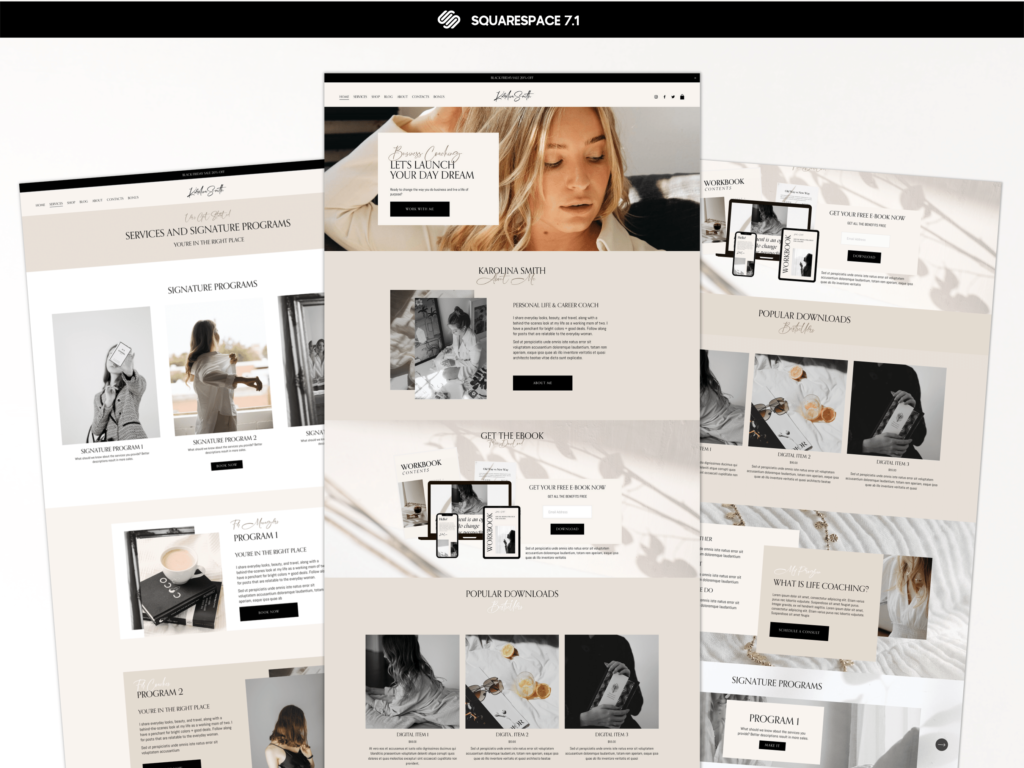 Best Website Builders for small business.
We understand the challenges of building a website as small business owner ourselves. However, maybe you think that building a website requires too much effort and money since you don’t know much about computers. We have good news! You can build your website in less time than it takes to cook dinner with a drag-and-drop website builder.
But there are many out there. Which one to choose for examples between Weebly vs Wix.
Let’s take Wix as one of the examples. At the time of setting up this site constructor many users face a number of challenges. Such questions as how add footer to wix website or how to add google reviews to wix website concern almost all users.
Even when site is set up there are such issues with mobile version. Wix mobile video not playing or Wix lightbox not showing on mobile are another part of challenges when constructor is tested on mobile devices. Finally other users are not happy and want to do change website template.
Here are our recommendations for small business website builders:
-
- Wix
- Weebly
- Squarespace
If you’re worried you can’t build a website for your small business, don’t have the time, or want to spare yourself the effort, you’ve come to the right place.
The right website builder for small businesses plus a shortcut to save you time and money will be shown to you no matter what you need for your company website. Keep reading!
The top three website builder types for small businesses.
Many website builders are worthless, wasting your time and money. The following are the top three web builders for small businesses that we tested and ranked:-
- The best overall website builder is Wix
-
- The easiest way to build a website with Weebly
-
- Particularly design-oriented websites should choose Squarespace
It’s best to use Wix for its easy-to-use features and creative control
For small businesses, Wix is the best choice. With this tool, you can build a powerful, easy-to-use website with great flexibility. Creating a business website can be done in a matter of hours. When it comes to making things easy, Wix is the right choice. With Wix’s drag-and-drop functionality, creating an eye-catching and professional website for your small business is easy. Benefits:-
- With a drag-and-drop builder, you can create beautiful designs without knowing a thing about coding.
-
- The most popular website builder that we tested with our users was Wix.
-
- The design templates cannot be changed once the site is live.
-
- The many customization options can be overwhelming.
How to add footer to Wix website.
One of the challenges is how to add footer to Wix Website. Luckily today Wix adding up footer automatically. Thus, footer and header go as canvases and are present on every page. You order footer once for entire website. Once it is edited you do not have to think of how to add footer to Wix website any more.How to add google reviews to Wix website.
Some users are also worrying about how to add google reviews to Wix website. How to add google reviews to Wix website is a question not strictly related to Wix constructor but a google account. Whether it is Wix site or any other regular site, Google reviews are collected and attached to Google account that was set up and attached to domain. A domain that can be held either by Wix or any other registrar. After you set up your Google account and attach your domain you should have no questions on how to add Google reviews to Wix website.Wix mobile video not playing issues.
Some Wix users are worrying about their Wix mobile video not playing or Wix lightbox not showing on mobile. Wix mobile is not playing can be related either to a player or to proper format of the video itself. Wix is just a tunnel through which video is streamed. The video format could be wrongly fit to mobile playing client. The video itself can have playing limitations with some mobile devices.To prevent Wix mobile video not playing properly you need to upload video in most widespread format. By doing that you can make sure that it can be played on all devices.
The same issues can happen with Wix lightbox not showing on mobile. This kind of issue can happen to different configuration you give for website desktop and mobile version. To avoid the issue of Wix lightbox not showing on mobile you should uncheck all the fields that show light box as hidden. Also, make sure that there is a checkmark against lightbox visible on mobile version.
Change template in Wix
If you are not satisfied with Wix as a website builder you can change template. Change template in Wix is a pretty straightforward action. If you have a premium subscription and would like to have a new website you can make Wix change website template easily. Just import a new website to your Wix account and make this account default for your first level domain. The Change template in Wix would take place, but you would still need to import all your major content there. https://presentybox.com/wixwebsite Wix Code is for those who are more tech-savvy. Your Wix site can be customized by embedding custom code. Wix offers many possibilities for users with different skills, but you don’t have to use the feature to take advantage of it. In the Wix App Store, you’ll find more than 200 apps and services, SEO tips, and email tools for improving your website’s visibility and usability.
Weebly: Best SEO website builder for small business owners
Weebly is another particularly user-friendly website builder, just like Wix. This website builder makes it easy to edit images and text, and you can set up an online store in just a few minutes. For small businesses that need an essential website without many features, Weebly is a good choice. Drag the feature or style element to the desired location on your website to add content.Benefits:
-
- The number of apps offered by Weeble is enormous
-
- Your site will have an exceptionally high chance of being found through excellent Search Engine Optimization (SEO)
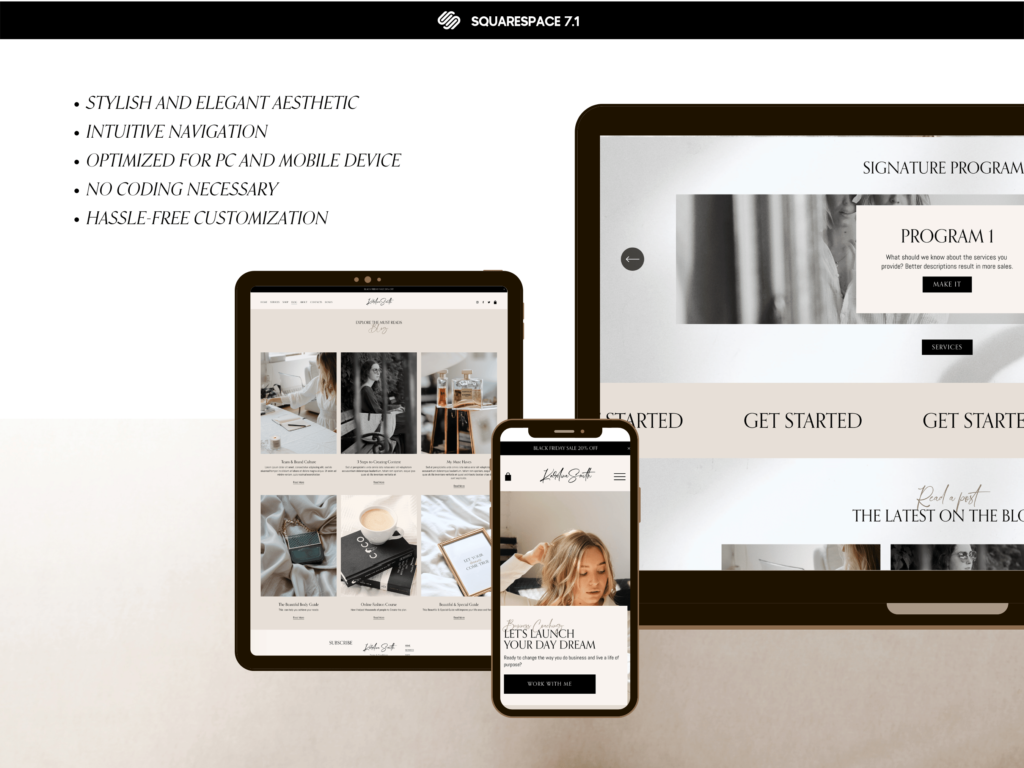
Negative aspects:
-
- Restoring a site yourself is not possible. You’ll need help from Weebly if you want to restore a deleted site.
-
- It’s great to have these apps, but most of them require premium memberships.
Wix vs Weebly.
There are more than 40 design templates on Weebly, while there are over 500 on Wix. There are more options with Wix and Squarespace. You can create a website for free with Weebly, but you will only be able to store 500 MB. This determines your store’s number of images, videos, and files. You may think 500 MB is a lot, but you can quickly run out of space if you want to host high-quality images or videos. Your site’s URL will appear in your browser’s search bar if you sign up for Weebly’s free plan. One of Weebly’s cheaper paid plans is ideal for a more self-contained business website. The Weebly code editor allows you to customize your website even further if you or someone you support knows HTML and CSS.Squarespace: Best for stunning professional websites in the creative field
Wix is the easiest to use, but Squarespace’s beautifully designed theme templates and phenomenal image quality come close. The drag-and-drop feature is also available on Squarespace. If your business relies heavily on images (photographers and makeup artists, for example), then Squarespace might be a good fit for you. Benefits:-
- There is a sense of professionalism and style to Squarespace websites.
-
- It’s great to integrate social media. You can promote your business much easier if you have a presence on social media.
-
- There is a difference between Squarespace and the rest regarding price.
-
- Other providers are more user-friendly.

How to save time and money with website builders for small business.
An online presence allows you to run your business 24 hours a day, seven days a week. As a result, potential customers can interact with your brand even after you’ve left for the day. If you inform your customers and allow them to interact whenever is convenient, they will appreciate it. Happy customers are good for the bottom line! The website must look professional. It is more difficult for a business website to attract buyers if it is poorly designed. That’s it! A great website conveys credibility to your customers and thus attracts them to your small business. Easy-to-use website templates make it easy to establish an online presence. Saving time and money are two of the most significant advantages. How it works:-
- Using custom website templates, you can make a working website in a few hours instead of weeks. You can use it very quickly and intuitively.
-
- You can spend more time and money on your website if you hire a designer or developer. A designer or programmer is needed every time you make a change or update, and they aren’t cheap. Changing text, adding images, and creating new pages on your website is much more affordable with website templates.
You don’t need any HTML, CSS, or JS editing skills to start a Wix blog. Wix is the most effective tool for building landing pages, promotional websites, and add a blog. It features excellent usability as well as a simple and attractive design. What you need to do raise your attractiveness is to assign premium plan wix. Use one of the fee-based options if you want a Wix blog and have already purchased a domain.

Starting up a blog boosts your reputation as an expert , helps you to grow among your community and is great way to move traffic to your website. To start a Wix blog yo need to Assign premium plan Wix and get a first level domain. All blogger’s audience prefer to reach out domains of the first level.
Premium Wix plan.
In Wix it can be done only if you assign premium plan Wix.
If you do not have blog in your list of pages, you can add it directly from your Editor.
In the Dashboard press ADD TO SITE – Press Blog Button.
The WIX BLOG would appear on its own page. This is how easy you can add a blog to your site.
When a reader clicks a post in the blog feed, they see a view with just one post. This is the POST PAGE – the single post view.
Step by step you can add more blog pages to your website. The more interesting and potentially useful articles for users would appear on your page the faster you can get your organic traffic. Constant content update of your blog is a perfect tool to push your website ahead of your counterparts. Wix blog can become the main source of your traffic if you find the writing niche that is in big demand. It is a long term process so be ready and give it plenty of time.
PresentyBox templates come with Blog already pre-installed.
To Compare Wix vs Google sites we need to make a list of check points:
- Templates
- Easy to use
- Functionality
- SEO optimization
- Custom templates marketplace.
Templates
Wix has hundreds of templates for any industry or profile.
Using Wix you can find exact template you need and customize it further on.
Google has around ten templates to start your website on.
Easy to Use.
Both Wix and Google have easy user interface to build a website. You can add and manage any content you need. Wix has more developed editor that shows you mistakes in case you did any during the process.

Functionality.
Wix has lots of features that you can integrate in your website. Hundreds of apps providing features are available right from the Wix editor. Also, Wix has an option of code injection for third party apps. It means that you can install any application by embedding the code inside.
Google allows you to install only his apps such as docs, maps, calendar, sheets, forms etc.
Wix is a clear winner here if we compare Wix vs Google sites in ways of adding third party plugin.
Wix vs Google sites SEO Optimization.
Both builders have options. to optimize the website for SEO. Wix provides meta tags and description tags. Wix makes all added picture and texts be optimized for SEO purposes.
Google builder does have all the above features in its turn. But, in addition, it is natively optimized for SEO of Google search engine.
Wix vs Google sites Custom template marketplace.
Google does not have a custom template marketplace.
Wix templates done by custom designers are available on many major marketplaces.
Thus, you can find a design that would most likely be fit for your needs or order a professional designer to customize it.
Wix designers can duplicate and sell their websites to the audience.

Duplicate a Wix site is an essential tool you need to have if you want to develop your Wix project. it helps you to solve how to transfer premium plan in Wix to another template. Duplicating Website plays a crucial role in backing up your website. Even if you did not loose anything it helps you to save your progress at each step. So you can return to any points of your update in case of retracting changes.
Let’s say you got a new template and wondering how how to transfer premium plan in Wix. If you have a back up you can easily make a transfer of your domain to new Wix template. The old template would hold the entire information which you can copy from there to a new template. Duplicate a Wix site helps a lot to solve a question how to transfer premium plan in Wix without loosing the data.
The Procedure.
Go to the dashboard of the site you want to copy. Click Site Actions. Click Duplicate Site. Enter a name for the copy. Click Duplicate.
You can create as many sites as you need within 1 Wix account. If you reach the limit of free sites you can have within your account, you can upgrade your sites to Premium or move old sites to trash.
As you can see even if you have a free subscription website is it highly recommended to duplicate a website. No matter if you have it done in Wix or in other Website constructor , you need to create a back up copies. There are some well known cases when people decided to drop their projects having to means to develop it further just to return to the later. Thus, it is very important to preserve a back up copy of you work even in case you would not need it by all means.
Does Wix for Blogging provide better start conditions?
Before starting a blog, it is important to understand the goals. Who is your target audience and impact you want to get on this audience.
Writing a blog is the way of delivering a message. It requires following the same principles which are creation of a message and delivering a message.
Message is like the idea which would stay void regardless of importance unless somebody can push it through.
If you’re thinking about creating a new blog, Wix could be the answer.
Modern blogger has a variety of tools to facilitate publishing activity. Such platforms as WIX, Showit, Squarespace and others offer a blog opportunities. But only Wix for blogging became as popular as WordPress do to simplicity and price.
A blogger with no coding experience to start his own blog and even have Wix site members area. Wix blog does not have to be on its hosting. You can redirect Wix domain to external site to reflect your blog website template on another website. It is also possible to transfer WordPress site to Wix to start using Wix for blogging.
Many people are interested in how to remove the sign”this site was designed by Wix”. This sign goes away after upgrading Wix site to premium subscription.
No more other issues can refrain blogger from concentrate on his work. He does not have to pay attention to design and layout while using pre-setup WIX template. Thus, Wix for blogging is the best choice , given price quality ratio.
Connect domain Wix.
Wix template samples provide broad variety of options to choose from. Wix templates are free of charge. They are available for bloggers who do not want to spend much money till they can earn. To have your blog content on a separate site you need to redirect Wix domain to external site.
Wix template portfolio has a lot to offer to almost any kind of blogger. Wix template examples can fit the need for all types of bloggers. Whether it is an Influencer or Social Media Coach, Beauty Blogger or Nutritionist, Fitness Coach or Education Mentor.
Some bloggers have questions whether they can switch Wix template to WordPress and connect domain Wix has. WIX templates work only with their own environment. However today Wix provides a fully versatile platform. Any user can now customize the website template to own will without any need of template change.
In order to connect domain Wix template has on file, a startup blogger should get registered on a WIX website.
Then pick up a template example and start set up his own website. Wix template sites can be edited only with no coding experience. All is done through user panel.
Another important feature of modern Wix templates is the become more and more optimized for SEO. Search optimization is stronghold to target key audience. Wix paid lots of attention to make its templates optimized for search engines.
Now in-page optimization is available to even unexperienced users.

Wix transfer domain.
Some users who are in process of Wix transfer domain are using redirect domain to external site. This is done in order to preserve SEO optimized structure of WordPress site in time of completing the transfer.
Basically, the major factors of success are using proper meta tags. These tags would make the blog page stand out from others and putting in them in the right place.
At the same time search optimization is not only to make blog page better reflect its topics. It is also a resource that need to gather reputation in the internet. After Wix transfer domain is completed, a new SEO tuning up is advisable.
How to remove this site was designed by Wix.
When people complete the Wix transfer domain they still have issues. One of them is How to remove this site was designed by Wix. In order to remove the sign and make a website look reputable owner has to start a paid subscription. It allows for Wix transfer domain of a first level.
To make the blog popular you use same technics as with regular html website.
For SEO purposes it important to référencer site Wix so it can appear in Google search.
The more references the website has, the higher in search order it would pop up, gathering key audience.
Even if the blog message is great but the optimization is not set up properly a blogger can simply miss the most interested readers. In this case the blog with the great message would not perform as good due to focusing on wrong audience.
This is why it is important to tune search tags exactly to inquires of demand of user. This task should become a priority regardless of the type of website. Even such widespread inquiries as “wix template restaurant” or “wix template realtor” can attract audience.
Major points in blog writing omitted by majority of Bloggers.
Deliver the right message to the right audience is considered major factor of success.
Blogger audience growth depends on content demand.
Over time experienced bloggers started to understand which content is the most valued by its readers. Main goal of each blogger to hold it reader regardless of the article published.
Many bloggers noticed that some articles are catching attention and bring lots of visitors. Even those who are not interested in the blogger itself but in a certain single article published.
Such spike of popularity based on a single article happened once with almost all the professional bloggers. But with the next article number of visitors started to go down. It happens due to audience interest in article rather than in blogger. To match the right article to audience needs is not an easy job.
At the same time bloggers can use other complimentary ways of attraction its reader which are timing and lay out. According to sociological research there are two types of human action reasons.
The blog lay out plays an important role in attracting the reader. It can also play part in making him return to it over and over again.
Référencer site Wix for you blog website template.
Today there are several platforms that are ready to help bloggers to stream their content. Such platforms as WIX, Showit, Squarespace and others help bloggers with no coding experience. These site constructors hep bloggers to put their content in nice readable form. To make a proper search optimization you need to référencer site Wix. It means creating multiple references to the website template. The more links a website has the faster it would go up the line in Google and other search engines.
Wix site members.
Members area in your blog website template.
The top level of the website reputation is its own community of followers. When a blogger reaches certain level of popularity he can start having his own followers that are growing in number. Then it comes to hierarchy of old followers over the new followers. Using Wix site members area a blogger can create certain benefits for most loyal or active followers.
Wix site members area can be free or for charge which adds additional feeling of attachment to those who can be in Wix Site Members area. Having member area raise a reputation of your blog website template to a new level regardless of the audience.