A Showit contact form helps visitors connect with website owners with ease. Users can customize this form to match their website’s design on Showit, a popular website design platform.
The contact form is essential as it lets visitors send inquiries and bookings and subscribe to newsletters.
This blog post will discuss the pros of utilizing a Showit contact form, setting it up, managing submissions, and creating an efficient contact form.
This article will explain how a Showit contact form may boost your website’s user experience and online exposure.

How do you Set up a Showit contact form?
You can easily set up a Showit contact form with minimal technical knowledge.
The steps are as follows:
- Choose the website where you wish to put the contact form by logging into your Showit account.
- Choose the appropriate page, then click the “Add+” button.
- From the list of elements, choose “Form.”
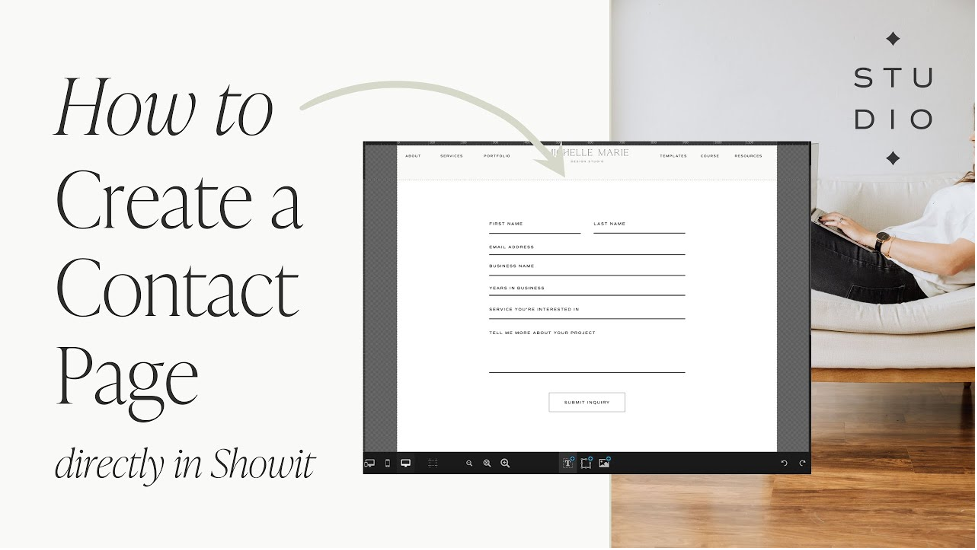
- Add or remove fields like name, email, phone number, message, and topic to make the form fields your own.
- Configure the form settings by selecting where the submissions should be sent, adding a success message, and setting up other necessary options.
- Design the form to match your website’s aesthetics by changing the font, colors, and layout.
- Preview the form to ensure it works and looks great.
- Publish your website to make the contact form live.
After publishing, visitors can fill out the form and submit their inquiries. You will receive submissions at the email address you specified during the configuration. You can then manage and respond to inquiries as needed.
How do you Manage submissions?
To efficiently manage submissions from a Showit contact form, follow these steps:
- To get notice of new entries, often check your email inbox.
- Check the email’s content, subject, sender, email address, and phone number.
- Reply to email and phone questions quickly.
- If the submission is a booking or reservation request, confirm the details and provide the necessary instructions.
- Keep track of submissions by using a spreadsheet or CRM tool to avoid missing any inquiries or forgetting to follow up.
Providing a positive user experience is also crucial. After submitting the form, visitors should receive a confirmation message or be redirected to a thank-you page. This confirms their successful submission and helps build trust with your brand.
What are the best practices for Showit contact form?
Designing an effective Showit contact form can have a significant impact on the quantity and quality of inquiries you receive.
To create an effective contact form, keep these best practices in mind:
Make it visible
Making your Showit contact form visible is crucial to ensure that visitors can easily find it and submit their inquiries.
Here are some tips for making your contact form visible:
- To make your contact form easy to discover, put it in the header or footer.
- Provide a clear call-to-action to encourage contact form submissions (CTA).
- Put a button or CTA next to the form to stand out.
- Use contrasting colors to highlight your contact form and CTA button.
- If your website has a lot of material, utilize a sticky header to keep your contact form visible while users scroll.
- When a person spends time on your website, a popup form might capture their attention and urge them to send an enquiry.
Personalize the messaging
Personalizing the messaging on your Showit contact form can help create a positive user experience and encourage visitors to submit their inquiries.
Here are some tips for personalizing your contact form messaging:
- Make visitors feel welcome: Your brand’s conversational language should make visitors feel comfortable and at ease when they submit an inquiry.
- Give clear instructions: Ensure the form instructions are easy to comprehend and understand. Let visitors know what information to provide and what to expect after submitting the form.
- Title the form appropriately: Use a form title that clearly represents the form’s purpose, such as “Schedule a Consultation” or “Get in Touch.”
- Personalize the message: Add a personalized message that shows appreciation for the inquiry and assures visitors of a prompt response.
- Include branding: Utilize branding elements like logos and color schemes to create a cohesive brand experience for visitors.
When you personalize the messaging on your Showit contact form, you can make visitors feel more at home and encourage them to submit their inquiries. This approach also helps to foster trust between your brand and potential customers.
Add a call-to-action
Adding a clear call-to-action (CTA) to your Showit contact form can help guide visitors to take action and submit their inquiries.
Here are some tips for adding a CTA to your contact form:
- Encourage action: Encourage visitors to take action by using actionable language such as “Contact us” or “Send a message.”
- Make it visible: Make the CTA stand out by using a contrasting color or a larger font size.
- Put it in a prominent spot: Position the CTA prominently on the form, like next to the submit button or below the message field.
- Create urgency: Use phrases like “Limited time offer” or “Act now” to create a sense of urgency.
- Offer an incentive: Provide an incentive, such as a discount code or free consultation, to boost inquiries.
By adding a compelling CTA to your Showit contact form, you can increase the likelihood of receiving more inquiries from visitors.
Use spam protection
Using spam protection on your Showit contact form is important to prevent spam submissions and keep your inbox clean.
Here are some tips for using spam protection:
- Avoid spam: Applying spam protection to your Showit contact form will help keep undesirable communications out of your inbox. Consider utilizing one of the following methods:
- CAPTCHA: This is a test that visitors must complete to confirm they are human.
- Honeypot field: A secret field that bots use to identify themselves as spam.
- Time-based filter: This looks at how long it takes to fill out the form and flags it if it’s too fast.
- Block IP addresses that create a high volume of spam submissions.
- Form validation verifies that the data entered, such as valid email addresses, is in the right format.
Choose the method that best suits your website and audience to protect your Showit contact form from spam submissions.
Optimize for mobile
Optimizing your Showit contact form for mobile is important since more and more users are accessing websites through their mobile devices.
Here are some tips for optimizing your contact form for mobile:
- Employ a responsive design: Utilize a responsive design that adapts to multiple screen sizes and resolutions. This guarantees that the contact form is simple to use on any device.
- Responsive design: Use a design that adjusts to different screen sizes and resolutions.
- Simplified layout: Simplify the form with minimal fields and avoid clutter.
- Larger fonts: Use larger fonts for form fields and labels for better readability.
- Sticky header: Keep the form visible by using a sticky header that stays fixed at the top of the screen.
- Test on multiple devices: Test the form on different mobile devices to ensure it works well.
By optimizing your Showit contact form for mobile, you can make sure that mobile visitors have a great user experience and can easily submit their inquiries.
Test and optimize.
It is critical to test and optimize your Showit contact form to verify that it is running properly and producing the required results.
Here are some pointers to help you evaluate and optimize your contact form:
- To confirm that all fields, buttons, and links work properly, test the contact form. Check out its performance for yourself.
- Perform A/B testing by creating two versions of the contact form and comparing their performance. Experiment with form layouts, field labels, or CTAs to determine which version generates more inquiries.
- Monitor contact form submission statistics, such as the number of inquiries and conversion rates, to assess its efficacy. Utilize this data to make educated judgments on how to improve the form.
- Use analytics tools like Google Analytics to track user activity on the contact form. This will assist you in identifying places where users are having trouble and making required modifications.
- Get customer input on the contact form to enhance its functioning. Use feedback forms, questionnaires, or user testing to get user input and make required adjustments.
Test and optimize your Showit contact form to guarantee it produces the intended results. Use the feedback and data gathered to improve user experience and make informed decisions about optimizing the form.
By putting these ideas into action, you can create a straightforward and successful Showit contact form that visitors will be more inclined to complete.
What are the benefits of Showit contact form?
Provides a direct line of communication
A Showit contact form connects your website visitors directly to your business. It allows them to easily send inquiries, questions, or feedback about your products or services, improving customer satisfaction and loyalty.
Instead of searching for your contact information, visitors can fill out the form and click submit, providing their contact information and inquiry in one place.
This builds strong relationships with customers and potential customers when you respond quickly and professionally, showing your commitment to excellent customer service.
Helps generate leads
A Showit contact form is an effective lead-generation tool for your business. It lets prospective consumers easily send inquiries, ask questions, or seek more information about your goods or services.
When visitors fill out the contact form, they share their contact information, which you can use to follow up with them and cultivate the lead.
Continuing the conversation and providing more information about your business increases the chance of converting the lead into a paying customer.
By customizing your contact form to ask targeted questions, you can obtain more detailed information about your leads.
This can assist in tailoring your marketing efforts and targeting your audience more effectively.
Saves time
A Showit contact form is a time-saving solution for you and your website visitors. Visitors can submit inquiries or comments in a standardized format, avoiding the need to email or call you.
This saves you time since you can easily respond to inquiries without having to sort through multiple emails or voicemails.
It also ensures that you receive all necessary information upfront, reducing the need for follow-up emails or phone calls.
Visitors benefit from the contact form since it provides a simple and convenient way to reach out to your business.
They no longer need to search through your website for contact information or wait until business hours to call you. They can submit inquiries anytime, from anywhere.
Filters inquiries
A Showit contact form filters inquiries, allowing you to prioritize and respond to the most important ones.
By customizing your contact form to include specific questions or fields, you can gather more information about the inquiry upfront.
This information helps determine its level of urgency and priority. For instance, a dropdown menu asking visitors to select the reason for their inquiry (e.g., sales, support, partnership) can help you identify inquiries that require immediate attention.
Similarly, a checkbox asking visitors if they are existing customers lets you prioritize inquiries from existing customers who may require immediate assistance.
Filtering inquiries in this way optimize your response time, ensuring that you address the most important inquiries first.
This approach can improve customer satisfaction and loyalty by making visitors feel valued and appreciated when you respond to their inquiries promptly and professionally.
Reduces spam
A Showit contact form may help decrease spam by giving users a more safe and more trusted method to contact your company.
You can avoid spam submissions by utilizing a contact form with built-in spam prevention mechanisms.
You may employ a CAPTCHA system, for example, which needs visitors to certify that they are not robots by passing a basic test (such as identifying specific images or typing in a code).
This may assist in preventing automated spam submissions and ensuring that the queries you get are from genuine visitors.
You may also assist in limiting the possibility of spam submissions by modifying your contact form to contain certain queries or fields.
You may, for example, demand visitors to enter their name, email address, and a comprehensive message, making it more difficult for spammers to submit bogus inquiries.
Provides a professional appearance
Adding a Showit contact form on your website contributes to your company’s professional image.
It communicates that you value customer service and gives visitors a consistent means to reach you.
Using your branding and design components in the contact form offers a unified and consistent appearance for your website, establishing your brand identity and making your company seem more trustworthy.
Visitors may contact your company and acquire information more easily with a well-designed contact form.
Having a clear and user-friendly contact form gives visitors a good image of your company and enhances the probability that they will contact you.
Increases credibility
A Showit contact form may boost your company’s reputation by offering a safe and dependable method for visitors to contact you.
By putting a contact form on your website, you show your visitors that you are a competent and trustworthy company that values customer service.
A well-designed and user-friendly contact form may also enhance the entire user experience for visitors, making it simpler for them to interact with your company and get the information they want.
This may assist in giving visitors a favorable picture of your company and enhance the probability that they will see you as a genuine and trustworthy source.
Moreover, by personalizing your contact form with special questions or fields, you may indicate that you take client concerns seriously and are dedicated to giving accurate and useful replies.
This may boost your reputation by demonstrating that you appreciate your clients and are prepared to go above and above to provide outstanding service.
Offers convenience
A Showit contact form offers convenience for both you and your visitors. By centralizing visitor contact, you may expedite communication and assure consistent and structured queries.
A contact form lets people contact your company without looking for your email or phone number. Visitors may complete a form and contact your company in a few clicks.
In addition, by customizing your contact form to include specific questions or fields, you can help visitors provide all the necessary information for their inquiry upfront, saving time and making the communication process more efficient.
Showit contact form. Allows for customization
Showit forms are customizable. The form may fit your website’s logo and appearance.
Showit’s drag-and-drop website builder lets you adjust the contact form’s layout, color scheme, fonts, and other design aspects to match your company.
Customization makes your contact form stand out and strengthens your brand.
You may also add questions and areas related to your company and queries.
Dropdown menus or checkboxes, for example, can help visitors specify the nature of their inquiry, such as “General Inquiry,” “Sales Inquiry,” or “Support Request.”
Easy to manage
Showit contact form is user-friendly, making it effortless to create, edit, and manage without coding or technical skills.
You can access submissions through the Showit dashboard, where you can view, respond, download them in CSV format, or delete them.
Showit also integrates with third-party apps like Zapier, enabling you to automate tasks such as sending email notifications or adding contacts to your CRM.
By staying organized and responsive to your visitors’ needs, Showit helps build stronger customer relationships, ultimately improving business performance.
How do you Integrate it with email marketing tools?
Integrating your Showit contact form with email marketing tools like Mailchimp, ConvertKit, or Constant Contact can benefit your business in many ways.
Here are a few:
Linking your contact form to your email marketing platform allows you to automatically add new leads to your email list. This saves time and guarantees that no prospective consumers are overlooked.
Customize email campaigns: You may personalize email campaigns by using the information acquired via your contact form.
Segmentation of your email list based on subscribers’ interests, preferences, or behavior may assist you in developing personalized email messages that connect with your users and provide greater results.
Nurture leads through email marketing: With collected leads through your contact form, you can use email marketing to nurture them and turn them into customers.
Targeted emails providing value like educational content, product updates, or exclusive offers can build trust with subscribers and keep your brand top of mind.
Track performance: Email marketing tools provide analytics and tracking features to monitor email campaign performance.
By tracking metrics like open rates, click-through rates, and conversions, you can identify areas for improvement and optimize email campaigns for better results.
How does Showit provide Analytics and tracking?
Analytics and tracking are crucial to any marketing strategy, including Showit contact forms.
By monitoring performance, you can make data-driven decisions to optimize your form for better results.
Here are some ways analytics and tracking can help:
Measure conversion rates: Tracking your contact form’s conversion rate can help you determine its effectiveness at converting visitors into leads.
A low conversion rate can highlight areas for improvement, such as simplifying your form or improving your messaging.
Identify top-performing forms: Showit analytics and tracking tools let you monitor each form’s performance.
Identifying the forms generating the most leads or conversions enables you to optimize those forms further.
Monitor bounce rates: Tracking bounce rates can identify any issues causing visitors to leave your site, such as slow loading times or poor design.
Test and optimize: Analytics and tracking enable you to test and optimize your contact form. A/B tests, experimenting with different form layouts, messaging, and design elements can help you identify what works best for your audience and optimize your form for better results.
What are Showit contact form Customization options?
Showit contact form customization features enable you to design a form that fits your brand and fulfills your unique demands.
Here are some methods to personalize your Showit contact form:
Showit drag-and-drop design editor lets you customize your contact form’s appearance. Choose from pre-designed themes or customize colors, fonts, and layouts.
Fields: Personalize your contact form to gather the information you need from leads. Include name, email, phone number, message, and any important information.
You may change your contact form’s confirmation message. This message may contain a thank you, next actions, or a request.
Redirect URL: Once visitors complete your contact form, you may redirect them to a thank you page or corporate information page.
Showit conditional logic lets you display or hide fields depending on user replies. You may add form fields for a user-selected service or product.
Showit contact forms may be linked with email marketing tools, CRMs, and payment gateways. This lets you integrate your form with your systems.
Conclusion
A Showit contact form is a helpful tool for businesses that want to enhance communication with their website visitors, save time, and generate leads.
It also reduces spam and adds a professional touch that boosts credibility. To make the most of it, follow best practices like keeping it simple, visible, personalized, and optimized for mobile.
Adding a call-to-action and using spam protection are also crucial. Customizing the form to fit your brand and audience needs and creating multiple forms for different audiences are added benefits. The form helps connect with your audience, gather feedback, and drive growth.
Showit vs Wix have become popular for creating websites as they allow users to design and develop their own websites without the need for technical skills or knowledge.

We will compare two popular website builders – Showit vs Wix – to help you determine the best fit for your needs.
Showit vs Wix
The goal of the website-building platform Showit is to make developing and publishing websites simple and intuitive, especially for creative professionals like photographers, painters, and designers.

Here is an overview of its features, pros, and cons.
Features
Drag-and-drop interface: One of Showit’s primary advantages is its drag-and-drop interface, which enables users to quickly add, delete, and rearrange objects on their website without having any coding experience.
Beginners may easily design websites with a professional appearance thanks to the user-friendly interface.
Moreover, Showit includes a variety of design components that can be quickly added to the website using the drag-and-drop interface, such as text, photos, videos, shapes, and more.
This enables users to design a totally personalized website that suits their requirements and tastes.
Fully customizable templates: Showit offers a wide range of fully customizable templates that users can use as a starting point for their website design.
Professional designers design these templates and cover a range of niches and industries, including wedding photography, lifestyle blogging, and e-commerce.
Users can choose a template that suits their needs and customize it to fit their branding and style preferences.
Showit’s highly flexible templates allow users to edit every design aspect, including fonts, colors, layout, and images.
This allows users to create a unique and personalized website without starting from scratch.
Mobile responsive: All Showit websites are designed to be mobile responsive, which means they are optimized to look great and function properly on any device, including smartphones, tablets, and desktop computers.
Showit’s drag-and-drop interface allows users to design their website with mobile in mind, making it simple to develop a website that looks amazing and operates effectively on every screen size.
Additionally, Showit offers specialized mobile design features, including creating unique mobile layouts, adding mobile-only elements, and adjusting font sizes and spacing for better readability on smaller screens.
This ensures that users can create a website that looks and functions great on all devices, providing a seamless user experience for their visitors.
Integration with WordPress: Showit allows users to integrate their website with WordPress, one of the world’s most popular content management systems (CMS).
This integration allows users to use WordPress’s powerful blogging and content management features while still using Showit’s drag-and-drop website builder to design and manage their website.
With the Showit + WordPress integration, users can design their website using Showit’s intuitive interface and then seamlessly publish their content to WordPress.
This provides users with the best of both worlds: a user-friendly website builder for designing and managing their website and a powerful CMS for creating and managing content.
The integration between Showit and WordPress is seamless and easy to set up, making it a great option for bloggers and content creators who want to take their websites to the next level.
SEO features: Showit vs Wix has built-in SEO features that allow users to optimize their website for search engines.
Showit’s SEO features include customizable page titles and descriptions, image optimization tools, custom domain mapping, and more. These features help users improve their website’s search engine rankings and increase online visibility.
Additionally, Showit has a blog feature that is optimized for SEO and allows users to create and publish blog posts that are search engine friendly.
Showit also provides users with resources and tutorials on optimizing their website for search engines, making it easier for users to understand and implement SEO best practices.
Pros
User-friendly: Showit is very user-friendly and easy to use, making it a great option for those without coding or design experience.
Customizable templates: Showit offers a wide variety of templates, allowing you to create a unique website that fits your brand.
Mobile responsive: Showit websites are mobile responsive, meaning they look great on any device.
Integration with WordPress: Showit allows you to integrate your website with WordPress, giving you access to WordPress’s powerful blogging and content management features.
Great customer support: Showit offers excellent customer support, with live chat and email support available 7 days a week.
Cons
Limited design flexibility: While Showit offers a wide variety of customizable templates, the design flexibility is limited compared to other website builders.
No free plan: Showit does not offer a free plan, so you must pay to use the platform.
Limited e-commerce functionality: While Showit offers e-commerce features, the functionality is limited compared to dedicated e-commerce platforms like Shopify.
Showit vs Wix is a great option for creative professionals looking for a user-friendly website-building platform with customizable templates, mobile responsiveness, and integration with WordPress.
However, its design flexibility is limited, and its e-commerce functionality is less robust than dedicated e-commerce platforms.
Wix
Wix is a cloud-based website builder platform allowing users to create websites without coding or design knowledge.
It offers a range of templates, design tools, and features to help users build professional-looking websites.
Here is an overview of its features, pros, and cons.
Features
Drag-and-drop interface: Wix’s user-friendly interface makes it easy to create a website without coding knowledge.
Users can select the elements they want to add to their website, such as text boxes, images, videos, and widgets, then drag and drop them into place.
Wix’s interface is designed to be intuitive and user-friendly, making it easy for anyone to create a professional-looking website.
Users can also customize the design and layout of their website using Wix’s built-in design tools, such as the ability to change fonts, colors, and backgrounds.
Wix’s drag-and-drop interface is one of its strongest features, making it a great choice for users who want to develop a website quickly and easily.
Customizable templates:
Wix provides a large number of customizable templates for customers to utilize as a starting point for their website.
These templates are designed for websites like blogs, portfolios, online stores, and more.
Users can select a template that fits their needs and customize it to their liking using Wix’s drag-and-drop interface and design tools.
Wix templates are also entirely responsive, which means they will look amazing on any platform, from desktop computers to mobile phones.
Additionally, Wix allows users to switch templates at any time without losing their content, making experimenting with different designs and layouts easily.
Mobile responsive:
All Wix websites are mobile responsive, meaning they will look great on any device.
App market: Wix has an app market with over 250 apps that users can use to add functionality to their website.
These apps are designed to enhance the user experience and add features to the website that may not be available by default.
Some apps in the Wix app market include contact forms, social media integrations, e-commerce tools, email marketing, analytics, and more. Wix’s app market is easy to navigate, and users can search for apps by category, keyword, or popularity.
Additionally, many of the apps in the Wix app market are free to use, and those that do require a fee typically have a free trial period so users can try them out before committing to a purchase.
SEO features: Wix has built-in SEO features that allow you to optimize your website for search engines.
E-commerce features:
Wix has e-commerce features that allow users to set up an online store and start selling products easily.
Wix’s e-commerce platform includes various tools and features, such as customizable product pages, shopping carts, payment processing, and order management.
Users can also track inventory levels, set up shipping options, and create discount codes and promotions to attract customers.
Additionally, Wix’s e-commerce platform is fully integrated with its website builder, making it easy to create a seamless shopping experience for users.
Pros
User-friendly: Wix is very user-friendly and easy to use, making it a great option for those without coding or design experience.
Customizable templates: Wix offers a wide variety of templates that users can use to create a unique website that fits their brand.
Wix’s templates cover a range of industries and styles, from business and portfolio sites to online stores and blogs.
Users can select a template that fits their needs and customize it to their liking using Wix’s drag-and-drop editor and design tools.
Wix’s templates are also entirely responsive, which means they will look amazing on any platform, from desktop computers to mobile phones.
Additionally, Wix allows users to switch templates at any time without losing their content, making experimenting with different designs and layouts easily.
Mobile responsive:
Wix websites are mobile responsive, meaning they will look great on any device.
App market: Wix’s app market offers a range of third-party apps that you can use to add functionality to your website, such as forms, social media feeds, and live chat.
E-commerce features: Wix has e-commerce features that allow you to easily set up an online store and start selling your products.
Cons
Limited design flexibility: While Wix offers a wide variety of templates and design tools, the design flexibility is limited compared to other website builders.
Ads on the free Plan: Wix offers a free plan, but it includes Wix ads on your website, which can be a turnoff for some users.
Limited customization on mobile: While Wix websites are mobile responsive, the customization options on mobile devices are limited compared to desktop.
Wix is a great option for a user-friendly website builder platform with customizable templates, mobile responsiveness, and e-commerce features.
However, its design flexibility is limited, and the ads on the free Plan may be a downside for some users.
Comparison between Showit vs Wix
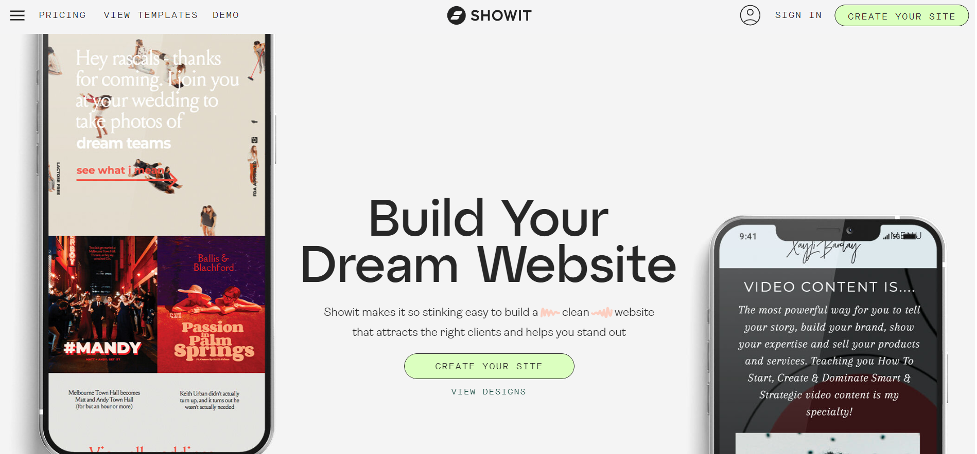
Design Flexibility
In terms of design flexibility, Showit offers more customization options than Wix. Showit’s drag-and-drop interface allows users to create custom layouts, add design elements, and style their website more precisely.
With Showit, users have complete control over the design and layout of their website, allowing for more advanced customization.
On the other hand, Wix also offers design flexibility, but it has some limitations. While Wix has a wide range of templates, it is less customizable than Showit.
Wix’s drag-and-drop editor allows users to customize templates by adding elements and adjusting the layout, but it is more flexible than Showit’s interface.
Overall, if you are looking for a website builder with advanced design flexibility and customization options, Showit is the better option. However, if you are a beginner or looking for a simpler design process, Wix may be more suitable.
Ease of Use
In terms of ease of use, both Showit vs Wix are user-friendly website builders, but Wix is generally considered more intuitive for beginners.
Without any coding or design skills, you can easily construct a website using Wix’s drag-and-drop interface. The layout of the user’s website may be changed with a few clicks, items can be added, and users can choose from a variety of pre-designed designs.
Wix also offers a step-by-step wizard that guides users through creating a website.
Showit is also user-friendly, but learning how to use its advanced features may take some time.
The drag-and-drop interface is easy to use, but the customization options can overwhelm beginners. However, Showit vs Wix offers excellent customer support and resources to help users learn how to use the platform.
Overall, if you are a beginner or looking for a simpler website builder, Wix is the better option.
But if you are willing to invest some time to learn how to use Showit’s advanced features, it can offer more flexibility and customization options.
Customization
In terms of customization, both Showit and Wix offer different approaches.
Showit offers more customization options than Wix.
Users can start with a blank canvas and design their website from scratch, or they can pick from a wide range of pre-designed templates and customize them to fit their needs. With Showit, users have complete control over the design and layout of their website, allowing for more advanced customization.
On the other hand, Wix offers a wider variety of pre-made templates, but its customization options are more limited.
Wix’s drag-and-drop editor allows users to customize templates by adding elements and adjusting the layout, but it is not as flexible as Showit’s interface.
If you want more customization options and control over the design of your website, Showit is the better option. But if you prefer to start with a pre-designed template and make minor modifications, Wix can be a good choice.
E-commerce
Both Showit and Wix offer e-commerce features, but they have some differences.
Showit’s e-commerce features are more limited compared to Wix. Showit integrates with popular payment gateways such as Stripe and PayPal, and users can add product listings and a shopping cart to their website.
However, Showit’s e-commerce features are not as robust as Wix’s, and it may not be the best choice for larger online stores.
On the other hand, Wix offers more comprehensive e-commerce features, including inventory management, tax, and shipping calculations, abandoned cart recovery, and more. Wix’s e-commerce platform is better suited for small to medium-sized online stores.
If you are looking to build a larger online store with more advanced e-commerce features, Wix is the better option.
But if you need a basic e-commerce platform to sell products on your website, Showit can be a good choice.
Mobile Responsiveness
Both Showit and Wix are mobile-responsive website builders, meaning that the websites created on these platforms automatically adjust their layout and design to fit different screen sizes, including mobile devices.
Showit’s mobile responsiveness is highly customizable and offers complete control over the mobile design of the website.
Showit’s drag-and-drop interface allows users to adjust and customize the layout and design specifically for mobile devices, which can result in a more seamless and optimized user experience.
Similarly, Wix also offers mobile responsiveness, but the customization options are more limited compared to Showit.
Wix’s templates are automatically optimized for mobile devices, but users can further customize the mobile design with limited flexibility.
Integration with WordPress
Showit vs Wix have different approaches to integration with WordPress.
Showit offers a unique approach to WordPress integration, which is known as a “headless CMS.” With Showit, users can design their website using the drag-and-drop interface, but the website’s content is managed on a separate WordPress website.
This approach allows users to take advantage of WordPress’s powerful content management system while still having complete control over the website’s design and layout with Showit.
On the other hand, Wix does not offer direct integration with WordPress. While it is possible to create a separate WordPress website and link to it from a Wix website, this approach can be complicated and may require technical knowledge.
SEO
Both Showit and Wix offer basic SEO features to help users optimize their websites for search engines.
Showit offers a range of built-in SEO tools, including customizable meta titles and descriptions, alt text for images, and the ability to add structured data to improve search engine visibility.
Showit also has a user-friendly interface that makes it easy to optimize the website’s content for search engines.
Similarly, Wix also offers basic SEO features, including customizable meta titles and descriptions, alt text for images, and a built-in SEO wizard that guides users through the process of optimizing their website for search engines.
Support
Both Showit and Wix offer customer support, but they have different approaches to it.
Showit offers dedicated customer support with real human experts, including email, live chat, and phone support. Showit also has a robust knowledge base with articles, tutorials, and video guides to help users troubleshoot common issues.
Similarly, Wix offers customer support through email and phone, but live chat support is only available for users with a paid plan.
Wix also has a comprehensive help center with articles, tutorials, and video guides to help users with different aspects of website building.
Pricing
Showit and Wix have different pricing models and plans to choose from.
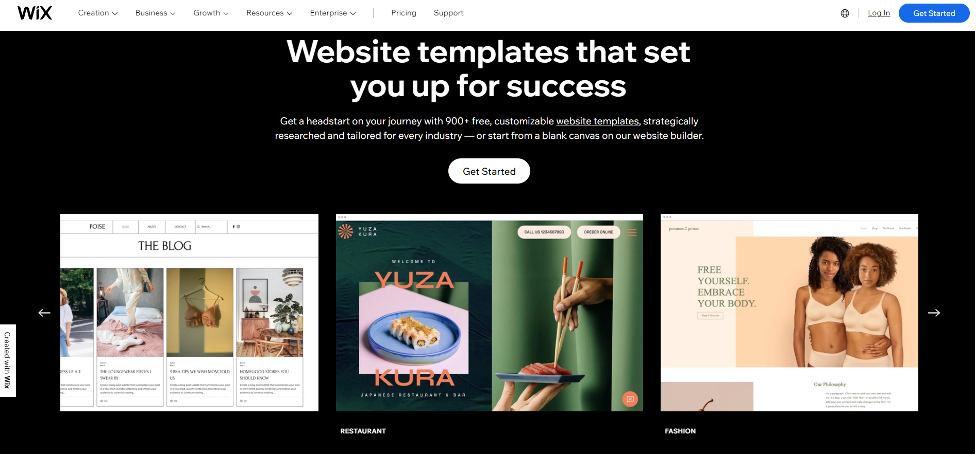
Showit offers three pricing plans:
- Basic: $19/month (or $16/month billed annually)
- Standard: $24/month (or $20/month billed annually)
- Advanced: $34/month (or $28/month billed annually)
All plans come with unlimited pages and blogs, free hosting, and access to Showit’s drag-and-drop website builder.
However, the Basic Plan has some limitations, including a limit of 5 site pages and limited e-commerce features.
Wix offers a range of pricing plans, including:
- The free Plan (with limited features and Wix branding)
- Combo plan: $14/month
- Unlimited Plan: $18/month
- Pro Plan: $23/month
- VIP plan: $39/month
All plans come with access to Wix’s drag-and-drop website builder, unlimited pages, and free hosting.
However, higher-tier plans include additional features such as e-commerce capabilities, form builder, and more storage space.
Overall, Wix offers more pricing plans to choose from, with a free plan and more affordable options.
Showit’s pricing is higher than Wix’s, but it offers a more specialized and customizable website builder with features that may be beneficial for certain users, such as headless WordPress integration and highly customizable mobile design.
Advertisements
Wix offers a free plan that includes Wix branding and advertisements on the website. To remove ads and branding, users need to upgrade to a premium plan.
Wix also offers the option to display Google AdSense ads on the website to generate revenue.
On the other hand, Showit does not offer any ads on its platform, even for users on the Free Plan. This allows users to maintain complete control over their website’s branding and design without any third-party ads.
Overall, if you want to avoid ads on your website, Showit may be the better option as it does not include any ads, even on the free Plan.
However, if you are comfortable with displaying ads or want the option to generate revenue through ads, Wix can be a good choice.
Conclusion
Both Showit and Wix are excellent website builders that offer a range of features and capabilities.
Showit is a better option for those looking for a highly customizable design, while Wix is better suited for those looking for advanced e-commerce features. The final decision for you will rely on your preferences.
Showit offers plenty of different discount code. It can be some money off the monthly or annual subscription. Usually, Showit provides 10 to 20% off the first two payment for fresh registered users. Some Showit partners are providing first month free subscription if you buy a website from them.

To utilize the Showit discount code you need to purchase Showit plan through affiliate resellers. These resellers are partnering with Showit. They are be able to provide you extra discount on a condition that you will order template from them. It can be either purchase or custom order. The price for the template is usually far higher than a discount you get on subscription. Showit provides a two-week trial mode for you to decide if you like the platform. During that trial mode you can look for any available discount codes to apply.
Usually, Showit has no discount codes available for unless it is seasonal or a promotional measure.
Greatest discounts are provided by Shared hosting providers such as GoDaddy and Hostgator.
They are offering a first-year plans at 80% discount plus a free domain.
Contrary to many hosting providers Showit does not incorporate a support of the domain.
If you want to pursue with Showit Inc you have to host your domain on a separate registrar.
The way you can save money on Showit subscription is to purchase it without a blog option.
If you do not need the blog, you can get a basic subscription. Showit blog is done in WordPress. You need to pay extra to have it enabled.
Free Showit Template.
Another thing that can be considered as a Showit discount code is a free template. The template is a default website that you can customize with your content. None of competitors provide such options. There are free Wix or Squarespace themes as long as number of free WordPress templates. However, all these templates are just plain websites that had little designer touch.
At the same time Showit provides you with a great looking customizable theme with first subscription. This free template offering we can consider as a biggest discount for those who want their Showit discount code.
Showit inc. is website constructor system. Mainly developed to be used by photographers it is widely accepted among vase circle of different specialties. It has all the tools to build a website. However, Showit still requires some of the stuff to be built manually. One of such things is Showit Contact form.
Showit supports the creation of that form but not in the way other site constructors do. First of all, Showit provides you higher level of customization compare to other site constructors. What it means is that you have to craft some of existing the features. Other constructors have options to add these features automatically. Showit contact form is one of the examples..
- Can I install Showit Contact form myself.
- Yes, you set it up by using Showit tools.

Showit Contact form set up .
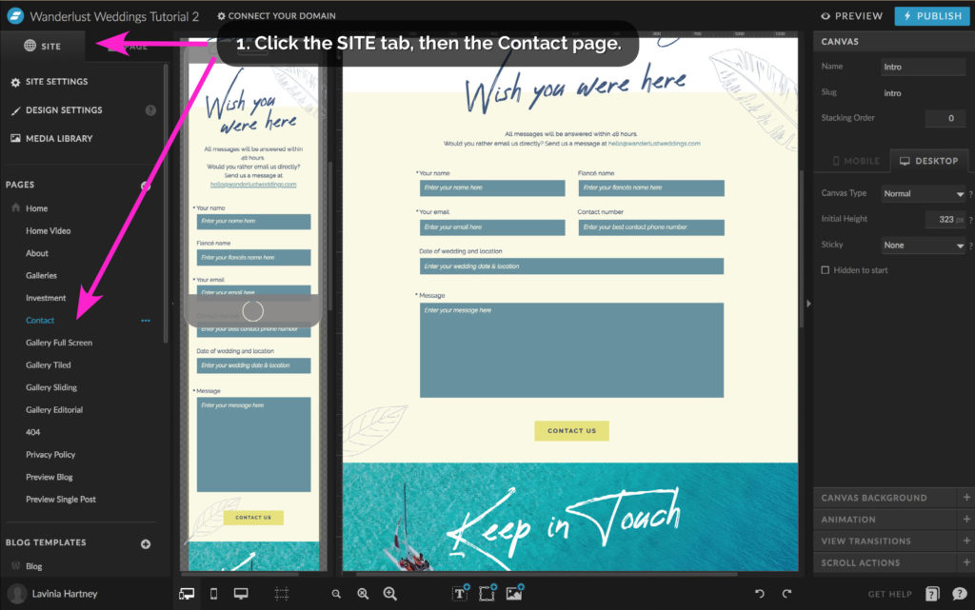
To create a Showit contact form you have to choose the page you want to create Contact form.
Click on that Page tab.
Once you have the page breakdown in your left column pick the Canvas you want your Contact form to be in.
Press three dots icon on the top right corner of your chosen Canvas and select Canvas view.
Add Canvas view two times.
You will have:
View 1
View 2
What we are going to have is a switch between View 1 and View 2. The switch happens when someone submits the form.
View 1. To proceed with the View 1 use the middle bottom menu:
Click Add Rectangle
Click add text.
Form the shape of your first field with text on your canvas page.
Make sure that your field has Input enable.
Change the name of your field using Label option from right menu.
Copy and paste the box as many times as many fields you want in your form.
Change the text labels of subsequent forms according to your needs.
Add another rectangle to the bottom of the field to make it a “Submit button”.
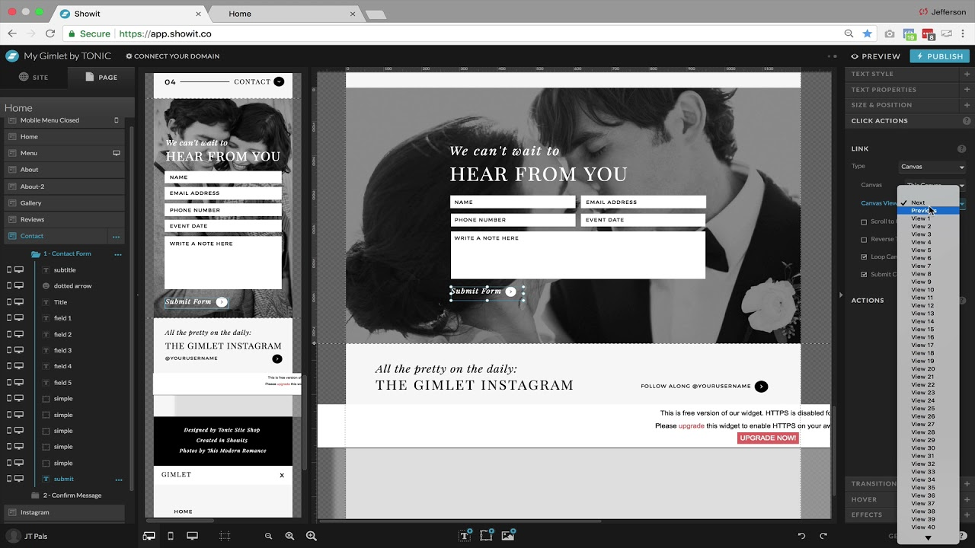
Select the button and click “Actions” tab. There you choose “Canvas”, “This Canvas”,
“Next”.
Checkmark “Submit contact form action”.
View 2.
Create a rectangle with text containing the message like “Thank you”.
Put any welcome message you like.
Now all the results from the Showit Contact Form would go to the e-mail you singed up your Showit with.
Founded in 2006 Showit Inc was created as a site constructor. Owners of the company aimed at providing photographers top notch looking websites. Apart from stunning look, Showit provided new levels of freedom over content management. Over the 15 years creatives of different kind have been truly appreciating the benefits of the platform.
- Is Showit Inc. websites for photographers only?
- Of course, it is not!
Nowadays we are can see that artists, bloggers, wedding planners as along as even lawyers and doctors, all trying to create a website on Showit.
Another benefit of Show it inc. usage is that it has integrated WordPress in it. This allows you to add your blog articles using WordPress tools.
Due to WordPress integration and manual crafting of lay out Showit supersedes other site constructors in SEO.
Contrary to other site constructors Show it does not have that many layers of automation. As a result, Google and other search crawlers are reading this website as a plain html website, not as a site constructor. This allows the website to be properly ranked in search system. At the end of the sales is the final goals of each website.
- But what you need to make sales?
- Traffic and appealing look.
- Showit Inc facilitates the process to get both.

Great search engine optimization and astonishing design make Showit templates to be a lucrative option for site build up. Initially Showit construction tools can be a bit difficult for a new user. But as long as you started to practice it is becoming increasingly easy to use an intuitive interface. After certain time you can start have a feeling that you are working with your Showit website as a professional designer.
Showit online store.
- Are there any limitations in Showit for e-commerce?
- Yes. Showit does not have an automated on-line store with payment gateway.
- Can I still set up a shop using Show it.
- Absolutely.
If you want to set up an online store you can manually create a sale description page and attach payment gateway. That would allow you to accept payments. Showit does not have a prebuilt store. However, there is an interesting detail. Several e-commerce consultants and website designers reported that many people decide to migrate their Squarespace shops to Showit.
Squarespace is a platform developed specifically for online sale. Why people still Switch to Showit Inc that does not have even an automated shop option?
Beautifully looking inventory on Showit raises the conversion rate comparing to the one from Squarespace, a dedicated online shop system.