Showit vs Wix have become popular for creating websites as they allow users to design and develop their own websites without the need for technical skills or knowledge.
We will compare two popular website builders – Showit vs Wix – to help you determine the best fit for your needs.
Showit vs Wix
The goal of the website-building platform Showit is to make developing and publishing websites simple and intuitive, especially for creative professionals like photographers, painters, and designers.
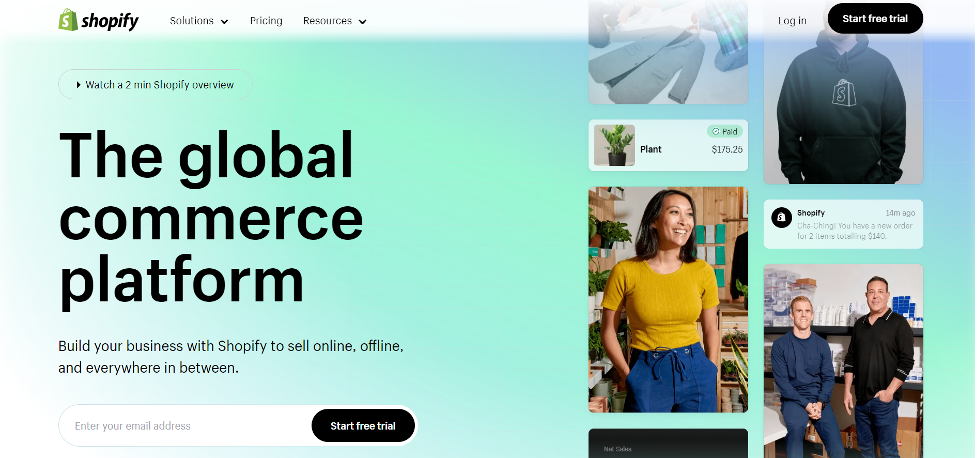
Here is an overview of its features, pros, and cons.
Features
Drag-and-drop interface: One of Showit’s primary advantages is its drag-and-drop interface, which enables users to quickly add, delete, and rearrange objects on their website without having any coding experience.
Beginners may easily design websites with a professional appearance thanks to the user-friendly interface.
Moreover, Showit includes a variety of design components that can be quickly added to the website using the drag-and-drop interface, such as text, photos, videos, shapes, and more.
This enables users to design a totally personalized website that suits their requirements and tastes.
Fully customizable templates: Showit offers a wide range of fully customizable templates that users can use as a starting point for their website design.
Professional designers design these templates and cover a range of niches and industries, including wedding photography, lifestyle blogging, and e-commerce.
Users can choose a template that suits their needs and customize it to fit their branding and style preferences.
Showit’s highly flexible templates allow users to edit every design aspect, including fonts, colors, layout, and images.
This allows users to create a unique and personalized website without starting from scratch.
Mobile responsive: All Showit websites are designed to be mobile responsive, which means they are optimized to look great and function properly on any device, including smartphones, tablets, and desktop computers.
Showit’s drag-and-drop interface allows users to design their website with mobile in mind, making it simple to develop a website that looks amazing and operates effectively on every screen size.
Additionally, Showit offers specialized mobile design features, including creating unique mobile layouts, adding mobile-only elements, and adjusting font sizes and spacing for better readability on smaller screens.
This ensures that users can create a website that looks and functions great on all devices, providing a seamless user experience for their visitors.
Integration with WordPress: Showit allows users to integrate their website with WordPress, one of the world’s most popular content management systems (CMS).
This integration allows users to use WordPress’s powerful blogging and content management features while still using Showit’s drag-and-drop website builder to design and manage their website.
With the Showit + WordPress integration, users can design their website using Showit’s intuitive interface and then seamlessly publish their content to WordPress.
This provides users with the best of both worlds: a user-friendly website builder for designing and managing their website and a powerful CMS for creating and managing content.
The integration between Showit and WordPress is seamless and easy to set up, making it a great option for bloggers and content creators who want to take their websites to the next level.
SEO features: Showit vs Wix has built-in SEO features that allow users to optimize their website for search engines.
Showit’s SEO features include customizable page titles and descriptions, image optimization tools, custom domain mapping, and more. These features help users improve their website’s search engine rankings and increase online visibility.
Additionally, Showit has a blog feature that is optimized for SEO and allows users to create and publish blog posts that are search engine friendly.
Showit also provides users with resources and tutorials on optimizing their website for search engines, making it easier for users to understand and implement SEO best practices.
Pros
User-friendly: Showit is very user-friendly and easy to use, making it a great option for those without coding or design experience.
Customizable templates: Showit offers a wide variety of templates, allowing you to create a unique website that fits your brand.
Mobile responsive: Showit websites are mobile responsive, meaning they look great on any device.
Integration with WordPress: Showit allows you to integrate your website with WordPress, giving you access to WordPress’s powerful blogging and content management features.
Great customer support: Showit offers excellent customer support, with live chat and email support available 7 days a week.
Cons
Limited design flexibility: While Showit offers a wide variety of customizable templates, the design flexibility is limited compared to other website builders.
No free plan: Showit does not offer a free plan, so you must pay to use the platform.
Limited e-commerce functionality: While Showit offers e-commerce features, the functionality is limited compared to dedicated e-commerce platforms like Shopify.
Showit vs Wix is a great option for creative professionals looking for a user-friendly website-building platform with customizable templates, mobile responsiveness, and integration with WordPress.
However, its design flexibility is limited, and its e-commerce functionality is less robust than dedicated e-commerce platforms.
Wix
Wix is a cloud-based website builder platform allowing users to create websites without coding or design knowledge.
It offers a range of templates, design tools, and features to help users build professional-looking websites.
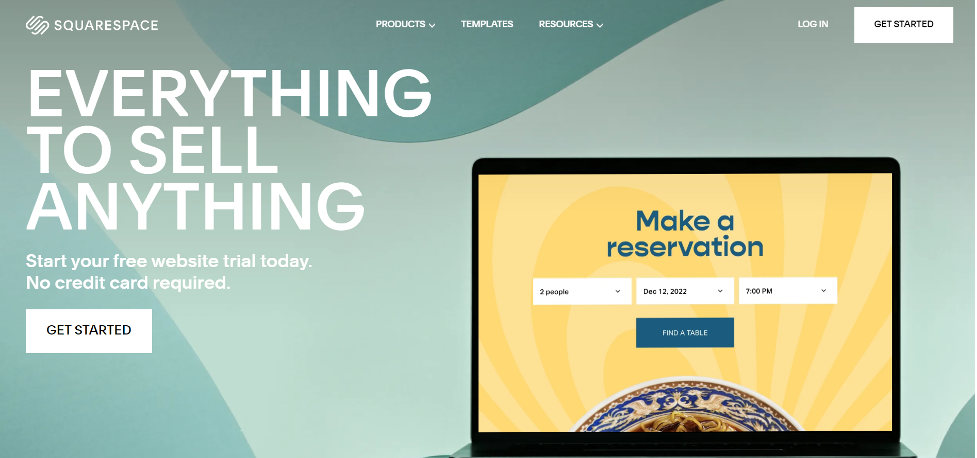
Here is an overview of its features, pros, and cons.
Features
Drag-and-drop interface: Wix’s user-friendly interface makes it easy to create a website without coding knowledge.
Users can select the elements they want to add to their website, such as text boxes, images, videos, and widgets, then drag and drop them into place.
Wix’s interface is designed to be intuitive and user-friendly, making it easy for anyone to create a professional-looking website.
Users can also customize the design and layout of their website using Wix’s built-in design tools, such as the ability to change fonts, colors, and backgrounds.
Wix’s drag-and-drop interface is one of its strongest features, making it a great choice for users who want to develop a website quickly and easily.
Customizable templates:
Wix provides a large number of customizable templates for customers to utilize as a starting point for their website.
These templates are designed for websites like blogs, portfolios, online stores, and more.
Users can select a template that fits their needs and customize it to their liking using Wix’s drag-and-drop interface and design tools.
Wix templates are also entirely responsive, which means they will look amazing on any platform, from desktop computers to mobile phones.
Additionally, Wix allows users to switch templates at any time without losing their content, making experimenting with different designs and layouts easily.
Mobile responsive:
All Wix websites are mobile responsive, meaning they will look great on any device.
App market: Wix has an app market with over 250 apps that users can use to add functionality to their website.
These apps are designed to enhance the user experience and add features to the website that may not be available by default.
Some apps in the Wix app market include contact forms, social media integrations, e-commerce tools, email marketing, analytics, and more. Wix’s app market is easy to navigate, and users can search for apps by category, keyword, or popularity.
Additionally, many of the apps in the Wix app market are free to use, and those that do require a fee typically have a free trial period so users can try them out before committing to a purchase.
SEO features: Wix has built-in SEO features that allow you to optimize your website for search engines.
E-commerce features:
Wix has e-commerce features that allow users to set up an online store and start selling products easily.
Wix’s e-commerce platform includes various tools and features, such as customizable product pages, shopping carts, payment processing, and order management.
Users can also track inventory levels, set up shipping options, and create discount codes and promotions to attract customers.
Additionally, Wix’s e-commerce platform is fully integrated with its website builder, making it easy to create a seamless shopping experience for users.
Pros
User-friendly: Wix is very user-friendly and easy to use, making it a great option for those without coding or design experience.
Customizable templates: Wix offers a wide variety of templates that users can use to create a unique website that fits their brand.
Wix’s templates cover a range of industries and styles, from business and portfolio sites to online stores and blogs.
Users can select a template that fits their needs and customize it to their liking using Wix’s drag-and-drop editor and design tools.
Wix’s templates are also entirely responsive, which means they will look amazing on any platform, from desktop computers to mobile phones.
Additionally, Wix allows users to switch templates at any time without losing their content, making experimenting with different designs and layouts easily.
Mobile responsive:
Wix websites are mobile responsive, meaning they will look great on any device.
App market: Wix’s app market offers a range of third-party apps that you can use to add functionality to your website, such as forms, social media feeds, and live chat.
E-commerce features: Wix has e-commerce features that allow you to easily set up an online store and start selling your products.
Cons
Limited design flexibility: While Wix offers a wide variety of templates and design tools, the design flexibility is limited compared to other website builders.
Ads on the free Plan: Wix offers a free plan, but it includes Wix ads on your website, which can be a turnoff for some users.
Limited customization on mobile: While Wix websites are mobile responsive, the customization options on mobile devices are limited compared to desktop.
Wix is a great option for a user-friendly website builder platform with customizable templates, mobile responsiveness, and e-commerce features.
However, its design flexibility is limited, and the ads on the free Plan may be a downside for some users.
Comparison between Showit vs Wix
Design Flexibility
In terms of design flexibility, Showit offers more customization options than Wix. Showit’s drag-and-drop interface allows users to create custom layouts, add design elements, and style their website more precisely.
With Showit, users have complete control over the design and layout of their website, allowing for more advanced customization.
On the other hand, Wix also offers design flexibility, but it has some limitations. While Wix has a wide range of templates, it is less customizable than Showit.
Wix’s drag-and-drop editor allows users to customize templates by adding elements and adjusting the layout, but it is more flexible than Showit’s interface.
Overall, if you are looking for a website builder with advanced design flexibility and customization options, Showit is the better option. However, if you are a beginner or looking for a simpler design process, Wix may be more suitable.
Ease of Use
In terms of ease of use, both Showit vs Wix are user-friendly website builders, but Wix is generally considered more intuitive for beginners.
Without any coding or design skills, you can easily construct a website using Wix’s drag-and-drop interface. The layout of the user’s website may be changed with a few clicks, items can be added, and users can choose from a variety of pre-designed designs.
Wix also offers a step-by-step wizard that guides users through creating a website.
Showit is also user-friendly, but learning how to use its advanced features may take some time.
The drag-and-drop interface is easy to use, but the customization options can overwhelm beginners. However, Showit vs Wix offers excellent customer support and resources to help users learn how to use the platform.
Overall, if you are a beginner or looking for a simpler website builder, Wix is the better option.
But if you are willing to invest some time to learn how to use Showit’s advanced features, it can offer more flexibility and customization options.
Customization
In terms of customization, both Showit and Wix offer different approaches.
Showit offers more customization options than Wix.
Users can start with a blank canvas and design their website from scratch, or they can pick from a wide range of pre-designed templates and customize them to fit their needs. With Showit, users have complete control over the design and layout of their website, allowing for more advanced customization.
On the other hand, Wix offers a wider variety of pre-made templates, but its customization options are more limited.
Wix’s drag-and-drop editor allows users to customize templates by adding elements and adjusting the layout, but it is not as flexible as Showit’s interface.
If you want more customization options and control over the design of your website, Showit is the better option. But if you prefer to start with a pre-designed template and make minor modifications, Wix can be a good choice.
E-commerce
Both Showit and Wix offer e-commerce features, but they have some differences.
Showit’s e-commerce features are more limited compared to Wix. Showit integrates with popular payment gateways such as Stripe and PayPal, and users can add product listings and a shopping cart to their website.
However, Showit’s e-commerce features are not as robust as Wix’s, and it may not be the best choice for larger online stores.
On the other hand, Wix offers more comprehensive e-commerce features, including inventory management, tax, and shipping calculations, abandoned cart recovery, and more. Wix’s e-commerce platform is better suited for small to medium-sized online stores.
If you are looking to build a larger online store with more advanced e-commerce features, Wix is the better option.
But if you need a basic e-commerce platform to sell products on your website, Showit can be a good choice.
Mobile Responsiveness
Both Showit and Wix are mobile-responsive website builders, meaning that the websites created on these platforms automatically adjust their layout and design to fit different screen sizes, including mobile devices.
Showit’s mobile responsiveness is highly customizable and offers complete control over the mobile design of the website.
Showit’s drag-and-drop interface allows users to adjust and customize the layout and design specifically for mobile devices, which can result in a more seamless and optimized user experience.
Similarly, Wix also offers mobile responsiveness, but the customization options are more limited compared to Showit.
Wix’s templates are automatically optimized for mobile devices, but users can further customize the mobile design with limited flexibility.
Integration with WordPress
Showit vs Wix have different approaches to integration with WordPress.
Showit offers a unique approach to WordPress integration, which is known as a “headless CMS.” With Showit, users can design their website using the drag-and-drop interface, but the website’s content is managed on a separate WordPress website.
This approach allows users to take advantage of WordPress’s powerful content management system while still having complete control over the website’s design and layout with Showit.
On the other hand, Wix does not offer direct integration with WordPress. While it is possible to create a separate WordPress website and link to it from a Wix website, this approach can be complicated and may require technical knowledge.
SEO
Both Showit and Wix offer basic SEO features to help users optimize their websites for search engines.
Showit offers a range of built-in SEO tools, including customizable meta titles and descriptions, alt text for images, and the ability to add structured data to improve search engine visibility.
Showit also has a user-friendly interface that makes it easy to optimize the website’s content for search engines.
Similarly, Wix also offers basic SEO features, including customizable meta titles and descriptions, alt text for images, and a built-in SEO wizard that guides users through the process of optimizing their website for search engines.
Support
Both Showit and Wix offer customer support, but they have different approaches to it.
Showit offers dedicated customer support with real human experts, including email, live chat, and phone support. Showit also has a robust knowledge base with articles, tutorials, and video guides to help users troubleshoot common issues.
Similarly, Wix offers customer support through email and phone, but live chat support is only available for users with a paid plan.
Wix also has a comprehensive help center with articles, tutorials, and video guides to help users with different aspects of website building.
Pricing
Showit and Wix have different pricing models and plans to choose from.
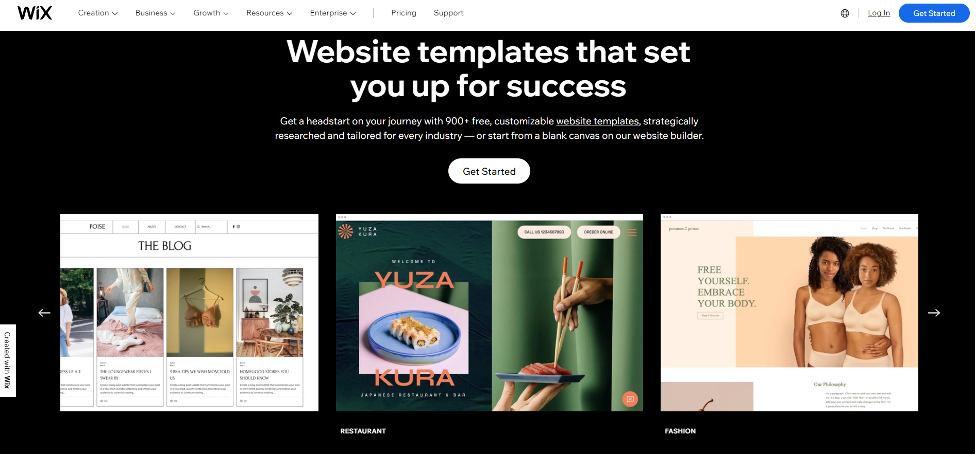
Showit offers three pricing plans:
- Basic: $19/month (or $16/month billed annually)
- Standard: $24/month (or $20/month billed annually)
- Advanced: $34/month (or $28/month billed annually)
All plans come with unlimited pages and blogs, free hosting, and access to Showit’s drag-and-drop website builder.
However, the Basic Plan has some limitations, including a limit of 5 site pages and limited e-commerce features.
Wix offers a range of pricing plans, including:
- The free Plan (with limited features and Wix branding)
- Combo plan: $14/month
- Unlimited Plan: $18/month
- Pro Plan: $23/month
- VIP plan: $39/month
All plans come with access to Wix’s drag-and-drop website builder, unlimited pages, and free hosting.
However, higher-tier plans include additional features such as e-commerce capabilities, form builder, and more storage space.
Overall, Wix offers more pricing plans to choose from, with a free plan and more affordable options.
Showit’s pricing is higher than Wix’s, but it offers a more specialized and customizable website builder with features that may be beneficial for certain users, such as headless WordPress integration and highly customizable mobile design.
Advertisements
Wix offers a free plan that includes Wix branding and advertisements on the website. To remove ads and branding, users need to upgrade to a premium plan.
Wix also offers the option to display Google AdSense ads on the website to generate revenue.
On the other hand, Showit does not offer any ads on its platform, even for users on the Free Plan. This allows users to maintain complete control over their website’s branding and design without any third-party ads.
Overall, if you want to avoid ads on your website, Showit may be the better option as it does not include any ads, even on the free Plan.
However, if you are comfortable with displaying ads or want the option to generate revenue through ads, Wix can be a good choice.
Conclusion
Both Showit and Wix are excellent website builders that offer a range of features and capabilities.
Showit is a better option for those looking for a highly customizable design, while Wix is better suited for those looking for advanced e-commerce features. The final decision for you will rely on your preferences.
Templates that sales
for businesses that grow!
| Your website is extension of your business! It is a content provider to your audience. Design of a website is your business Branding. What is a sale formula? Creating a Brand that has a right content? Wix vs Shopify vs Squarespace or WordPress? Deliver it your customer! |
Push your business!
3 steps formula:
Sell what people need. Use the right sale channel. Reach your audience.
Already have a right stuff to sell? You are a halfway through!
Congrats!
Lest move on.
Capture you customer!
Why nice-looking site is so important?
Let’s do the experiment.
Open three new templates and look at them for 10-15 seconds.
Now Get off from the computer and
look outside the window for 30 seconds.
Now come back and look at these sites again?
Did your taste change?
The constant general impression
is formed in first 10-20 seconds.
It means you have 15 seconds max,
to impress a client to stay and come back.
LOOK AT 3 PICTURES BELOW
With so many new platforms out there,
| The main question remains the same: Why your client should choose you among your peers? Because you are different! But how to show your difference? Through your website template. It is the web template that makes a single person website’s look better than multimillion dollar companies. There are examples of successful millionaires who made it with the power of their website. |
What site platform is a key to make great site?
Website design is like a construction,
no good house without right building materials.
We create a site builder checklist to get the materials tested.
Here is our site constructor checklist:
| Speedy servers and uptime.Intuitive content managementDesign capabilities.Additional features.SEO compliance.Template Prodigy. |

These are major Site platforms that passed the above check list:
Showit vs Wix, Squarespace, WordPress, Shopify.
Now let’s make final choice based on your business profile!
Site Platforms that would contribute most to
| Artist, Designer, Photographer, Coach, Wellness, Beauty, Service providers, Self-Bio Page. | On-line sellers with wide range of inventory | Lawyers, Doctors, Constructors, Marketing agents, Bloggers, Journalists, Information providers, Seller with specific inventory. |
| Showit, Wix | Squarespace, Shopify, WordPress. | Showit, Wix, WordPress, Squarespace. |
I want to sell. What I platform should I choose?
Here is the Design vs E-commerce functionality trade off.
E-commerce trade off.
| Shopify – Pure selling platform. Low space for design variation. Site is setup as number of sections to add items and jump start selling. Lots of plugins to enhance the design and functionality. Easy to scale selling. Squarespace template – Selling platform. Can design your own site. Has number of integrated features. Less design freedom than Wix and Showit. WordPress – Versatile platform with selling option. Relatively rigid design freedom using “Elementor pro”. Most numerous plugins available. Wix – Versatile platform with selling option. Significant design freedom with mostly presetup features for automatic site setup and layout creation. Showit – Design platform. Selling option is integrated through third party plugin like Shopify, Paddle, WooCommerce etc. Highest level of design freedom. Limited sale scaling options. |
Today almost any design can be done on any template. But what if you want to make some design changes. The more rigid site platform is the less its template is prone to customization.
Design trade off.
| Shopify being Pure seller’s platform is the hardest to make any design changes. Rigid design options are available in Squarespace and WordPress. Wix can be considered as compromise giving you freedom to design and sell. Showit, being the best design system, requires all done manually including item sale pages. It becomes exponentially hard to sell more than 20-30 items due to manual tuning up. |
Do you have any advice?
Yes. It is all about what you sell.
| Large item inventory. Presetup demand. – Pick Shopify. Small to large inventory. Design change options – Use Squarespace. Small to large Inventory. Many features for complex site – Try WordPress. Small to medium inventory. Deep site customization – Go for Wix. Small custom inventory. Stunning look that triggers demand – Take Showit. |
What do I choose if the Same template is on different platforms?
Long story short.
| Want to start selling right away. – Pick Shopify or Squarespace to jump start selling Plan to sell but need a website first? Pick Wix if you want a website and may need selling. Want to sell and impress? Consider Showit if you sell limited crafted custom items. Want a versatile website with full control and options? Choose WordPress with numerous plugins for anything. * *The above comparison is relative and is good for this year. All platforms are in constant development mode and situation may and will change with time. |
At the end of the days your final choice is the template that you like the most.
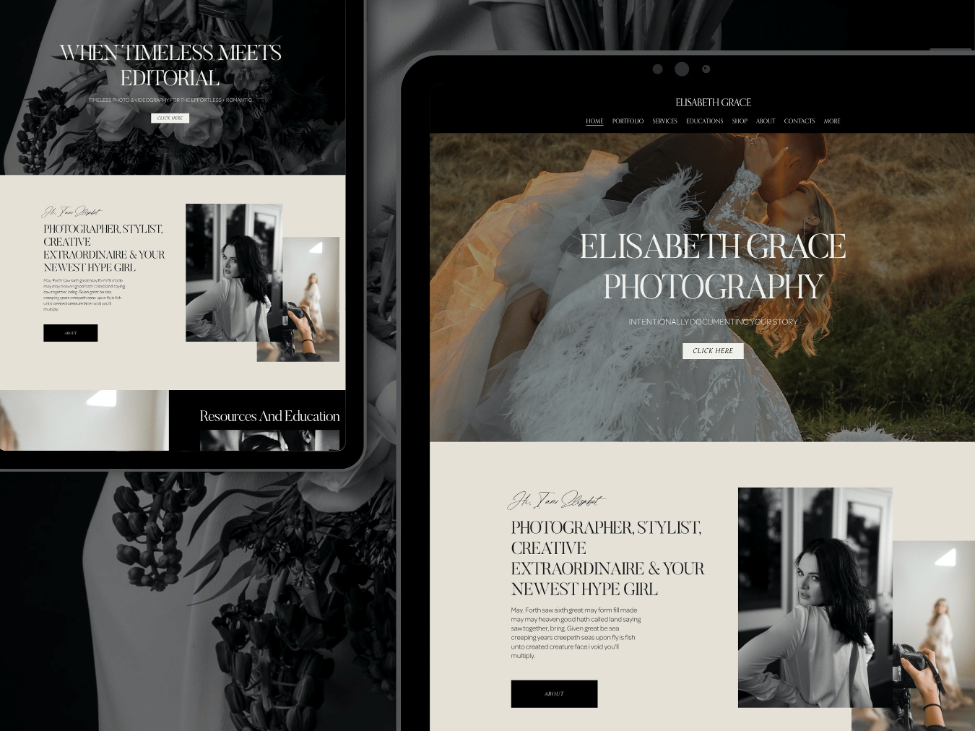
Just to let you know.
Eye capturing designs are only for Creatives? Of course, NO!
Designer or Blogger, Athlete or Beauty Master, Artist or Lawyer, Photograph or Coach, Engaging design is important for any kind of websites.
| Website design becomes even more important when you are not selling. Remember sales formula: merchandise, sales channel and delivery. Here we are taking selling stuff out which leaves us with sales channel alone. That is where design fully kicks in. |
Make your website look unique as the services you provide.
Why client should choose you among number
of your peers?
The answer is – Be Different from the others.
If customer does not choose you,
it means he went to your competitor.
Stop! We’ll help you to avoid that!
The branding concept of the website should cultivate feel a joy
since the first and most important impression.
Easy to say but how to make final choice.
Choose Showit or Wix for maximum design power.
Remember it is only how it look now.
But its future customization potential,
so, your site look and what is important will look different.
Wix and Showit provide utmost customization freedom.
Which one exactly?
It is all about money and work.
Wix gives you nice design with easy number of features addition.
I want masterpiece!
Get Showit. Ultimate design looking with highest customization level.
But be ready to do everything manually through the code.
What if I want deep customization with lots of functions and features.
WordPress alternative.
| Consider WordPress if you want a website where you can easily install lots of different features. Contrary to other site builders the WordPress is not a separate hosting and domain platform. It is a free of charge template that is setup on a regular hosting. WP is closest to classical html website. which you can edit both code and through user interface. Being the most widespread alternative for years, it has numerous plugins to add features of any kind. |
What about Weebly, Format, Canva, Google and other site constructors?
There are many site constructors coming up every day.
Any newcomer would need at least 5-10 years
Reach the level of its current competitors.
Guarantee perfect service we use mature prone
Prone to errors and our checklist compliant system site builders.
SEO.
Got the Website. What next? The site will not sell itself.
Once you setup your website, the SEO kicks on
That is what you will need to do since now and then.
First results are in usually in 6-month period.
Do not believe those who make fake promises.
You should consider SEO before you chose a website.
Your domain or URL may already be a part of SEO, sounding exactly like most search keywords in your area.
Great template is a winning bet?
Make it visible to your customers and then you do not have to kill yourself for the content to be superior of the others.
You can name hardly any big corporation who provides better product than its smaller competitors.
But how they proliferate.
BECAUSE CORPS. USE THEIR BRAND AND MARKETING POTENTIAL.
80% OF THE SUPPLIERS IN ANY GIVEN AREA PROVIDE THE SAME LEVEL OF PRODUCT.
WHAT THE DIFFER IS THEIR BRANDING AND SELLING POWER.
Creatin a great SEO is like moving your shop into a good location.
SEO is multi-level process of working on your website.
Think where you want to be in 10 years from now.

SEO services vs Dot it yourself?
To answer the question, we need to compare SEO to the Sport.
You can train alone you can take a trainer and move faster.
Our free SEO guide will help you to avoid following:
Filter off ocean of free information.
Pass by the offers of Free Trial to start.
Get into courses or classes that are zero help.
Feeling that you tried everything?
Having no traffic, no sales.
Having traffic but still no sales.
What you will get:
- Master SEO tools usage.
- How to Rank first page under your niche keywords.
- Get the conversion.
What it takes to make a choice between Showit vs WordPress and other site constructors.

Back in history when WordPress just appeared there were not many alternatives. If you wanted to have your own blog or even the website done in a constructor you had a narrow choice. Today with new site constructors coming almost every half year you need to make a thorough selection.
Even if you decided that you do not want WordPress but more optimized site constructor a choice challenge remains. A choice as whether to choose Wix vs Showit or Squarespace vs Showit is way harder to make. Especially if you do not need a big website but a simple Showit website with Showit login form.
Showit vs WordPress advantages.
It is relatively easy to figure out what you need while comparing Showit vs WordPress. If you want a nice presetup landing page that sells some exclusive stuff or services your best bet would be Showit sales page with Showit login form. Choosing WordPress as a sales landing page gives you more customizing options which one rarely needs. At the same time WordPress sales page would definitely have more rigid design while comparing to Showit. Showit vs WordPress has different pricing approach.
Both WordPress and Showit do not provide their own payment gateway so you would have to choose on our own. If we take WordPress then it mostly uses WooCommerce check out options. Payment gateway for Showit template can be done with multiple payment gateway systems. Such payment processors as Shopify, Paddle, Check Out and others can be integrated into payment button on front Showit login page. You can make Showit login be the same as payment system login and have stay logged in inside both systems at the same time. Showit WordPress blog has the same login as Showit login by default.
Showit E-commerce.
Showit platform is not for free and there is a monthly charge to use this system. If you need system with Blog, it is another extra monthly charge. WordPress in its turn does not charge money for setup. What you pay for is the shared hosting WordPress is located on.
If there are no or little items sold in the beginning of the website live WordPress is cheaper to maintain. Showit distinct advantage is its graphical composition. Your Showit sale page template would look way better than the one built on any other site constructor. This in turn can attract new customers and get you the first sales faster. Both site constructors require additional pay to their payment gateways. It happens in flat monthly rate plus percentage of the sale.
When you finally want to make your choice think about the type of the goods or service sold.
Depending on types of goods or services graphical aspect differently affects consumer will to buy the item. For such goods as electronics where a customer has a presetup demand a beautiful design can play a little role. It is a graphical design that can finally convince the consumer.
Showit vs Wix.
Comparing Showit to Wix is even a trickier task as there are less obvious differences between two types of constructors. First of all, Wix site constructor is an automated template that provides you with tools to design the website without any external help. Almost all the modern features and options developed for the websites today are available in Wix.
Show it has fewer number of integrated features. For example, to design a sales page template you would need to need more creativity. Most of the extra features are added manually and are not presetup options. Initially it looks harder to novice. In Wix you basically do not need any knowledge or coding experience to build up a website. A wide range of tools provided helps you to build the website with desired functionality.
Wix has its own check out system so you do not have to pay extra and have a hassle of integrating it into your website. But what you will get as a result is a mainstream nice-looking website. Wix has also cheaper plans then Showit that allows to start with fewer costs.

Showit would require you to at least have some drawing skills to create a fashionable look of the template.
Some work is done manually including integration of payment gateway. But that work is what it makes Showit websites look unique. For this very case one should understand what is of his best interests. If you want a regular website with convenient functionality your best bet is Wix.
If you want an outstanding website that can make impression from the first look, out of Showit vs Wix choose Showit.
Squarespace vs Showit
We cannot compare Squarespace vs Showit defining what Squarespace is. Squarespace site constructor that was initially create to provide an ability to sell online. Despite huge development over last twenty years and plenty of functions added Squarespace remains a online sales platform.
It does not mean that you are obliged to start an online shop like on Shopify. A lot of websites of different kind were created on Squarespace. But the ecommerce is the profile Squarespace has best fit for. A choice of picking up Squarespace vs Showit is feasible only if you plant to start an ecommerce shop.
The next step is to understand what kind of goods and in what quantity you are planning to sell. Squarespace platform works well with adding large number of goods for sale. Thus, scaling your business and expanding an inventory is what Squarespace is best at. Showit platform allows you to sell on-line. As we mentioned above one would need to integrate payment gateway and add all items for check out manually.
That would work well with a limited number of items, where you can do all your work of adding items manually. If there are more than 20-30 items it would be challenging to items so many items doing everything by hand. Squarespace charges around 15$ per month including check out commissions. Adding blog is free. If you want the same setup with Showit you would have to pay 40$ without check out charge.
Final note.
If you go with Showit in your Squarespace vs Showit dilemma you would be able to get an appealing design template. Not another regular shop as with template. Today there are many people who are switching from Squarespace to Showit for better design of their on-line shop. They all do it to get a better look of their website in case they sell limited number of goods and services with no intention to scale.