How to Duplicate a Portfolio Page in Squarespace
Squarespace Templates is an all-around website creator that makes building your awesome professional or chic site easy. One thing that many designers, photographers, and others love about Squarespace is the option for portfolio pages. There are many reasons a user may want to duplicate a portfolio page, such as keeping page layouts, creating variations to run A/B tests, or making changes to the original version without the design being affected. Even though there is no built-in “Duplicate Page” option for portfolio pages in Squarespace, there are a couple of workarounds that could help do the production. This article is a complete step-by-step guide that reveals how to duplicate a squarespace portfolio template through different methods, including the manual method, the use of third-party tools, and CSS customization.
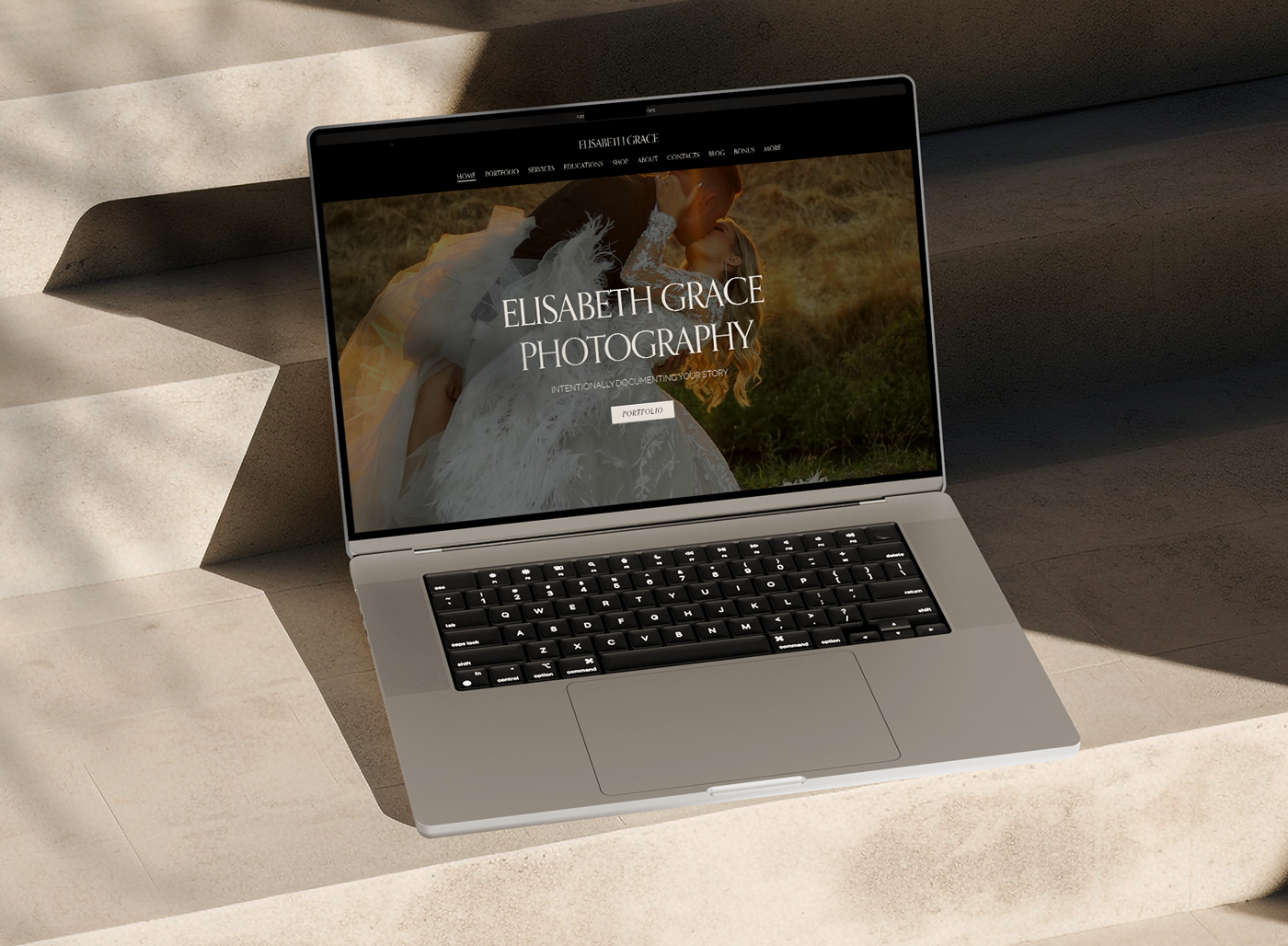
Understanding Squarespace Portfolio Pages
Different types of squarespace portfolio templates consist of standard pages, blog pages, and portfolio pages. Portfolio pages can also be referred to as a special type of page that structurally presents projects. The portfolio page consists of portfolio items: those are the individual projects that users click on to view in detail. It follows that to duplicate those pages, it would be necessary to duplicate the entire page structure as well as the individual project items.
Method 1: Manual Method for Duplicating Portfolio Page
Since there is no inbuilt “Duplicate Portfolio Page” function in Squarespace templates, the manual option is to create a new portfolio page and copy content from the old one.
Step 1: Create a New Portfolio Page
- Log in to your Squarespace templates account and access the Pages section.
- Add a new page by clicking on the + button.
- Select the portfolio Page from the pop-up.
- Select the same or very similar layout from the original portfolio page.
- Give an appropriate name to the new portfolio page.

Step 2: Copy Portfolio Items
- Go to the original portfolio page.
- Open the details of each portfolio item.
- For each of them, copy the text, images, and any other media content.
- Return to the new portfolio page, and add new portfolio items.
- Paste copied content from the previous steps into each of the new portfolio items.
- Repeat this for all items.
Step 3: Adapt Design and Settings
- Ensure that the new squarespace portfolio templates inherit a styling of the original.
- Check Design under Site Styles for all font settings, colors, and layout settings to match.
- Add CSS customizations if needed to also make it identical to the original.
Method 2: Using Squarespace’s Duplicate for Individual Portfolio Items
The only downfall is that you won’t be able to duplicate an entire squarespace portfolio template, but it does save time in not having to create individual portfolio items from scratch.
Step 1: Direct to Portfolio Items
- Go to the squarespace portfolio templates where these items are listed.
- Open a portfolio item to edit it.
Step 2: Duplicate the Portfolio Item
- Click on the Settings icon (gear icon) at the top right corner.
- Scroll down to the bottom, and you will find Duplicate.
- Click on Duplicate; it will create a duplicate of the portfolio item in Squarespace.

Step 3: Move the Duplicate Item to the New Portfolio Page
- Head on over to your new portfolio page you just created.
- Drag the copied item onto the new page (if the template allows it).
- Change any necessary settings or content.
Method 3: Third-Party Tools and Code Injection
If this seems like too manual of a method, various third-party tools and scripts could be used to automate this process of dedicating portfolio pages.
Step 1: Export & Reimport Content
- Go to Settings > Advanced > Import/Export in Squarespace.
- Get your portfolio content exported as a backup.
- Create a new portfolio page, then import the info, changing formatting as needed.
Step 2: Custom CSS for Design Consistency
- Go to Design > Custom CSS.
- Copy the relevant CSS from the original page.
- Paste to the CSS editor of the new portfolio page.
- Fine-tune structure as required so they match the original layout.
Common Problems & Fixes
Some of the problems that might arise while duplicating a squarespace portfolio templates include:
1. Non-conformist Formatting Issues
- Ensure that the new portfolio page matches the original for fonts, colors, and layout.
- Check-in Site Styles for fixing irregularities.
2. Lost Media Files
- Re-upload the media either manually or automatically in case they are missing from the copy of the portfolio.
- Make sure “File Publicly” is checked to see whether all the assets are there.
3. New Portfolio Doesn’t Show on Navigation Menu
- If the new portfolio is not showing in the website navigation, add it manually by going through Pages > Navigation Menu.
Why would you duplicate a website on Squarespace?
Duplicating a website on Squarespace templates can serve several purposes, including backup, redesign, testing, and creating variations of an existing site. Below are the key reasons why someone might choose to duplicate a website on Squarespace:

1. Backup and Safety
- A duplicate of a website ensures that you have a backup in case something goes wrong with the original.
- If major design changes are coming up, a duplicate allows for restoring the original, if applicable.
- This feature is all the more useful for businesses or bloggers who rely on their websites for income or branding.
2. Redesigning Without Affecting the Live Site
- This option allows for site experiments without disturbing a live site.
- Updating design or layout, you can try different styles, fonts, color schemes, and navigation structures before settling on changes.
- Downtime will be this way, for the most part, restrained while providing a smooth transition for the website’s updating.
3. Create a Staging Environment
- Website duplication is commonly used by designers and developers to test new features, plugins, or integrations.
- This comes in handy when adding e-commerce features, a new blog section, or even third-party apps.
- Once tested, new features can be taken live on the original website.
4. Multiple Location Versions Cloning
- Multiple branches or franchises of a company may need different websites for similar structural setups but different content catering to each location.
- A duplicate website allows advertising for the same design but different details: say, contact information, pricing, or services offered for that location.
5. Testing New Content or SEO Strategies
- When testing new content, page headlines, or SEO strategies, a duplicate site allows for testing their efficacy before rolling out to the main site.
- This is great for A/B testing differing versions of pages, blog layouts, or navigation structures.

6. Migrating to a New Domain and Business Rebranding
- Should there be a name change or a domain change for business, a duplicate of the Squarespace website allows for a smooth transition during the process.
- Instead of starting from scratch, you could duplicate the site, change the branding elements, and launch it on a new domain.
7. Keep an Old Version for Reference Before Major Updates
- A few businesses and creators feel their old site should still be kept as an arbitrarily available historical record.
- This finding can be handy for legal, historical, or reference purposes, more so with media sites, online portfolios, or simply businesses that are rebranding.
How to Duplicate a Squarespace Website?
Although Squarespace themes do not provide the “Duplicate site” feature in-built for all the plans, you can manually duplicate your site by:
- Using the “Duplicate Page” Option (for duplicating individual pages)
- Creating a New Site and Copying Content
- Exporting and Importing Data (only available for certain types of content)
How do I restore a page in Squarespace?
Restoring a deleted page in Squarespace themes depends on how that particular page was deleted and whether any previous backup exists. Here is a simple guide to follow to finally restore a deleted page in Squarespace.

How To Restore A Deleted Page In Squarespace?
If you’ve deleted a page on your Squarespace themes website, you might be able to bustle some within a certain time frame. Squarespace has a built-in Trash function to help get a deleted page back. Otherwise, if it was permanently deleted, one would have to redo it manually or revive it from some backups.
1. Restore from Trash (for up to 30 days)
Squarespace themes keep pages in Trash for 30 days. If your page was deleted only recently, here are the steps for a quick fix:
Restoration Steps from Trash:
- Log into your Squarespace account.
- Open the Website Editor.
- Navigate on the left sidebar to Pages.
- Scroll down until you find the Trash section located at the bottom of the panel.
- Locate the deleted page you wish to restore.
- Hover over the name of the page and click on the Restore button.
- The page will be put back into its earlier position in the Pages section.
Note: If more than 30 days have passed, the page is permanently deleted, and you cannot restore it using this method.
2. Restore a Page Using Version History
If your page was modified but not deleted, you can revert it to an earlier version.
Steps to Restore Previous Version:
- Open the Website Editor.
- Navigate the page you want to revert to.
- Click on Edit to open the page editor.
- Click Undo (if changes were recent) or see if previous versions are available.
- If the content is not back, you may have to re-add the missing content manually.
Note: On this front, Squarespace does not offer a full version history like other website platforms.
3. Any Backup Available?
The absence of an automatic backup feature on Squarespace themes implies that you can only restore a page if you had manually backed up your content before deletion.
Restoring from a Backup:
If you have saved your content externally (like in Google Docs or Notion), copy it back into a new page on Squarespace themes.
or you exported your website as an XML file, import it by going to Settings > Advanced > Import/Export.
and if you have images or media files, you can upload them again manually.
4. Reaching Out To Squarespace Support
In case the page you deleted is critical and you cannot restore it using the methods listed above, reach out to Squarespace themes Customer Support.
How To Reach Squarespace Support:
- Proceed to the Squarespace Help Center.
- Click on Contact Us.
- Choose between Live Chat or Email Support.
- Give details about the deleted page and seek help with restoration.
Note: Squarespace support may not be able to restore deleted pages after 30 days, but they will further assist you with the problems you might face.
How To Avoid Losing Pages In The Future
To try and save even important pages, follow these good practices:
Manual backup: Store texts and images externally.
Use Squarespace’s Not Linked section: Keep drafts for one or more pages just for safekeeping.
When deleting pages, be careful: make sure you save their content somewhere.
Creative Showcase Pro
Description
Creative Showcase Pro is an ultra-modern and sleek Squarespace template, the ideal fit for any artist, photographer, or designer wishing to show off work as beautifully as possible. It has a pre-built portfolio page that can quickly be duplicated with just a click to add to different projects seamlessly. Drag-and-drop customizing, dynamic galleries, and smooth scrolling make this template perfect for the creative who wants something professional while flexible online.
Key Features:
- Duplicate portfolio pages easily for multiple project presentation
- Layouts in a grid style for high-resolution images
- Smooth scroll and hover effects
- Integrated contact and about sections
Minimal Portfolio
Description:
Minimal Portfolio is a clean yet sophisticated Squarespace template designed for professionals wanting a simple but compelling website. It is equipped with a fully customizable portfolio section, which can easily be duplicated to organize the work into differing categories. Thus, whether you are a freelancer, illustrator, or architect, you will find this templated way of presenting your portfolio seamlessly minimalist and highly functional speed-wise.
Key Features:
- Viewing/viewing of exposures and duplication of portfolio pages at the touch of a button for easy management
- An elegant minimalist layout with attendant white space emphasis in its execution
- Mobile responsiveness from its design to inclusive compatibility with
- Integrated SEO functionalities to enhance visibility
FAQs
Can I duplicate a portfolio page across all Squarespace platforms?
Page duplication is fully supported in Squarespace 7.1, while for Squarespace 7.0, there may be various ways to achieve it.
Can an entire portfolio collection be duplicated at one time?
Not each portfolio page, which will allow the sorting of any projects, would thereby need to be copied manually under whatever portfolio collection.
Would duplicating a portfolio page have an impact on the SEO of my website?
Nonetheless, there could be issues of duplicate SEO, so try to either modify the contents of the new page or set it to No Index.
Is it possible to rename the duplicated portfolio page?
Yes, choose the title of the page in the Pages panel, and after duplication, it will be able to be renamed.
How do you change the duplicate portfolio page URL?
In the Page Settings, update the URL slug to a new unique one.
Does the duplication copy any style settings?
Yes, all styles, layouts, fonts, colors, etc., will be inherited by the newly created page.
Can I edit or delete projects from the duplicated portfolio page?
Yes, you would be able to add and remove projects from the portfolio page once it was duplicated.
Sales templates for portfolio creation are good when pages are duplicated.
Yes, this is an excellent way to reuse a portfolio page template by taking a copy.
Can I duplicate a portfolio page into another Squarespace site?
This is a no, but some contents can be manually copied to the new site and images re-uploaded.
Are animations and interactive portions going to be duplicated?
Yes, the animation and all interactive settings will be retained.
Can I duplicate a portfolio page multiple times?
Yes, you can duplicate the page as many times as you need.
Will duplicates of a portfolio page also include names for SEO, metadata, and a description?
The page title, description, and metadata will be duplicated, but changing them for originality is a good idea.
Conclusion
There is a bit of manual work involved while duplicating Squarespace portfolio templates since there is no such inbuilt feature. Users can get a portfolio duplicated with the manual method alongside making use of the duplication option for individual items or relying on third-party tools. With this guide, ensuring that your replicated portfolio page would look and work just like the original, making it a good showcase for your work, is possible.